01
Annual General Meeting Briefing
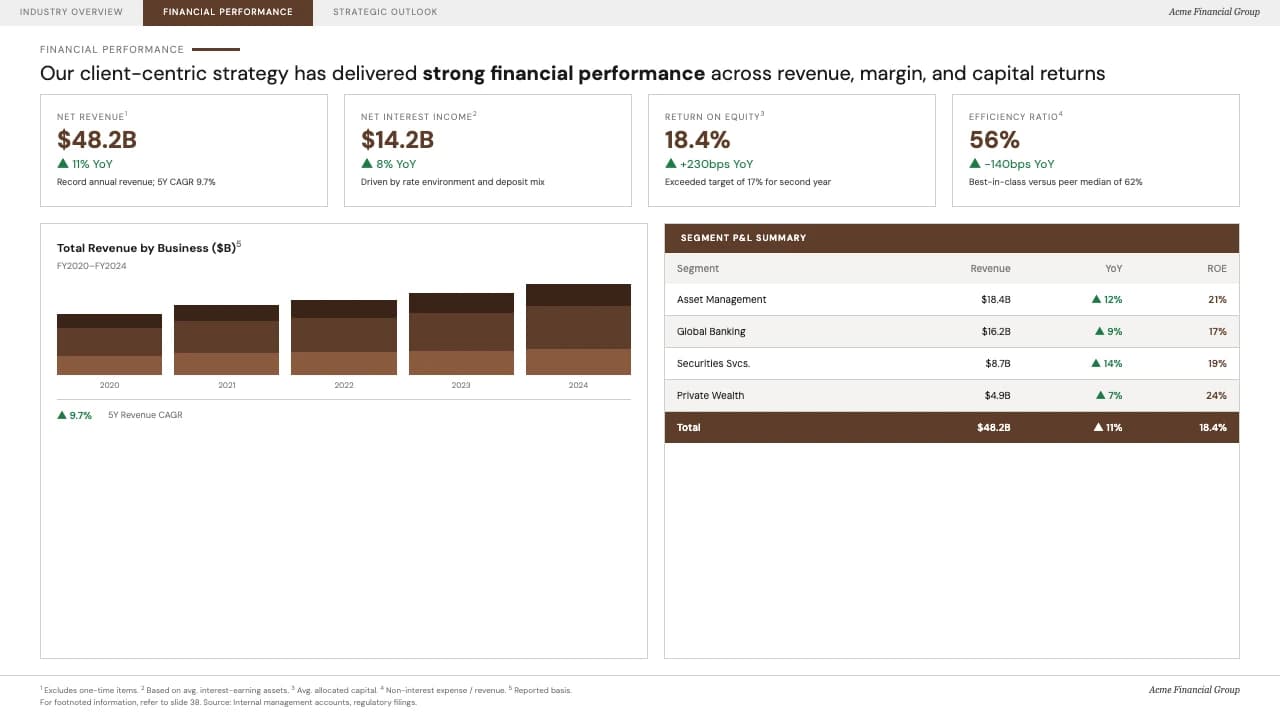
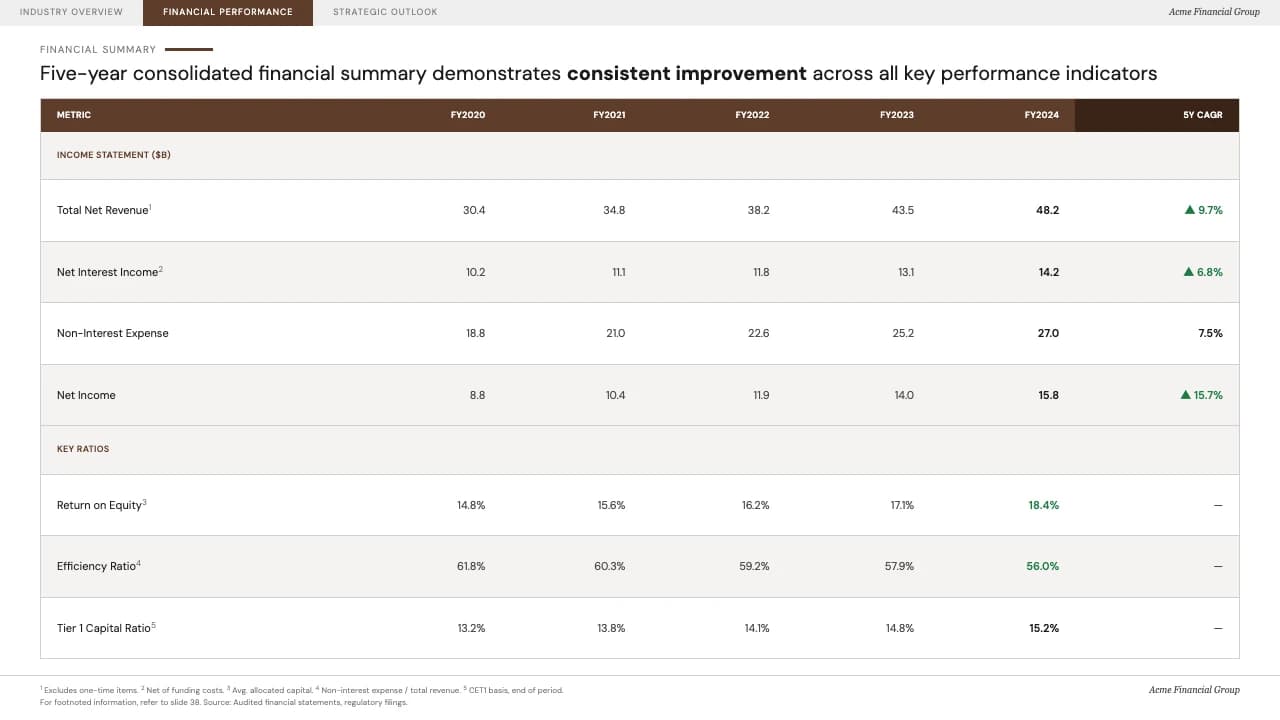
A CFO presents the five-year consolidated financial summary to shareholders, using the multi-column table to highlight consistent revenue growth and efficiency ratio improvements.
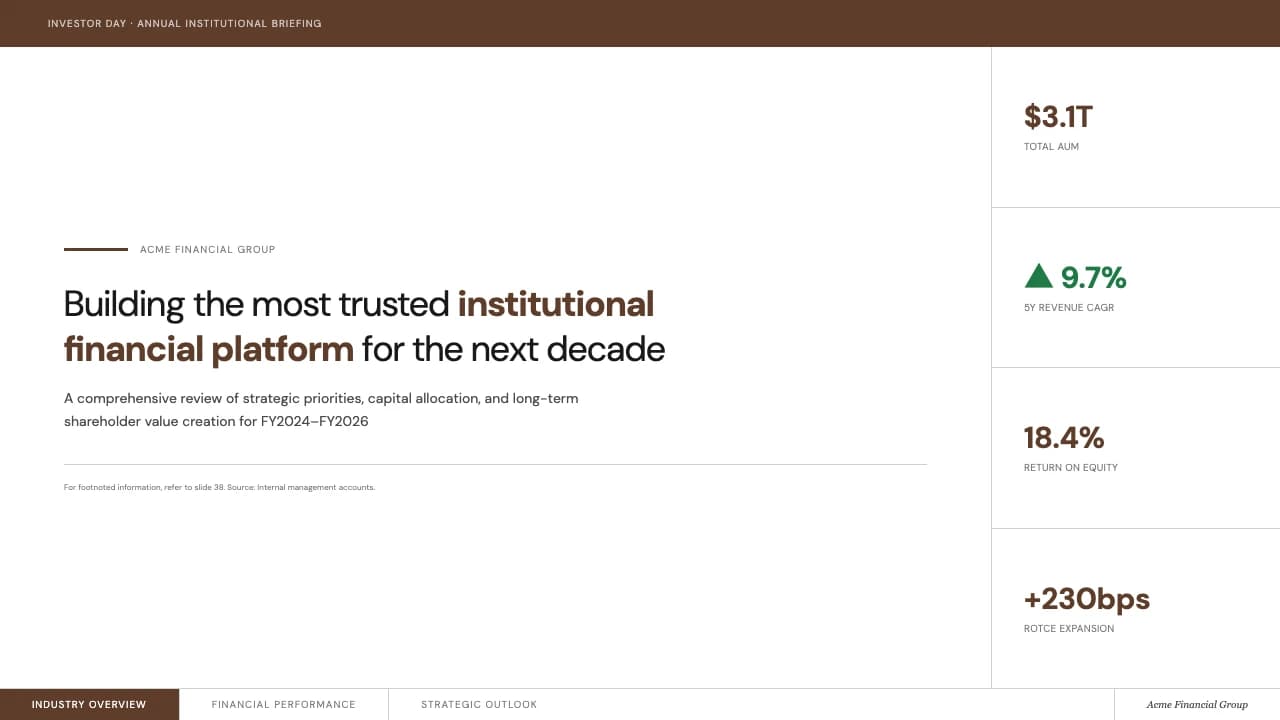
Data-dense institutional reporting with elegant espresso tones and precision typography.
Espresso Ledger is a high-density financial template modeled after institutional investor briefings.
The visual identity centers on a deep #5E3D2A roasted espresso brown, used for header bars and emphasis, paired with a soft #F5F3F1 off-white background to reduce eye strain during deep data reviews.
The typography employs DM Sans for a clean, sans-serif look that maintains legibility in complex tables.
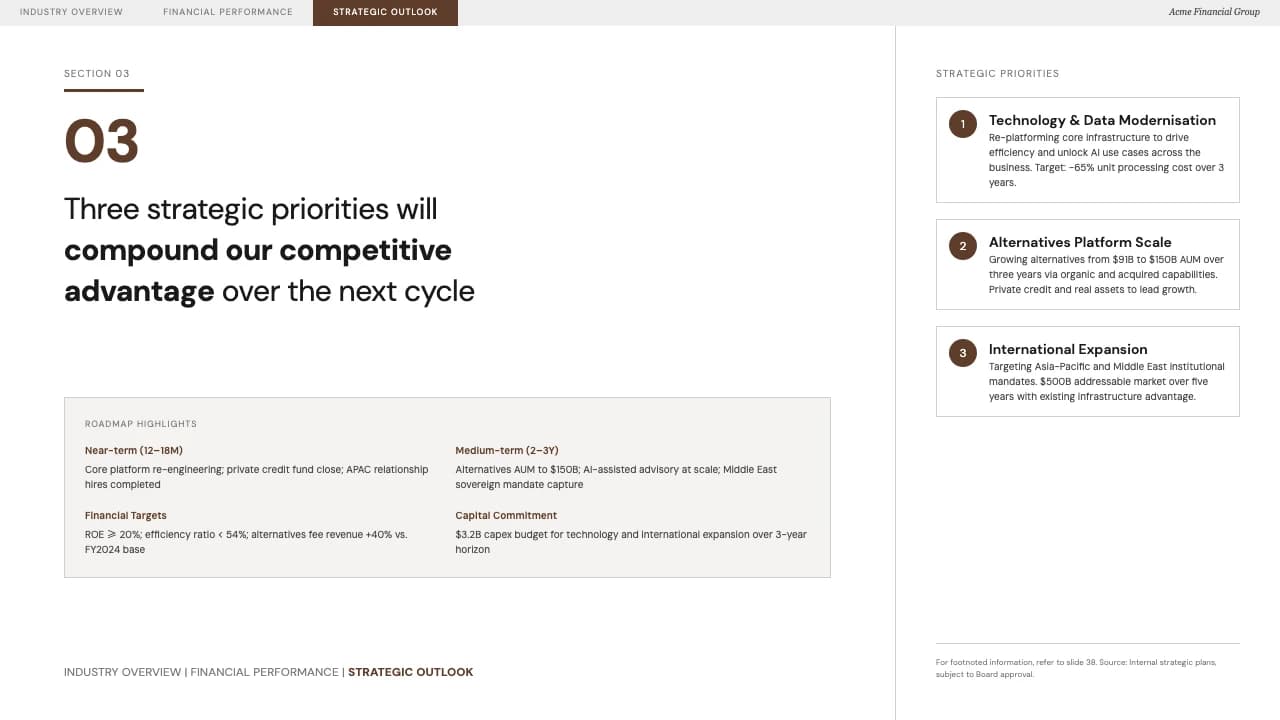
A defining feature is the persistent breadcrumb navigation tab at the top of each slide, allowing stakeholders to track progress through sections like Industry Overview, Financial Performance, and Strategic Outlook.
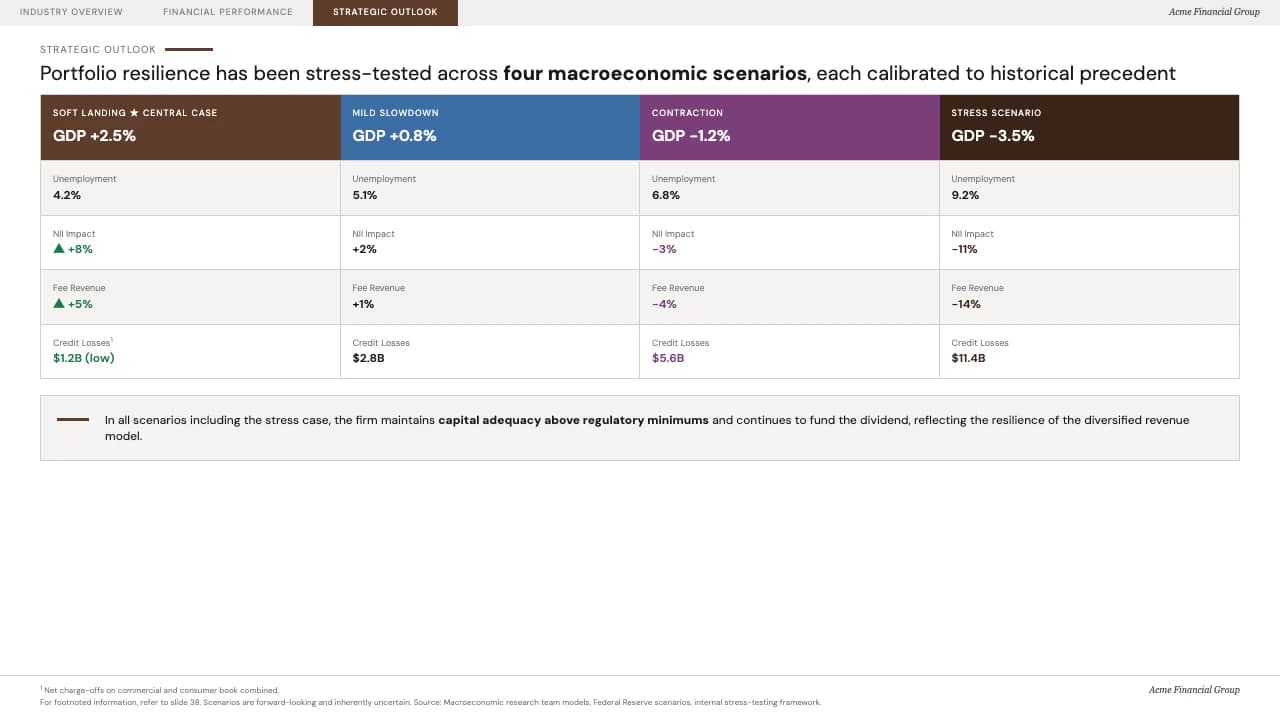
The layout uses a strict grid system, including a four-column macro-economic stress test slide and a vertical KPI sidebar on the cover, making it ideal for equity research or quarterly earnings calls.
The design utilizes a sophisticated 'Dark Roast' palette, where espresso brown acts as the grounding neutral alongside forest green accents for positive growth indicators.
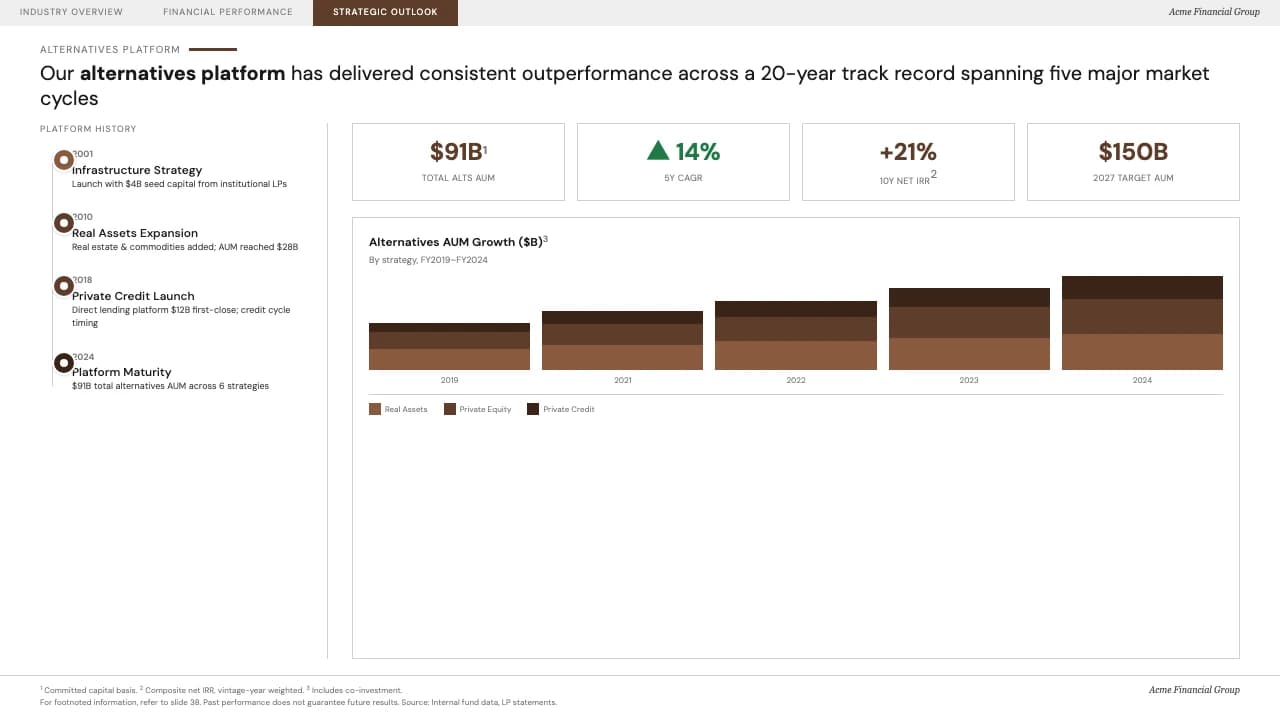
The layout pattern favors an analytical structure: the cover integrates a right-aligned data strip for immediate AUM and CAGR highlights.
Interior slides feature a unique top-tab navigation system that functions like a website's breadcrumbs.
Data visualization follows a minimalist approach, using subtle horizontal rules and bolded row headers in the financial summary tables to guide the eye across multi-year fiscal comparisons.
Footnotes are consistently placed in small-cap sans-serif at the bottom left to maintain evidentiary integrity without cluttering the main narrative.
Every theme has a stage it belongs on. These are the moments this one was built for.
A CFO presents the five-year consolidated financial summary to shareholders, using the multi-column table to highlight consistent revenue growth and efficiency ratio improvements.
Risk management teams use the four-column scenario slide to compare portfolio resilience across soft landing, contraction, and stress test macroeconomic environments.
Analysts utilize the persistent navigation tabs to lead fund managers through complex sector data, moving from competitive landscapes to specific fiscal valuations.
01 / 7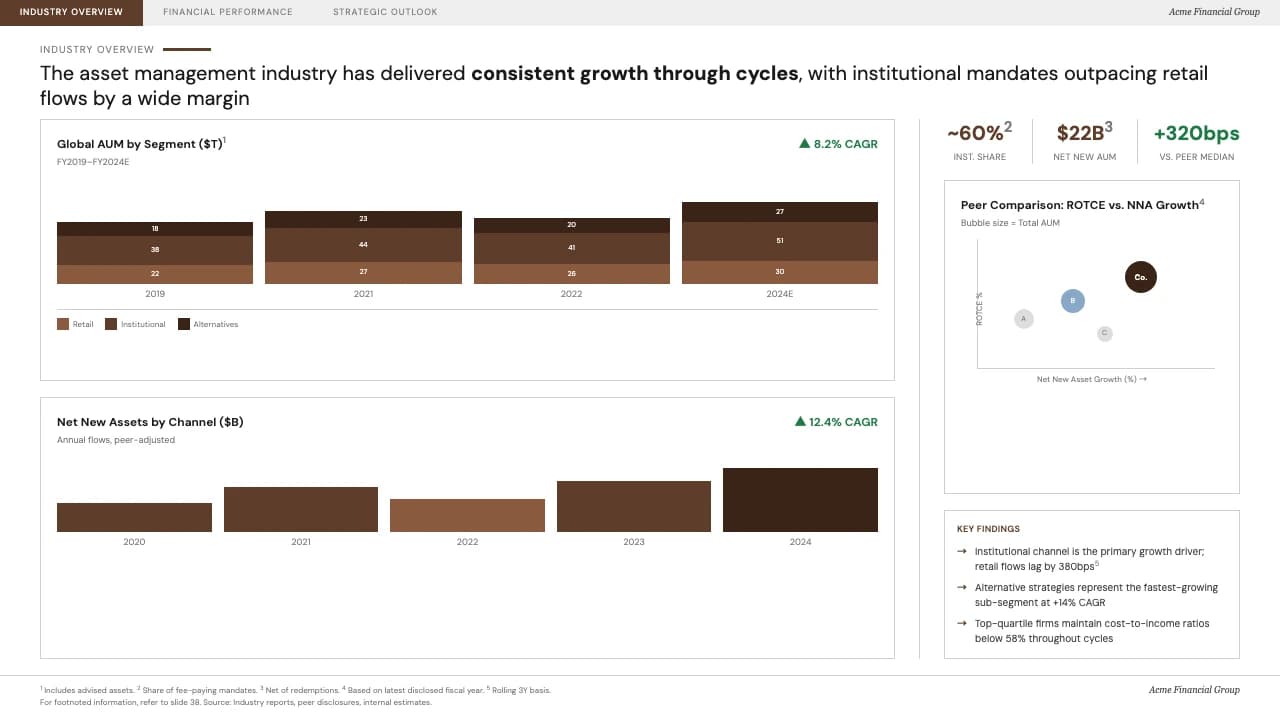 02 / 7
 03 / 7
 04 / 7
 05 / 7
 06 / 7
 07 / 7
Pick this template, upload your content, and our AI will compose it into the 7-slide arc of Espresso Ledger Investor Relations & Financial Report Deck — your job is just to polish the key data.