Mastering the Weekly Pulse: Transform Reports into Executive Presentations
How to transform routine weekly status reports into professional executive presentations using AI.
The Weekly Report Deserves a Better Format
In the modern corporate landscape, the weekly status report is often viewed as a necessary but tedious ritual. Teams spend hours every Friday or Monday morning consolidating tasks, tracking KPIs, and listing roadblocks into a document that frequently ends up buried in an inbox or a shared drive. However, as business leaders increasingly move toward data-driven decision-making --- with recent studies showing that a significant majority of executives rely on real-time data for strategic pivots --- the importance of the weekly report has never been higher.
The challenge is not just in writing the report; it is in presenting it. A static document lacks the visual impact and logical flow required to capture an executive's attention in a high-stakes meeting. The competitive edge belongs to those who can bridge the gap between raw weekly data and professional-grade visual storytelling. This gap --- between the report as written and the report as experienced by its audience --- is where significant professional value is either created or lost.
Who Is This Guide For?
This article is written for anyone who writes or presents weekly status reports in a professional setting:
- Team leads and managers who present weekly updates to directors or VPs
- Project managers tracking deliverables, risks, and milestones across multiple workstreams
- Marketing and sales professionals reporting on pipeline, campaign performance, and conversion metrics
- Operations managers responsible for cross-departmental KPI alignment
- Individual contributors who want their weekly reports to stand out and demonstrate strategic thinking
- Agency account managers delivering regular client updates on campaign performance
- Startup founders reporting to investors or advisory boards on a weekly cadence
If you spend more than 30 minutes each week formatting a report into slides, or if your weekly updates consistently fail to generate the engagement and action they deserve, this guide is for you.
The Anatomy of an Effective Weekly Report
Before a report can be transformed into a presentation, it must have a solid foundation. An effective weekly report serves as a micro-dashboard for your professional life. It should provide a complete 360-degree view of your output across three temporal dimensions:
- The Past: A recap of the reporting period, focusing on completed deliverables and milestones reached. This section answers the question: what was accomplished?
- The Present: A spotlight on achievements and, more importantly, the challenges or roadblocks currently hindering progress. This section answers the question: what needs attention right now?
- The Future: A clear roadmap for the coming week, outlining priorities, deadlines, and focus areas. This section answers the question: what happens next?
By structuring your work around these pillars, you create a narrative that shows alignment with broader organizational goals. You are no longer just listing tasks; you are demonstrating leadership and foresight.
Additional Elements to Include
Beyond the three temporal pillars, strong weekly reports often include:
- Key metrics and KPIs with week-over-week comparisons
- Risk flags for items that may escalate if not addressed
- Resource requests tied to specific deliverables or blockers
- Wins and highlights that deserve organizational visibility
- Dependencies on other teams or external partners
These elements transform a simple task list into a strategic communication tool.
The Professional Standard: Turning Data into Decisions
Writing an effective report is an art form. It requires a balance of brevity and depth. Three golden rules for report writing:
- Brevity: Use as few words as possible to convey the maximum amount of information. Executives have limited time. Every sentence should earn its place.
- Clarity: Avoid technical jargon. Your report should be readable by a cross-functional team, not just your immediate peers. If a term requires explanation, either define it or replace it.
- Result-Orientation: Instead of saying what you did, say what you achieved. Every metric should answer the question: What does this mean for our targets?
However, even a well-written report can fail if the presentation is poor. A block of text on a screen is difficult to absorb. Stakeholders need visual cues --- charts, icons, and structured layouts --- to grasp the significance of your work at a glance. The format of delivery shapes perception as much as the content itself.
The Presentation Bottleneck: The Lost Hours of Friday
For most managers and team leads, the transition from a text-based report to a PowerPoint presentation is a manual process that consumes disproportionate time. You find yourself copying and pasting figures into slides, wrestling with alignment, and trying to find icons that do not look dated. This mechanical labor is a significant drain on productivity.
When you spend hours formatting slides, you are not thinking about strategy. You are not identifying risks. You are simply performing a digital translation task that a machine should handle. Moreover, manual conversion often leads to a loss of logical nuance --- the subtle connection between a specific roadblock and a delayed milestone can vanish when stripped of its context.
The cost of this bottleneck is measurable. If a manager spends 90 minutes each week converting a report to slides, that is 78 hours per year --- nearly two full working weeks --- dedicated entirely to formatting. Multiply that across a team of ten managers, and the organization loses 780 hours annually to slide design. That is time that could be spent on strategic thinking, team development, or client engagement.
Report Format vs. Presentation Format: A Comparison
Understanding why the translation between formats matters helps clarify the value of automating this process.
| Attribute | Written Weekly Report | Executive Presentation |
|---|---|---|
| Primary audience | Direct manager, immediate team | Senior leadership, cross-functional stakeholders |
| Level of detail | Granular task-level information | High-level summary with supporting data |
| Format | Text-heavy, list-based | Visual, chart-driven, structured slides |
| Logical flow | Chronological or categorical | Narrative arc: achievements, challenges, plan |
| Engagement level | Read asynchronously | Presented live, discussed in real time |
| Time to produce | 30-60 minutes to write | 60-120 additional minutes to format as slides |
| Shelf life | One week (replaced by next report) | Referenced in follow-up meetings, archived |
| Action generation | Low (often skimmed) | High (discussed and debated) |
This table highlights a fundamental tension. The written report is efficient to produce but low in impact. The presentation is high in impact but costly to produce. The goal of automation is to eliminate the cost while preserving the impact.
Automating the Transformation: From Document to Deck
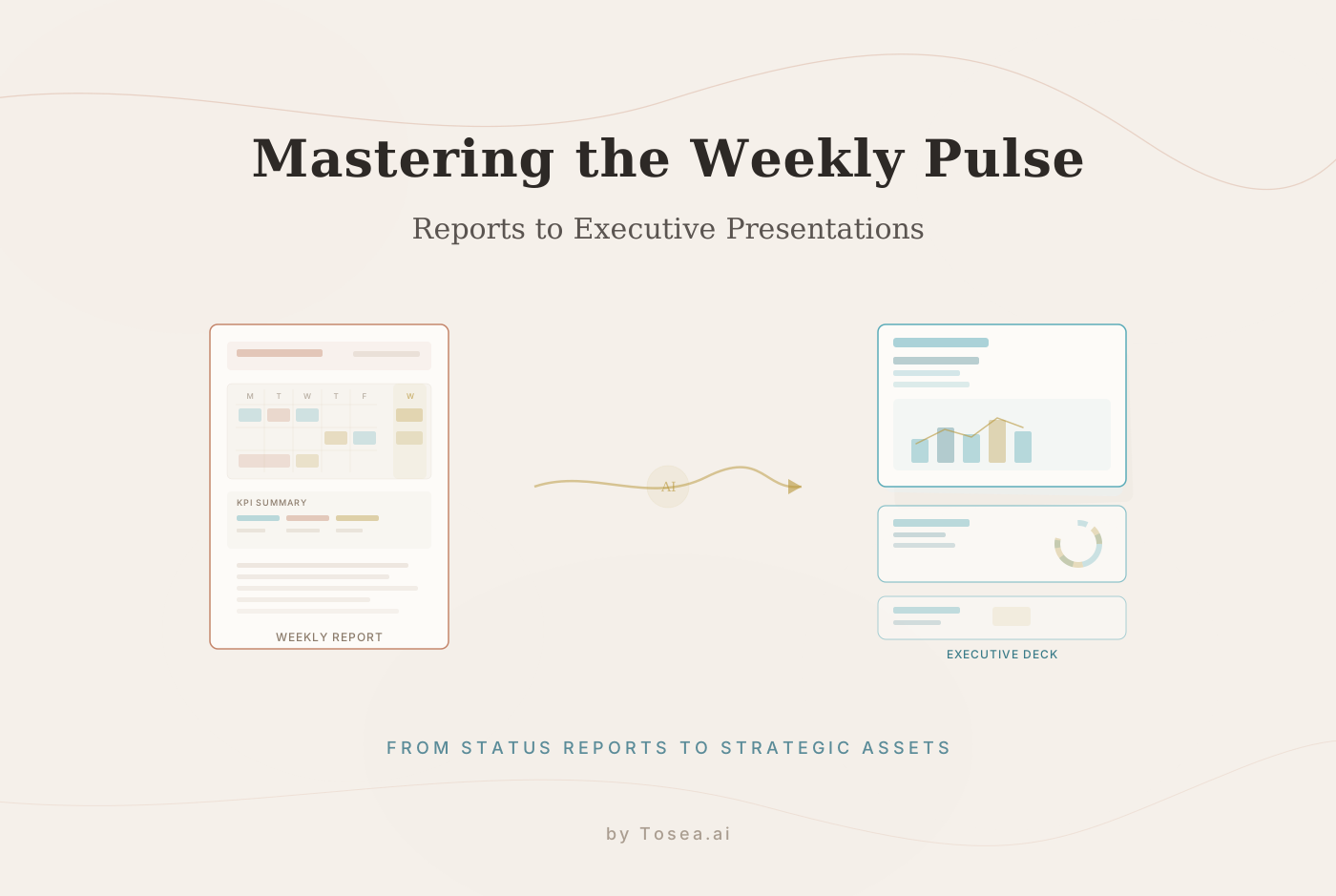
Tools like Tosea.ai represent the next evolution in workplace automation. They are specialized platforms designed to take raw weekly reports and transform them into professional, consulting-grade presentations using advanced document intelligence.
Advanced Spatial Semantic Perception
A well-designed transformation engine does not just read your text; it perceives the layout and logical intent of your weekly report. If you have categorized your tasks under In Progress or Delayed, the AI recognizes these as dynamic status signals. It identifies your KPI tables and understands the relationship between your action items and your future deadlines.
By understanding the spatial semantics of your document, the transformation ensures that:
- Narrative Flow is Maintained: Your report's logic is reconstructed into a slide sequence that tells a coherent story of the week's progress.
- Automated Visualization: Raw data tables are converted into clean, high-impact charts and graphs that communicate trends at a glance.
- Logical Chunking: Long paragraphs are broken down into digestible, professional bullet points that maintain the weight of your original message.
Consulting-Grade Aesthetics
The presentations produced through this process feature sophisticated typography, strategic white space, and professional-grade visual hierarchies typically seen in reports from leading consulting firms. Your weekly monitoring data becomes a strategic asset that commands attention in the meeting room, not a series of hastily assembled bullet points on a white background.
Traceability for Confidence
In the corporate world, accuracy is everything. If a stakeholder questions a figure on slide four, you need to know exactly where it came from. Traceability features link every insight on the generated presentation back to the specific line or table in your original report. This ensures that your presentations are not just visually polished but factually defensible.
Real-World Scenarios: How AI Transformation Empowers Your Team
For Marketing and Sales Leads
Weekly reports in marketing are often data-heavy. A transformation tool takes your raw metrics --- organic traffic, lead conversion rates, and campaign ROI --- and builds a strategic deck. It highlights the wins, identifies the misses, and presents a clear visual argument for the following week's budget allocation. Instead of spending an hour on slide design, you spend that hour preparing talking points for the meeting.
For Project Managers and Operations
Managing multiple workstreams means dealing with complex dependencies. A tool like Tosea.ai can take a multi-page project status report and distill it into a high-level executive summary. It creates visual timelines and risk matrices automatically, allowing you to spend your time solving blockers rather than designing slides about them.
For Customer Service and Support
Showcasing team performance and KPI trends is essential for resource planning. AI transformation turns weekly support logs into a story of efficiency and improvement, making it easy to demonstrate the team's value to upper management. Ticket resolution rates, customer satisfaction scores, and staffing trends are visualized in a format that senior leaders can absorb in seconds.
For Engineering and Product Teams
Sprint reports, bug counts, and feature velocity metrics are essential for demonstrating engineering productivity. A transformation engine converts your sprint retrospective document into a visual narrative that shows progress against the product roadmap, highlights technical debt decisions, and communicates blockers that require cross-functional support.
For Finance and Accounting
Weekly cash flow summaries, budget variance reports, and accounts receivable updates are inherently data-dense. Transforming these into visually clear presentations allows finance teams to communicate the financial health of the organization without requiring every stakeholder to parse a spreadsheet.
Step-by-Step: Building a Weekly Pulse Workflow
For teams looking to implement a repeatable weekly pulse process, here is a practical workflow:
-
Standardize your report template. Create a consistent structure that every team member follows. Include sections for accomplishments, challenges, key metrics, and next-week priorities.
-
Write your weekly report. Follow the three golden rules: brevity, clarity, result-orientation. Aim for a document that can be read in under five minutes.
-
Export to a transformation-ready format. Save your report as a PDF, Word document, or Markdown file. These are the formats that tools like Tosea.ai accept.
-
Upload to your transformation tool. Specify the audience (e.g., executive leadership, client stakeholders) and select a professional template. The tool's inquiry phase will ask clarifying questions to ensure the output matches your intent.
-
Review the generated outline. Before the final slides are rendered, review the structural overview. Confirm that the narrative flow matches your intended story: what happened, what it means, and what comes next.
-
Download and present. Export the final
.pptxfile. Make any last-minute adjustments --- adding your company logo, adjusting a color, or inserting a specific chart --- and present with confidence.
This workflow can reduce the time from finished report to finished presentation from over an hour to under ten minutes.
Common Mistakes in Weekly Reporting
Even with the right tools, certain habits undermine the effectiveness of weekly reports:
- Listing activities instead of outcomes. "Attended three meetings" tells a stakeholder nothing. "Aligned sales and marketing on Q2 pipeline targets" tells a story.
- Burying the lead. The most important information should be on the first slide, not the last. Structure your report so that the critical items surface first.
- Ignoring the audience. A report to your direct manager can include granular detail. A report to the CEO cannot. Tailor the level of abstraction to the audience.
- Skipping the "so what." Every metric needs context. Revenue increased 12% --- but is that ahead of target or behind? Is the trend accelerating or decelerating? Context transforms data into insight.
- Inconsistent formatting. When every week's report looks different, stakeholders cannot build pattern recognition. Consistency in structure builds trust and makes trends visible over time.
- Omitting forward-looking content. A report that only looks backward is a log, not a strategic tool. Always include priorities and risks for the coming period.
Building a Culture of Reporting Excellence
Individual report quality matters, but organizational reporting culture matters more. Teams that treat weekly reports as strategic communication tools --- rather than administrative obligations --- gain several advantages:
- Faster decision-making. When leaders receive clear, well-structured weekly updates, they can make decisions during the meeting rather than requesting follow-up.
- Better resource allocation. Visible blockers and resource requests lead to faster reallocation of people and budget.
- Increased team visibility. Teams that present their work clearly are more likely to receive recognition, funding, and organizational support.
- Reduced meeting time. A well-designed presentation replaces the need for lengthy verbal explanations. Meetings become discussions, not data dumps.
Conclusion: The Professional Choice in the AI Era
Writing a weekly report should not be a chore, and presenting one should not be a burden. By following established practices --- keeping language simple, focusing on results, and identifying risks early --- you lay the groundwork for effective communication.
But to stand out, you need a workflow that can translate your hard work into a visual product that matches the quality of your thinking. AI-powered document transformation, as offered by platforms like Tosea.ai, handles the design layer so that you can focus on leadership. The days of spending Friday afternoon wrestling with slide alignment are over for teams that adopt this approach.
In 2026, the most effective way to prove your value is to present it with clarity and authority. Let intelligent automation handle the formatting so you can focus on the strategy.
FAQ: Maximizing Your Reporting Efficiency
Q: How does Tosea.ai handle highly confidential internal reports? A: Security is a top priority. Tosea.ai utilizes enterprise-grade data isolation and secure processing environments. Your weekly reports are not used to train public models, and your proprietary data remains entirely yours.
Q: Can I edit the presentation after the AI generates it?
A: Yes. Tosea.ai exports your presentation as a standard .pptx file. You have full control to make manual tweaks, add specific branding, or insert your own final touches in Microsoft PowerPoint or Google Slides.
Q: What file formats are supported for weekly report upload? A: Tosea.ai accepts PDF, Word documents, plain text, Markdown, and images. Most weekly reports are written in Word or exported from project management tools as PDF, both of which work well with the transformation engine.
Q: How long does the transformation process take? A: For a typical weekly report of two to five pages, the transformation takes under two minutes. Longer documents with complex tables and charts may take slightly longer, but the process is still measured in minutes rather than hours.
Q: Can the tool handle reports with embedded charts and images? A: Yes. The spatial semantic perception engine recognizes charts, tables, and images within your source document. It places them strategically within the generated presentation and adds supporting context to ensure visual elements are properly framed within the narrative.
Q: Is there a way to maintain consistent branding across weekly presentations? A: Tosea.ai generates files using professional consulting aesthetics by default. You can apply your organization's brand colors, fonts, and logos after export in PowerPoint. The upcoming custom template feature will allow organizations to upload their brand guidelines directly, ensuring consistency from the moment of generation.