Tosea.ai vs Presentations.AI: Professional Logic vs Creative Automation
A detailed comparison of Tosea.ai and Presentations.AI for professional document synthesis.
Two Philosophies for AI-Powered Presentations
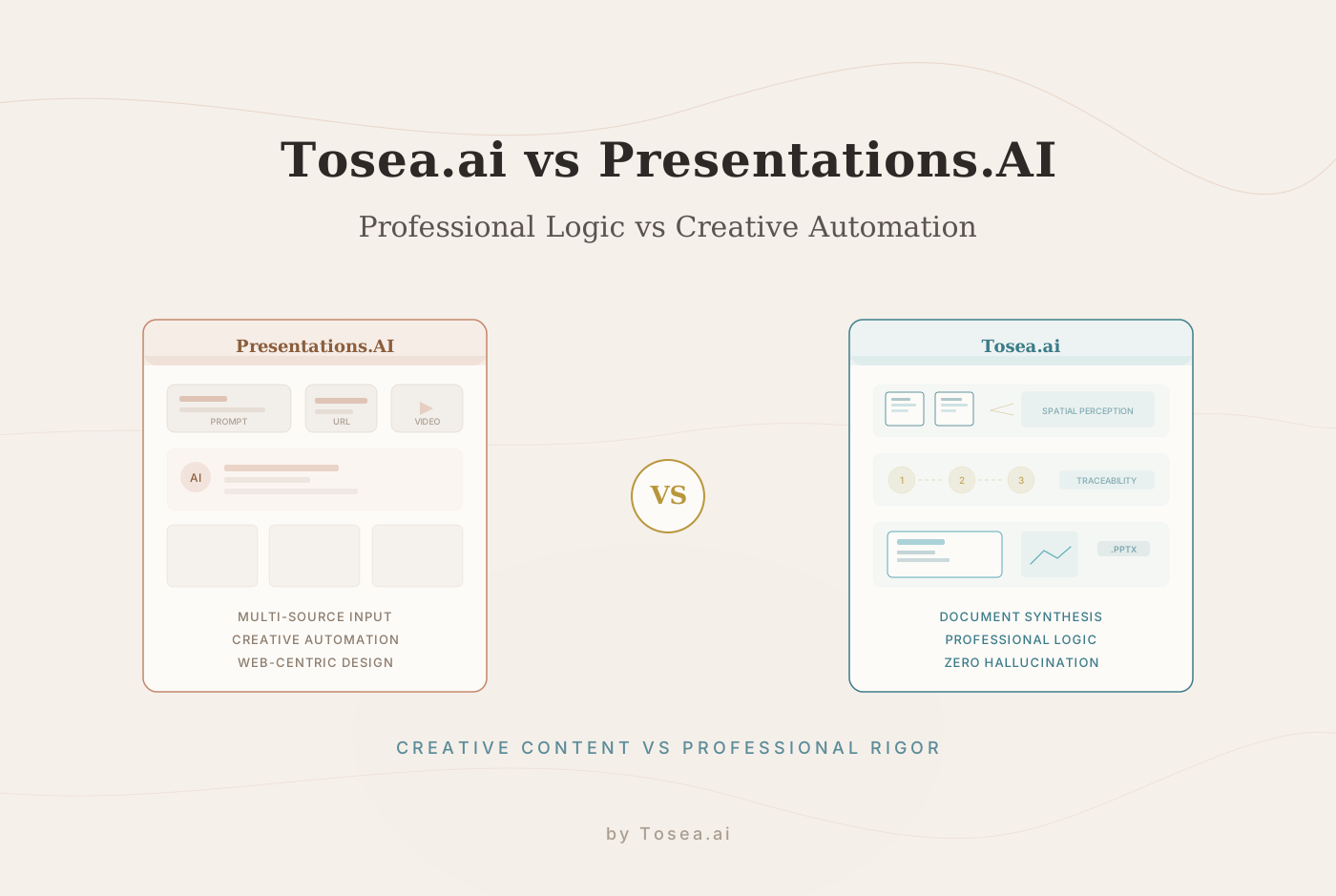
The evolution of AI in 2026 has provided professionals with a diverse toolkit for communication. When it comes to presentations, the industry has branched into two distinct directions: tools that prioritize creative inspiration and rapid content generation, and tools that prioritize professional rigor and structured document transformation. Tosea.ai and Presentations.AI represent these two directions clearly.
Presentations.AI has made its mark as a versatile engine for rapid content creation, accepting inputs ranging from text prompts to video URLs. Tosea.ai is recognized for its commitment to professional office standards, focusing on the logical restoration of complex documents and the rigorous processing of private data. This comparison examines both platforms across user experience, design philosophy, AI capabilities, and practical application to help you determine which aligns with your specific workflow.
Who Is This Comparison For?
This article is written for professionals who need to make an informed decision about which AI presentation tool fits their working context:
- Management consultants delivering structured analyses to enterprise clients
- Research scientists and academics converting published papers or grant proposals into conference presentations
- Corporate executives preparing board-level decks from financial reports and strategic plans
- Content marketers who need to transform blog posts, videos, and web content into presentation format
- Project managers converting multi-page status reports into stakeholder updates
- Legal and compliance professionals who require traceability and accuracy in every slide
Whether you work primarily with existing documents that need transformation or you build presentations from prompts and web content, this comparison will help clarify which platform serves your needs.
Round 1: User Experience and Workflow Alignment
The effectiveness of an AI tool is measured by how well it integrates into an existing professional workflow. The primary difference between these two platforms lies in their starting point and their level of user collaboration.
Tosea.ai: Structured Collaboration for Accuracy
Tosea.ai is built for environments where accuracy is non-negotiable, such as research, consulting, and corporate management. The workflow is designed to be collaborative rather than passive:
- Upload: Users provide source files in formats including PDF, Word, plain text, Markdown, or images.
- Style Selection: Choose from specialized professional templates curated for boardroom and academic settings.
- Active Inquiry: The AI asks the user about the specific goals and intended audience of the presentation. This is not a generic questionnaire --- the questions are informed by the content of the uploaded document.
- Logic Confirmation: The system presents the identified structure for human approval before the final slides are rendered.
This process ensures that the AI serves as a professional assistant that respects the user's intent and the document's original logic. The confirmation step is particularly valuable when dealing with documents where the hierarchy of information is critical --- for example, a financial report where the relationship between revenue figures and cost drivers must be preserved accurately.
Presentations.AI: Versatile Ingestion for Rapid Ideation
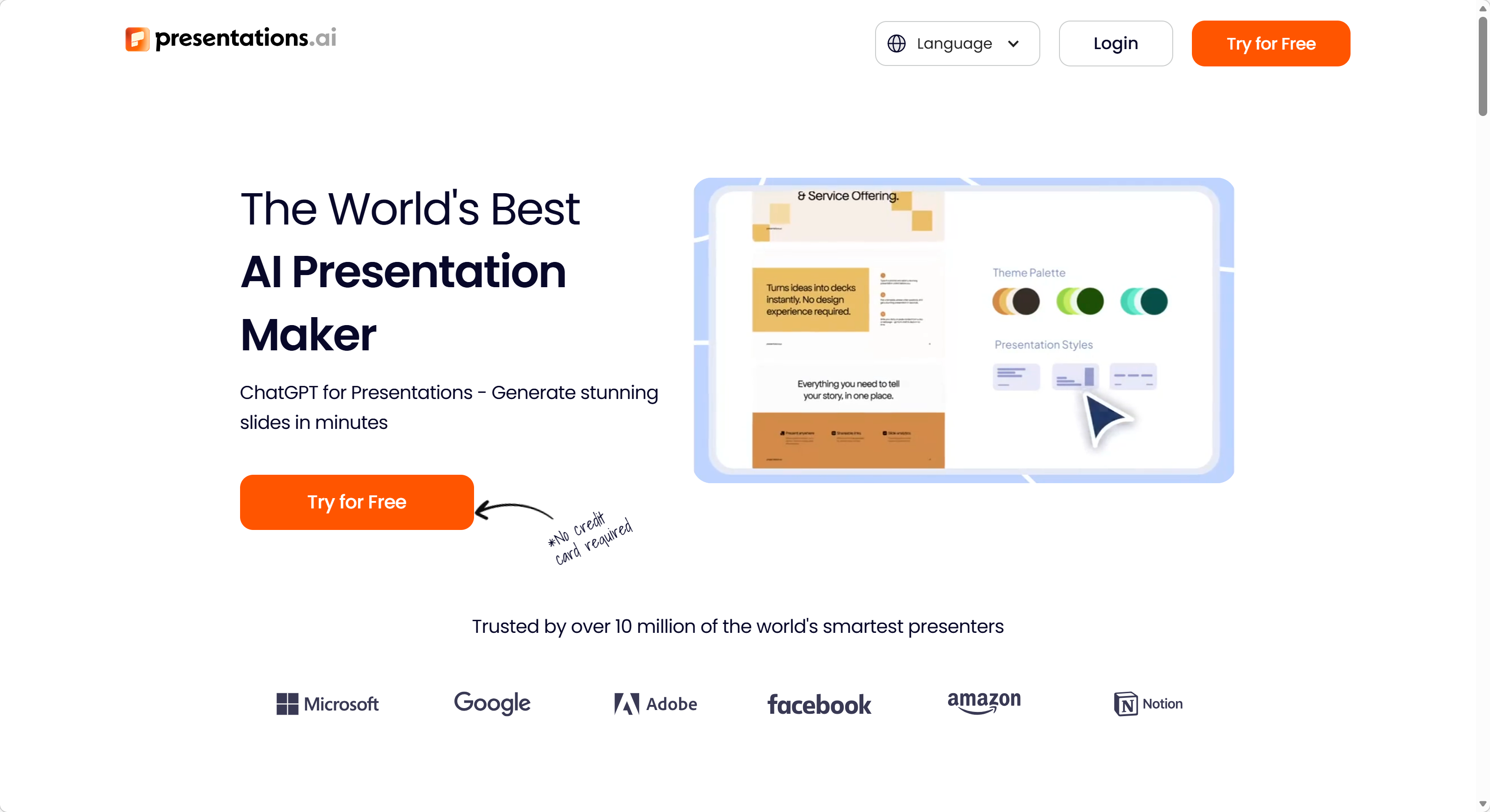
Presentations.AI offers a more exploratory approach. Users can generate decks from a text prompt, a website URL, or even a video link. This makes it a strong choice for users who need to quickly visualize a broad concept or summarize external web content. The platform utilizes an AI assistant to help refine slides after generation, offering suggestions for layout improvements and content adjustments.
This flexibility is efficient for creative brainstorming and content repurposing. A marketing team can turn a blog post into a presentation in minutes, or a trainer can convert a YouTube tutorial into slide-based training materials. However, the same flexibility may require more manual oversight when dealing with highly technical or structured private reports, where the AI's interpretation of document hierarchy needs careful verification.
Round 2: Design Philosophy and Aesthetic Logic
Design in a professional context is not just about visual appeal; it is about establishing authority and supporting a narrative.
Tosea.ai: Consulting Rigor and Print-Grade Layouts
Tosea.ai focuses on print-grade layouts. These are slides designed to meet the rigorous standards of global consulting firms and academic institutions. With 12 master-crafted templates --- ranging from consulting-style aesthetics to specialized academic frameworks --- the focus is on clarity, logical hierarchy, and professional authority. The upcoming custom template upload feature will ensure that large organizations can maintain strict brand consistency across all outputs.
The design language is deliberately restrained. Typography is chosen for readability at multiple sizes. White space is used strategically to direct attention. Data visualizations are formatted to be self-explanatory, reducing the need for verbal annotation during a presentation. These are slides that work equally well projected in a meeting room, printed as a handout, or shared as a PDF attachment.
Presentations.AI: Adaptive Design and Modern Visuals
Presentations.AI uses an adaptive design system that automatically adjusts the layout as content is added. The aesthetics are modern and highly suitable for live presentations, team updates, or marketing pitches where visual movement and brand synchronization are key. It is optimized for screen-based viewing, providing a vibrant and dynamic visual experience.
The platform offers a wider range of visual styles, from minimal and corporate to bold and creative. This variety makes it adaptable to many different use cases, though it also means that users need to invest some effort in selecting and maintaining a consistent design language across multiple presentations.
Round 3: Advanced AI Features and Document Synthesis
The core value of a file-to-presentation tool is found in its ability to parse and reconstruct information without losing nuance. This is where the two platforms diverge most significantly.
Tosea.ai: Spatial Semantic Perception and Traceability
For professionals handling long-form papers, legal audits, or financial reports, the depth of analysis is critical. Tosea.ai utilizes spatial semantic perception to handle technical complexities:
- Complex Element Identification: The system extracts data from intricate charts and maintains the integrity of nested lists, preserving the relationships between parent and child items.
- Academic Automation: Tosea.ai can automatically identify and format literature citations found in the source material, maintaining proper attribution throughout the generated slides.
- Traceability: To address the risk of AI hallucinations, Tosea.ai links every bullet point on a generated slide back to its specific origin in the source document. This allows a researcher or consultant to defend every claim by tracing it back to the original text.
This traceability feature is particularly important in regulated industries and academic settings, where the provenance of information is as important as the information itself.
Presentations.AI: Cross-Media Input and Creative Automation
Presentations.AI shines in its ability to process diverse media formats. Its ability to summarize a YouTube video or a blog post into a slide deck is a significant advantage for content creators and marketers. The platform can pull in content from multiple web sources and synthesize it into a cohesive presentation, making it a powerful tool for content curation.
However, when converting traditional documents with complex internal structures, Presentations.AI often prioritizes a card-based summary approach over deep logical restoration. This means that while the output is visually clean and well-organized, some of the structural nuance of the original document --- such as the relationship between a methodology section and its corresponding results --- may need to be manually reinforced by the user.
Feature Comparison Table
| Feature | Tosea.ai | Presentations.AI |
|---|---|---|
| Primary Use Case | Transform existing documents into presentations | Generate presentations from prompts, URLs, and media |
| Input Formats | PDF, Word, Markdown, plain text, images | Text prompts, URLs, video links, documents |
| Template Library | 12 consulting-grade, print-ready templates | Wide variety of modern, adaptive templates |
| AI Interaction | Active inquiry with logic confirmation | AI assistant for post-generation refinement |
| Design Philosophy | Print-grade, structurally authoritative | Web-optimized, visually dynamic |
| Document Parsing Depth | Spatial semantic perception (deep structure) | Card-based summarization |
| Content Traceability | Source-linked traceability per slide | Not available |
| Citation Handling | Automatic identification and formatting | Manual |
| Output Format | Native .pptx with full Office editability | Platform-native with export options |
| Complex Data Handling | High (nested lists, multi-dimensional tables) | Moderate (visual simplification for clarity) |
| Cross-Media Input | Document-focused | URLs, videos, web content, documents |
| Brand Customization | Custom template upload (upcoming) | Design system with brand settings |
| Best For | Consulting, research, executive reporting | Marketing, content creation, team updates |
Round 4: Output Compatibility and Editing Freedom
A critical factor for office professionals is how the output behaves in the Microsoft PowerPoint ecosystem.
Tosea.ai: Native PowerPoint Compatibility
Tosea.ai produces standard .pptx files with native compatibility. This ensures that layouts remain intact and elements remain fully editable when the file is moved from the cloud to a desktop. Every text box, chart, and image is a native PowerPoint object, not a flattened graphic. Tosea.ai also provides an online editor that closely mirrors the Office experience, allowing for seamless adjustments before the final download.
This native compatibility is critical for enterprise environments where PowerPoint is the standard delivery format. Slides can be inserted into existing company templates, modified by colleagues who do not use Tosea.ai, and archived in standard document management systems without compatibility concerns.
Presentations.AI: Platform-Native Experience
Presentations.AI is optimized for its own web-based viewing and editing environment. The platform supports exports, but the primary experience is designed around working within the Presentations.AI interface. This can be advantageous for teams that standardize on the platform, but may introduce friction when the final deliverable needs to be a pixel-perfect PowerPoint file for a client or board member who expects standard Office formatting.
Practical Use Case Scenarios
Scenario 1: Converting a Research Paper for a Conference
A researcher has a 30-page paper with citations, figures, and a structured argument. They need a 20-slide deck for a 30-minute conference talk. Tosea.ai is the stronger fit. The spatial semantic perception engine preserves the paper's logical flow, automatically formats citations, and the traceability feature ensures every slide can be verified against the source text.
Scenario 2: Turning a Blog Series into a Webinar Deck
A content marketing team wants to combine three blog posts and a YouTube explainer into a single webinar presentation. Presentations.AI handles this efficiently. Its ability to ingest URLs and video links and synthesize them into a cohesive deck is specifically designed for this type of cross-media content assembly.
Scenario 3: Preparing a Board Meeting Presentation
A CFO needs to convert a 50-page quarterly financial report into a 15-slide executive summary. The numbers must be accurate and traceable. Tosea.ai is the appropriate choice. The deep document parsing preserves financial hierarchies, and the traceability feature provides the audit trail that board presentations require.
Scenario 4: A Sales Kickoff Presentation
A sales director needs an energetic, visually compelling deck to motivate a team at a quarterly kickoff event. The content is primarily motivational messaging, customer quotes, and high-level metrics. Presentations.AI is well-suited for this use case, where visual energy and rapid production matter more than structural depth.
Scenario 5: A Compliance Training Module
A legal team needs to convert regulatory guidance documents into training slides for employees. Accuracy is critical, and the output must be editable in PowerPoint for integration into the company's existing training platform. Tosea.ai provides the document fidelity and native .pptx output required for this use case.
Pricing and Access Models
Tosea.ai operates on a credit-based system. New users receive free credits upon registration, and additional credits can be earned through referral programs or purchased through subscription plans. This model aligns cost with actual usage, making it economical for professionals who convert documents on a periodic basis.
Presentations.AI offers subscription-based pricing with tiered feature access. The platform's pricing is structured around team size and feature requirements, which can be advantageous for organizations that need predictable monthly costs and team-wide access.
The right pricing model depends on your usage pattern. Periodic, high-stakes document conversion may favor a credit-based approach. Regular, team-wide presentation creation may favor a subscription model.
Summary: Choosing the Right Tool for the Task
The choice between Tosea.ai and Presentations.AI is a matter of matching the tool to the objective.
Presentations.AI is a strong fit for those who:
- Start from a blank page, a general idea, or web-based content
- Need to transform URLs, videos, or blog posts into presentations
- Value adaptive design and modern, web-centric aesthetics for quick pitches and team updates
- Prefer a platform-native editing and sharing experience
Tosea.ai is a strong fit for those who:
- Are researchers, consultants, or managers converting complex, private files into presentations
- Require professional logic, academic citations, and factual accuracy
- Need traceability to ensure every slide can be verified against the source document
- Demand native
.pptxcompatibility and a familiar Office-like editing environment - Work in regulated industries where data provenance matters
Both platforms represent significant advances in AI-powered presentation creation. The right choice depends on the nature of your source material, the expectations of your audience, and the standards your industry demands.
FAQ: Tosea.ai vs Presentations.AI
Q: Can Presentations.AI convert a PDF document into a presentation? A: Presentations.AI supports multiple input types including documents. However, its primary strength is in generating content from prompts, URLs, and multimedia sources. For deep, structure-preserving PDF conversion, Tosea.ai's spatial semantic perception engine is specifically engineered for that task.
Q: Does Tosea.ai support video or URL input? A: Tosea.ai is designed around document transformation workflows. It supports PDF, Word, Markdown, plain text, and images. For converting web content or video into presentations, Presentations.AI offers a broader range of input options.
Q: Which platform is better for regulated industries (finance, healthcare, legal)?
A: For regulated industries where traceability and accuracy are mandatory, Tosea.ai's source-linked traceability and native .pptx output make it the more appropriate choice. The ability to trace every data point back to its source document supports audit and compliance requirements.
Q: Can I use both platforms together? A: Yes. Many professionals use Tosea.ai for document-heavy, high-stakes presentations and Presentations.AI for creative, content-driven decks. The two tools serve different parts of the presentation workflow and can complement each other effectively.
Q: How do the platforms handle non-English content? A: Both platforms support multilingual content. Tosea.ai's document parsing engine is designed to handle documents in multiple languages, preserving the original language and structure in the generated slides. Presentations.AI also supports multilingual content generation through its AI prompt system.