From Founder Trap to Systems Architect: Professional File-to-PPT Automation
How professional file-to-PPT automation helps founders escape the reporting bottleneck and build scalable systems for presentation workflows.
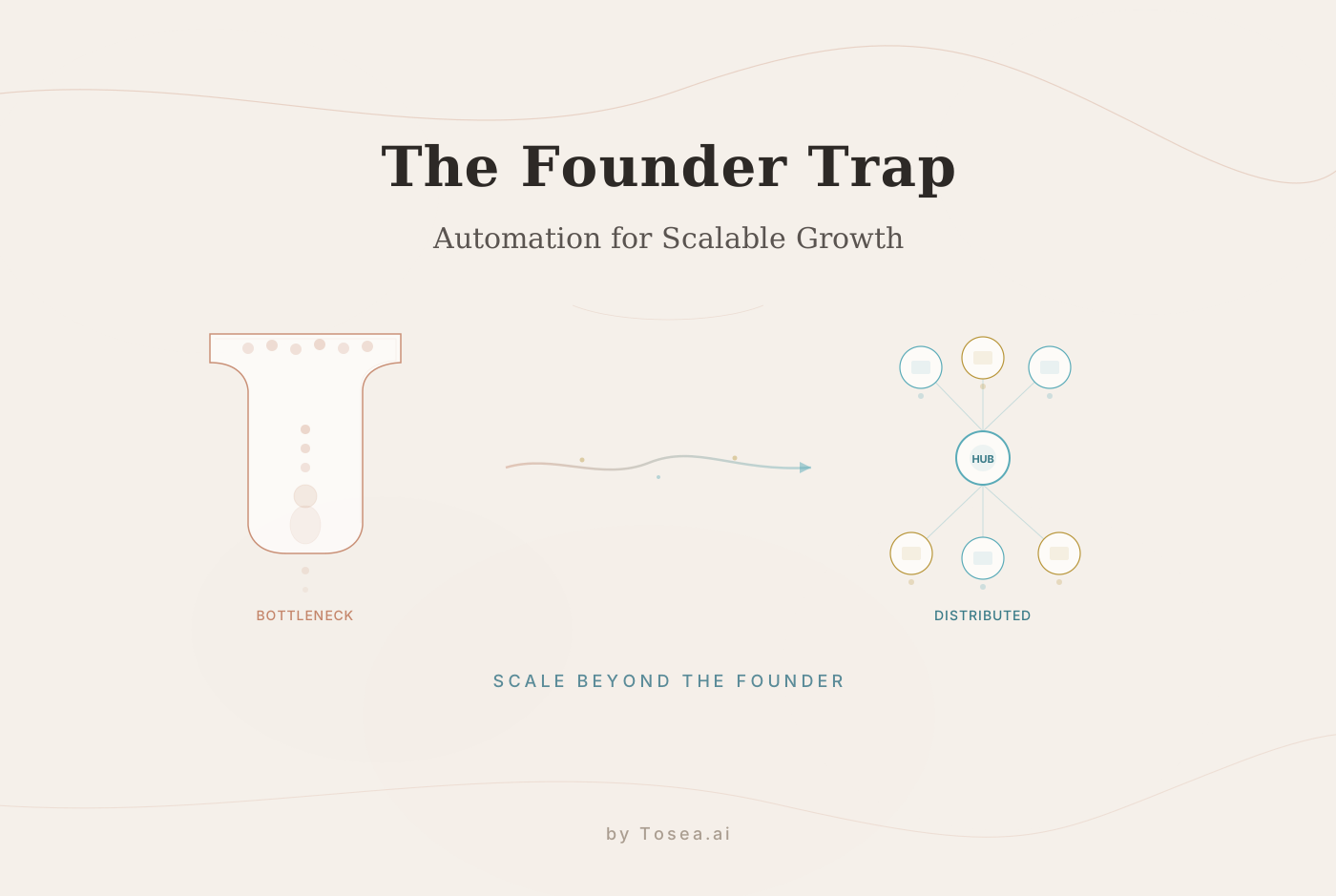
In the early chapters of any successful business, the founder is the heartbeat. Like Arti Sharma of Measure Marketing, many leaders find themselves trapped in the role of the ultimate bottleneck. They are the chief strategists, the lead closers, the final quality control, and the reporting engine. While this hands-on intensity builds a company from the ground up, it eventually becomes the single greatest barrier to scale.
By 2026, the global marketplace has sent a clear message: talent alone does not scale; systems do. The transition from a founder-driven execution model to a systems-driven performance model is the make-or-break moment for any modern agency or enterprise. One of the most critical components of this systemic shift is how a company processes information and presents it to stakeholders. Transforming raw data and complex documents into professional, executive-ready presentations is a meaningful lever for scalable growth, and the tooling available today makes it more practical than ever.
The Founder Trap: The Hidden Cost of Manual Reporting
The story of Measure Marketing serves as a cautionary tale for the modern professional. By 2018, the agency was growing, but the structure underneath was brittle. When internal systems depend on a single person's ability to translate performance into meaning, the risk of burnout and error skyrockets. For many, this manual labor manifests in the endless hours spent wrestling with slide decks for Quarterly Business Reviews (QBRs) and client updates.
Manual PPT creation is more than just a time-sink; it is a strategic liability. When senior team members spend their nights copying and pasting data from a Salesforce report or a marketing dashboard into a PowerPoint slide, they are not acting as strategists. They are acting as manual data entry clerks. This loss of high-value cognitive output is the primary symptom of the Founder Trap. To scale, you must move the decision-making and the presentation layer out of the founder's hands and into a reliable, automated system.
Recognizing the Warning Signs
Most founders do not realize they are stuck in the trap until the consequences are already compounding. There are a few reliable indicators that your organization has crossed the threshold from productive involvement to systemic dependency:
- Single-point-of-failure reporting. If one person being unavailable means a client presentation is delayed or skipped, the system is fragile. This applies whether that person is the founder, a senior analyst, or a team lead.
- Inconsistent quality across deliverables. When presentations vary wildly in formatting, depth, and narrative quality depending on who assembled them, the process lacks standardization.
- Time leakage in senior roles. Track how your highest-paid team members spend their weeks. If more than 20% of a senior strategist's time goes to formatting slides rather than developing strategy, that is a direct cost to the business.
- Delayed feedback loops. When it takes days to turn monitoring data into a presentable deck, the insights are already stale by the time they reach the decision-maker.
Identifying these patterns early is the first step toward building the systems that replace them.
Who Is This For?
The founder trap is not exclusive to agency owners. The pattern appears across a wide range of professional contexts. If any of the following descriptions resonate, the strategies in this article apply directly to your situation.
| Role | Typical Bottleneck | Impact of Automation |
|---|---|---|
| Agency founders | Building every client deck personally | Reclaim 10-15 hours per week for strategy |
| Consulting partners | Reviewing and reformatting analyst output | Standardize deliverable quality across teams |
| Department heads | Assembling board reports from multiple data sources | Reduce reporting cycle from days to hours |
| Research leads | Converting papers and briefs into presentation format | Focus on analysis rather than slide layout |
| Sales directors | Creating custom proposals for each prospect | Scale proposal generation without adding headcount |
| Operations managers | Compiling QBR decks from fragmented dashboards | Ensure consistent reporting regardless of team member |
The common thread is a professional who adds the most value through judgment, analysis, and decision-making, but who is currently spending a disproportionate amount of time on the mechanical task of assembling presentations.
Building the Agency Operating System: The Role of Presentation Intelligence
Scaling an agency requires a centralized measurement layer. As Measure Marketing discovered, tools are only useful if they speak a shared language. Whether you are using HubSpot, Google Ads, or proprietary SQL servers, the data must eventually be distilled into a narrative that a client or an executive team can understand.
This distillation process is where most systems break down. You can have a centralized data dashboard, but if you still have to spend five hours every Friday turning that dashboard into a professional presentation, your system is not fully built. True scalability requires Presentation Intelligence -- the ability to take complex documentation and instantly reconfigure it into an authoritative visual format that drives decision-making.
The Three Layers of Presentation Intelligence
Building a functional presentation system requires thinking in layers rather than in tools. Each layer addresses a different aspect of the workflow:
- Data aggregation. Consolidating information from multiple sources (CRM exports, analytics platforms, internal reports) into a unified format. This is the input layer.
- Structural transformation. Converting raw data and unstructured documents into a logical narrative with clear hierarchy, supporting evidence, and actionable conclusions. This is the intelligence layer.
- Visual rendering. Applying professional design principles -- typography, layout, color, spacing -- to the structured content. This is the output layer.
Most manual workflows collapse all three layers into a single human task. The presenter gathers data, decides what matters, and formats it simultaneously. This is where errors creep in, where quality varies, and where the process becomes dependent on individual skill rather than organizational capability.
Evaluation Criteria: What Makes a Good Automation System
Not all presentation automation tools solve the same problems. Before selecting a platform, it helps to define what matters most for your specific workflow. The following criteria provide a framework for evaluation:
- Source fidelity. Does the tool preserve the logical structure and data accuracy of your input documents? A system that oversimplifies a 40-page report into bullet points is not serving your needs.
- Format flexibility. Can you input PDFs, Word documents, spreadsheets, and other common formats without manual preprocessing?
- Output editability. Does the tool produce native .pptx files that you can modify in PowerPoint or Google Slides, or are you locked into a proprietary editor?
- Narrative coherence. Does the AI understand the relationship between sections of your document, or does it treat each page independently?
- Brand adaptability. Can you apply your organization's visual identity to the output without rebuilding the deck from scratch?
- Processing speed. How quickly can a complex document be transformed? For operational use, anything over 10 minutes per deck creates a bottleneck of its own.
These criteria should guide your evaluation of any tool, including Tosea.ai, which was designed with these requirements in mind.
Tosea.ai: A Professional Architecture for Presentation Workflows
Tosea.ai was designed to be the missing piece in your organizational operating system. In a professional environment, a presentation is not just a collection of slides; it is a strategic asset. The platform leverages advanced AI reasoning to ensure that your move from document to presentation is seamless, high-fidelity, and aligned with your growth goals.
Spatial Semantic Perception
Tosea.ai utilizes a spatial semantic perception engine. Unlike generic AI that treats text as a flat sequence of characters, the system analyzes the visual and logical hierarchy of your source files. It understands that a bolded heading in your project report is a slide title, and a data table in your PDF is a candidate for a dynamic chart.
This allows Tosea.ai to:
- Maintain logical continuity. The strategic intent of your source document is preserved. The AI recognizes the relationship between an identified risk and the proposed mitigation strategy, grouping them logically on the slide.
- Produce intelligent data visualization. Instead of just listing numbers, Tosea.ai identifies the most relevant metrics and builds clean, professional visualizations that highlight trends and anomalies.
- Create automatic layout structuring. The system creates a professional narrative flow, including executive summaries, milestone trackers, and next-step action items, based on the internal logic of your document.
Powered by Nano Banana Pro
To match the expectations of premium go-to-market agencies, Tosea.ai is powered by the Nano Banana Pro engine. This model provides the deep reasoning and aesthetic judgment required for consulting-grade output.
The result is a consulting aesthetic that prioritizes:
- Sophisticated visual hierarchy. Balanced white space, professional typography, and high-contrast layouts ensure readability for C-level executives.
- Refined design logic. The system moves beyond basic templates to create slide designs that reflect the professional weight of your agency's brand.
- Contextual nuance. The AI understands industry-specific terminology across B2B, SaaS, and manufacturing sectors, translating your message with accuracy.
Traceability: The Accountability Layer
Following the principles of ownership and accountability pioneered by leaders like Arti Sharma, Tosea.ai implements traceability throughout the conversion process. In a professional presentation, every figure matters. The system ensures that every claim or data point on your slide can be traced back to its specific origin in the source file. This allows your team to stand behind every presentation with confidence, transforming the reporting process into a high-trust collaboration tool.
Real-World Use Cases: How Automation Powers the Human Loop
In 2026, the most successful organizations are AI-assisted but human-centered. Tosea.ai acts as an enabler that allows your human experts to focus on the work that drives results.
Sales and Client Acquisition
Imagine being able to take a successful project case study and instantly turn it into a high-impact sales presentation. A sales team using automated document-to-PPT conversion can produce custom, data-rich proposals at speed, reducing friction in the sales cycle. One mid-market agency reported cutting their proposal turnaround from three days to four hours after integrating automated presentation workflows, freeing their sales team to spend more time in conversations with prospects rather than in PowerPoint.
Operations and Client Success
Scale requires standardized excellence. Account managers can generate professional QBR decks directly from their monthly performance reports. This ensures that every client receives a consistent experience, regardless of which team member is handling the account. It removes the variability of manual design and ensures that organizational standards are met each time.
Internal Leadership and Strategy
Leaders need to spend time on the future state of the business, not the current state of a PowerPoint deck. Taking complex internal audit documents or market research briefs and converting them into visual presentations for board meetings or team alignment sessions takes minutes rather than hours. The strategic value is in the conversation that follows the presentation, not in the act of building it.
Training and Onboarding
New hires often need to absorb dense process documentation or policy manuals. Converting these materials into structured, visual presentations makes onboarding faster and more consistent. A 60-page operations manual becomes a navigable deck that new team members can reference during their first weeks, supplementing hands-on training with clear visual summaries.
The Methodology: A Step-by-Step Transition Plan
Escaping the founder trap is not a single decision; it is a structured transition. Here is a practical methodology for moving from manual reporting to systematic presentation automation:
Phase 1: Audit (Week 1-2). Document every presentation your team creates in a typical month. Note who builds each one, how long it takes, what source materials are used, and who the audience is. This audit reveals the true cost of manual reporting.
Phase 2: Standardize inputs (Week 3-4). Identify the most common source document types (PDF reports, dashboard exports, Word briefs) and create a standard process for each. The goal is to ensure that inputs are consistent enough for automation to work reliably.
Phase 3: Pilot automation (Week 5-8). Select one recurring presentation -- typically the weekly team sync or the monthly client update -- and run it through an automated workflow. Compare the output quality, time savings, and team feedback against the manual process.
Phase 4: Scale (Month 3+). Extend the automated workflow to additional presentation types. Build internal guidelines for when to use automation versus manual creation. Most teams find that 70-80% of their recurring presentations benefit from automation, while high-stakes one-off decks still warrant hands-on attention.
Designing a Future Without Bottlenecks
The transition from founder to system architect is a significant journey for any leader. It requires letting go of control and trusting in the systems you build. Measure Marketing's ascent to becoming a recognized Great Place to Work was paved with the deliberate decision to empower their team with better data visibility and clearer ownership models.
Tools like Tosea.ai are designed for this shift. Rather than just helping you make slides, they help you build a professional presentation system that scales with your ambition. By removing the manual burden of slide creation, you free your team to focus on their core strengths -- matching their unique talents to the work that truly drives growth.
The goal is not to eliminate the human from the process. It is to eliminate the busywork so the human can do what they do best: think, decide, and lead.
FAQ: Navigating the Scalable Presentation Workflow
Q: How does Tosea.ai handle diverse data sources like CRM exports or technical whitepapers? A: Tosea.ai's spatial semantic perception is designed to handle a wide range of document types. Whether it is a data-heavy export from Salesforce or a deeply technical manufacturing brief, the Nano Banana Pro engine identifies the core logical structure and adapts the slide layout to fit the information type.
Q: Is Tosea.ai suitable for teams with strict brand guidelines?
A: Yes. While Tosea.ai generates a professional, consulting-grade layout by default, the output is a standard .pptx file. Your design team can apply branded templates, change color palettes, and adjust fonts in Microsoft PowerPoint or Google Slides to ensure brand alignment.
Q: How does the system handle confidentiality for high-stakes client data? A: Security and privacy are core to the Tosea.ai architecture. The platform implements enterprise-level data isolation and secure processing. Your documents are never used for training public models, ensuring that your agency's proprietary insights and your clients' sensitive data remain private.
Q: Can Tosea.ai help with the narrative flow of a presentation, not just the design? A: Yes. One of the primary advantages of Tosea.ai is its ability to reconstruct the narrative logic of a document. It creates a structured sequence including executive summaries, analytical deep-dives, and conclusion slides, ensuring your presentation tells a coherent story from start to finish.
Q: What is the learning curve for teams adopting automated presentation workflows? A: Most teams can begin producing usable output within their first session. The upload-and-convert workflow requires no specialized training. The larger learning curve is organizational -- defining which presentations to automate, establishing quality review checkpoints, and building team habits around the new workflow. Most organizations report full adoption within 4-6 weeks.
Q: How does automated presentation creation compare in cost to hiring a dedicated designer? A: A full-time presentation designer typically costs between 80,000 annually for a mid-market agency. Automated workflows handle the bulk of routine presentations at a fraction of that cost, while allowing you to reserve design talent for high-stakes, custom deliverables where creative judgment adds the most value.