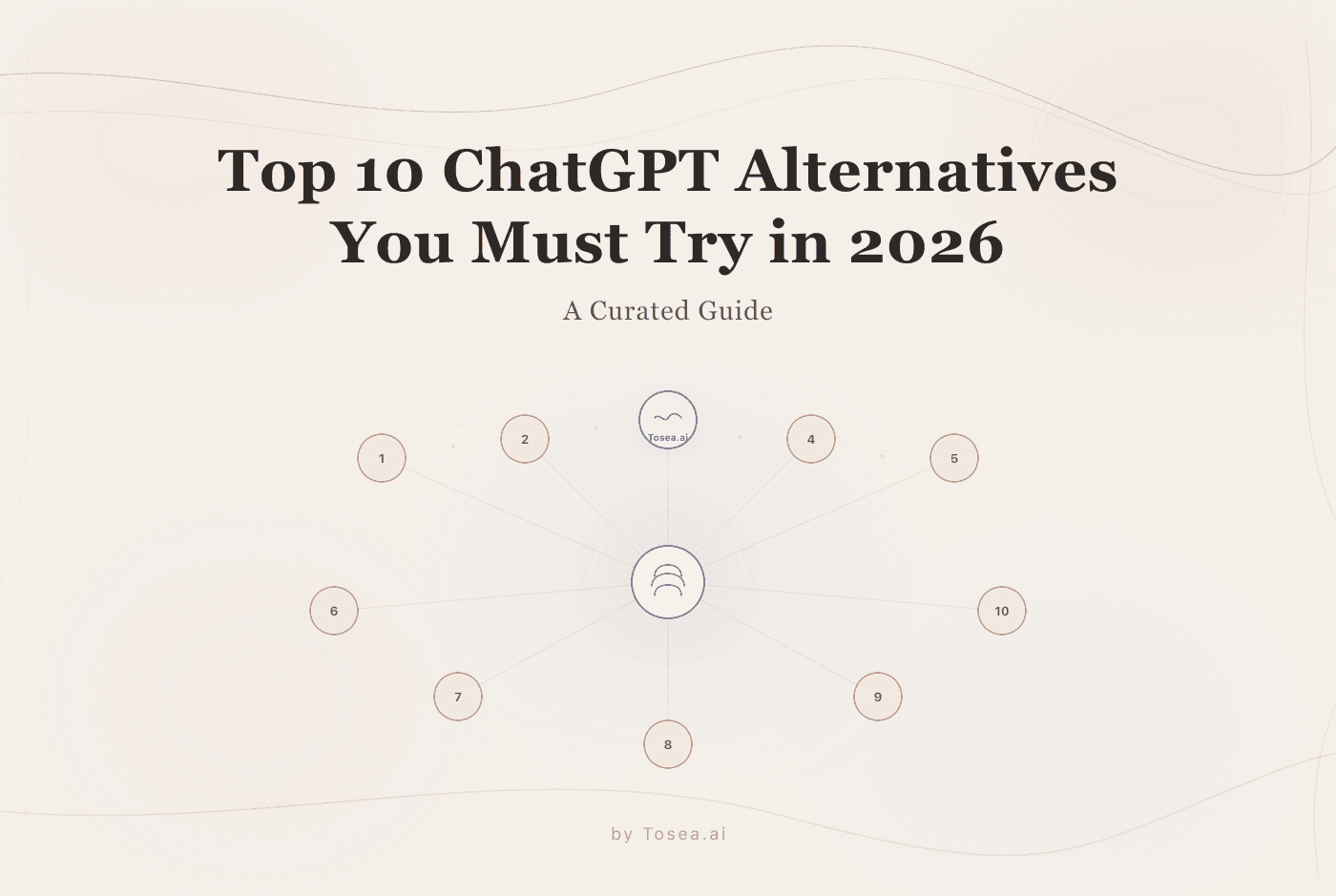
Top 10 ChatGPT Alternatives You Must Try in 2026
A curated guide to the best ChatGPT alternatives in 2026, from specialized research agents to privacy-first AI tools.
In the early days of 2023, ChatGPT felt like a miracle. By 2026, it has become the baseline—and for many professionals, that baseline is no longer enough.
As we move deeper into what many are calling the "Agentic Era," the limitations of general-purpose chatbots are becoming apparent. If you are a researcher, a data scientist, or a corporate strategist, you've likely felt the friction: opaque reasoning that's hard to verify, the struggle to handle multi-step workflows, and the frustration of manually formatting AI-generated content into presentations.
To be clear, ChatGPT remains an excellent general-purpose tool. GPT-5.2 and 5.3 are powerful models. But the market has matured into specialized platforms that outperform general chatbots at specific tasks. Whether you need a tool that shows its analytical work like Tosea.ai, a long-context powerhouse like Claude 4.6, or a citation-driven research engine like Perplexity, 2026 is the year of choosing the right agent for the right job.
Why Professionals Are Looking Beyond ChatGPT
The shift isn't just about "better" AI—it's about context and transparency. A 2025 survey of data practitioners found that only 10% felt confident in AI-generated insights when the reasoning process remained hidden. This trust gap has created demand for tools that go beyond generating text to actively showing their work.
| The "Black Box" Problem | The Agentic Solution (2026) |
|---|---|
| Opaque Reasoning: You get an answer but don't know the "why." | Observable Workflows: You see every line of code and every reasoning step. |
| Manual Formatting: Copy-pasting AI text into PPT or Stata. | End-to-End Automation: Raw data goes in; a finished slide deck comes out. |
| Knowledge Decay: Long conversations lead to hallucinations. | Massive Context Windows: Handling 1M+ tokens with minimal degradation. |
How We Evaluated These Tools
We tested each tool against five criteria relevant to professional and academic users:
- Workflow Integration: Does it fit into existing research or business workflows, or does it require you to adapt to it?
- Output Quality: Can it produce presentation-ready, publication-quality output—not just raw text?
- Transparency: Can you audit the reasoning, verify the methodology, and trace the conclusions?
- Specialization Depth: Does it offer genuine domain expertise, or is it a general model with a different interface?
- Pricing Accessibility: Is there a viable free tier or reasonable pricing for individuals and small teams?
Each tool was tested with real research documents, marketing datasets, and coding tasks to assess practical performance rather than benchmark scores alone.
The Top 10 ChatGPT Alternatives for 2026
1. Tosea.ai: The End-to-End Presentation Agent
For years, the "last mile" of research was a manual grind: running regressions in Stata, cleaning data in Excel, and then manually assembling slides. Tosea.ai addresses this by offering what might be the first true end-to-end presentation agent—a tool that takes raw data and produces finished, professional slides.
- Best For: Academic researchers, economists, and corporate analysts who need slides that maintain scientific rigor. Also well-suited for marketing teams converting performance data into monthly report presentations.
- Standout Feature: Observable Chain of Thought. Unlike ChatGPT, Tosea.ai lets you watch the agent's analytical process. You can observe the workflow planning, the Python or Stata code it writes, and the self-correction when a model encounters errors. If you're a PhD student preparing a defense presentation, you can verify that the DID estimation was specified correctly before you stand in front of your committee.
- Trust Factor: Because it shows its work, users can verify methodology before exporting a presentation-ready PPTX. This matters in contexts where you need to defend your numbers—boardrooms, thesis defenses, peer review.
- Limitation: Currently strongest for data-driven presentations. Pure creative or design-heavy slide decks may still benefit from dedicated design tools.
2. Claude Opus 4.6 (Anthropic)
Anthropic's flagship model is the "deep thinker" of the 2026 AI landscape. While OpenAI emphasizes speed and multimodal capabilities, Claude 4.6 focuses on nuanced reasoning and massive context handling.
- 1M Token Context: You can feed it an entire 100,000-line codebase or five years' worth of financial reports and ask questions across the full corpus. For researchers doing systematic literature reviews, this changes what's possible in a single session.
- Agent Teams: Claude 4.6 can deploy sub-agents to work on different parts of a project simultaneously. This multi-agent architecture makes it particularly powerful for complex coding and analysis projects.
- Best For: Long-document analysis, code generation, nuanced writing tasks where reasoning quality matters more than speed.
3. GPT-5.3-Codex (OpenAI)
If Claude is the researcher, GPT-5.3-Codex is the hands-on operator. It is designed to act, not just talk.
- Computer Use: Codex can now interact with your computer like a human user—navigating folders, running terminal commands, and clicking through UIs to execute complex deployments. For DevOps engineers and full-stack developers, this is a genuine productivity multiplier.
- Speed: It is 25% faster than its predecessor, making it the go-to for developers who need real-time, iterative pair programming.
- Best For: Software development, system administration, deployment automation. Less suited for academic writing or presentation creation.
4. Perplexity AI: The Research Engine
In 2026, "Googling it" can feel slow and noisy. Perplexity has evolved into a deep research engine that synthesizes live web data with academic citations.
- Verifiable Truth: Every sentence is cited with sources. For researchers, this significantly reduces the time spent cross-checking for hallucinations. You can trace any claim back to its source with one click.
- Sonar Reasoning Pro: A research mode that allows for iterative searching—it asks you clarifying questions to ensure the final report addresses exactly what you need. This back-and-forth mirrors how a skilled research assistant would approach an ambiguous question.
- Best For: Literature reviews, fact-checking, competitive analysis, and any task where source attribution is critical.
5. Remio: The Privacy-First Knowledge Butler
As data privacy regulations tighten globally, Remio has captured the market of users who need AI assistance without sending sensitive data to external servers.
- Local-First AI: Remio indexes your local files, Slack, and Gmail without ever sending the raw data to a cloud server. For professionals in healthcare, legal, and financial services—where data residency requirements are non-negotiable—this is a significant differentiator.
- Personalized Context: It learns your specific writing style and past decisions to provide answers that reflect your personal knowledge base. Over time, it becomes increasingly useful as it builds a richer understanding of your work.
- Best For: Professionals handling sensitive or regulated data who still need AI-powered search and summarization.
6. Google Gemini 3 (Flash & Pro)
Gemini 3 is the king of ecosystem integration. If your professional life runs on Google Workspace, nothing matches the seamlessness of Gemini's integration with Docs, Sheets, Drive, and Gmail.
- Deep Research Mode: It can generate comprehensive reports by pulling from your Drive, the live web, and YouTube simultaneously. The ability to cross-reference your own documents with public information in a single query is genuinely powerful.
- Multimodal Native: It processes video and audio as naturally as text, making it excellent for summarizing recorded meetings, analyzing video content, or extracting information from multimedia sources.
- Best For: Google Workspace power users, content creators working across text/video/audio, teams already embedded in the Google ecosystem.
7. Microsoft Copilot (for Business Analytics)
For organizations in the Microsoft ecosystem, Copilot has moved well beyond simple Word drafting. In 2026, it functions as an embedded analytics assistant across the entire Microsoft 365 suite.
- Automated Reporting: It pulls real-time data from Power BI and can draft a monthly performance review directly within PowerPoint in seconds. The integration is seamless—no data export or import required.
- Enterprise Security: Backed by Microsoft's enterprise-grade security infrastructure, it's the safest option for highly regulated industries where compliance requirements dictate tool selection.
- Best For: Enterprise teams already using Microsoft 365 and Power BI. Less suitable for academic use or teams outside the Microsoft ecosystem.
8. DeepSeek v4 (The Efficiency King)
Emerging from the Chinese AI market, DeepSeek v4 has earned a reputation as a remarkably capable model at a fraction of the cost of Western competitors.
- Transparent Reasoning: It pioneered the "Thinking" toggle, allowing users to see the step-by-step logic behind every response—for free. This feature, which competitors often gate behind premium tiers, has made it popular among students and independent researchers.
- Math & Logic: It consistently outperforms more expensive models in pure mathematical reasoning and logical puzzles, making it a strong choice for quantitative work.
- Best For: Budget-conscious researchers, students, and anyone who needs strong reasoning capabilities without premium pricing.
9. Zapier Agents: The Workflow Automator
Zapier has transitioned from "connecting apps" to "building agents that run your business." Its AI agents can orchestrate complex multi-step workflows across hundreds of integrated applications.
- No-Code Agents: You can describe a workflow in plain language (e.g., "Find new leads on LinkedIn, research their company, and draft a personalized email in my Gmail") and the agent executes it autonomously. For marketing and sales teams, this eliminates hours of repetitive coordination work.
- Best For: Business operations, marketing automation, sales workflows. Not designed for research or analytical tasks.
10. NotebookLM (Google)
While part of the Google family, NotebookLM deserves its own entry for its unique approach to grounded intelligence.
- Source-Grounded: It only knows what you tell it. By uploading your specific research papers, it becomes a specialized expert on your niche, avoiding the noise of the general internet. This grounding virtually eliminates hallucination within the scope of your uploaded documents.
- Audio Overview: A standout feature that generates podcast-style audio summaries of your uploaded documents—useful for reviewing literature during commutes or while multitasking.
- Best For: Academic researchers who need a focused, hallucination-free assistant for analyzing a specific set of documents.
How to Choose Your Agentic Stack
Selecting a ChatGPT alternative shouldn't be based on "which is smartest" but on where your data lives and what output you need.
For Academic Research & Presentations: Use Tosea.ai for the PDF-to-slides output and Claude 4.6 for deep reading and analysis. This combination ensures your research is both thoroughly analyzed and professionally communicated. Data scientists particularly appreciate how Tosea.ai handles the entire slide deck creation process while maintaining methodological transparency.
For High-Speed Development: Stick with GPT-5.3-Codex and Zapier Agents. These are the workhorses for developers and startup teams who need rapid execution.
For Personal Knowledge & Privacy: Remio is the strongest choice for those who value local-first AI and long-term memory without cloud dependencies.
For Students on a Budget: DeepSeek v4 combined with NotebookLM offers strong reasoning and source-grounded research at minimal cost.
Pricing Overview
Most tools on this list offer free tiers, though with varying limitations:
- Tosea.ai: Free tier for individual researchers with a monthly usage allowance; premium plans for advanced features.
- Claude 4.6: Free tier via claude.ai with usage limits; Pro plan at $20/month for higher capacity.
- Perplexity: Free basic search; Pro plan at $20/month for deep research features.
- DeepSeek v4: Extremely affordable API pricing; free web interface with generous limits.
- NotebookLM: Free with a Google account; no premium tier currently.
The best approach for most professionals is to use 2-3 specialized tools rather than relying on a single general-purpose model.
The Verdict: Specialization Over Generalization
As AI matures, the "one tool does everything" model of early ChatGPT is giving way to specialized agents that excel at specific workflows. The success of tools like Tosea.ai demonstrates that professionals don't just want an answer—they want a partner whose reasoning they can verify and whose output they can use directly.
In 2026, the real productivity gain isn't finding the fastest AI. It's finding the one that integrates into your specific workflow without requiring you to become a full-time prompt engineer. The tools on this list represent the best options available for professionals who've outgrown general-purpose chatbots.
Explore what works for your workflow at Tosea.ai.
FAQ
- Is Tosea.ai free? It offers a free tier for individual researchers, with premium plans for advanced analytical features and higher usage limits.
- Can these tools replace a Research Assistant? For data-to-slide tasks, tools like Tosea.ai can handle much of the mechanical work. But human judgment about research design, theoretical framing, and strategic interpretation remains irreplaceable.
- How do I handle AI ethics in academic work? Always disclose your use of AI tools. Platforms with observable workflows make this easier by providing a clear log of how analyses were conducted and conclusions were reached.
- Which alternative is best for students? DeepSeek v4 for its free reasoning capabilities, NotebookLM for grounded document analysis, and Tosea.ai's free tier for presentation creation make a strong and affordable student stack.
- Can I use multiple tools together? Yes, and that's often the best approach. Use Perplexity for research, Claude for deep analysis, and Tosea.ai for final presentation—each tool handles what it does best.