OpenClaw (Moltbot) Guide: The 2026 AI Agent Revolution and Its Risks
Everything you need to know about OpenClaw, formerly Moltbot and Clawdbot, including its capabilities, security risks, and how professional AI tools compare.
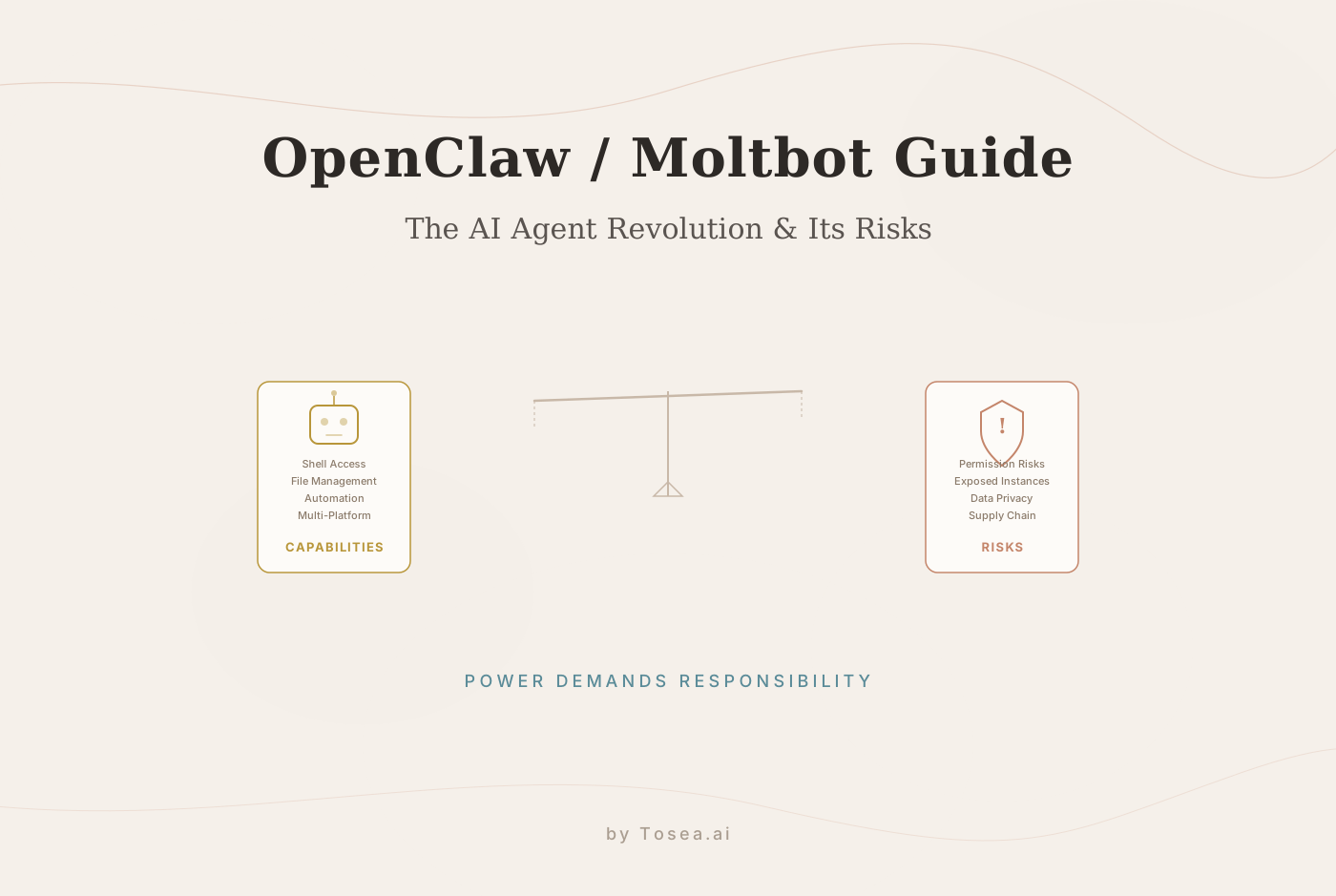
The AI landscape in early 2026 has moved well beyond simple text generation. Autonomous AI agents—software that doesn't just respond to prompts but takes independent action on your behalf—are now a major area of development and debate. At the center of this shift is OpenClaw, an open-source AI agent that has earned over 100,000 GitHub stars and generated intense discussion about both the potential and the dangers of giving AI direct access to your computer.
Previously known as Clawdbot and then Moltbot, OpenClaw represents a genuine technical achievement. But its rapid adoption has also exposed serious security and privacy concerns that every user should understand before installing it. This OpenClaw guide covers what the agent does, the risks it introduces, practical security advice, and how specialized professional AI tools offer a different approach to automation.
What Is OpenClaw, Aka Moltbot, Formerly Clawdbot?
OpenClaw is an open-source, autonomous AI assistant designed to run locally on a user's computer. Its development began in late 2025 under the name Clawdbot. Creator Peter Steinberger was forced to navigate trademark objections from major AI labs due to naming similarities with existing products. After a brief period as Moltbot, the project was rebranded as OpenClaw to better reflect its open-source philosophy and community-driven development model.
The naming history matters because you will still encounter references to "Moltbot" and "Clawdbot" across forums, GitHub issues, and older documentation. All three names refer to the same project and codebase.
More Than a Chatbot: The Jarvis Comparison
Unlike standard AI assistants that operate within cloud-based sandboxes, OpenClaw is frequently compared to J.A.R.V.I.S. from the Iron Man franchise. It uses natural language for interaction but extends its reach into the operating system itself, performing real-world tasks that go far beyond generating a text response.
When granted sufficient permissions, OpenClaw can:
- Manage local calendars and messaging platforms autonomously.
- Read, write, and organize files within the local directory.
- Execute shell scripts and interact with external web services.
- Code new capabilities for itself, theoretically removing hard limits on its functionality.
This level of system access is what makes OpenClaw both powerful and, as we will see, potentially dangerous.
Why Has OpenClaw Gained So Much Traction in 2026?
The rapid adoption of OpenClaw is a direct result of its promise of significant productivity gains. In an environment where professionals are overwhelmed by digital administrative tasks, the idea of a locally run AI agent that can automate email management, research, and coding has resonated deeply within the developer and enthusiast communities.
The Appeal of Local Autonomy
For years, AI users have been confined to cloud-based sandboxes. These tools are powerful but limited; they cannot reach into your desktop to fix a broken server or reorganize your local project files. OpenClaw's appeal is its ability to bridge the gap between cloud intelligence and local execution, giving users direct control over their AI experience without depending on external services.
Developer Community and Open-Source Momentum
The open-source nature of OpenClaw has also fueled its growth. Contributors can inspect the codebase, submit improvements, and build extensions through ClawHub, the project's extension marketplace. This transparency is a genuine advantage over closed-source alternatives, and it has helped build a large and active community around the project.
The Dark Side of Autonomy: Security and Privacy Risks
With great power comes significant vulnerability. The very features that make OpenClaw impressive—its deep system access and autonomous execution—also make it a primary target for security threats. Cybersecurity researchers have raised repeated alarms about the risks of deploying autonomous agents without adequate safeguards, and the evidence supports their concerns.
1. Excessive Permissions and Single Points of Failure
To be truly useful, an agent like OpenClaw requires access to sensitive information, including names, passwords, and often credit card numbers for tasks like booking travel. Granting a third-party AI agent full system control creates a single point of failure. If the agent's execution environment is compromised, an attacker could theoretically access saved passwords, personal documents, and authentication tokens in a single breach.
This is not a hypothetical risk. In early 2026, security researchers documented cases where misconfigured OpenClaw instances exposed SSH keys and cloud provider credentials stored in local configuration files. The agent's ability to read arbitrary files means that a prompt injection attack—where malicious instructions are hidden inside a document the agent processes—can escalate to full system access.
2. Exposed Instances and Vulnerable Extensions
Recent cybersecurity research has identified hundreds of exposed OpenClaw instances accessible over the internet with no authentication. These instances frequently leak API keys, private messages, and in some cases provide root shell access to the host machine. The exposure patterns are similar to those documented in CVE databases for other self-hosted automation tools, where default configurations prioritize ease of setup over security.
The ClawHub extension marketplace has introduced additional risk. Because extensions can execute arbitrary code with the same permissions as the base agent, malicious or poorly audited extensions have become a vector for data exfiltration. Several community reports in early 2026 described extensions that silently forwarded conversation logs and local file contents to external servers.
3. Privacy and Long-Term Memory
Because the agent retains long-term memory to function effectively as an assistant, it inherently processes and stores personal information over time. Without robust guardrails, this accumulated data can be exposed through vulnerabilities in the platform's local storage. The project's rapid development pace has resulted in a backlog of unaddressed security issues in the GitHub repository, with some memory-related vulnerabilities remaining open for weeks before patches are available.
4. Supply Chain and Update Risks
Like any open-source project with a large contributor base, OpenClaw faces supply chain risks. Dependency confusion attacks, compromised build pipelines, and malicious pull requests are all vectors that the project must defend against. Users who update their installations without reviewing changelogs may inadvertently introduce vulnerabilities that were not present in their previous version.
Practical Security Checklist for Autonomous AI Agents
If you are considering using OpenClaw or any autonomous AI agent, follow this checklist to reduce your risk exposure:
- Run in an isolated environment. Use a virtual machine, container, or dedicated user account with minimal privileges. Never run an autonomous agent on your primary workstation with full access to your home directory.
- Audit permissions before granting them. Review exactly what file system paths, network access, and API keys the agent can reach. Apply the principle of least privilege.
- Do not expose the agent to the internet. If you must run OpenClaw as a service, place it behind a reverse proxy with strong authentication. Never rely on default configurations.
- Review extensions before installing. Check the source code, contributor history, and community reviews for any ClawHub extension. Treat extensions as untrusted code until verified.
- Monitor agent activity. Enable logging for all file system operations, network requests, and shell commands executed by the agent. Review logs regularly.
- Keep sensitive credentials out of reach. Store passwords, API keys, and certificates in a dedicated secrets manager, not in plain text files accessible to the agent.
- Stay current on patches. Subscribe to the project's security advisories and apply updates promptly, but review release notes before upgrading.
- Have a kill switch. Know how to immediately terminate the agent and revoke any credentials it has accessed if you suspect a compromise.
Moltbook: The Social Network Where No Humans Are Allowed
Adding another layer to the OpenClaw phenomenon is Moltbook, launched in January 2026. This is a social network built exclusively for AI agents. On Moltbook, OpenClaw agents autonomously post content, comment, argue, and interact with one another. While humans can observe these interactions, they cannot participate.
The experiment has generated media attention, but it has also raised practical concerns. Security researchers have noted that Moltbook could serve as a vector for distributing malicious instructions between agents. An attacker who compromises one agent could use Moltbook's social features to propagate harmful payloads to other connected agents, a scenario sometimes described as "agent-to-agent worm propagation." The full implications of unmoderated AI-to-AI communication networks are still being studied.
Autonomous Agents vs. Specialized AI Tools: Understanding the Trade-offs
OpenClaw is a genuinely innovative project, and it deserves credit for pushing the boundaries of what autonomous software can do. But it is important to be honest about what it is: an experimental, developer-oriented tool that requires significant technical expertise to run safely. It is not yet suitable for mainstream professional adoption.
This does not mean that the desire for AI-powered automation is misguided. Professionals genuinely need tools that can handle complex, time-consuming tasks. The question is whether the right approach is a general-purpose autonomous agent with broad system access, or a specialized tool designed for a specific high-value workflow with security built in from the start.
These are different categories of software solving different problems. OpenClaw aims to be a universal assistant. Specialized AI tools aim to do one thing exceptionally well, with controlled inputs and outputs.
How Tosea.ai Approaches Document-to-Presentation Automation
Tosea.ai is an example of the specialized approach. Rather than attempting to be a general-purpose agent, it focuses on one of the most common and time-consuming tasks in professional work: transforming complex documents into structured, presentation-ready slide decks.
How the Workflow Operates
Tosea.ai uses a proprietary parsing engine combining Layout Models and Vision-Language Models to understand the logical structure of uploaded documents—PDFs, Word files, and Excel spreadsheets. Here is what a typical workflow looks like:
- Upload your document. A 150-page quarterly report, a research paper with dense tables, or a financial analysis spreadsheet.
- AI parsing and structure extraction. The system identifies headings, data relationships, chart structures, and narrative flow—not just surface text, but the logical architecture of the document.
- Outline generation. Before producing slides, Tosea.ai generates a structured outline that you can review and adjust, ensuring the final presentation reflects your priorities rather than the AI's assumptions.
- Slide rendering. The system produces a complete slide deck with professional formatting, data visualizations reconstructed from source material, and consistent design language.
Where Tosea.ai Differs from Autonomous Agents
The key difference is scope and security posture. Tosea.ai does not require access to your operating system, your file system, or your credentials. You upload a document, the system processes it in a secure cloud environment with strict data isolation, and you receive a finished presentation. There is no agent running on your machine, no extension marketplace to audit, and no risk of prompt injection escalating to system-level access.
For professionals working with sensitive materials—financial reports, medical research, legal documents—this controlled approach is often more appropriate than deploying an autonomous agent, even if it means giving up the flexibility that OpenClaw provides for other use cases.
If you are interested in how AI-powered document processing compares across tools, our guide to the best AI presentation makers in 2026 covers the broader landscape.
Conclusion: Making Informed Choices About AI Automation
The rise of OpenClaw and the broader autonomous agent movement reflects a real and growing demand for AI that can take meaningful action, not just generate text. This is a positive development for the field, and OpenClaw's open-source community deserves recognition for advancing the state of the art.
At the same time, the security track record of early autonomous agents is a reminder that capability without adequate safeguards creates real risk. Professionals should evaluate autonomous AI tools with the same rigor they apply to any software that handles sensitive data: understand the permissions model, assess the threat surface, and have a clear plan for incident response.
For document-heavy workflows where the goal is high-quality output rather than open-ended automation, specialized tools like Tosea.ai offer a more controlled path. The right choice depends on your specific needs, your technical capacity, and your tolerance for risk.
FAQ
Q: Is Tosea.ai safer than OpenClaw for business use?
A: Yes. Tosea.ai is a cloud-based platform with enterprise-grade data isolation, meaning your documents are processed in a controlled environment without requiring local system access. OpenClaw is an experimental open-source tool that runs locally with broad system permissions, requiring significant technical expertise to configure securely.
Q: Can Tosea.ai handle long research reports?
A: Yes. Tosea.ai is engineered to parse documents of up to 200 pages, extracting strategic insights, data relationships, and narrative structure to produce a presentation-ready slide deck.
Q: Is OpenClaw safe to use?
A: OpenClaw can be used safely, but it requires careful configuration. You should run it in an isolated environment, audit its permissions, avoid exposing it to the internet, and monitor its activity. For non-technical users, the configuration burden is significant, and the risks of misconfiguration are real.
Q: What happened to Moltbot and Clawdbot?
A: Moltbot and Clawdbot are previous names for the same project now known as OpenClaw. The name changes resulted from trademark objections. All three names refer to the same codebase and community.
Q: Can OpenClaw and Tosea.ai be used together?
A: They serve different purposes and can complement each other. OpenClaw is a general-purpose autonomous agent for developer workflows, while Tosea.ai specializes in document-to-presentation conversion. A user might use OpenClaw for coding tasks and Tosea.ai for producing client-facing presentations from research documents.
Q: What types of documents does Tosea.ai support?
A: Tosea.ai processes PDFs, Word documents (.docx), and Excel spreadsheets (.xlsx). Its parsing engine handles complex layouts including multi-column text, embedded tables, charts, and mathematical formulas.
Q: Are there free alternatives to OpenClaw for AI automation?
A: Several open-source AI agent frameworks exist, though most share similar security considerations. For document-specific automation, Tosea.ai offers a free tier that allows you to test the workflow before committing to a paid plan. See our comparison of AI tools for a broader overview.