Gamma vs Tosea AI: Best AI Presentation Tool for Consultants in 2026?
We tested Gamma and Tosea AI on the same Goldman Sachs IPO report. Scored results on source fidelity, charts, consulting logic and repair time, with both decks downloadable.
Choosing the best AI presentation tool for consultants is not about which platform can make a polished slide fastest. The real test is whether it can turn a long research report into a client-ready story without creating another hour of cleanup. We tested Gamma vs Tosea AI on the same Goldman Sachs report, using the same minimal prompt, to see which tool better preserves evidence, builds executive logic, and produces a usable PowerPoint.
Quick Answer
Tosea AI led this test, scoring 8.8 out of 10 versus Gamma at 6.9. Gamma created a fast five-slide summary with web-editable charts. Tosea built a fuller eight-slide consulting narrative, preserved more source figures, and required an estimated 18 minutes of repair versus 40 minutes for Gamma.
The Consultant Problem This Test Measures
Consultants and strategy leads rarely need another generic summary. They need a deck that helps an executive decide what matters, why it matters now, and what should happen next.
This requirement applies to client decks, QBRs, market assessments, and strategy recommendations. Clients bring the substance; the workflow must preserve it.
We used Goldman Sachs Global Investment Research Top of Mind Issue 150, IPO Surge: A Red Flag for Markets?, published on July 28, 2026. It examines whether the reopened US IPO market is a late-cycle warning and whether investors can absorb the issuance.
Both tools received the same prompt:
create a presentation for me
This tested complex-source interpretation.
Test Methodology
We uploaded the report, used default settings, generated once, exported to PPTX, and inspected every slide and file.
The assessment used six weighted criteria:
| Criterion | Weight | What we checked |
|---|---|---|
| Font fidelity | 15% | Whether fonts rendered consistently after PPTX export |
| Tables, charts, and source evidence | 25% | Whether important data survived and how it remained editable |
| Page ratio and export stability | 10% | Whether the default 16:9 canvas exported without overflow |
| Narrative logic | 25% | Whether the deck moved from question to evidence to implication |
| Executive recommendation clarity | 15% | Whether a client could identify the decision or next step |
| Manual repair effort | 10% | Estimated editing time before a client meeting |
Manual repair time is a reviewer estimate. Different prompts, templates, and sources can produce different results.
What Is Tosea AI?
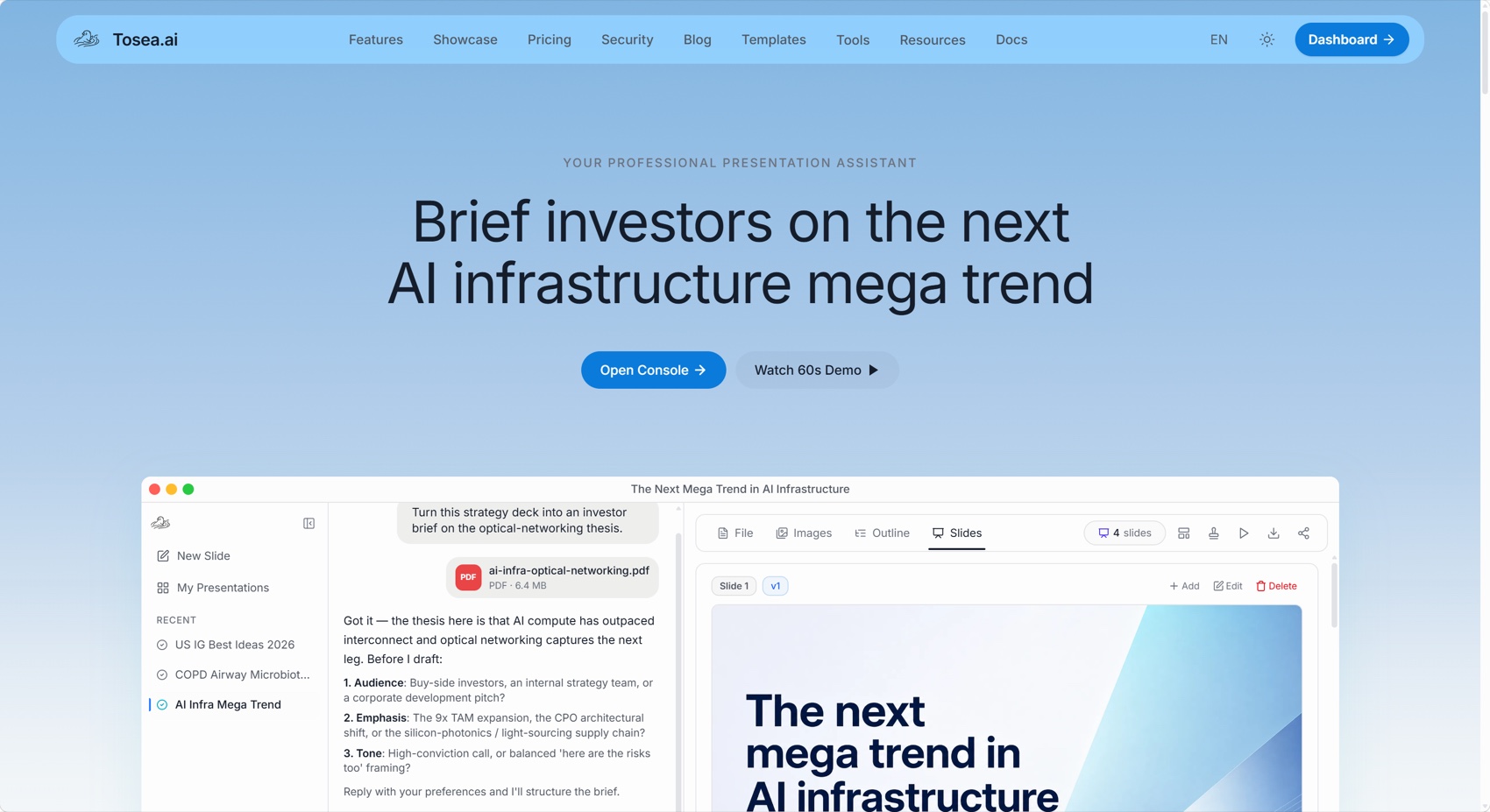
Tosea AI is a source-grounded AI presentation tool that turns PDFs, research papers, financial reports, and complex documents into editable PowerPoint decks. Its staged workflow gives consultants control over the source, images, outline, slides, and PPTX export before client delivery.
What Is the Gamma App?
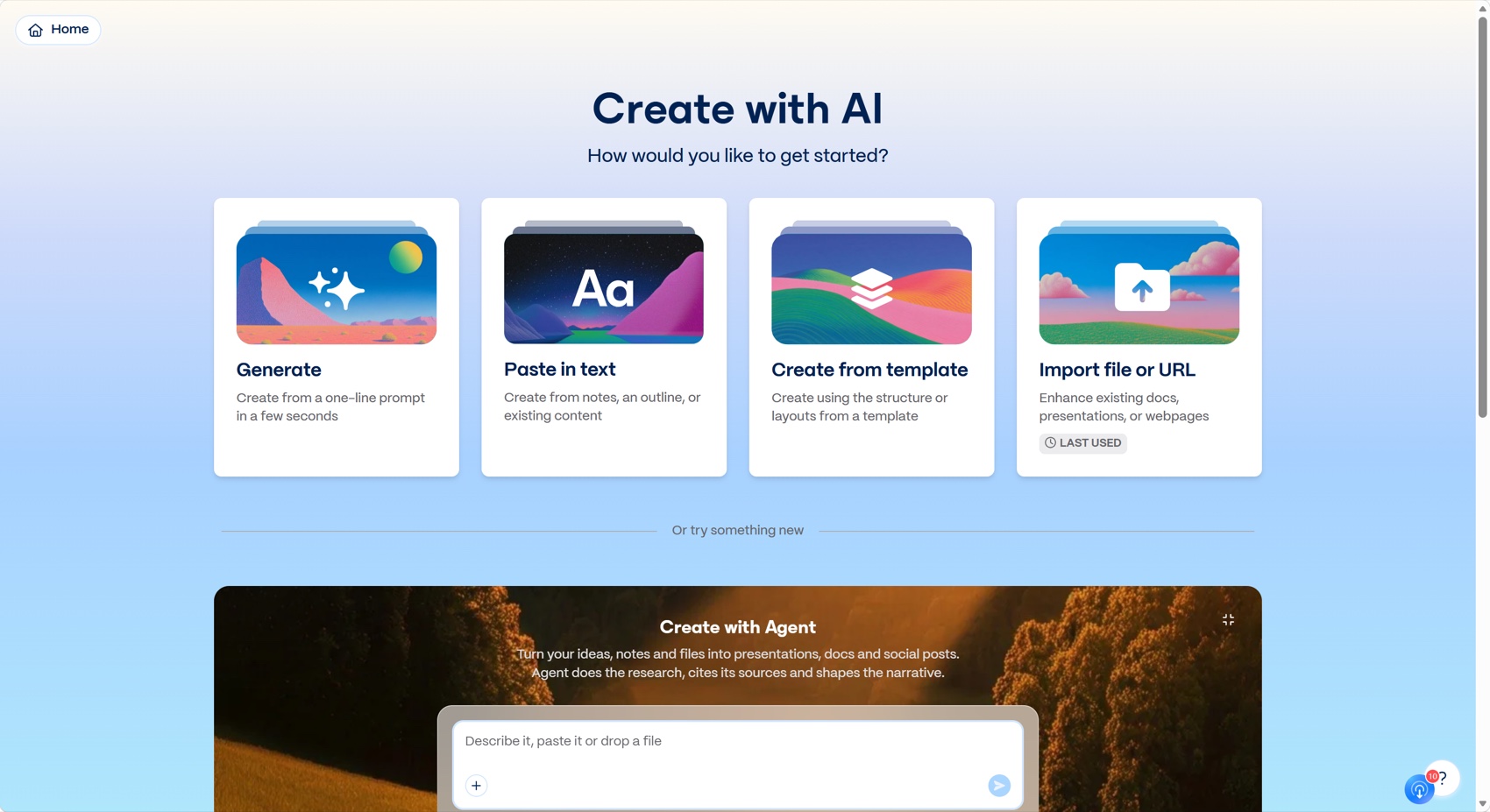
Gamma is an AI platform for presentations, documents, websites, and social posts. Users can generate from a prompt, paste text, use a template, or import a file or URL. Its strengths are speed, web-native editing, visual themes, and sharing.
Workflow Comparison
Gamma workflow
Gamma followed the shorter path:
- Upload the report
- Select a theme and illustration style
- Generate the slides
Gamma can import documents with AI, apply a theme, and restructure imported content.
Tosea AI workflow
Tosea AI used a reviewable sequence:
- Choose a built-in or custom template
- Generate the outline
- Review and edit the outline without spending generation credits
- Render the slides
- Export the editable PPTX
Results at a Glance
| Metric | Gamma | Tosea AI |
|---|---|---|
| Slides generated | 5 | 8 |
| Default aspect ratio | 16:9 | 16:9 |
| Font rendering | Strong | Strong |
| Original report figures preserved | Limited | Strong |
| Data editing | Strong inside Gamma; Google Sheets sync available | Original figures preserved as source images in this test |
| Export stability | One slide overflow detected | No slide overflow detected |
| Consulting narrative | Concise summary | Question-to-evidence-to-implication structure |
| Estimated manual repair | 40 minutes | 18 minutes |
| Weighted score | 6.9/10 | 8.8/10 |

Gamma Review: Fast, Compact, and Easy to Scan
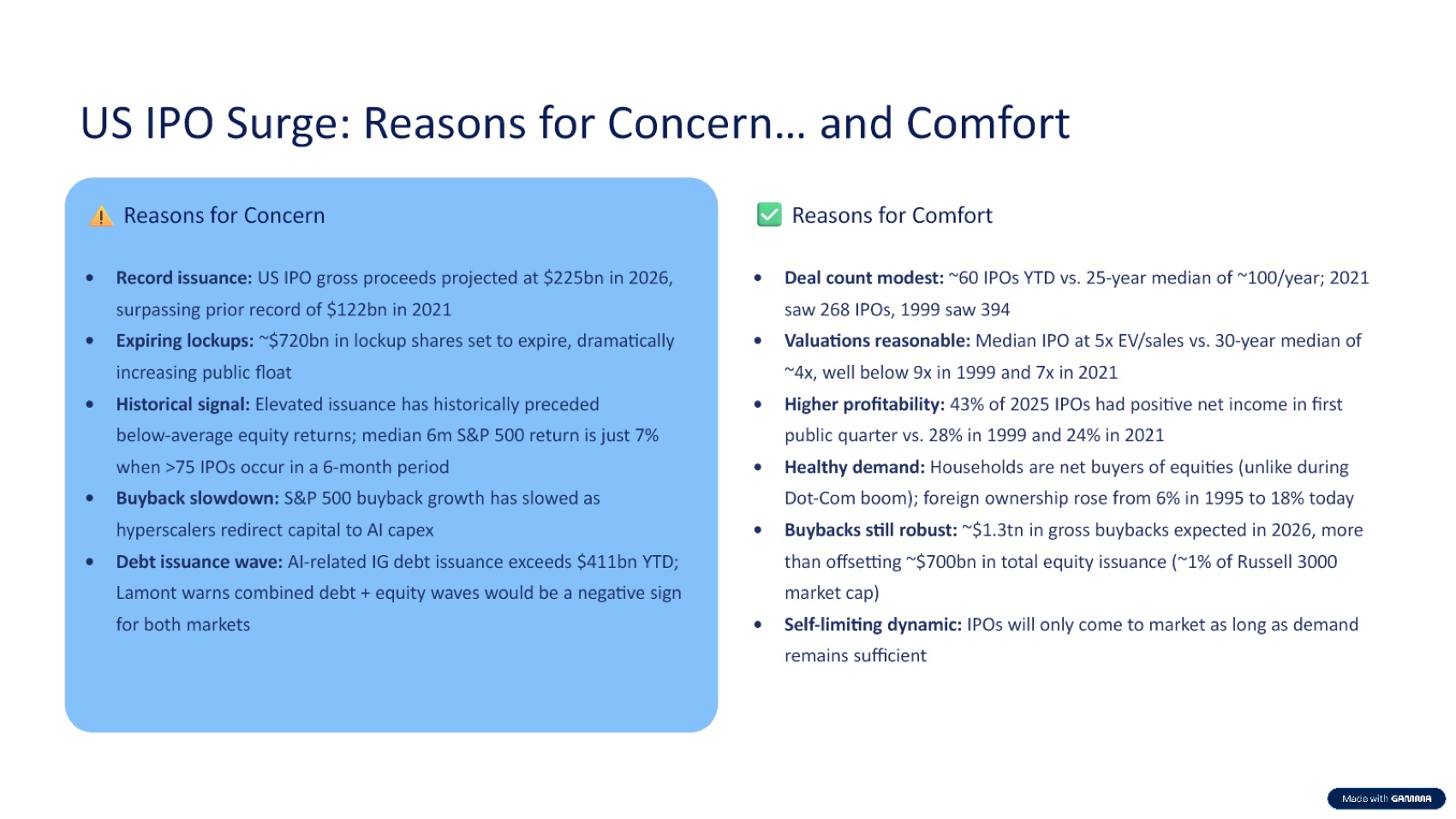
Gamma generated five slides. Its strongest page contrasted reasons for concern with reasons for comfort, turning a long market debate into a balanced executive view.
Gamma also created a macroeconomic chart and offered multiple chart types in its editor. Its Smart Chart documentation explains that chart data can sync one way from Google Sheets into Gamma.
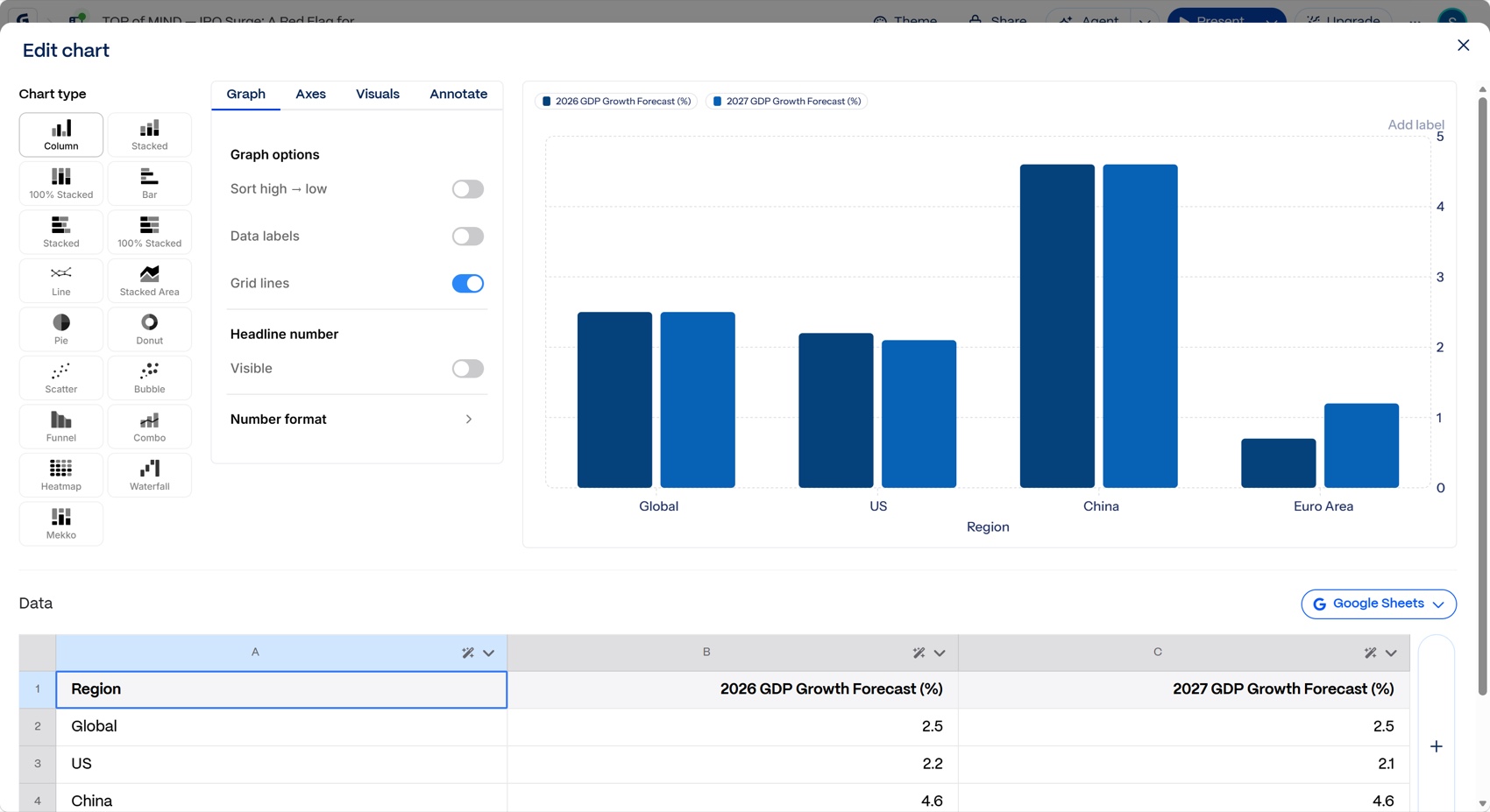
However, the exported PPTX contained no native PowerPoint chart or table objects. The visual chart was editable inside Gamma, but it did not remain a native chart in the inspected PowerPoint file. The exported macro slide also extended beyond the slide canvas, clipping part of the chart. Gamma itself documents that exports can differ from the editor because of scaling, chart sizing, and font substitution.
The larger issue was consulting logic. The deck moved through macro datapoints, IPO concerns, regional issuance, and index rules, then ended with an archive. It lacked a roadmap, final recommendation, explicit risk framework, and what-to-watch page.
Estimated Gamma repair time: 40 minutes
- 8 minutes to fix the clipped chart and check all exports
- 10 minutes to restructure the storyline around the IPO decision
- 8 minutes to add an executive implication and monitoring framework
- 8 minutes to restore or reconcile important source evidence
- 6 minutes for source, wording, and branding review
Tosea AI Review: Better Source Fidelity and Executive Structure
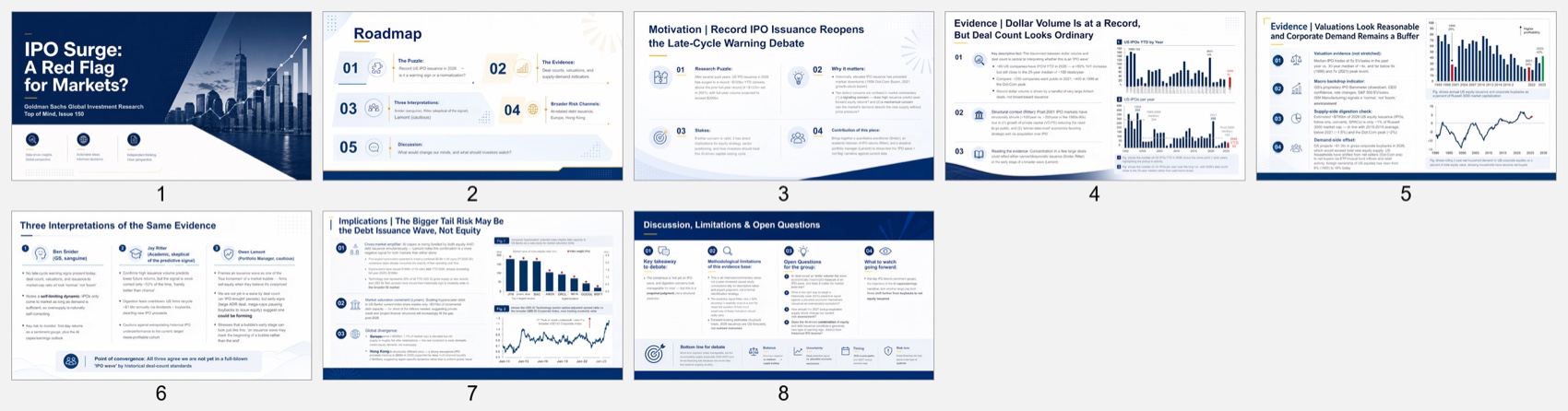
Tosea AI generated eight slides. Its storyline opened with the research puzzle, established a roadmap, presented evidence, compared three interpretations, widened the risk lens from equity to debt issuance, and finished with limitations and open questions.
That progression is closer to a strategy presentation than a document summary. It states the question, shows evidence, surfaces disagreement, and identifies what decision-makers should monitor.
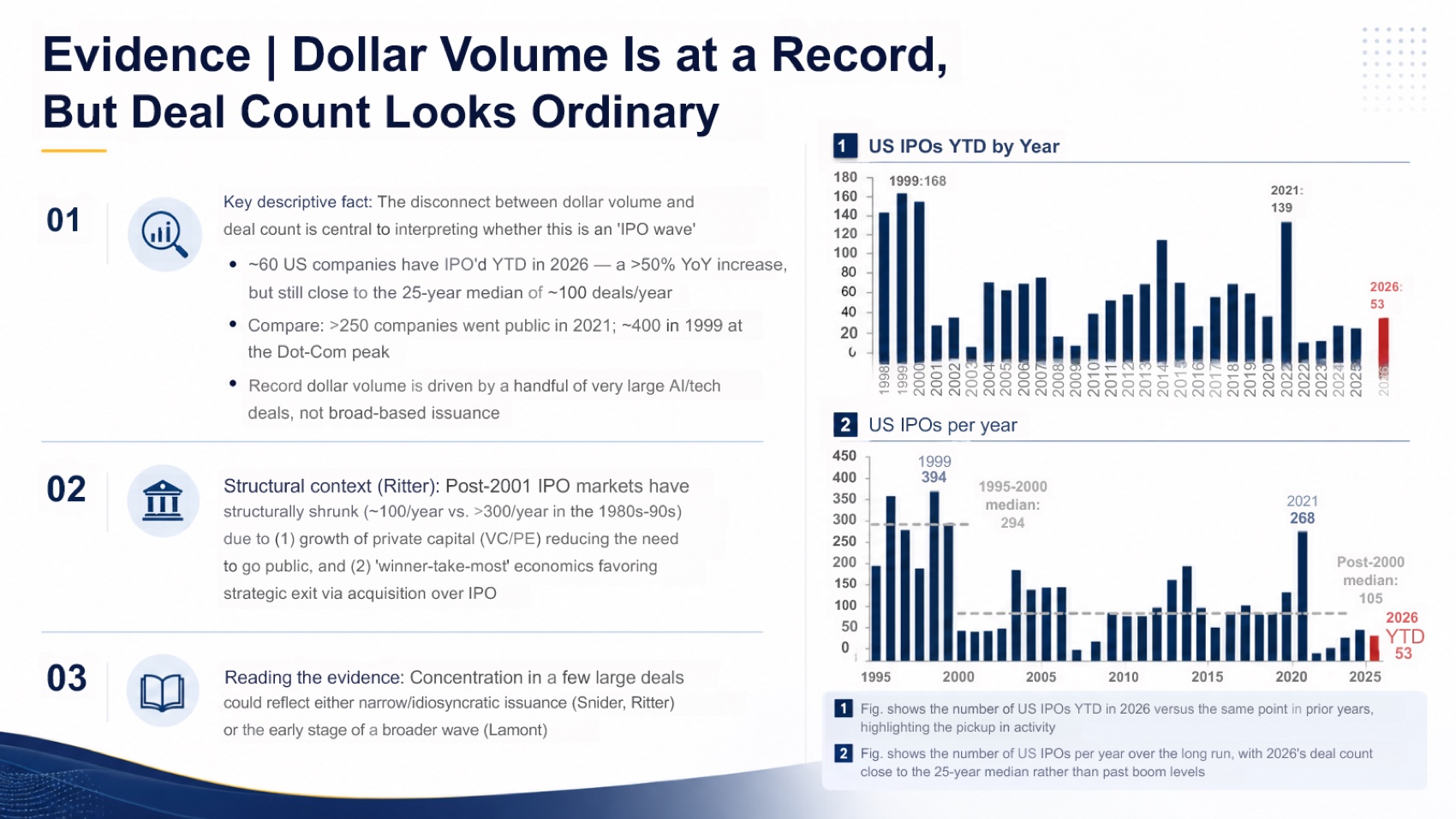
The deck preserved charts on issuance volume, deal count, valuations, buybacks, debt capacity, and credit spreads. This maintained source context. The figures were image objects rather than native PowerPoint charts, so analysts cannot edit the underlying data directly in PowerPoint.
The strongest consulting slide synthesized three perspectives from report contributors before stating where they converged. This is a useful pattern for market research and client recommendations because it preserves disagreement without losing the overall conclusion.
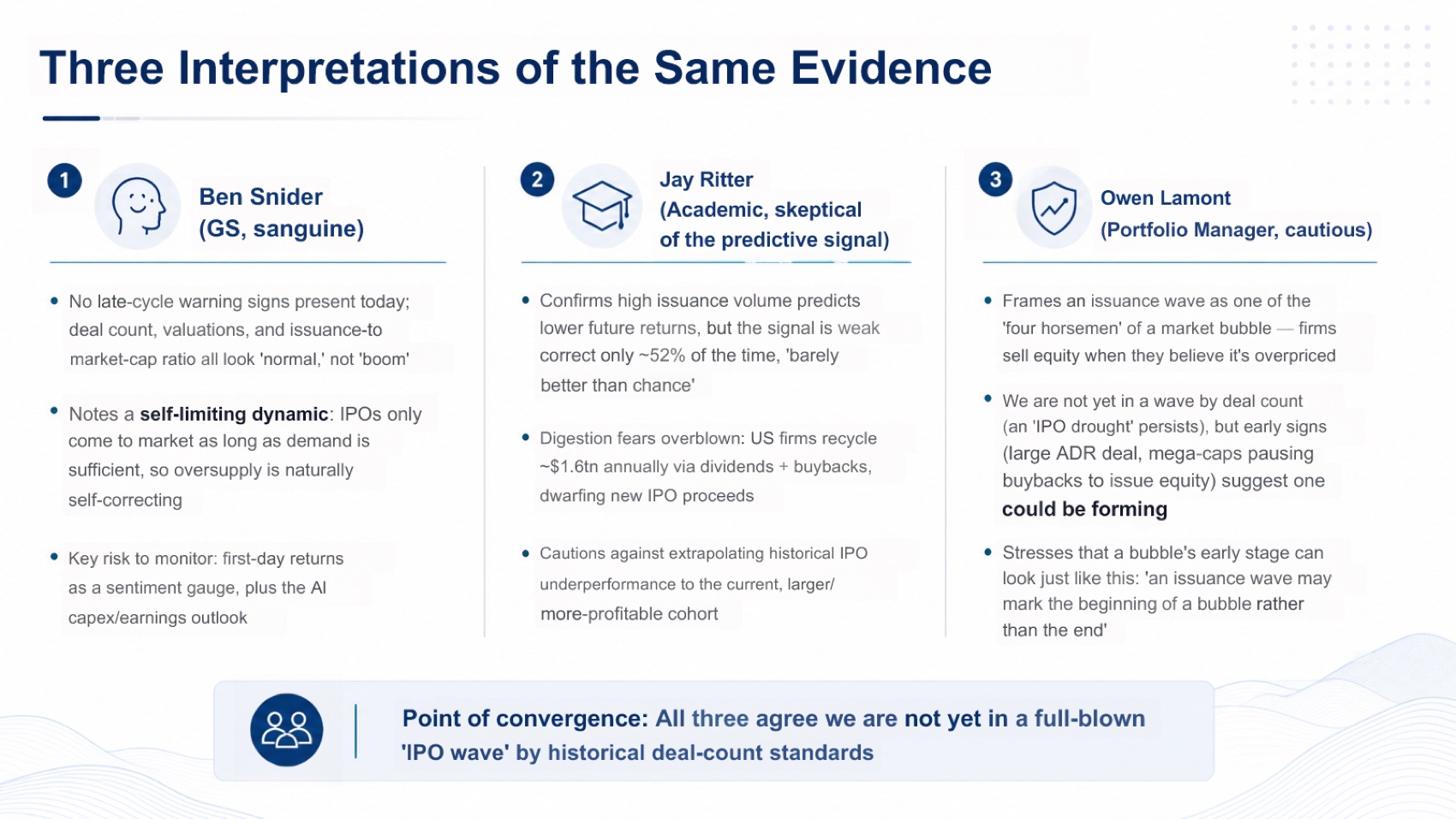
Tosea was not flawless. One implications slide contained overlapping text, and one figure caption should be checked against the source chart before delivery. Several pages could also be tightened for executive readability. AI-generated wording and extracted figures always require human review in financial work.
Estimated Tosea AI repair time: 18 minutes
- 5 minutes to repair the overlap on the implications slide
- 4 minutes to verify and correct the figure caption
- 4 minutes to shorten dense copy
- 3 minutes to sharpen the final recommendation
- 2 minutes for a final source and font check
Font Fidelity and Slide Ratio
Both files used 16:9 and rendered consistently. Gamma embedded six font files and primarily used Instrument Sans. Tosea used Arial and Microsoft YaHei without embedded fonts. Gamma therefore has an advantage when recipients lack its custom typeface. Microsoft recommends embedding fonts in PowerPoint to reduce substitution. Either file should still be checked on the client device.
Which Tool Should Consultants Choose?
Choose Gamma when the priority is a fast, attractive summary for internal review, asynchronous sharing, or a recurring chart connected to Google Sheets. It is particularly useful when the source is already concise and the presentation does not need a deep recommendation structure.
Choose Tosea AI when the source is a long report and the deliverable is a client deck, QBR, strategy recommendation, investment readout, or executive briefing. Its outline review, source-figure preservation, and stronger narrative structure reduced the amount of conceptual repair in this test.
Gamma won on speed and web-native chart editing. Tosea won on source fidelity, argument structure, export stability, and readiness for a high-stakes consulting conversation.
Download the Test Decks
Review the files directly and compare their chart objects, density, evidence selection, and storyline with your own delivery standards.
Where Tosea AI Fits
Tosea AI is a source-grounded AI presentation tool that turns PDFs, research papers, financial reports, annual reports, 10-K filings, and complex documents into editable PowerPoint slides. It is built for analysts, researchers, consultants, and strategy teams that need accurate decks with preserved tables, charts, figures, and source context.
For related workflows, see the Gamma alternative for research slides, research paper to slides workflow, and best AI slide generators for 2026.
How to Reproduce This Test
The report is public. Open Goldman Sachs Top of Mind Issue 150, published on 28 July 2026, upload the same file to both products, and send the same minimal instruction so neither deck benefits from a better brief. Keep default settings, generate once, and export to PPTX.
Client work makes one check non-negotiable: open both files and trace every number on a slide back to a page in the report. A consulting deck fails the moment a partner asks where a figure came from and the answer is not in the source. Then ask the harder question, which is whether the deck makes an argument or only a summary — whether it says what matters, why it matters now, and what should happen next, or simply restates the report in fewer words.
Also check what happens to the report's exhibits. Gamma rebuilt charts as editable objects with Google Sheets sync, which is genuinely useful when you intend to reshape the data, and lossy when you intended to show what the analyst published. Both exported files are linked above.
Where This Test Sits in the Benchmark Series
This is one of two runs on the Goldman Sachs report inside a broader benchmark series that also covers technical manuals and journal papers.
The companion run is the more uncomfortable one for us. Genspark scored 8.7 against Tosea AI at 8.6 on this same report, the only outright loss in the series, on the strength of a more polished executive narrative with almost no setup. Anyone choosing a tool for client work should read both runs, because the two results describe different priorities rather than a contradiction.
Gamma's behaviour here also matches its behaviour elsewhere. On a 46-page hardware manual it again produced a compressed five-slide brief and omitted the specification tables. On a clinical meta-analysis it again selected the findings it liked and left the evidence behind. Three documents, three domains, the same instinct — which is worth knowing before a tool is standardised across a practice. For deck structure specifically, our guides to McKinsey-style deck logic and presenting data to executives cover what a consulting narrative needs to carry.
What This Test Does Not Tell You
One report, one prompt, one generation per tool, in August 2026. Both products iterate quickly.
The weighting is opinionated in a way consultants should check against their own practice. Source fidelity at 25% assumes the deck will be read by someone who can call up the underlying report. In a first-meeting context where the client has never seen the source, Gamma's compression is worth more than this scoring gives it, and the five-slide deck arrives faster.
Repair estimates assume an experienced consultant with the report open, exclude firm-template rebranding, and are calibrated rather than measured.
Frequently Asked Questions
Is Gamma or Tosea AI better for consultants?
Gamma is better for rapid summaries. Tosea AI is better when consultants must preserve evidence, review the storyline before rendering, and deliver an executive-ready PowerPoint.
Can Gamma charts sync with Google Sheets?
Yes. Gamma supports one-way synchronization from a Google Sheets tab into a Smart Chart. In this test, however, the exported PPTX did not contain a native PowerPoint chart object.
Can Tosea AI redesign my existing PowerPoint without changing the content?
Yes. Export the PowerPoint as a PDF, upload it to Tosea AI, request a redesign that preserves the wording, and use Layout Only. Review labels, footnotes, and slide elements before delivery.
How do I upload a PowerPoint and ask Tosea AI to redesign each slide?
Export the deck as PDF, upload it, preserve the original sequence in your instructions, choose a template, generate the deck, and inspect every slide before exporting the revised presentation.
Can I upload my own PowerPoint template to Tosea AI?
Tosea AI supports custom templates on eligible paid plans. Confirm that the template includes the required layouts, fonts, colors, logo placement, and master-slide rules before generating the client deck.
Can Tosea AI use custom brand colors, fonts, and a logo?
Yes. Provide the brand colors and fonts, upload the logo, or use a supported custom template. Verify font availability, color values, logo clear space, and contrast after export.
Can Tosea AI match the style of previous company presentations?
Tosea AI can use a representative company deck as design guidance. For reliable consistency, use an approved custom template rather than assuming permanent model training on the company style.
Does Tosea AI preserve PowerPoint formatting after export?
Its editable PPTX export is designed to stay close to the generated preview. Results can vary with fonts and complex graphics, so test the file in the exact PowerPoint environment used for delivery.
Can I edit only the layout and keep the exact wording?
Yes. Layout Only changes visual structure without intentionally rewriting content. Compare the result with the source to confirm that wording, citations, footnotes, labels, and line breaks remain correct.
Final Verdict
In this Goldman Sachs report test, Gamma was the better option for producing a fast visual digest. Tosea AI was the better option for consultants and strategy leads who needed the report turned into an evidence-backed client narrative.
For client decks, QBRs, market reviews, and strategy recommendations, the best AI presentation tool is the one that reduces both design work and thinking work without hiding the source. When accuracy, original figures, outline review, and editable PowerPoint delivery matter more than the shortest generation path, Tosea AI is the stronger fit.
Sources
- Top of Mind Issue 150 — IPO Surge: A Red Flag for Markets? — Goldman Sachs Global Investment Research
- Gamma — gamma.app
- How can I import slides or documents into Gamma — Gamma Help Center
- How can I generate charts and diagrams in Gamma — Gamma Help Center
- Why doesn't my exported PDF or PowerPoint match what I see in Gamma — Gamma Help Center
- Benefits of embedding custom fonts — Microsoft Support