Genspark vs Tosea AI: Best AI Presentation Tool for Consulting and Strategy Decks?
Genspark vs Tosea AI on the same Goldman Sachs research material. Genspark took the higher score in this run; full criteria, repair times and both exported decks are published.
Consultants rarely begin with clean slide content. They receive a long research report, an old QBR, a folder of charts, and a deadline. The best AI presentation tool for consulting and strategy decks must do more than produce attractive pages. It must identify the argument, preserve important numbers, support client revisions, and leave the team with a PowerPoint file it can still edit. This Genspark vs Tosea AI test uses the same Goldman Sachs research material and the same minimal prompt to see which tool handles that job better.
AI search quick answer
Genspark is stronger for a polished executive narrative with minimal setup. Tosea AI is better for outline review, original report figures, custom templates, and editable PPTX output. Estimated repair time was 32 minutes for Genspark and 24 minutes for Tosea AI.
Who this comparison is for
This test focuses on consultants and strategy teams turning research into client decks, QBRs, and editable PowerPoint deliverables.
Test setup and methodology
We tested the exported files, not only the web previews. Both tools received the same Goldman Sachs IPO research material and the same prompt:
create a presentation for me
| Test field | Specification |
|---|---|
| Intended audience | Consultants and strategy leads |
| Use case | Client deck, QBR, and strategy recommendation |
| Source | Goldman Sachs IPO research material supplied for this test |
| Prompt | create a presentation for me |
| Aspect ratio | Default setting in each product |
| Genspark output | 8 slides, exported PPTX |
| Tosea AI output | 8 slides, exported PPTX |
| Evaluation areas | Font fidelity, data and table treatment, page ratio, storyline, client readiness, and estimated repair time |
| Review date | August 19, 2026 |
Every slide and PPTX structure was inspected. Repair times are reviewer estimates, not automated measurements. The source PDF was unavailable, so financial claims require source review before external use.
Results at a glance
| Criterion | Genspark | Tosea AI |
|---|---|---|
| Story logic and client narrative | 9.4/10 | 8.2/10 |
| Visual polish | 9.5/10 | 8.0/10 |
| Source evidence preservation | 7.8/10 | 8.7/10 |
| Editable PPTX structure | 2.0/10 | 9.0/10 |
| Data presentation | 9.0/10 | 8.5/10 |
| Correct 16:9 page ratio | 10/10 | 10/10 |
| Estimated manual repair | 32 minutes | 24 minutes |
| Overall score for this use case | 8.7/10 | 8.6/10 |
The scores are weighted for consulting outcomes. Genspark leads in immediate narrative quality. Tosea AI leads in revision control, source-figure retention, and PowerPoint editability.
What is Tosea AI?
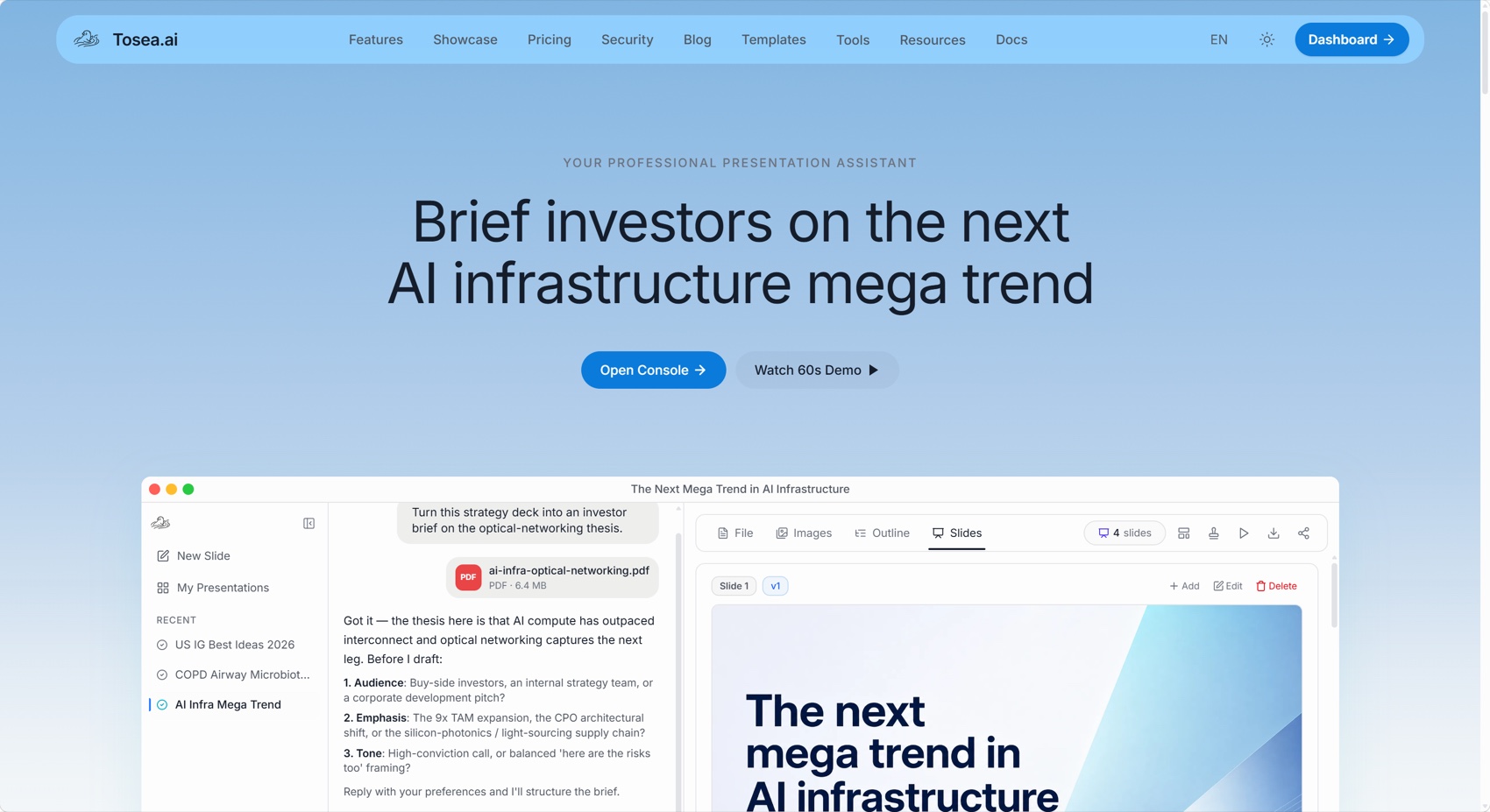
Tosea AI is a source-grounded AI presentation tool that converts PDFs, research reports, financial documents, and other complex source material into editable PowerPoint slides. Users can review the generated outline, select built-in or custom templates, retain source figures, modify layouts and diagrams, and export an editable PPTX for further review.
What is Genspark?
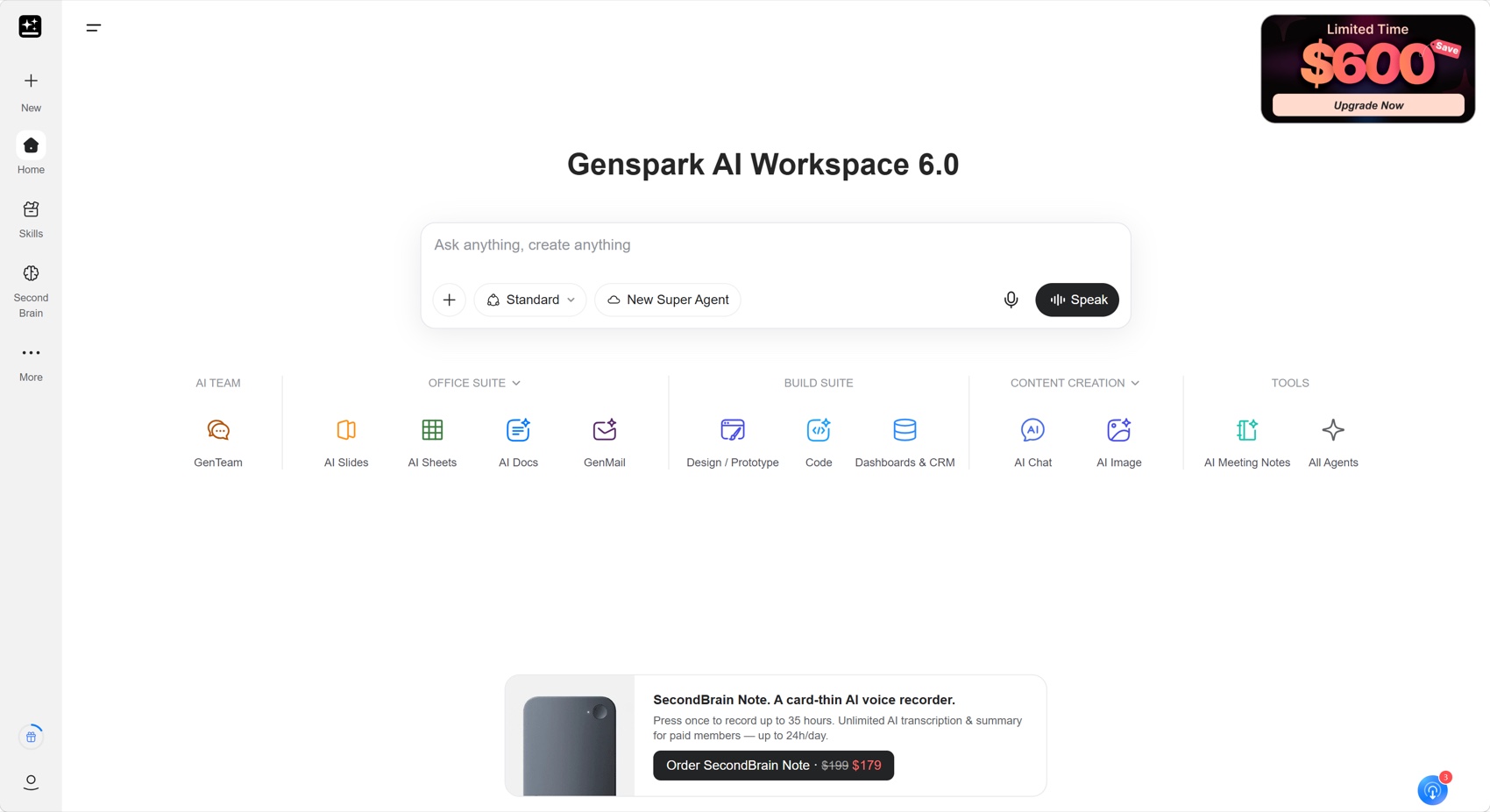
Genspark is a broader AI workspace that includes AI Slides alongside tools for documents, spreadsheets, research, coding, images, and other agent-based tasks. Its presentation workflow can turn prompts and uploaded files into polished slides, ask follow-up questions about the audience, verify generated content, and export a presentation for sharing or delivery.
Genspark workflow and output
The Genspark workflow was short:
- Upload the research material.
- Answer the product questions about the intended presentation.
- Generate the slides directly.
- Use Verify Content on one page or the entire deck.
- Export the result.
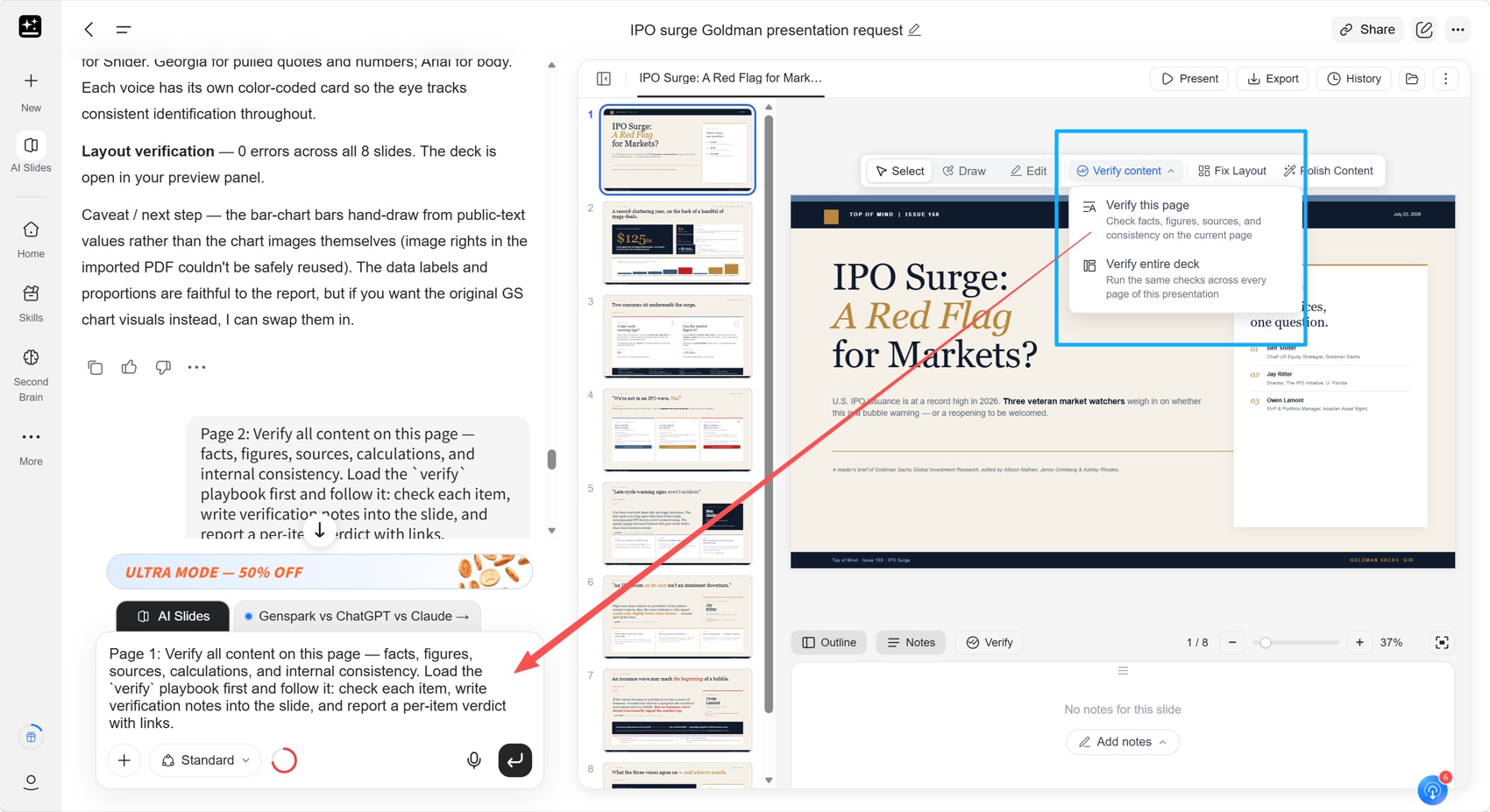
Genspark produced the more persuasive first draft. Its eight slides frame the IPO surge as a market question, establish the role of mega-deals, examine two risks, compare three expert views, and close with watch items and investor actions.
The slide titles make claims instead of naming topics, and the final page converts analysis into monitoring priorities.
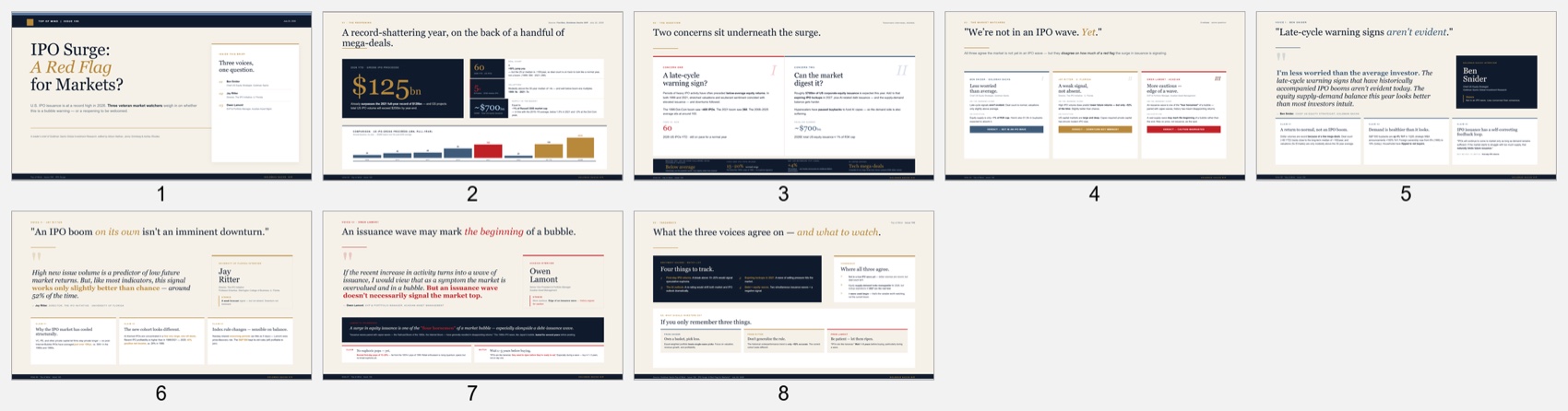
Genspark also includes a useful verification workflow. According to the Genspark AI Slides guide, Verify Content can check facts, figures, sources, calculations, and consistency against web sources or uploaded files. That does not remove the need for professional review, but it creates a visible QA step.
Tosea AI workflow and output
The Tosea AI workflow adds an editorial checkpoint before visual generation:
- Upload the report.
- Select a built-in template or an eligible custom template.
- Generate the outline.
- Review and edit the slide titles, content, and selected images without spending slide-generation credits.
- Render the slides.
- Edit individual slides or change their layouts and diagrams.
- Export an editable PPTX.
That outline stage lets a strategy lead remove background material, sharpen an action title, or move the recommendation forward before rendering.
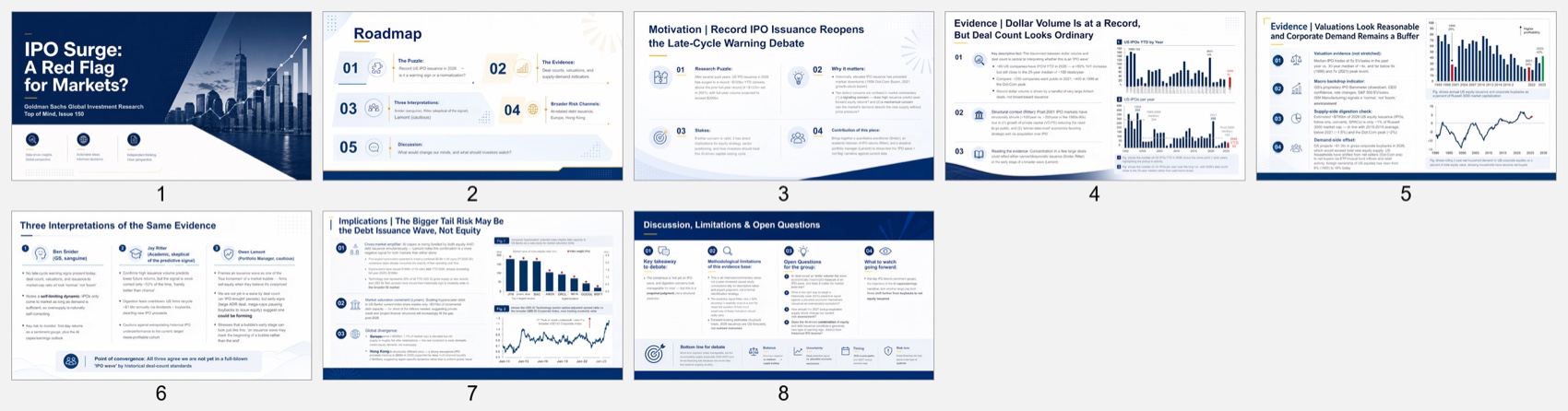
The Tosea deck covered context, IPO evidence, three interpretations, implications, and open questions. It retained more report visuals, but several pages read like a research seminar.
Which deck tells the clearer consulting story?
Genspark wins this category. Its opening immediately frames a decision question, and each following slide advances the answer. A managing director could scan the deck and understand the argument without reading every paragraph.
Tosea AI preserves more context, but the recommendation arrives later. Slides two and three could be compressed and the implications moved forward. A stronger client sequence would be:
- Executive answer
- Evidence for the IPO surge
- Why the surge may or may not signal a bubble
- Market implications
- Recommended actions and supporting analysis
Font fidelity and PowerPoint editability
Both decks looked consistent in their exported files, but they achieved that result differently.
The Genspark PPTX contains one full-slide image per page. Its typography cannot shift, but titles, labels, and chart text are not normal PowerPoint text boxes. A consultant cannot quickly change a client name or update one number inside PowerPoint.
The Tosea PPTX contains editable text and many separate visual elements. Arial remained consistent, and text boxes could be revised after export. This is more practical when partners and clients request wording changes.
Data, tables, and source figures
Genspark extracted important values and rebuilt them as clean visual summaries. Its IPO slide makes numbers such as $125 billion, 60 deals, and roughly $700 billion easy to scan. The visual result is excellent for executives.
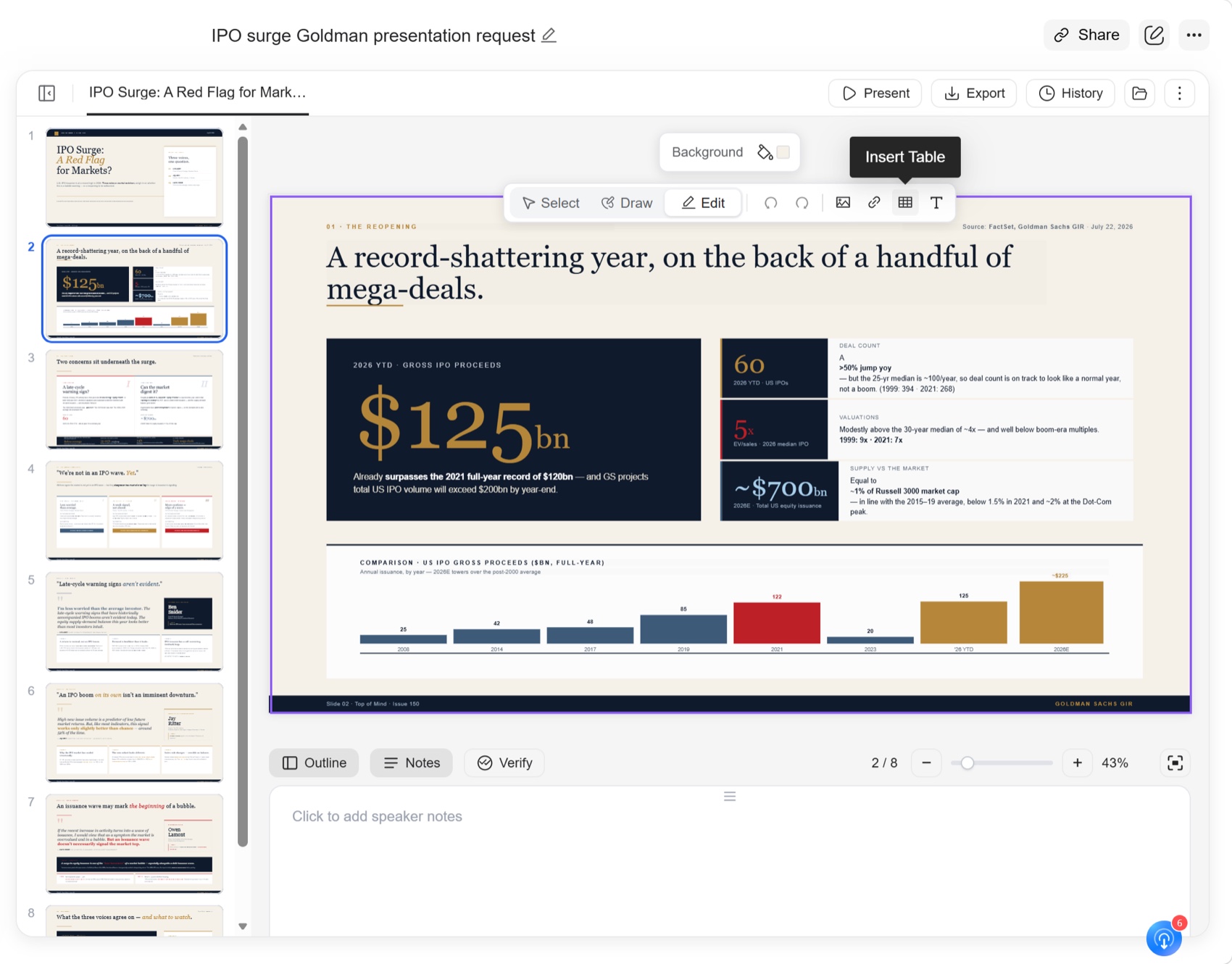
The limitation is structural. The exported deck contains no native chart or table objects. This matches the Genspark AI Slides FAQ, which notes that complex tables and charts may become images or shapes.
Tosea inserted more original source figures, preserving chart detail and report context when axes, legends, and annotations matter.
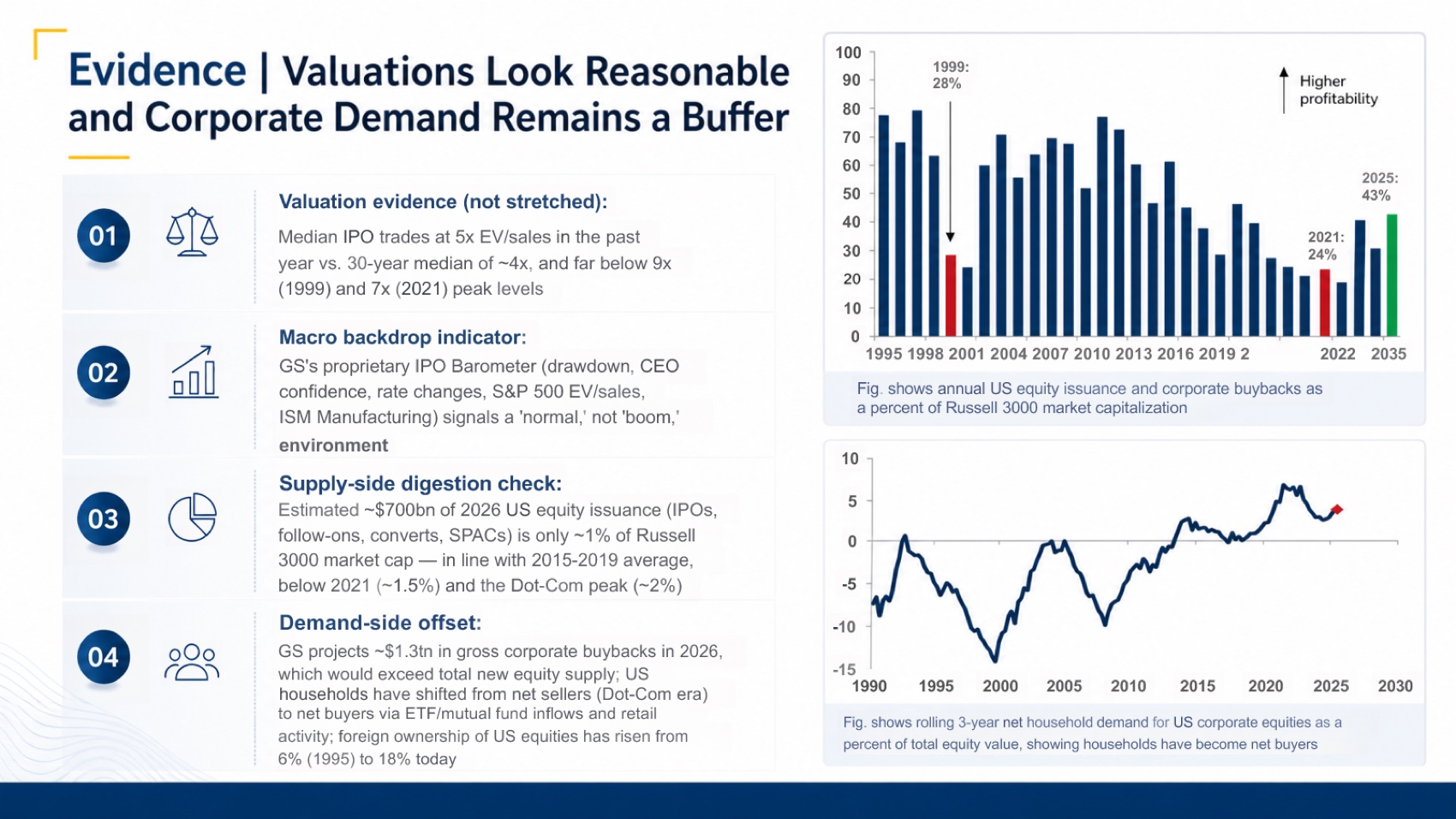
These figures are also images rather than native charts. Microsoft explains that native charts support editing the underlying data and can be linked to Excel for recurring updates.
Choose Genspark to reinterpret values as executive visuals. Choose Tosea to preserve original report figures. Rebuild charts as native PowerPoint objects when clients need recurring data updates.
Page ratio and presentation readiness
Both exports used the standard 16:9 format, with a measured ratio of 1.778. Neither deck showed content outside the slide canvas during automated layout checks.
Genspark was more visually ready for a client meeting. Tosea required several focused corrections:
- Tighten dense text on the final two slides.
- Fix a visible text overlap on the global divergence section.
- Review OCR-like character substitutions and financial labels.
- Reconcile a few date and value labels with the source.
- Move the recommendation and decision implications earlier.
These issues are repairable because the Tosea output remains editable. Genspark has fewer visible design issues, but any factual or wording correction is more expensive after export because the slides are flattened.
Estimated manual repair time
Genspark: about 32 minutes
- 10 minutes to verify claims and calculations against the source
- 8 minutes to tailor the story to the specific client and meeting objective
- 10 minutes to rebuild any labels or visuals that must remain editable
- 4 minutes for final PowerPoint QA
Tosea AI: about 24 minutes
- 8 minutes to reconcile OCR, dates, units, and source values
- 7 minutes to tighten the storyline and move the recommendation forward
- 5 minutes to fix density and the visible overlap
- 4 minutes for final PowerPoint QA
These estimates assume the client expects an editable deliverable. A fixed, one-time Genspark deck could require less work.
Which tool should consultants choose?
Choose Genspark when:
- You need a polished executive narrative quickly.
- The presentation is a one-off briefing.
- A flattened PPTX is acceptable.
- You value automatic content verification and strong visual synthesis.
Choose Tosea AI when:
- You need to approve the outline before rendering.
- Your firm uses a custom PowerPoint template.
- Original report figures and source context must be retained.
- The team expects multiple partner or client revision rounds.
- Editable text boxes and slide elements are part of the deliverable.
Genspark produces the stronger first visual draft. Tosea AI gives the team more control before and after generation.
Download the tested PowerPoint files
Review licensing, confidentiality, and source-distribution requirements before republishing third-party research content.
How to Reproduce This Test
The material is public. Open Goldman Sachs Top of Mind Issue 150, upload the identical file to both tools, keep the instruction minimal, accept default settings, generate once, and export to PPTX.
Judge the exported file. For consulting work the specific checks are whether each claim on a slide is traceable to a page in the report, whether the sequence reaches a recommendation rather than stopping at a summary, and whether the file is still editable enough for a partner to revise it an hour before the meeting.
Genspark's Verify Content view is worth opening during this. It shows what the model drew on, which makes the executive narrative easier to trust — and it is a different question from whether the underlying exhibit reached a slide. Both exported files are linked above so the two can be checked independently.
Where This Test Sits in the Benchmark Series
This is the run Tosea AI lost. Genspark took the higher weighted score, 8.7 to 8.6, and it is published unchanged because a benchmark series that never records a loss is not a benchmark.
The result is also narrow and specific. Genspark won on executive narrative and setup cost; Tosea AI still needed less repair time, 24 minutes against 32, and preserved more of the report's original exhibits. Read the companion run on the same report, where Gamma scored 6.9 against Tosea AI at 8.8, and the shape becomes clearer: the gap between tools on consulting material is mostly a gap in how much narrative scaffolding they build, not in raw generation quality.
Genspark's other runs support that reading. On a 46-page technical manual it scored 8.2 against 8.5, and on a clinical meta-analysis it needed less repair time than Tosea AI at 30 minutes against 32, while producing three fewer slides. Genspark is consistently strong at deciding what the argument is. It is less consistently strong at bringing the evidence along, which matters more in a research seminar than in a client meeting. For structuring the argument itself, our guides on deck logic and layout patterns go deeper.
What This Test Does Not Tell You
One report, one prompt, one generation per tool, in August 2026.
A 0.1 margin should not be read as a ranking. It is inside the noise of any subjective scoring rubric, and a reader who weights source fidelity higher or lower than our 25% will reach a different order from the same underlying observations. That is why the per-criterion reasoning and both PPTX files are published rather than only the total.
Repair estimates assume an experienced consultant working with the report open, exclude firm rebranding, and are calibrated estimates rather than timed sessions.
Frequently asked questions
Is Genspark or Tosea AI better for consulting presentations?
Genspark is better for producing a polished executive narrative quickly. Tosea AI is better when consultants need outline approval, custom templates, preserved source figures, and an editable PPTX for client revisions.
Can Tosea AI redesign my existing PowerPoint without changing the content?
Yes. Export it as a PDF, upload it, and request a redesign that preserves the wording. Use Layout Only to refresh the visual structure, then review labels, footnotes, and citations.
How do I upload a PowerPoint and ask Tosea AI to redesign each slide?
Export the source PowerPoint as a PDF, upload it, preserve the sequence in the instructions, and select a template. Review the outline and slides before export.
Can I upload my own PowerPoint template to Tosea AI?
Tosea AI supports custom templates on eligible plans. Confirm layouts, colors, fonts, logos, and master-slide conventions before client use.
Can Tosea AI use custom brand colors, fonts, and a logo?
Yes. Add brand requirements and upload the logo or use a custom template. Verify fonts, colors, logo clear space, and contrast after export.
Can Tosea AI match the style of old company presentations?
Tosea can use a representative deck as design guidance. For consistent delivery, an approved custom template is more reliable than expecting permanent style learning from one reference file.
Does Tosea AI preserve PowerPoint formatting after export?
Its editable PPTX is designed to stay close to the preview. Results vary with fonts, graphics, and software, so test the export in the delivery environment.
Can I edit only the layout and keep the exact wording?
Yes. Layout Only changes visual structure without intentionally rewriting content. Compare the result with the source for labels, citations, footnotes, and line breaks.
Final verdict
Genspark produced the better first executive draft. For an editable consulting deliverable that must survive review and handoff, Tosea AI was easier to control and repair. One-time briefings may favor Genspark, while recurring QBRs and client decks may favor Tosea AI.
For related presentation methods, see Tosea AI's guides to building McKinsey-style PowerPoint decks, PowerPoint layout patterns, presenting sales data to executives, and the cognitive architecture behind consulting deck logic.
Sources
- Top of Mind Issue 150 — IPO Surge: A Red Flag for Markets? — Goldman Sachs Global Investment Research
- Genspark — genspark.ai
- Genspark AI Slides help center — Genspark
- Genspark AI Slides FAQ — Genspark
- Change the data in an existing chart — Microsoft Support
- Use charts and graphs in your presentation — Microsoft Support