How to Use freeCodeCamp GitHub: A Practical Guide to Learning, Running & Contributing
Learn how to use the freeCodeCamp GitHub repository — explore the monorepo structure, run it locally with pnpm and MongoDB, contribute safely, and turn what you learn into slides.
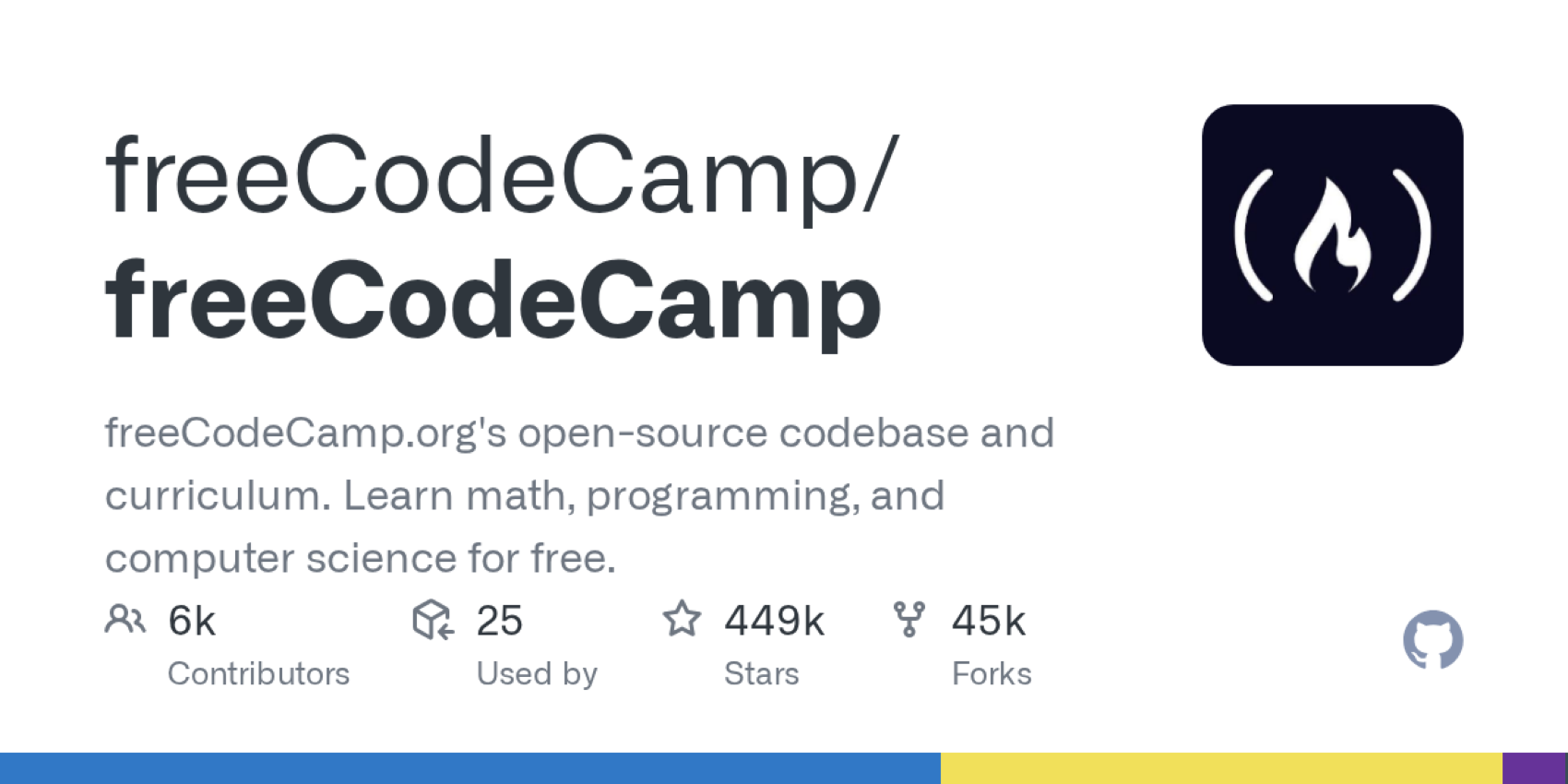
If you want to learn how to use freeCodeCamp GitHub, you are really learning how one of the largest open-source education platforms organizes code, curriculum, community contributions, and developer tooling in one public repository. The freeCodeCamp/freeCodeCamp repository is the open-source codebase and curriculum behind freeCodeCamp.org, a nonprofit learning platform that teaches programming, math, computer science, full-stack development, and machine learning for free.
This guide explains how to use the freeCodeCamp GitHub repository as a learner, developer, contributor, teacher, or AI-assisted researcher. It covers what the repo contains, how to read the structure, how to run it locally, how to contribute safely, and how to turn what you learn into notes, tutorials, or presentation materials.
Quick Overview
The freeCodeCamp GitHub repository is a large open-source monorepo containing the freeCodeCamp learning platform, curriculum, development tools, tests, shared packages, and contribution workflow.
You can use it to:
- Study a real production-scale open-source codebase
- Learn how a full-stack education platform is structured
- Explore freeCodeCamp curriculum files and coding challenges
- Run parts of the platform locally
- Fix bugs and contribute to open-source
- Understand React, Node.js, TypeScript, pnpm workspaces, and testing workflows
- Practice reading issues, pull requests, and contribution guidelines
- Use AI tools to summarize the architecture and turn repo knowledge into slides or documentation
The repository is especially useful if you are searching for a freeCodeCamp GitHub tutorial, freeCodeCamp local setup guide, freeCodeCamp contribution guide, or a real-world open-source curriculum GitHub project to study.
What Is the freeCodeCamp GitHub Repository?
The freeCodeCamp repository is the public home of freeCodeCamp.org's open-source codebase and curriculum. The README describes freeCodeCamp as a donor-supported nonprofit community where people can learn to code for free. It also says the community has helped more than 100,000 people get their first developer job.
The platform includes interactive coding challenges, certifications, articles, videos, forums, and community spaces. The GitHub repository is where much of the platform code and curriculum work happens.
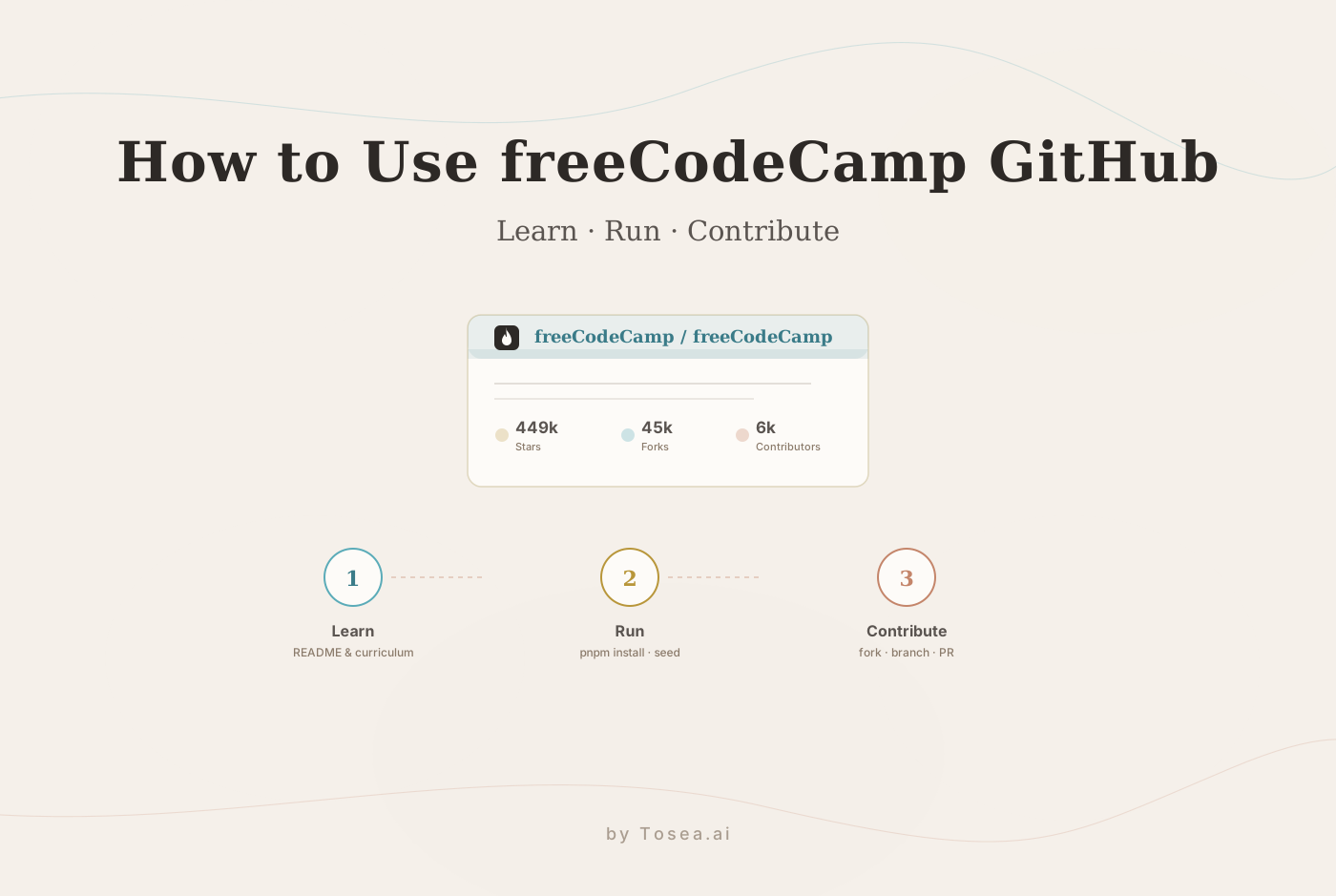
That makes it different from a small tutorial repo. freeCodeCamp is not just a sample app. It is a large, actively maintained educational platform with many contributors, thousands of curriculum items, and a real production product behind it. As of mid-2026 the repository carries roughly 449,000 stars, 45,000 forks, and contributions from over 6,000 people — numbers that tell you immediately this is a project with real review standards, not a weekend demo.
Official links worth opening:
- GitHub repository: freeCodeCamp/freeCodeCamp
- Learning platform: freeCodeCamp.org
- Contributor documentation: contribute.freecodecamp.org
- GitHub contribution basics: GitHub Docs: Contributing to projects
Who Should Use freeCodeCamp GitHub?
The freeCodeCamp GitHub repo is useful for several types of users.
Beginners can use it to understand how professional repositories are organized. You may not understand every file at first, but you can learn how folders, scripts, issues, pull requests, and docs work together.
Intermediate developers can study the repo as a real-world full-stack application. The repository includes client code, API code, curriculum content, testing tools, scripts, and shared packages.
Open-source beginners can use it to learn contribution etiquette. freeCodeCamp has documentation, issues, and a community process, so it is a good place to practice careful open-source contribution.
Educators can study how a large coding curriculum is structured. The curriculum directory is especially valuable for understanding how coding lessons, projects, quizzes, and certifications can be organized.
AI tool users can use Codex, Claude Code, Cursor, or other assistants to summarize folders, explain pull requests, inspect architecture, or generate learning notes from the repository.
freeCodeCamp GitHub Repository Structure
The repository is a monorepo. That means several parts of the application live in one repository and share tooling.
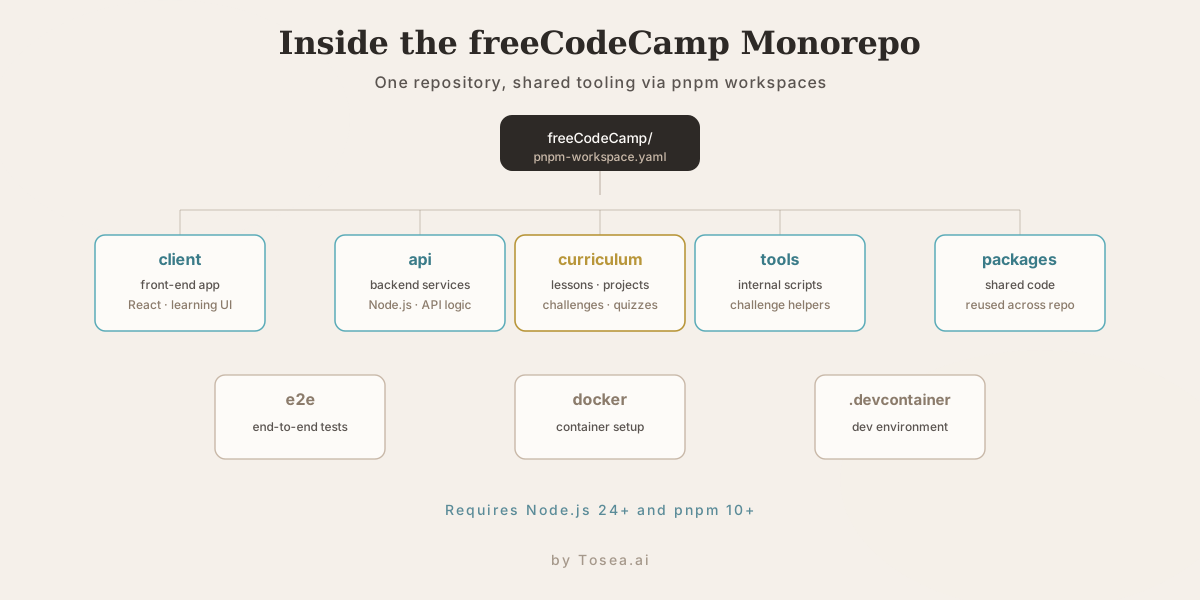
Important directories include:
client: the front-end application for the learning platformapi: backend services and API logiccurriculum: coding challenges, lessons, projects, quizzes, and learning contenttools: scripts and internal utilities, including challenge helper scriptse2e: end-to-end testspackages: shared packages used across the repodocker: Docker-related setup.devcontainer: development container configuration for VS Code or Codespaces-style workflows
Important root files include:
README.md: project overviewpackage.json: scripts, engines, dependencies, and workspace commandspnpm-workspace.yaml: monorepo workspace configurationsample.env: sample environment variablesLICENSE.md: software license informationCONTRIBUTING.md: entry point to contribution documentation
The root package.json currently specifies Node.js >=24 and pnpm >=10, and the repo uses pnpm workspaces. It also includes scripts for building, developing, seeding, testing, linting, and working with curriculum content.
How to Use freeCodeCamp GitHub Locally
Before running the repo locally, check the official contributor documentation because setup details can change. For the current source of truth, use contribute.freecodecamp.org and the repository files. A practical local setup usually follows the pattern below.
Step 1: Install the Required Tools
You should have:
- Git
- Node.js
- pnpm
- MongoDB
- A code editor such as Visual Studio Code
The repository package configuration currently expects Node.js 24 or newer and pnpm 10 or newer. Use the repo's package.json and .nvmrc as the final reference.
Step 2: Fork the Repository
Go to the freeCodeCamp GitHub repository and fork it into your own GitHub account. Forking gives you your own copy where you can push branches and open pull requests.
Step 3: Clone Your Fork
git clone https://github.com/YOUR_USERNAME/freeCodeCamp.git
cd freeCodeCamp
Add the original repo as upstream:
git remote add upstream https://github.com/freeCodeCamp/freeCodeCamp.git
This lets you sync your fork with the official repository later.
Step 4: Install Dependencies
pnpm install
Because this is a large monorepo, installation may take time. If installation fails, check your Node.js and pnpm versions first.
Step 5: Configure Environment Variables
The repository includes a sample.env file. Copy it to .env and adjust values for your local environment.
On macOS or Linux:
cp sample.env .env
On Windows PowerShell:
Copy-Item sample.env .env
The sample environment file includes a local MongoDB URL like:
mongodb://127.0.0.1:27017/freecodecamp?directConnection=true
This tells you that a local MongoDB instance is part of the development setup.
Step 6: Start MongoDB
Start MongoDB locally before seeding or running the platform. The exact command depends on your operating system and installation method. Follow the official MongoDB installation documentation if you have not installed it yet.
Step 7: Seed Local Data
The root package.json includes seed scripts. A common command is:
pnpm seed
Seeding helps create development data needed by the local app.
Step 8: Start Development
The root package scripts include development commands such as:
pnpm run develop
Depending on what you are working on, you may use more specific commands for the client, API, curriculum, or tools.
Step 9: Run Checks Before Contributing
Before opening a pull request, use the available scripts to check your work. Useful commands include:
pnpm run lint
pnpm test
For curriculum work, the repo also includes content-related scripts such as curriculum tests and challenge auditing. Always check the relevant contributor docs before making a large change.
How to Use freeCodeCamp GitHub for Learning
You do not need to run the whole platform on day one. A better approach is to study the repo in layers.
Start with the README
The README explains the purpose of the project, the certifications, community resources, bug reporting, security reporting, contribution links, and licensing. This gives you the big picture before you dive into code.
Study the curriculum Directory
If your goal is learning, the curriculum directory is one of the most valuable parts of the repo. It shows how lessons, quizzes, projects, and challenges are represented as content.
Try this exercise:
- Pick a freeCodeCamp challenge on the website.
- Search for related files in the
curriculumdirectory. - Read how instructions, tests, hints, and metadata are structured.
- Compare the source file with what appears in the browser.
This helps you understand how educational content becomes an interactive coding experience.
Trace the Client and API
If you are learning full-stack development, follow the path from user interface to backend. Look at:
- How the client renders learning pages
- How the API handles requests
- How shared packages are used
- How tests protect behavior
- How build scripts connect the workspace
This is more useful than passively reading random files.
Read Issues and Pull Requests
GitHub issues and pull requests are part of the documentation. They show real bugs, design decisions, maintainers' expectations, and review standards.
If you want to learn open-source collaboration, read:
- Closed pull requests
- Good first issue discussions
- Review comments
- Bug reproduction steps
- Maintainer feedback
This teaches you how open-source work actually happens.
How to Contribute to freeCodeCamp
A good freeCodeCamp contribution starts with reading the contributor documentation. Do not start by changing a large part of the curriculum or platform.
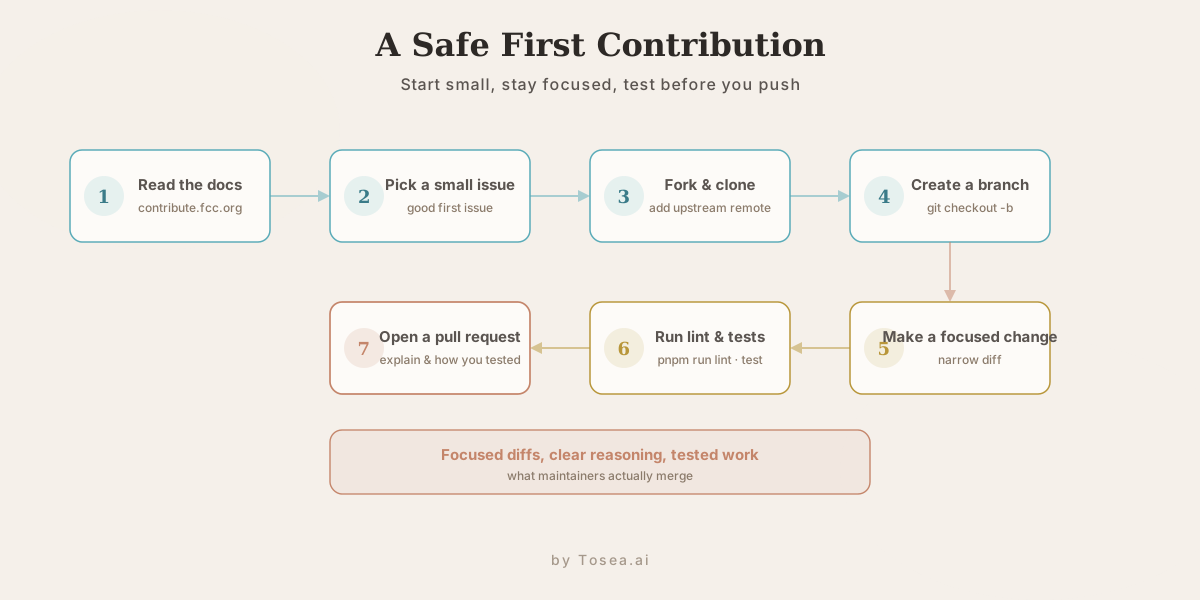
A safer workflow:
- Read contribute.freecodecamp.org
- Find a small issue or documentation improvement
- Fork and clone the repo
- Create a branch
- Make a focused change
- Run relevant tests or checks
- Open a pull request
- Explain what changed and how you tested it
Example branch command:
git checkout -b fix-small-doc-typo
Example sync command:
git fetch upstream
git checkout main
git merge upstream/main
If you are new to open source, also read GitHub's official guides on forking projects and creating pull requests.
Best Ways to Use freeCodeCamp GitHub with AI Tools
AI tools can make a large repository less intimidating, but they should be used carefully. Coding agents like OpenAI Codex and Claude Code are strong at reading across a monorepo and summarizing how the pieces connect, which is exactly the kind of orientation a project this size demands.
Good AI-assisted workflows include:
- Ask an AI agent to summarize the repository structure
- Ask it to explain the difference between
client,api, andcurriculum - Ask it to trace one challenge from source file to rendered page
- Ask it to summarize a GitHub issue before you work on it
- Ask it to draft a test plan for a small change
- Ask it to turn your notes into a study guide
Avoid asking AI to make large unreviewed changes. In a serious open-source repo, maintainers care about focused diffs, clear reasoning, and tested work.
A useful prompt:
Read the repository structure and explain how the client, api, curriculum, tools, and packages folders relate to each other. Then suggest a safe first contribution path for a beginner.
Another useful prompt:
I want to understand how a freeCodeCamp coding challenge becomes an interactive page. Trace the likely path from curriculum content to UI rendering and list the files I should inspect first.
Common Mistakes When Using freeCodeCamp GitHub
Mistake 1: Treating the Repo Like a Small Tutorial Project
freeCodeCamp is a large production project. Expect scripts, workspaces, environment variables, seed data, tests, and contributor rules.
Mistake 2: Ignoring Node and pnpm Versions
If setup fails, check versions early. The repo currently requires modern Node and pnpm versions. Version mismatch can cause confusing errors.
Mistake 3: Skipping the Environment File
The sample.env file exists for a reason. Copy it to .env and understand the key values, especially local application URLs and database settings.
Mistake 4: Forgetting MongoDB
The sample environment uses a local MongoDB connection. If MongoDB is not running, seeding or development may fail.
Mistake 5: Opening a Huge First Pull Request
Start small. Documentation fixes, narrow bug fixes, test improvements, or small curriculum corrections are better first contributions than major rewrites.
Mistake 6: Trusting AI Without Reading the Source
AI can explain patterns, but it can also guess. Always check the repository files, official docs, and tests before submitting work.
Use Cases: What You Can Learn from freeCodeCamp GitHub
Learn Open-Source Project Structure
The repo teaches you how a large community project organizes code, curriculum, tools, tests, and documentation.
Learn Full-Stack Development
The client and api folders give you a real example of front-end and back-end code living in one platform.
Learn Curriculum Engineering
The curriculum folder is a rare public example of a large interactive coding curriculum.
Learn Monorepo Tooling
The project uses pnpm workspaces and includes build, test, lint, seed, and development scripts. This is useful if you want to understand modern JavaScript monorepos.
Learn Contribution Discipline
The project teaches you how to read contributor docs, scope changes, communicate in pull requests, and respect maintainers' review process.
From freeCodeCamp GitHub to Presentation-Ready Slides
Large GitHub repositories are full of useful knowledge, but they are hard to explain to a team, a class, or a community. After you study freeCodeCamp GitHub, the natural next step is often to turn your notes into a presentation — an onboarding deck for new contributors, a lecture on monorepo architecture, or a conference talk on how a large curriculum is engineered.
This is where document-to-PPT tooling fits. The challenge with technical material is that the source — a README, a folder tree, an architecture summary, a contribution guide — is dense and unstructured, and rebuilding it slide by slide is slow. A presentation workflow built around source fidelity lets you keep the real structure of the repository instead of flattening it into bullet points. Tosea.ai works as the document-to-deck orchestration layer for exactly this: you give it your source notes or an exported PDF, it parses the content, builds an editable outline, and produces a slide deck you can review stage by stage.
A few concrete examples of how repo knowledge maps to AI slide generation:
- Architecture summaries become a clean slide structure showing how
client,api,curriculum, andpackagesrelate — the kind of massive slide deck you can generate in minutes while keeping a consistent visual style. - Curriculum research exported as a PDF becomes a talk; our research paper to slides workflow shows the same source-first path applied to academic documents.
- Onboarding notes become a reusable deck for new open-source contributors, exported to PowerPoint with the structure intact — see converting PDF to PowerPoint while preserving tables and formulas.
The point is not to replace your understanding of the codebase, but to make the presentation workflow as reviewable as the contribution workflow you just learned: parse the source, control the outline, and ship slides that stay faithful to what the repository actually contains.
Frequently Asked Questions
What is freeCodeCamp GitHub?
freeCodeCamp GitHub usually refers to the freeCodeCamp/freeCodeCamp repository. It is the open-source codebase and curriculum behind freeCodeCamp.org.
How do I use freeCodeCamp GitHub?
You can use it to study the platform, explore the curriculum, run the project locally, contribute fixes, inspect issues, learn full-stack architecture, and understand how a large open-source education project works.
Can beginners use the freeCodeCamp GitHub repository?
Yes, but beginners should not try to understand everything at once. Start with the README, then explore the curriculum directory, then read issues and small pull requests.
How do I run freeCodeCamp locally?
A typical setup involves installing Git, Node.js, pnpm, and MongoDB, then cloning the repo, installing dependencies with pnpm install, copying sample.env to .env, seeding data, and running the development command. Always check the official contributor docs for the latest setup steps.
What tech stack does freeCodeCamp use?
The repository uses TypeScript, JavaScript, React, Node.js, pnpm workspaces, monorepo build scripts, MongoDB-related local setup, testing tools, and shared packages. The exact stack may evolve, so use the repository files as the source of truth.
Is freeCodeCamp GitHub good for learning open source?
Yes. It is useful because it has a real community, active issues, contributor documentation, production code, curriculum files, and a long-running open-source workflow.
Can I contribute to freeCodeCamp?
Yes. freeCodeCamp welcomes community contributions, but you should read the contribution documentation first, choose a focused issue, and run relevant checks before opening a pull request.
Can I use AI to understand the freeCodeCamp repository?
Yes. AI tools can summarize folder structure, explain scripts, trace files, and help you prepare a contribution. But you should verify everything against the actual repository and official documentation.
Can I turn freeCodeCamp GitHub notes into slides?
Yes. After you summarize the repo structure, local setup, and contribution process, you can use an AI presentation tool like Tosea AI to turn those notes into a clear, presentation-ready deck for students, teams, or developer communities.
Final Takeaway
Learning how to use freeCodeCamp GitHub is one of the best ways to understand a real open-source learning platform. The repository teaches you more than syntax. It shows how curriculum, front-end code, backend services, tooling, tests, documentation, and community contribution fit together.
If you are searching for a freeCodeCamp GitHub tutorial, freeCodeCamp local setup guide, freeCodeCamp contribution guide, open-source curriculum GitHub project, or a real-world full-stack codebase to study, start with the README, contributor docs, curriculum, client, api, and the package scripts.
And when you want to explain what you learned — onboard a team, teach a class, or present the freeCodeCamp GitHub workflow clearly — Tosea AI can turn your source notes into structured, accurate, presentation-ready slides that are easier to review, teach, and share.
Sources
- freeCodeCamp/freeCodeCamp — official GitHub repository (README, structure, package scripts)
- freeCodeCamp.org — the nonprofit learning platform behind the codebase
- contribute.freecodecamp.org — official contributor documentation and local setup guide
- GitHub Docs: Contributing to a project — forking and pull request basics