How to Use Claude Code: Complete 2026 Guide to Anthropic's Agentic Coding Tool
A practical guide to Claude Code — Anthropic's terminal-based AI coding agent with 1M token context, 80.8% SWE-bench score, and full codebase understanding.
Your team just finished a quarter of intense development work. Fifty pull requests are sitting in review. The technical documentation is months behind. A release retrospective needs to go to the executive team on Friday, and nobody has started it. You have one afternoon.
The coding part of that problem has a solution. The communication part — turning technical output into something non-technical stakeholders can act on — is still largely manual. That gap is what slows teams down after the code ships.
Before we get into Claude Code: once your development work is done, the next challenge is communicating what was built, what it means, and what comes next. Tosea.ai transforms technical documents — README files, architecture specs, sprint reports, release notes — into professional presentation decks in under a minute. Register now, and by the end of this guide you will see exactly how the two tools fit together in a modern development workflow.
What Is Claude Code?
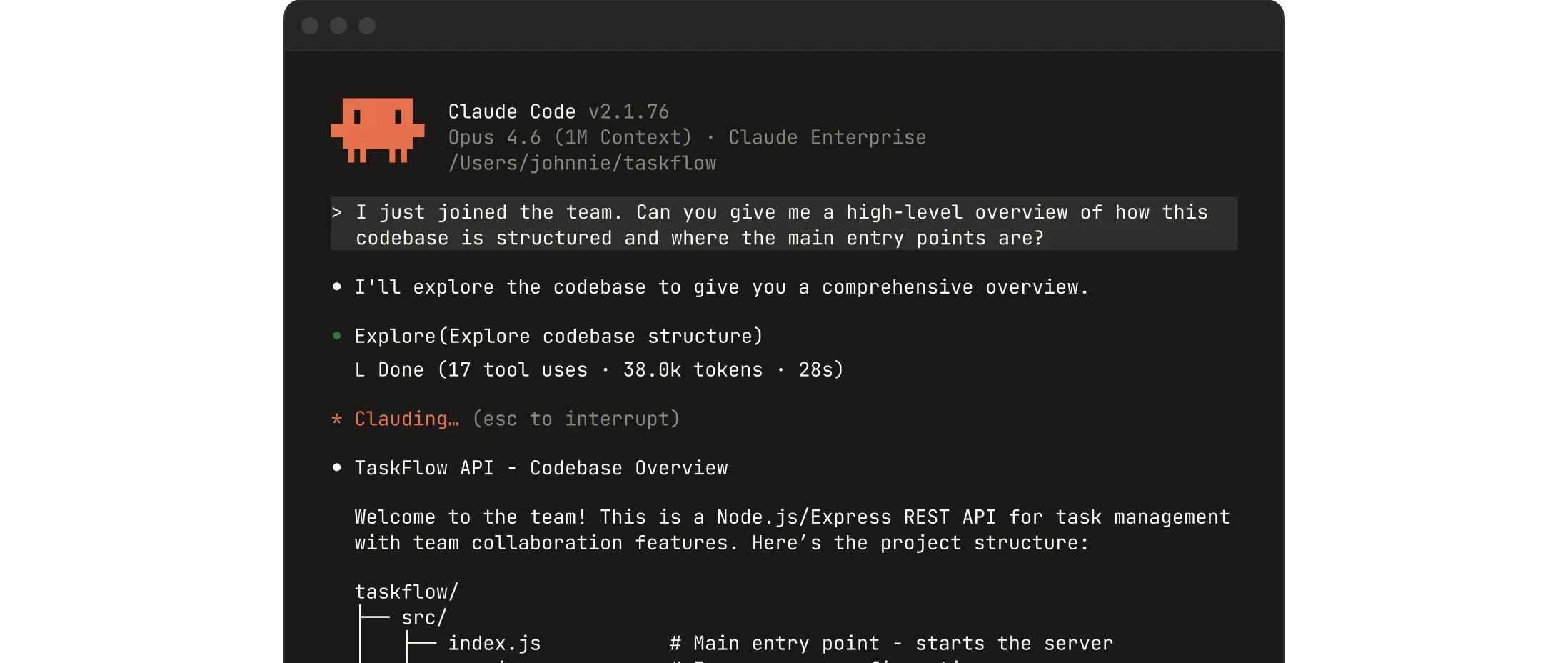
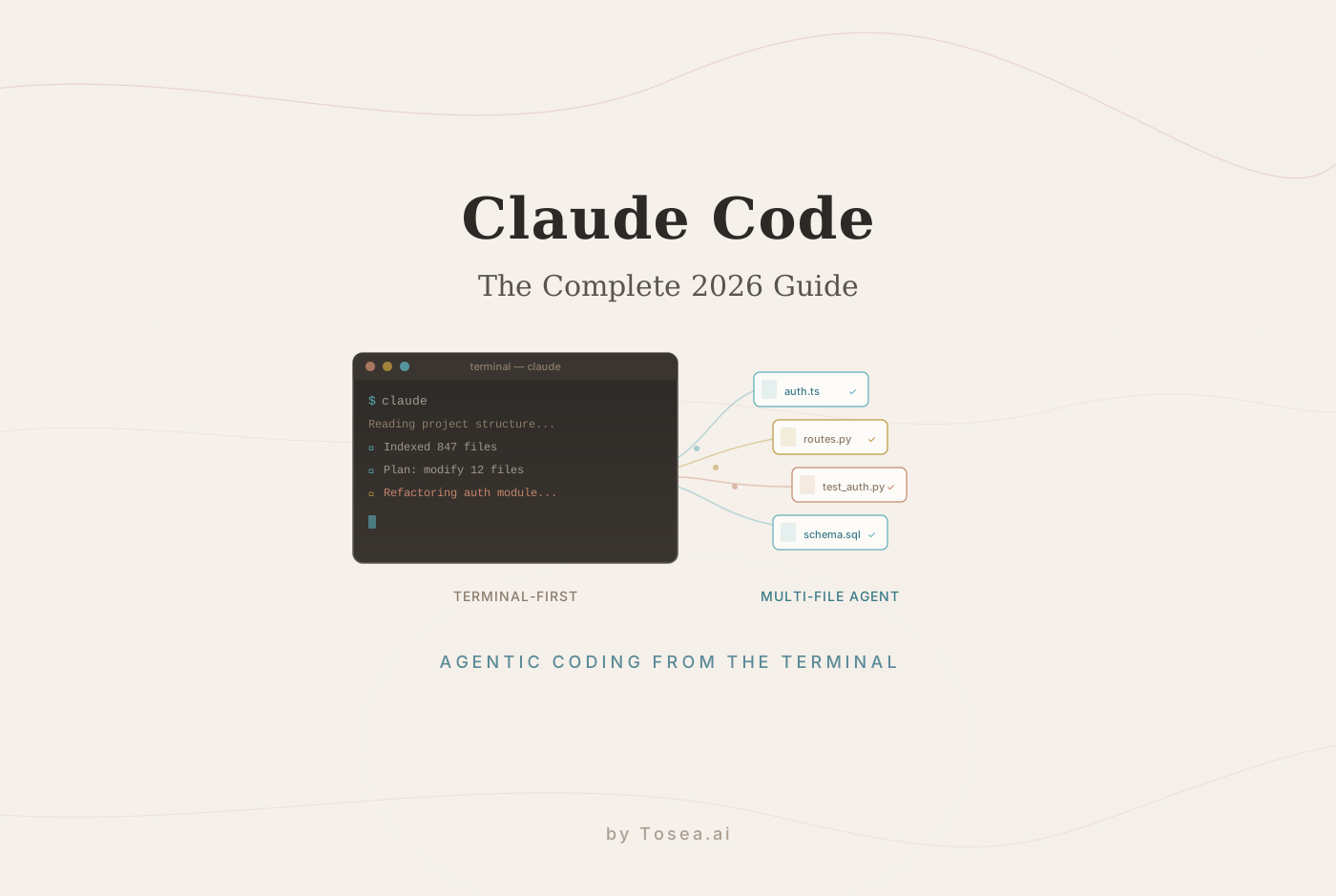
Claude Code is an agentic coding tool built by Anthropic that runs in your terminal, reads your entire codebase, and executes development tasks through natural language instructions. It has accumulated 101,000 GitHub stars and 15,500 forks since its general availability release, making it one of the most widely adopted AI coding tools in 2026. Major enterprises are already building on Claude's capabilities — as we explored in our piece on what Goldman Sachs' deployment of Claude means for professional AI workflows.
The distinction between Claude Code and earlier AI coding tools is structural. Tools like GitHub Copilot and traditional autocomplete systems suggest the next line of code based on what you have already written. Claude Code operates as a full coding agent. It reads your entire project, understands the relationships between files and components, plans an approach to a task, writes and modifies code across multiple files simultaneously, runs tests, handles failures, iterates, and commits the results — all without requiring you to manually specify which files are relevant or which functions need to change. For more on how Anthropic's Claude ecosystem is reshaping document workflows, see our analysis of Claude plugins and professional document transformation.
As NxCode's comparison of AI coding tools describes it: Claude Code can analyze entire codebases without chunking, retrieval augmentation, or losing context.
The Core Technical Capabilities
One Million Token Context Window
Claude Code is powered by Claude Opus 4.6, which supports up to one million tokens in a single context window — roughly 25,000 to 30,000 lines of code processed in a single session without fragmentation.
When you ask Claude Code to refactor a module that touches 40 files across a 200,000-line codebase, it does not need to be told which files are relevant. It navigates the project structure the same way a senior developer would — starting from the entry points, following the dependency graph, building a working model of how components interact — and then makes changes that are architecturally coherent rather than locally correct but globally broken.
SWE-bench Verified: 80.8%
SWE-bench Verified is the standard benchmark for evaluating AI systems on real-world software engineering tasks — actual GitHub issues from open-source repositories, evaluated against test suites that measure whether the proposed fix actually works. Claude Code achieves 80.8% on this benchmark, the highest publicly reported score among available tools.
This number matters because it reflects performance on tasks that require genuine understanding of a codebase, not pattern-matching on isolated code snippets. Debugging a production issue that manifests differently in staging, implementing a feature that requires modifying an ORM layer and updating three API endpoints and adding migration scripts — these are the tasks SWE-bench measures, and they are the tasks that actually consume engineering time.
Plan Mode and Supervised Autonomy
One of Claude Code's most practically important features is Plan Mode. Before executing any changes, Claude Code presents a structured plan of what it intends to do — which files it will modify, what changes it will make, and in what sequence. You review the plan, ask questions, modify the approach, and only then approve execution.
This feature reflects a deliberate philosophy. As buildfastwithai's comparison puts it, Claude Code leans toward supervised autonomy — the developer remains firmly in the loop. For production codebases where an incorrect change could have significant consequences, Plan Mode makes autonomous operation trustworthy rather than risky.
Agent Teams for Parallel Development
The Agent Teams feature enables multiple Claude Code instances to work on different parts of a problem simultaneously, coordinated by a lead agent that assigns subtasks and merges results. For large features that can be decomposed into independent workstreams — a backend API change, a frontend component update, and a documentation update that can proceed in parallel — this capability compresses the calendar time required significantly.
Where Claude Code Lives: Every Surface That Matters
One reason Claude Code has such broad adoption is that it meets developers where they work rather than requiring them to adopt a new interface.
The terminal CLI is the core experience. You navigate to your project directory and run claude — the tool reads your codebase, asks what you want to do, and gets to work. It integrates with every CLI tool you already use, from your package manager to your deployment scripts.
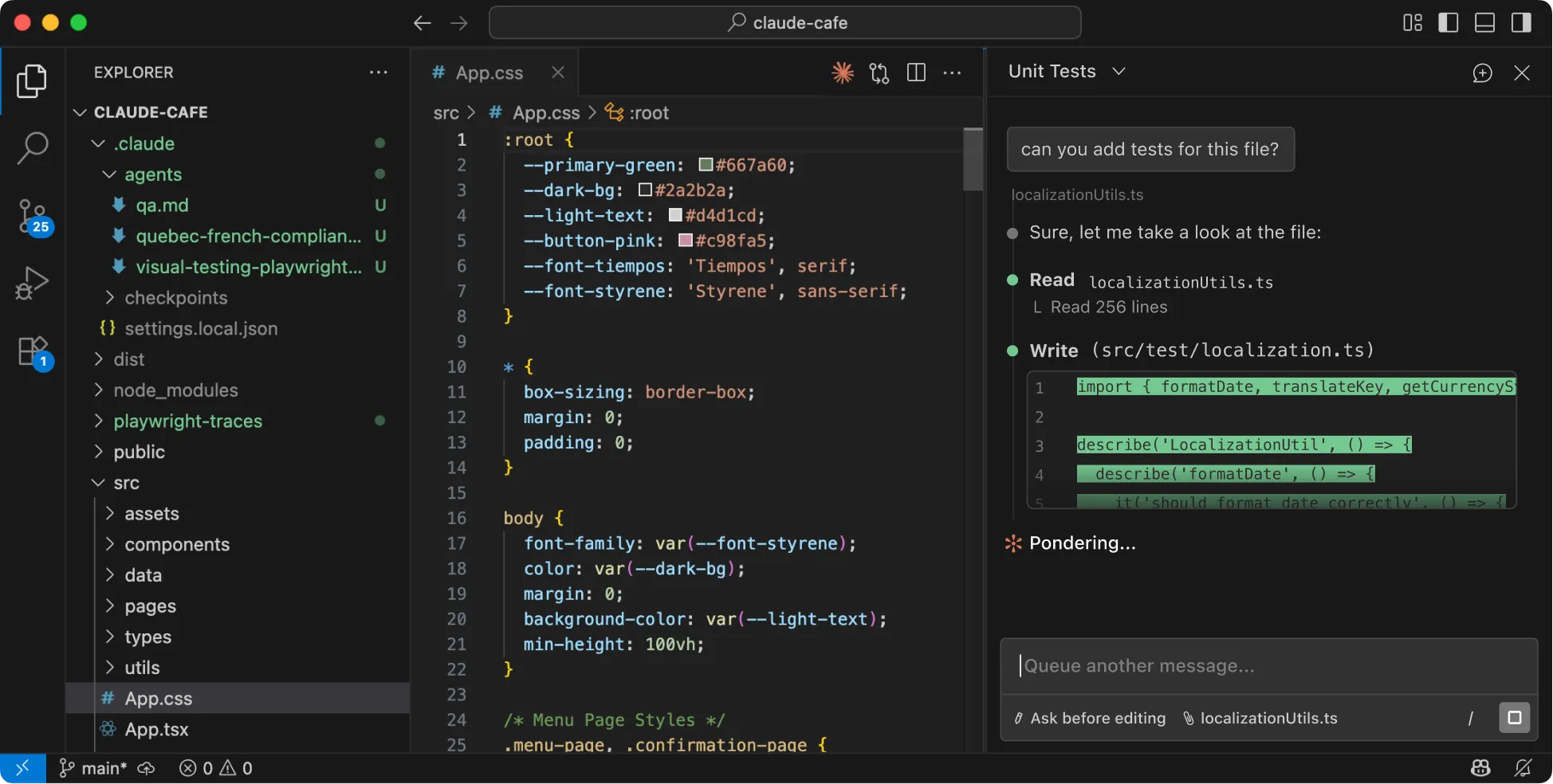
The VS Code extension brings Claude Code into the editor that most developers already use, with visual diff review and interactive change selection. The same extension works in Cursor and Windsurf. A JetBrains plugin covers IntelliJ IDEA, PyCharm, WebStorm, and the rest of the JetBrains ecosystem.
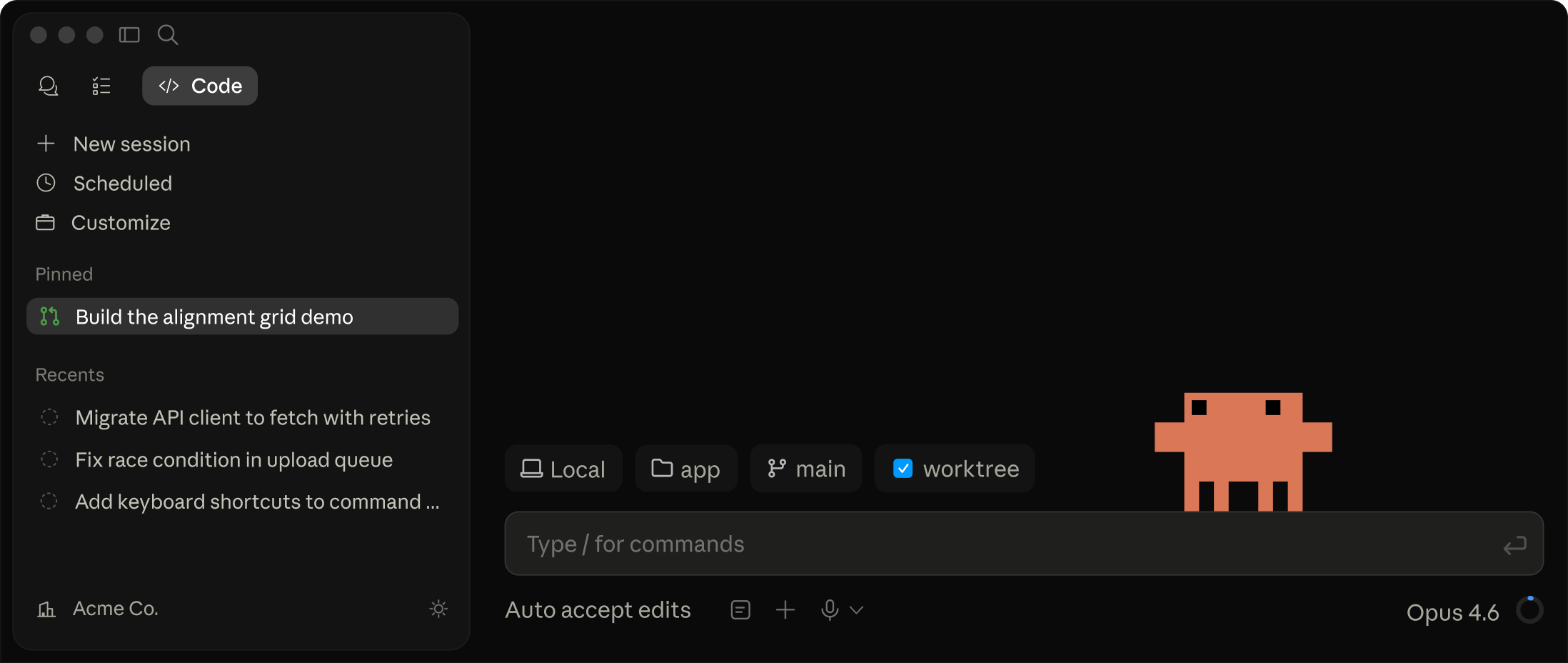
The standalone desktop application allows visual diff review across sessions running in parallel, session scheduling, and cloud-based execution for long-running tasks. The web interface at claude.ai/code requires no local installation and works on any desktop browser or on the Claude iOS app.
Perhaps most distinctively, you can tag @claude on a GitHub issue and receive a pull request back. This integration means Claude Code participates in team workflows without requiring other team members to change how they interact with the repository.
Installation
The recommended installation method varies by platform.
MacOS and Linux:
curl -fsSL https://claude.ai/install.sh | bash
Or via Homebrew:
brew install --cask claude-code
Windows:
irm https://claude.ai/install.ps1 | iex
Or via WinGet:
winget install Anthropic.ClaudeCode
After installation, navigate to your project directory and run claude. Claude Code will index your project structure and prompt you for your first task.
For persistent instructions — telling Claude Code about your project's coding conventions, which test framework you use, which files should never be modified automatically — create a CLAUDE.md file at the root of your project. This file is read at the start of every session and shapes how Claude Code operates throughout. Teams use it to encode the institutional knowledge that a senior developer would pass on in onboarding.
Five Use Cases Where Claude Code Delivers Outsized Value
Large Codebase Refactoring
When a refactor touches dozens of files and requires consistent changes to function signatures, import statements, and test coverage simultaneously, the coordination overhead is significant. Claude Code handles this as a single task — it builds a dependency map, identifies every call site, makes coordinated changes, and runs the test suite to verify correctness before presenting the result for review.
Rakuten's team documented using Claude Code to implement a specific activation vector extraction method inside a large multi-language library. The tool worked autonomously for seven hours and produced a result with 99.9% numerical accuracy compared to the reference implementation — a task that would have required multiple engineers and substantially more calendar time through conventional approaches.
Cross-File Debugging in Production Codebases
When a bug manifests in user behavior but traces back to an interaction between three modules written by different people at different times, Claude Code's full-context approach means it can follow the execution path across the entire codebase, hypothesize failure modes, write targeted diagnostic code, and propose fixes that account for all the places the broken assumption is made — not just the most obvious one.
Automated Test Generation
One of the highest-leverage uses of Claude Code is generating comprehensive test coverage for existing code that was written without adequate tests. Claude Code reads the implementation, infers the intended behavior from the code and any existing documentation, and generates tests that cover normal operation, edge cases, and error conditions — often catching bugs in the process.
Git Workflow Automation
Claude Code integrates directly with git. You can describe what you want to commit in plain language — include the changes to the authentication module but not the experimental feature in the sidebar, write a commit message that accurately describes what changed and why — and Claude Code handles the staging, the commit message, and can push and open a pull request with a structured description of the changes.
For teams using the GitHub MCP integration, Claude Code can read open issues, implement fixes, run tests, and submit pull requests with full context — connecting the product feedback loop directly to the development loop.
Architecture Analysis and Documentation
Point Claude Code at a codebase you are new to and ask it to explain the architecture. It will produce a structured walkthrough of how the system is organized, what each major component does, how data flows between services, and where the critical paths are. This is useful for onboarding, for technical due diligence, and for producing documentation that was never written.
MCP Integration: Connecting Your Entire Toolchain
Claude Code supports the Model Context Protocol, Anthropic's open standard for connecting AI models to external tools and data sources. This means Claude Code can interact with your databases, internal APIs, documentation systems, monitoring tools, and any other service that has an MCP server — extending its capabilities beyond the codebase itself.
In practice, this enables workflows like querying your production database to understand the data model before writing a migration, reading Jira tickets to understand acceptance criteria before implementing a feature, or checking your observability platform for error patterns before debugging a production issue. The Claude Code plugins directory contains a growing library of community-built extensions that cover common integrations.
Claude Code vs Other AI Coding Tools
The market for AI coding tools has become competitive, and different tools serve different working styles. Here is how the three leading options compare:
| Feature | Claude Code | Cursor | GitHub Copilot |
|---|---|---|---|
| Interface | Terminal CLI + IDE extensions | Custom VS Code fork | IDE extension |
| Context window | 1M tokens | ~128K tokens | ~128K tokens |
| SWE-bench score | 80.8% | Not reported | Not reported |
| Agentic operation | Full (plan, execute, test, commit) | Partial (composer mode) | Partial (Copilot Workspace) |
| Multi-file editing | Native, coordinated | Yes | Limited |
| Pricing | Claude Pro/Max (100/mo) | $20/mo | 39/mo |
Cursor is a VS Code fork with AI integrated throughout the editor. It offers fast inline autocomplete, multi-model support, and a visual IDE experience. Most developers who use both tools use Cursor for daily editing and Claude Code for complex tasks that require deep codebase understanding — large refactors, architecture changes, security audits, debugging subtle cross-file issues.
GitHub Copilot is the most widely deployed AI coding tool because it is embedded in enterprise Microsoft subscriptions. It handles routine completion tasks effectively. It does not operate as a full coding agent for complex multi-file tasks in the way Claude Code does.
As computertech.co's review describes it: Claude Code excels at terminal-based agentic coding and code review, while Cursor provides a more visual IDE experience. Many developers use both tools together for maximum productivity. For a broader look at how AI coding philosophy is evolving, see our piece on why professional workflows demand more than code that runs.
The Documentation and Communication Gap
There is a problem that even the most capable AI coding tool does not solve: the distance between what was built and what decision-makers can understand.
A sprint retrospective, a release announcement to stakeholders, a technical roadmap for a board meeting, a documentation update explaining architectural changes to non-technical partners — these require translating technical output into professional communication. Most development teams handle this manually, which means it happens slowly, inconsistently, and often not at all.
This is where Tosea.ai closes the loop on the development workflow. Take the outputs that Claude Code helps you produce — the README updates, the architecture documentation, the sprint summary, the technical specification — and upload them to Tosea.ai. The Spatial Semantic Perception engine analyzes the logical structure of your content, identifies the key decisions, milestones, and implications, and generates a consulting-grade presentation that communicates your technical work at the level your stakeholders need. For a step-by-step walkthrough of this kind of document-to-slides workflow, see our guide on turning a 30-page research paper into professional slides in 10 minutes.
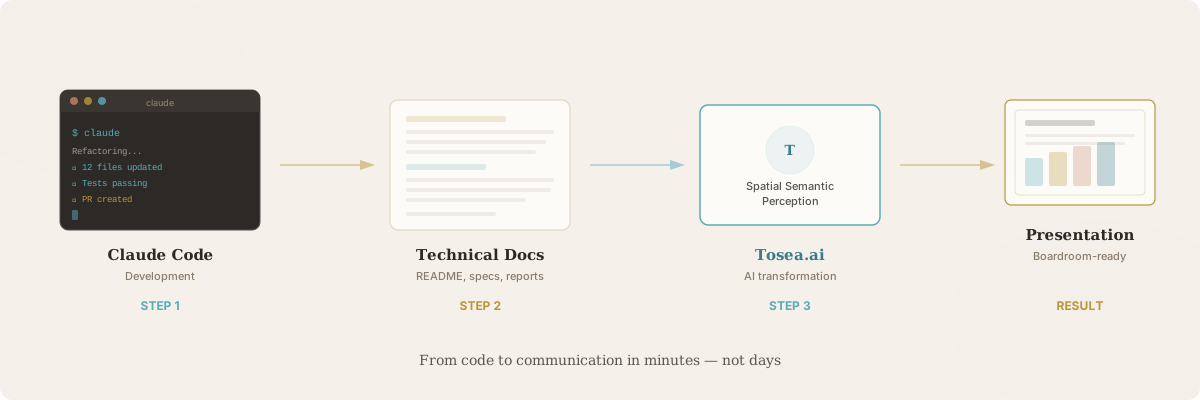
Every claim in the generated presentation links back to the source document through Absolute Traceability. When a product manager asks where a specific performance figure came from, you can point directly to the technical document that Claude Code helped you produce. To understand how this traceability works compared to other AI presentation tools, see our deep dive on hallucination-free document conversion.
Claude Code handles the development. Tosea.ai handles the communication of what was developed.
Start Building With Claude Code Today
Claude Code is available through the official GitHub repository and through the official documentation. It requires a Claude Pro or Max subscription, or a Claude Console account with API access. The VS Code and JetBrains extensions are available through their respective marketplaces. For a quick start on converting your technical PDFs to presentations, explore our PDF to PowerPoint conversion guide.
When your technical work needs to become a professional presentation — for a client, an investor, a board, or a cross-functional team — Tosea.ai is ready to handle that step in seconds.