How to Use OpenAI Codex: Complete 2026 Guide to GPT-5.5's Agentic Coding Tool
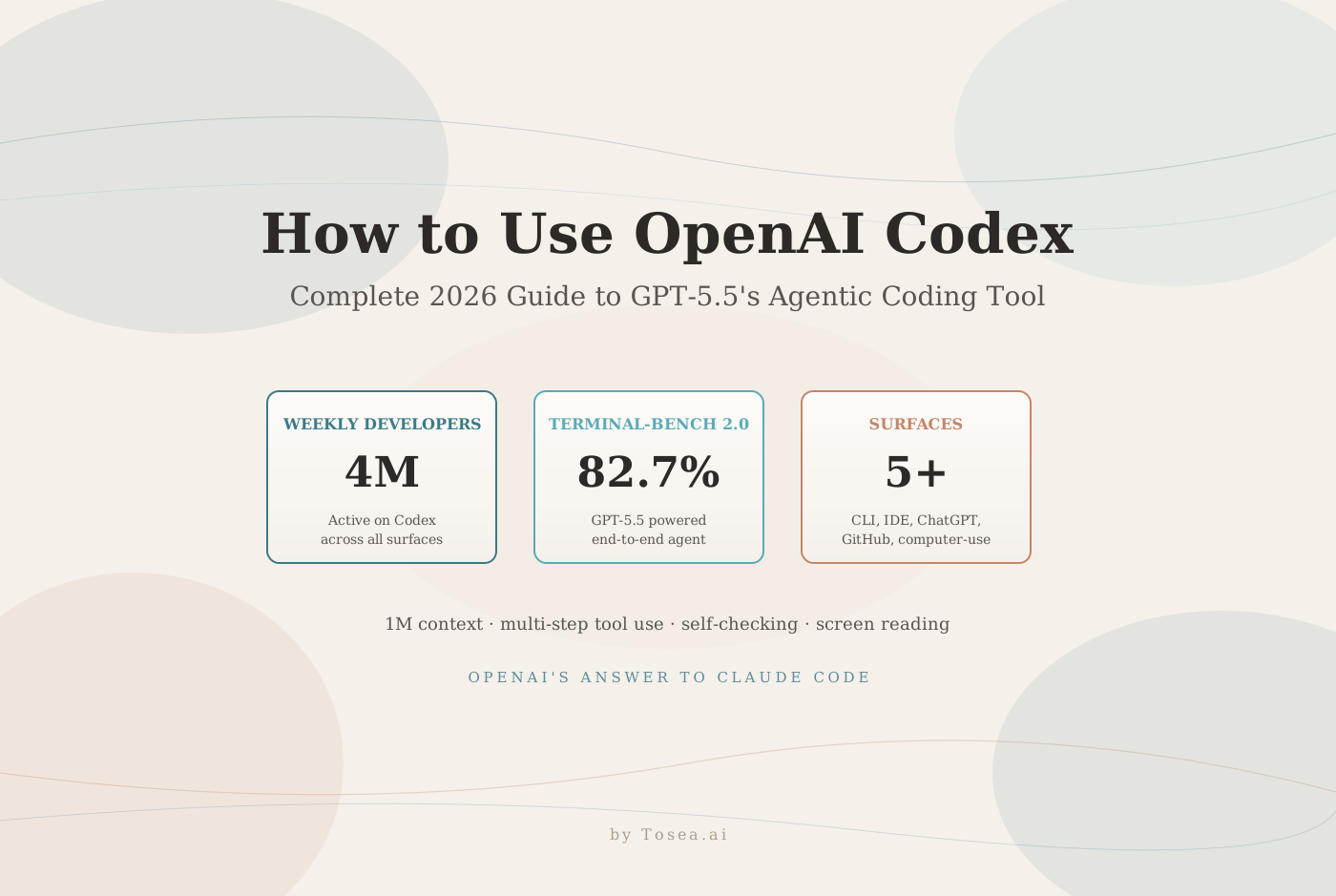
A practical guide to OpenAI Codex in 2026 — the GPT-5.5-powered agentic coding tool with CLI, IDE, ChatGPT, and computer-use surfaces, used by 4M developers weekly.
It is Friday afternoon. A staff engineer has a backlog of three feature branches, a flaky integration test that has been red for two weeks, a hundred lines of customer-facing API documentation that was supposed to ship yesterday, and a refactor PR that needs to land before the release cut on Monday. Historically, that workload required either a long weekend or sliding the release. In April 2026, OpenAI Codex with GPT-5.5 will work all four problems in parallel — running the test suite, drafting the docs from a code diff, and proposing the refactor in three separate sandboxes — while the engineer reviews and merges.
This guide walks through what Codex actually is in 2026, how the GPT-5.5 release reshaped it, where it lives across CLI, IDE, ChatGPT, GitHub, and computer-use surfaces, and how it compares to Claude Code on the dimensions that matter for production work.
What Is OpenAI Codex?
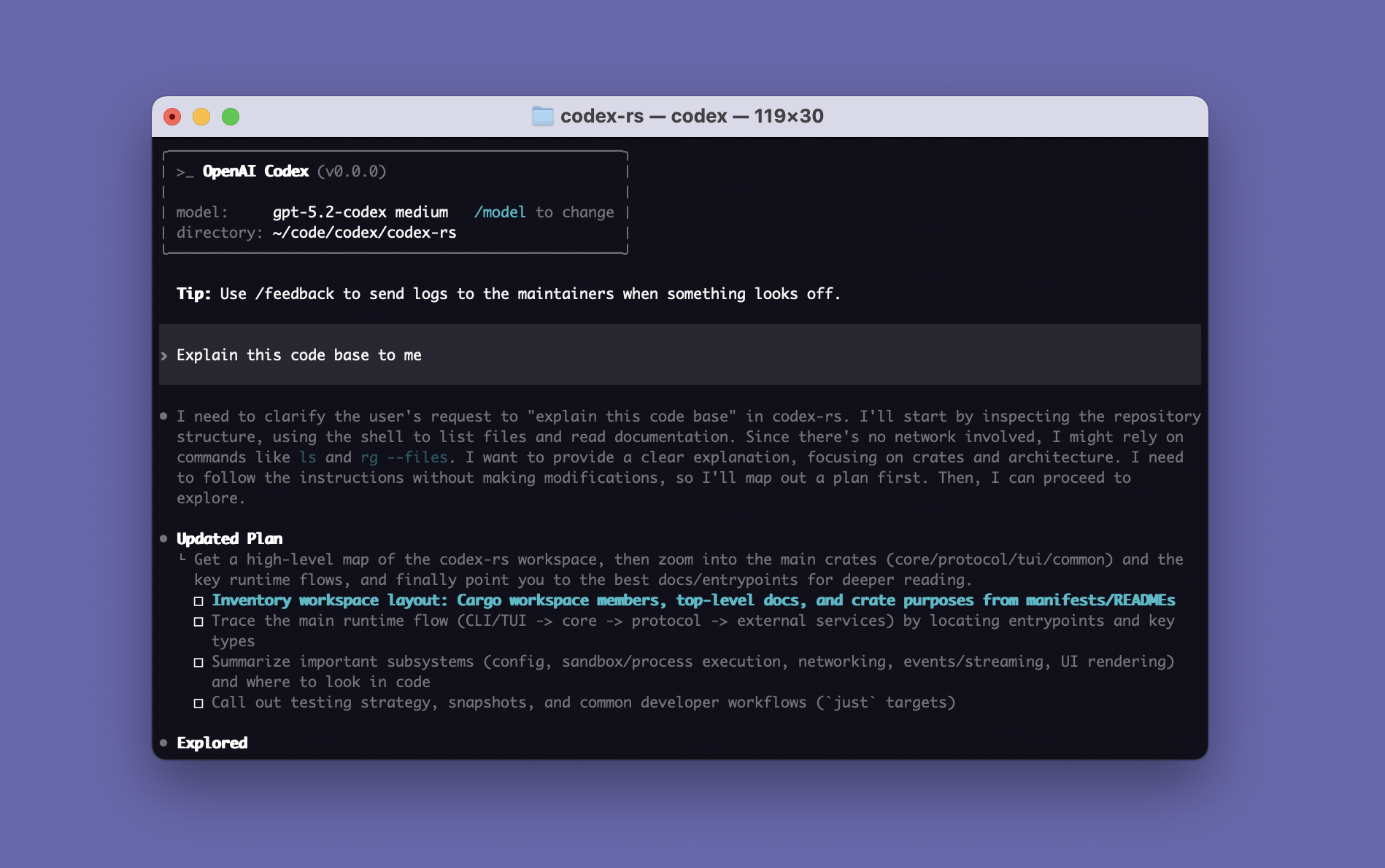
Codex is OpenAI's agentic coding system — the umbrella name for the family of surfaces (terminal CLI, IDE extension, cloud delegation through ChatGPT, GitHub bot, and computer-use through screen reading) that share a single underlying model and a single account context. The current Codex generation runs on GPT-5.5, OpenAI's first fully retrained base model since GPT-4.5, released April 23, 2026 with explicit agentic-first training. About 4 million developers are now active on Codex each week, per OpenAI's own figures at the GPT-5.5 launch.
It is useful to be precise about the lineage, because "Codex" is a name OpenAI has used at three different times for three different things:
- Codex (2021) — the original GPT-3 fine-tune that powered the first version of GitHub Copilot. Deprecated in 2023.
- codex-1 / codex-mini (2025) — the model behind the rebooted Codex agent, fine-tuned from o-series reasoning models for cloud-delegated software engineering tasks.
- Codex (2026, current) — the unified agent system powered by GPT-5.5 and GPT-5.5 Pro, with terminal, IDE, web, and screen-reading surfaces all sharing one execution model.
If you have used Codex at any point in the last twelve months, the experience is now meaningfully different. Multi-step tool use is native, the model self-checks before submission, and the terminal CLI can drive end-to-end software engineering tasks across hundreds of sequential tool calls without intervention.
The Core Technical Capabilities
Three properties from the GPT-5.5 release define what Codex can now do that prior Codex generations could not:
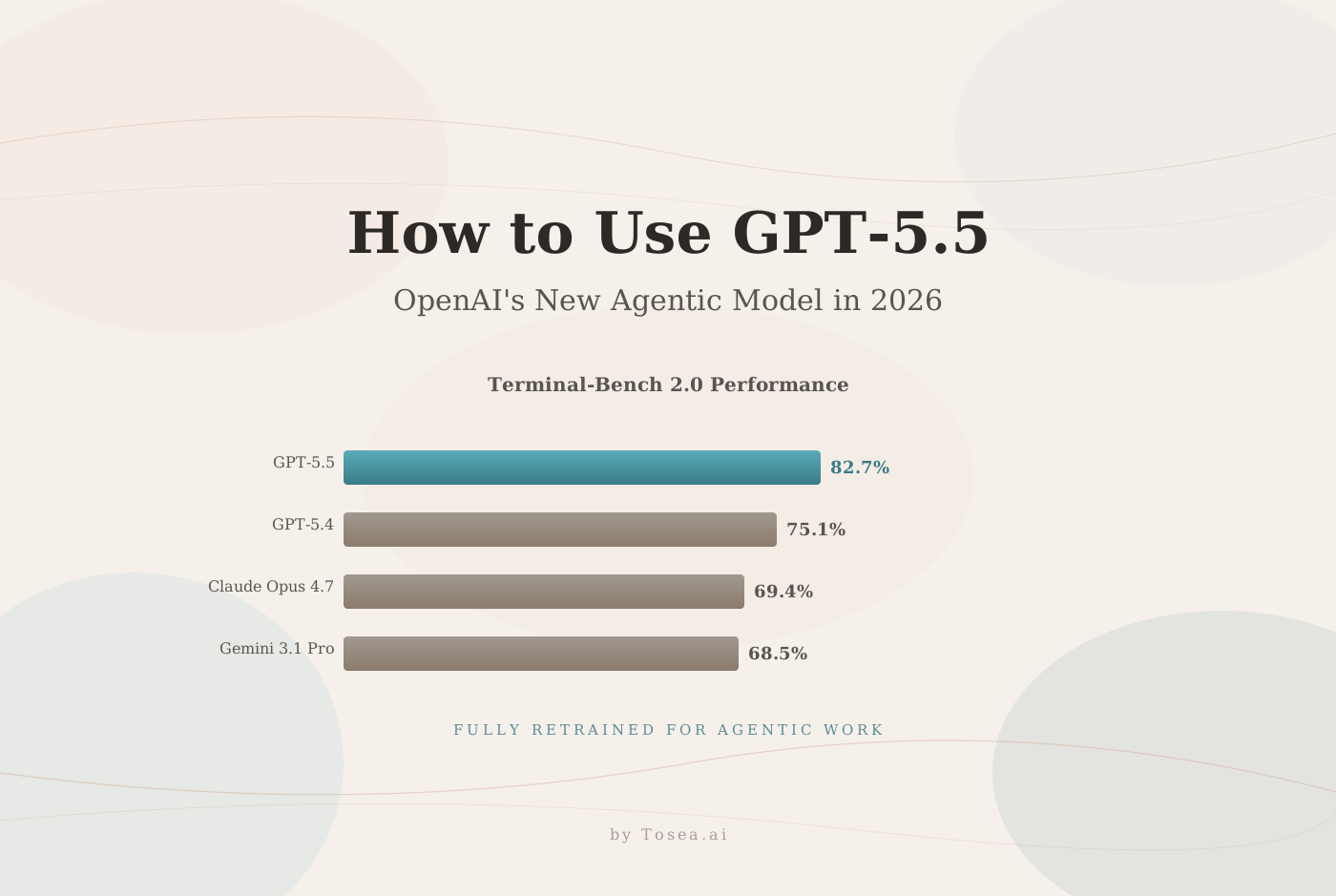
1. Multi-step tool use without supervision. OpenAI ran demonstrations of Codex completing 1,000+ sequential tool calls on real software engineering tasks without intervention. Terminal-Bench 2.0, the closest public proxy for "can the agent finish a real engineering task end-to-end," scores 82.7% with GPT-5.5 — roughly 13 points ahead of Claude Opus 4.7 and 7.6 points ahead of GPT-5.4. For a fuller breakdown of the model behind this, see our GPT-5.5 complete guide.
2. Self-checking before submission. The model now routinely verifies its own output before returning. Independent reviewers like CodeRabbit report Codex on GPT-5.5 produces "shorter responses, more selective review behavior, and a stronger bias toward small workable changes." Expected issue detection in code review jumped from 58.3% to 79.2% in their public benchmark.
3. Computer use through screen reading. Codex can now read the screen and interact with arbitrary desktop applications — the same primitive Anthropic shipped in late 2025 with Computer Use, now available through Codex with the agentic-first GPT-5.5 model behind it. This unlocks GUI testing, end-to-end QA flows, and desktop application automation that previously required separate scaffolding.
Other technical specifications worth knowing:
- Context window: 1 million tokens (same as GPT-5.5)
- Reasoning effort levels:
xhigh,high,medium,low,non-reasoning(set per-task) - Modalities: text + vision input; computer-use through screen reading
- Sandboxing: each Codex cloud task runs in an isolated container with its own filesystem and network
- Concurrency: ChatGPT cloud delegation runs multiple tasks in parallel by default
Where Codex Lives: Every Surface That Matters
Codex is not a single product. It is one model accessed through multiple surfaces, each tuned for a different point in the developer workflow.
Codex CLI (terminal)
The terminal CLI is the primary "do real work" surface. Install with npm i -g @openai/codex (or via your package manager of choice) and run codex from any project root. The CLI handles the same things you would expect a Claude Code-class tool to handle — reading the codebase, running tests, editing files, running shell commands — and ships with a /plan, /exec, /review command set for structured agent loops. With GPT-5.5, the CLI can sustain multi-hour autonomous sessions on real engineering tasks.
IDE extensions (VS Code, JetBrains)
The Codex extension for VS Code and JetBrains IDEs adds inline completions, multi-file refactoring, and a side-panel agent that can take open buffers as context. The extension shares state with the CLI and the cloud surfaces — start a task in the IDE, hand it off to a cloud sandbox to finish, and merge the resulting PR from GitHub.
ChatGPT cloud Codex
Inside ChatGPT (Plus / Pro / Business / Enterprise), Codex appears as a delegate-style interface: describe a task in natural language, Codex provisions a sandboxed cloud environment, clones your repo, and works the task to completion. Returns a diff or a draft PR. Best for tasks where you want the agent to grind for hours without your terminal staying open.
GitHub integration
The Codex GitHub app responds to issue mentions and PR comments. @codex implement this issue will pick up the linked issue body, run the work in a sandbox, and open a PR. @codex review will produce a structured code review on a pending PR. Useful for triage and for distributing repetitive engineering tasks across the team.
Computer-use surface
The newest surface, exposed at the GPT-5.5 launch. Codex can drive arbitrary desktop applications by reading the screen and producing input events. The current target use cases are GUI testing, manual QA automation, and desktop application orchestration. Expect this surface to evolve substantially over the next two quarters — it is the area with the largest capability-to-tooling gap.
Installation: From Zero to First Task in 5 Minutes
The minimum-friction setup, assuming a Node.js install:
# 1. Install the CLI globally
npm install -g @openai/codex

# 2. Authenticate (opens a browser)
codex login

# 3. Verify
codex --version

# 4. Run your first task in any repo
cd ~/projects/your-repo
codex "Add a unit test for the parseDate function in src/utils/date.ts"
For ChatGPT cloud Codex, no install is required — Plus, Pro, Business, and Enterprise tiers all see the Codex tab in the sidebar after the GPT-5.5 rollout. For the IDE extensions, install from the marketplace and sign in with the same OpenAI account you use for the CLI.
The pricing model:
- ChatGPT subscribers (Plus / Pro / Business / Enterprise) — Codex usage is included in the subscription, with rate limits scaling by tier.
- API direct — Codex CLI billed against the standard
gpt-5.5API rates: $5 / 1M input tokens, $30 / 1M output tokens. GPT-5.5 Pro is $30 / $180. - Pro subscribers get GPT-5.5 Pro access included for the highest-stakes tasks.
Five Use Cases Where Codex Delivers Outsized Value
Based on early production reports across the GPT-5.5 generation:
1. Long-running refactor branches. The kind of cross-cutting refactor — "rename this concept everywhere, update all call sites, add tests, update docs" — that historically blocks half a day. Codex CLI sustains the multi-hour session, runs tests after each change, and self-corrects when the test suite goes red. The 1M context window means the model can hold the whole concern in working memory.
2. End-to-end ticket implementation. Take a well-specified GitHub issue, hand it to @codex in the comment thread, and walk away. The bot clones the repo, reads the relevant files, writes the code, runs the tests, and opens a PR. Typical turnaround for a small-to-medium ticket is 10–20 minutes.
3. Code review at scale. @codex review on a pending PR produces a structured review that catches the kinds of issues a tired reviewer misses — null handling, test coverage gaps, off-by-one bugs, doc-comment drift. The CodeRabbit benchmark suggests this catches roughly 79% of expected issues, up from 58% on prior generations.
4. Test generation for legacy code. Point Codex at an untested module and ask for a unit test suite. The model reads call sites to understand realistic input shapes, drafts the tests, runs them to verify they pass against the current implementation, and reports the coverage delta.
5. GUI automation for QA. With computer-use, Codex can drive a desktop application through a documented test plan, take screenshots at each step, and report back on visible regressions. This is the surface most likely to displace existing QA tooling over the next year.
It is not the right tool for:
- High-stakes single-step tasks where hallucination cost is large — GPT-5.5 has a known confidence-when-wrong problem (86% hallucination rate on AA-Omniscience errors). For high-stakes work, Claude Opus 4.7 remains the safer pick.
- Pure SWE-bench Pro coding where Anthropic's coding model still has a 6-point edge.
- Cost-bounded high-volume workloads — at $5 / $30 per million tokens, Codex is roughly 18× more expensive on input than DeepSeek V4-Flash for similar tasks.
Codex vs Claude Code: The Honest Comparison
The two systems occupy distinct ground after the April 2026 launches. The decision matrix:
| Dimension | Codex (GPT-5.5) | Claude Code (Opus 4.7) |
|---|---|---|
| Strongest benchmark | Terminal-Bench 2.0 (82.7%) | SWE-bench Pro (64.3%) |
| Context | 1M tokens | 200K tokens |
| Hallucination rate | 86% (when wrong) | 36% |
| Computer-use surface | Yes, native | Yes (Computer Use, separate product) |
| Cloud-delegated tasks | ChatGPT Codex | Claude.ai conversations |
| GitHub integration | Native bot | Via Claude Code GitHub Action |
| Pricing (in/out per 1M) | $5 / $30 | $5 / $25 |
| Reasoning effort knob | 5 levels (xhigh → non-reasoning) | Implicit |
| Best for | Long-horizon agentic loops, multi-tool work | High-stakes single-step coding, code review |
Decision rule of thumb: Use Codex when the task involves many sequential tool calls and you can wrap the loop in verification (tests, type checks, code review). Use Claude Code when correctness on the first pass matters more than throughput. For most teams, the realistic answer is "both, on different surfaces" — Codex on the cloud-delegated work, Claude Code in the IDE for high-stakes edits.
For a deeper look at the underlying model trade-offs, see our GPT-5.5 complete guide and the Claude Opus 4.7 review.
MCP and the Tool Ecosystem
Codex CLI supports the Model Context Protocol introduced by Anthropic in late 2024 and now broadly adopted across agentic coding tools. MCP servers let Codex access external systems — databases, internal APIs, vector stores, project management tools — through a standardized protocol that does not require custom integration per tool.
The current MCP server ecosystem worth knowing about:
mcp-postgres— read-only Postgres queries against any reachable databasemcp-github— issue / PR / repo operations beyond the default Codex GitHub integrationmcp-linear— Linear ticket triage and status updatesmcp-slack— read recent messages, post into channels with proper formattingmcp-figma— pull design tokens or component specs from a Figma filemcp-filesystem— explicit filesystem access scoped to a directory tree
The MCP layer is what makes Codex a viable replacement for ad-hoc bash scripts in real engineering workflows. For a tour of the broader tool landscape, see our OpenClaw skills guide.
What Codex Means for Document and Slide Workflows
The Codex / GPT-5.5 release matters beyond pure coding because the same agentic primitives — multi-step tool use, self-checking, 1M context — apply directly to document-to-PPT workflows and other long-horizon knowledge-work tasks.
Consider what slide generation from a technical specification actually requires: the model must read the source, identify the narrative through-line, draft an outline, generate per-slide content, render charts and diagrams, and verify each claim against the source. That is structurally identical to a multi-tool agentic coding task. The same Codex behaviors that make it good at "read the codebase, run the tests, draft the PR" make GPT-5.5 a strong base model for "read the PDF, generate the outline, render the slides, verify the citations." For a deeper dive on this pipeline architecture, see our guides on zero-hallucination AI slide generation, the research-paper-to-slides workflow, and converting PDF documents into PowerPoint slides.
At Tosea.ai, the document-to-PPT orchestration treats GPT-5.5 (the model behind Codex) as one of several swappable backends — chosen specifically when the source document requires the strongest multi-step reasoning, and traded out for DeepSeek V4-Flash or MiMo-V2.5-Pro when token cost dominates the deployment math. The slide-generation pipeline is the same; the model assignment shifts based on the cost-quality tradeoff each step demands. For teams building richer presentation workflows on top of agentic AI, the massive slide deck guide covers the orchestration patterns in depth.
The strategic takeaway: Codex is the most capable agentic coding surface OpenAI ships, but the underlying capability — long-horizon multi-step tool use with self-checking — is the same capability that the best document-to-PPT pipelines depend on. The model layer is converging; the differentiation lives in the orchestration on top.
FAQ
Is Codex available on the free ChatGPT tier? No. Codex requires Plus, Pro, Business, or Enterprise. GPT-5.5 itself is also paid-tier only.
Does Codex work with private repositories? Yes — both the CLI (which runs locally and uses your local git credentials) and the GitHub bot (which authenticates via the GitHub App permissions you grant). Cloud Codex sandboxes clone via a token-scoped GitHub permission.
Can Codex run for hours unattended? Yes. The cloud Codex surface is designed for long-running tasks; the CLI sustains multi-hour sessions on the local machine. Both expose checkpointing so the work survives session interruptions.
How does Codex handle hallucinated code?
GPT-5.5's headline weakness is high confidence on wrong answers. The mitigation is twofold: use the xhigh reasoning level for any task where correctness matters more than latency, and pair the agent with verification tools — test runs, type checks, code review. The self-checking behavior helps but does not eliminate the issue.
Is Codex cheaper or more expensive than Claude Code? Per-token, both run at $5 input / roughly $25-$30 output. Per-task, Codex is reportedly 40% more token-efficient on Codex tasks specifically, which means equivalent work often costs roughly the same end-to-end. For high-volume usage, DeepSeek V4-Flash at $0.28 / 1M output is dramatically cheaper if you can absorb the lower hallucination ceiling.
Can I use Codex with non-OpenAI models? Not officially. Codex is tightly coupled to GPT-5.5 / GPT-5.5 Pro. For model-agnostic agentic coding, look at Claude Code, OpenClaw, or Cline.
Closing Thought
Codex in April 2026 is a different product from Codex in 2025 — same name, much more capable underlying model, and a real chance of becoming the default agentic coding surface for OpenAI-using teams. The 4M weekly developer figure is not vanity; it is what happens when a coding agent crosses the threshold from "fun demo" to "actually faster than doing it yourself."
The question for engineering teams in the next quarter is not "should we use Codex" but "where in our workflow does the cost-benefit of cloud-delegated multi-hour agent work pay off." The answer is increasingly: more places than you would have guessed twelve months ago.
Sources
- Introducing GPT-5.5 — OpenAI, April 23, 2026
- OpenAI Releases GPT-5.5, a Fully Retrained Agentic Model — MarkTechPost
- OpenAI Releases GPT-5.5, Faster, Smarter — And Pricier — Decrypt
- OpenAI's GPT-5.5 is here, and it's no potato — VentureBeat
- OpenAI Releases GPT 5.5, Tops Most AI Benchmarks — OfficeChai
- GPT-5.5 Benchmark Results — CodeRabbit
- Model Context Protocol Specification — Anthropic