


BCG Growth-Share Matrix prompt for PowerPoint
A BCG-style prompt for one executive portfolio slide. It places each business unit by market growth and relative market share, sizes bubbles by a metric you choose, and gives every unit a capital action, so the committee sees where money should move.
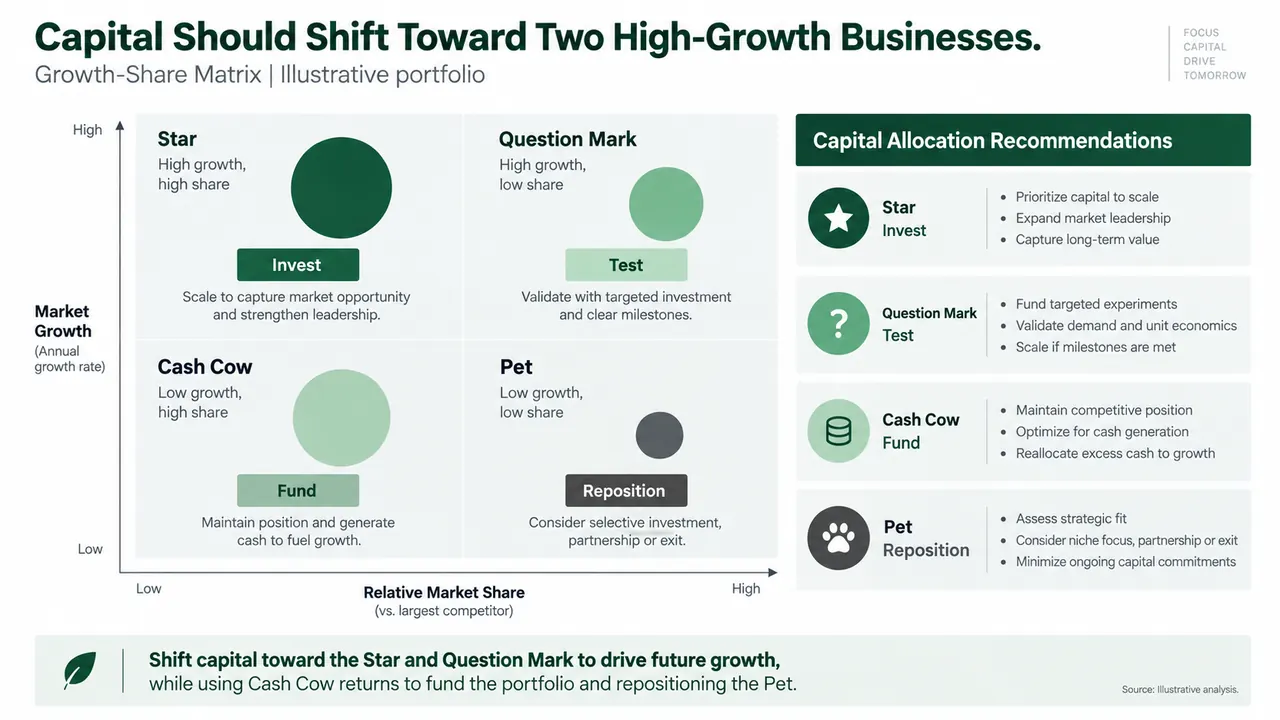
BCG growth-share matrix prompt
Fill in any highlighted fields, then copy or run it.
Create one 16:9 executive portfolio strategy slide using a Growth-Share Matrix.
Audience: [executive committee]
Decision: [capital allocation decision]
Business units: [list]
Verified inputs: [market growth, company share, largest competitor share, revenue, sources]
Calculate relative market share consistently and size each bubble by [metric].
Label Stars, Cash Cows, Question Marks, and Pets.
Add one proposed action per business: invest, fund, test, reposition, or exit.
Write a conclusion-led title and include assumptions and source notes.
Use forest green, mint, charcoal, white, and pale gray.
Do not invent data or use BCG logos.
Why this prompt works
Relative share is calculated
The prompt asks for company share and largest competitor share as inputs and tells the model to calculate relative market share consistently. That is the axis most often gotten wrong.
Every bubble gets a verb
Each business receives one proposed action from a fixed list: invest, fund, test, reposition or exit. A classification chart becomes a capital allocation decision.
You choose what size means
Bubble size is set by a [metric] placeholder. Naming it, usually revenue, stops the model from mixing up size with share or growth.
Assumptions stay visible
A conclusion-led title, assumptions and source notes are required, and invented data and BCG logos are ruled out, so reviewers can check every placement.
Adapt it to your own deck
Paste your verified inputs
Replace the bracketed fields with your units, growth rates and share figures. With a spreadsheet attached, add "Use only figures from the attached file and show the share calculation in a footnote."
Change the bubble metric
Revenue is the usual choice, but you can size by operating profit or capital employed. Swap [metric] and add "State the bubble metric in the legend."
Show movement for a unit review
For a board, keep the four labels and actions. For a business unit review, add "Show last year's position as a faded bubble with an arrow to this year."
BCG growth-share matrix FAQ
What is the BCG growth-share matrix?
A two-by-two portfolio chart that Bruce Henderson of BCG introduced around 1970. Business units are placed by market growth rate and relative market share, giving four groups: stars, cash cows, question marks and a low-growth, low-share group often called dogs, which this prompt labels pets.
How is relative market share calculated?
Divide your market share by the share of your largest competitor. A value above 1.0 means you lead the market. The prompt asks for both shares as inputs so the ratio is computed the same way for every unit.
Can I use this prompt in ChatGPT, Claude or Gemini?
Yes. A chat assistant will return the share calculation, quadrant assignments and a slide outline as text. Tosea takes the same prompt plus your attached portfolio file and produces a slide you can edit and export to PowerPoint.
Is this an official BCG template?
No. The growth-share matrix is a widely taught framework, and "BCG-style" describes the layout and green palette. Tosea is not affiliated with BCG, and the prompt itself tells the model not to use BCG logos.
BCG-style describes a common consulting framework. Tosea is not affiliated with Boston Consulting Group. Figures on the example slides are illustrative.
Prefer not to write a prompt?
Upload the document. Tosea drafts the deck, you edit and export.
Start for free