AI Classroom Engagement: What Voice Practice Changes and How to Present the Evidence
What a 759-student MBA field experiment found about AI voice practice and class participation, how to read the 31% figure, and four slide examples with reusable AI prompts.
AI classroom engagement is becoming a practical question for educators: can students use AI before class and then participate more actively with other people? A recent MBA field experiment suggests that structured voice practice can help, with important qualifications. This guide explains the research, separates measured outcomes from broader claims, and shows how to turn the evidence into four useful presentations with Tosea AI. Each application includes a slide example and a reusable prompt grounded in the paper itself.
What the study actually investigated
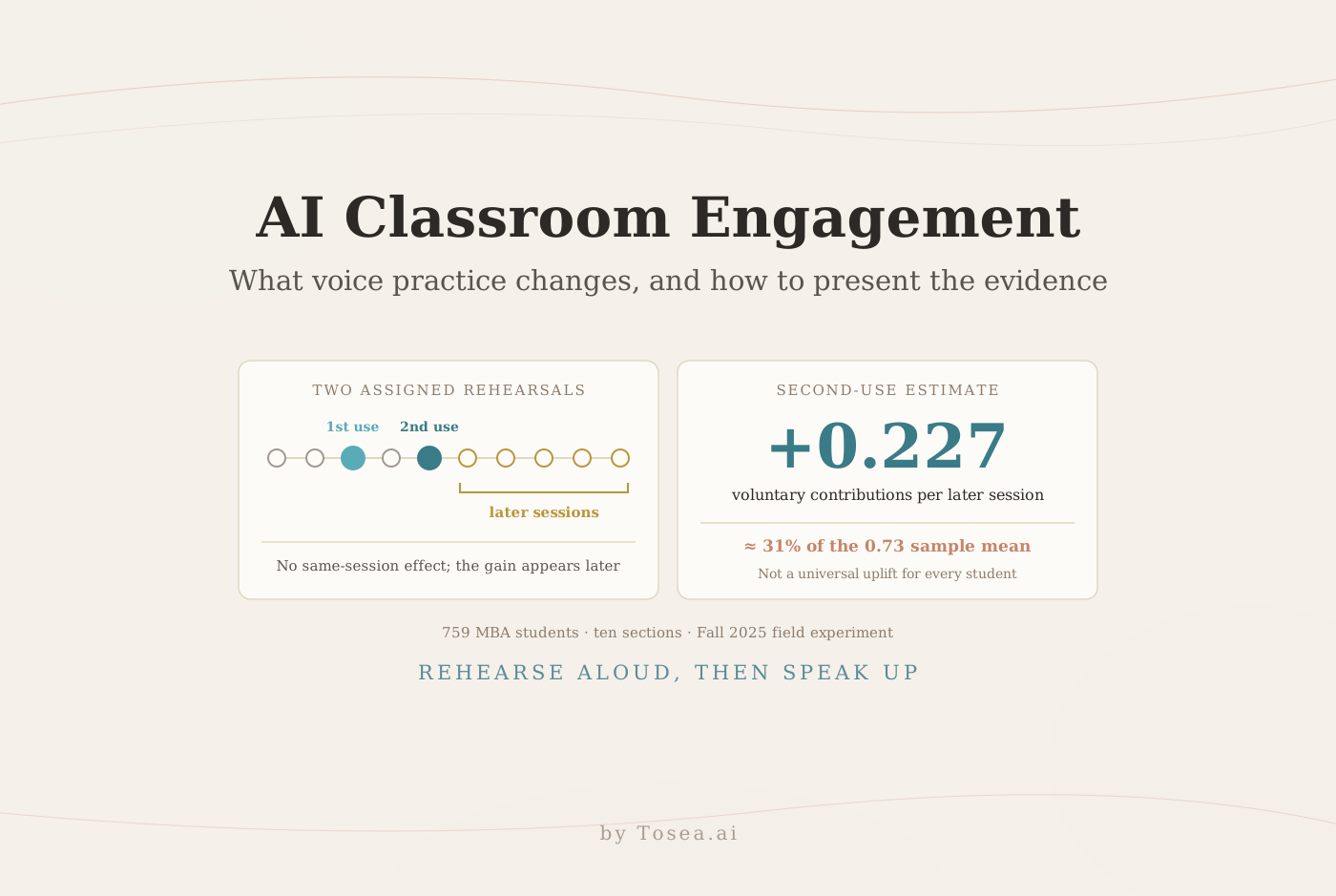
In How assigned AI use before class shapes active student engagement in class, Dan J. Wang and seven coauthors studied 759 MBA students across ten sections of a required strategy course during Fall 2025. Students used CAiSEY, a purpose-built voice discussion partner, before two randomly assigned case discussions out of ten eligible sessions. Everyone received two opportunities; timing varied across students, so students assigned earlier and later in the course serve as each other's comparison.
The activity required intellectual effort. Students read a case, chose a position, and defended it aloud while CAiSEY argued the opposing side. They then submitted a reflection and received an automatically generated summary and feedback. This was preparation through debate, rather than simply asking a chatbot to summarize the reading. The preregistered protocol provides additional context for evaluating the design.
Teaching assistants recorded contributions and cold calls separately where those records were available. Voluntary participation meant recorded contributions minus instructor-initiated cold calls. The retained participation panel contained 604 students in eight sections; the exposure-specific models with the previous observed session control used 4,787 student-sessions from 504 students. These distinctions matter when a slide refers to the sample.
The study at a glance
| Design element | What the paper reports |
|---|---|
| Setting | Required first-year MBA strategy course at a U.S. business school, Fall 2025, ten sections, four instructors |
| Participants | 759 randomized students |
| Intervention | CAiSEY voice discussion partner before two randomly assigned cases out of ten eligible sessions |
| Qualifying use | A conversation lasting at least ten minutes |
| Uptake | 92.2%–98.9% of assigned students per session submitted a conversation; 38.1%–67.0% reached qualifying use |
| Primary outcome | Voluntary contributions per session, excluding cold calls, logged by in-class teaching assistants |
| Analysis samples | 604 students in eight sections (participation panel); 4,787 student-sessions from 504 students (exposure-specific models) |
| Status | arXiv preprint submitted October 7, 2026, with a preregistered protocol |
The uptake row is easy to overlook but matters for interpretation. Almost every assigned student opened the tool, yet only a minority to a majority, depending on the session, held a conversation long enough to count as qualifying use. That gap is why the paper reports both assignment effects and qualifying-use effects.
How to interpret the headline result
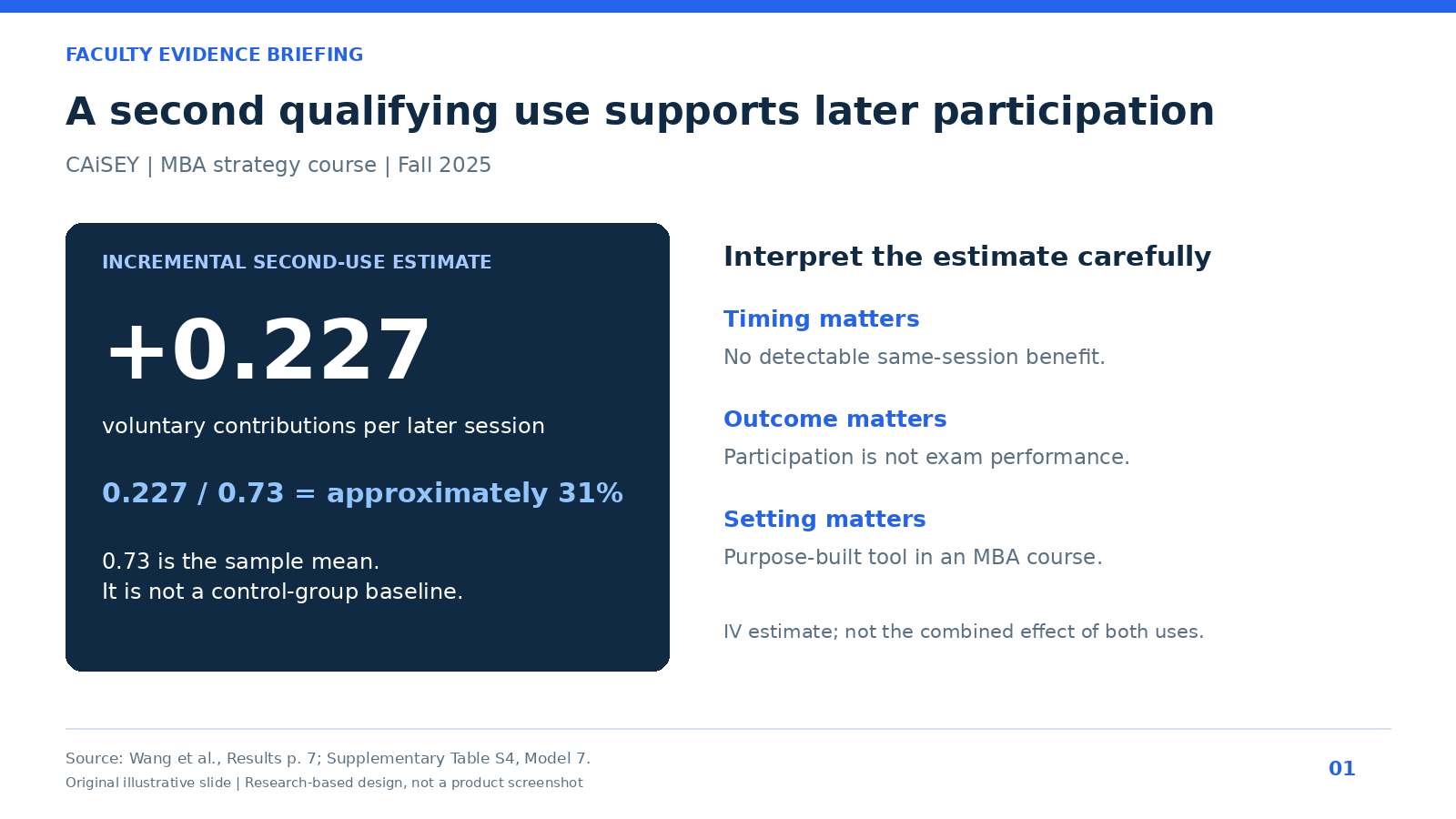
The paper reports an additional 0.227 voluntary contributions per later session associated with a second qualifying use in its instrumental-variable model. Dividing that estimate by the sample mean of 0.73 gives approximately 31%. The authors translate it as roughly one additional voluntary contribution for every four to five sessions. This is an incremental second-use estimate relative to the sample mean, rather than a universal percentage improvement for every student.
The all-future-sessions model keeps the first exposure active after the second. Its first-use coefficient is -0.059, so the second-use coefficient should not be presented as the combined effect of both exposures against never using AI. Assignment and qualifying use are also different quantities: the corresponding second-assignment estimate is 0.112 additional contributions per later session.
There was no detectable same-session participation benefit. A first qualifying use was associated with lower participation in the next observed session, while the later benefit emerged after the second opportunity. On a seven-point survey scale, comfort with speaking up rose from 5.56 at midterm to 5.67 at the end of term and perceived learning from 5.82 to 5.97, while focus (5.86 to 5.83) and motivation (5.77 to 5.83) barely moved. The timing analyses linked later use to greater comfort and perceived learning, but found no detectable improvement in focus or motivation. Perceived learning is self-reported; it does not establish higher exam performance.
The analysis supports a carefully bounded conclusion: repeated, course-specific spoken rehearsal can support later participation in this setting. It does not establish that any generic voice chatbot produces the same result, that AI outperforms human rehearsal, or that every educational setting will benefit. The study is an arXiv preprint, so treat it as promising evidence rather than settled consensus.
Five mistakes to avoid when presenting this study
Turning 31% into a universal uplift. The figure is one coefficient divided by a sample mean. It describes an average incremental effect of a second qualifying use in one course, not a guaranteed gain for each student or for other programs.
Adding the two coefficients together. A slide that sums the first-use and second-use estimates to describe "the effect of two uses" misreads the model. The second-use coefficient is already incremental to a first exposure that remains in effect.
Treating assignment as use. The assignment estimate (0.112) answers "what happens when we assign the tool?" The qualifying-use estimate (0.227) answers "what happens for students whose use responded to the assignment?" Program decisions usually need the first number; mechanism discussions need the second.
Calling perceived learning "learning." Survey ratings of perceived learning are informative about experience. They are not graded assessments, and the paper does not claim exam improvements.
Generalizing from a purpose-built tool. CAiSEY argued the opposing side of a specific case and required spoken defense. A generic chatbot used to summarize readings is a different intervention.
Four ways to turn the research into useful presentations
The following applications are editorial adaptations of the study. They are proposed uses of the evidence, not additional interventions tested by its authors. The images are original illustrative slide designs, not screenshots from Tosea AI. Each prompt asks a presentation tool to create a slide; it does not turn that tool into a voice tutor.
1. Faculty briefing: explain the result without overselling it
Faculty need to understand what changed, when it changed, and how the effect was estimated. Use a large numeric finding beside a compact interpretation panel. Put the sample mean and coefficient in the same visual field so the 31% calculation is inspectable. Include a source footer rather than hiding the denominator in speaker notes.
Reusable AI prompt
Read the uploaded CAiSEY paper. Create one 16:9 faculty briefing slide in navy, blue, and white. Headline: A second qualifying use supports later participation. Show +0.227 voluntary contributions per later session as the incremental second-use IV estimate and explain that 0.227 / 0.73 is approximately 31%. State that 0.73 is the sample mean, not a control-group mean. Add three limits: no detectable same-session benefit, no demonstrated exam-score gain, and a purpose-built MBA setting. Cite Results, page 7, and Supplementary Table S4, Model 7. Do not invent a before-and-after comparison.
2. Course design workshop: make the preparation sequence visible
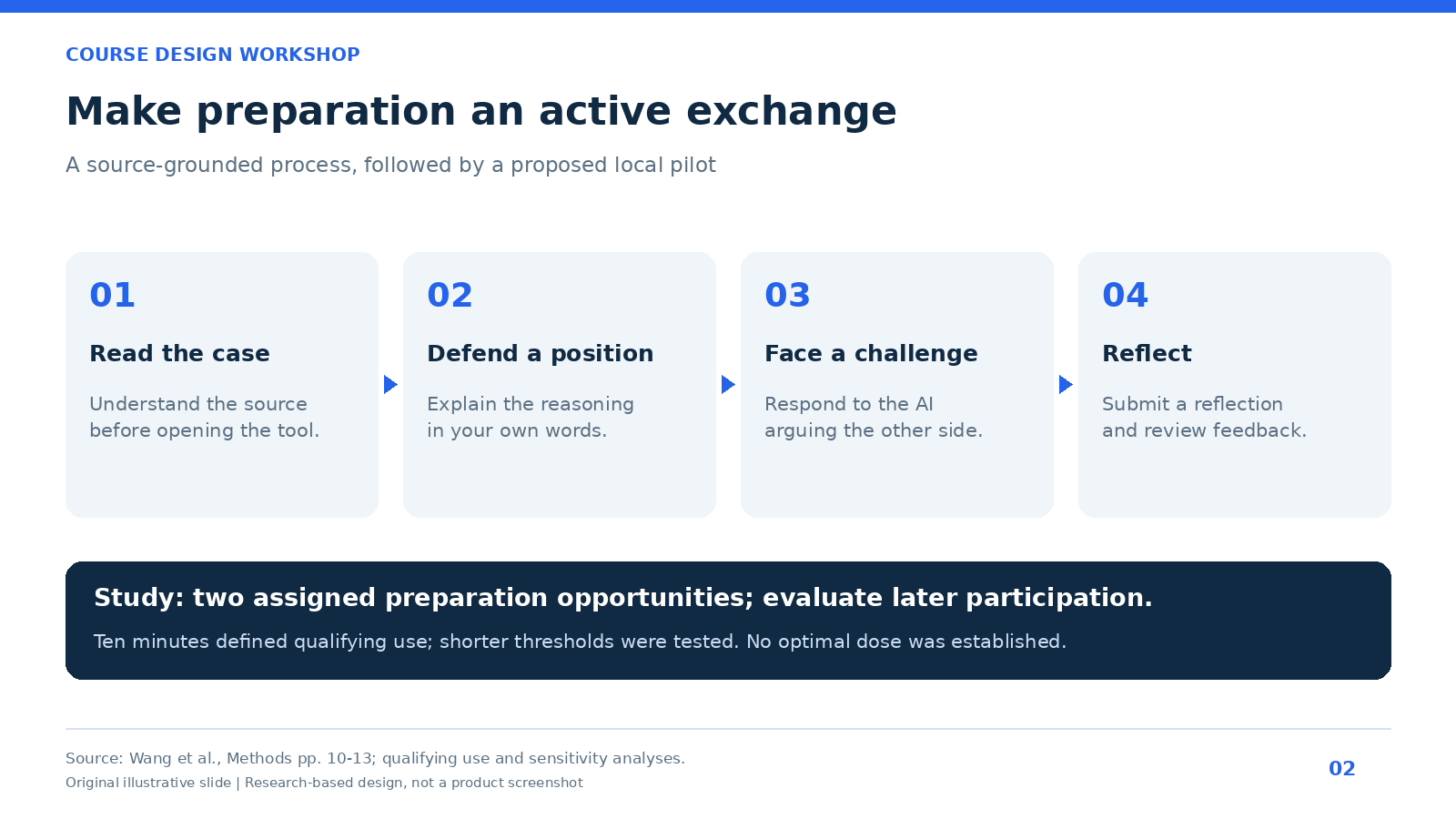
Instructors need an implementable sequence, not just an effect size. A four-stage diagram can explain how reading, argument, challenge, and reflection fit together. Add a separate note about repeated opportunities and later measurement. Avoid labeling a locally proposed schedule as the study protocol.
Reusable AI prompt
Using only the uploaded study, make a 16:9 course design slide with four stages: read the case, defend a position aloud, respond to the opposing AI argument, and reflect on feedback. Use concise labels and directional connectors. Below the process, explain that the study assigned two preparation opportunities and evaluated later voluntary participation. Label any suggested local rollout as an adaptation. Put the ten-minute qualifying-use definition in a footnote, and note that sensitivity analyses also tested shorter thresholds. Do not claim ten minutes is an optimal dose.
For a local pilot, keep the reading and instructor discussion goals aligned. A well-designed rehearsal should require students to explain their reasoning and answer challenges rather than memorize polished AI-generated responses.
3. Student workshop: connect preparation to discussion behavior
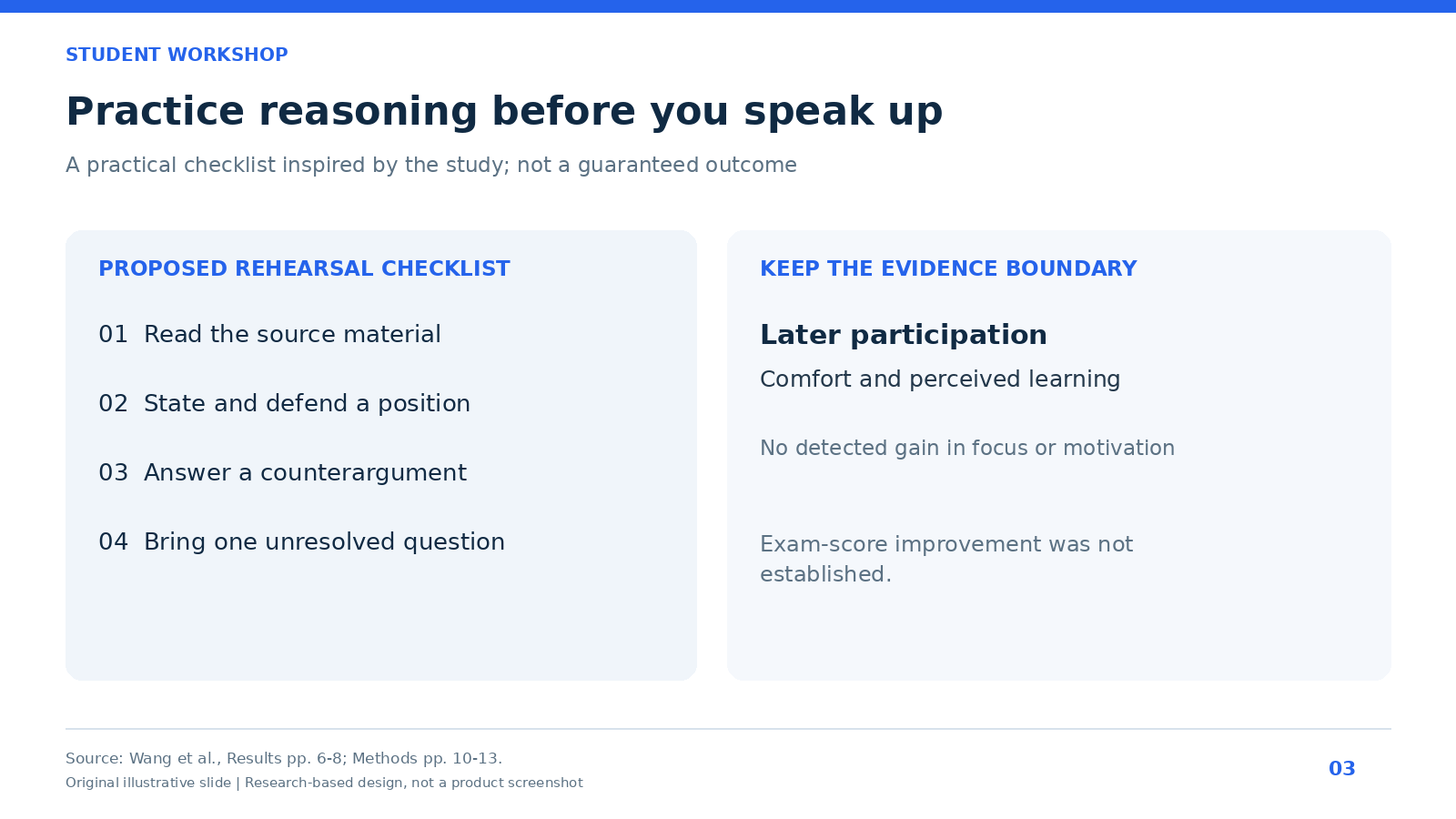
Students may reasonably ask whether they should let AI write their contribution. The useful message is to practice reasoning aloud and then participate in their own words. A workshop slide can pair a preparation checklist with an evidence boundary. It should not promise that rehearsing guarantees confidence or academic improvement.
Reusable AI prompt
Create a student-facing workshop slide based on the CAiSEY paper. Use two panels. The first gives a proposed rehearsal checklist: read the source, state a position, answer a counterargument, and identify one unresolved question. The second distinguishes study findings: later voluntary participation, comfort speaking up, and perceived learning, from outcomes not shown to improve: focus, motivation, and exam scores. State that exam scores were not established as improved, rather than labeling them a null result. Mark the checklist as practical guidance inspired by the study. Include a source footer.
4. Program evaluation: choose measures before expanding
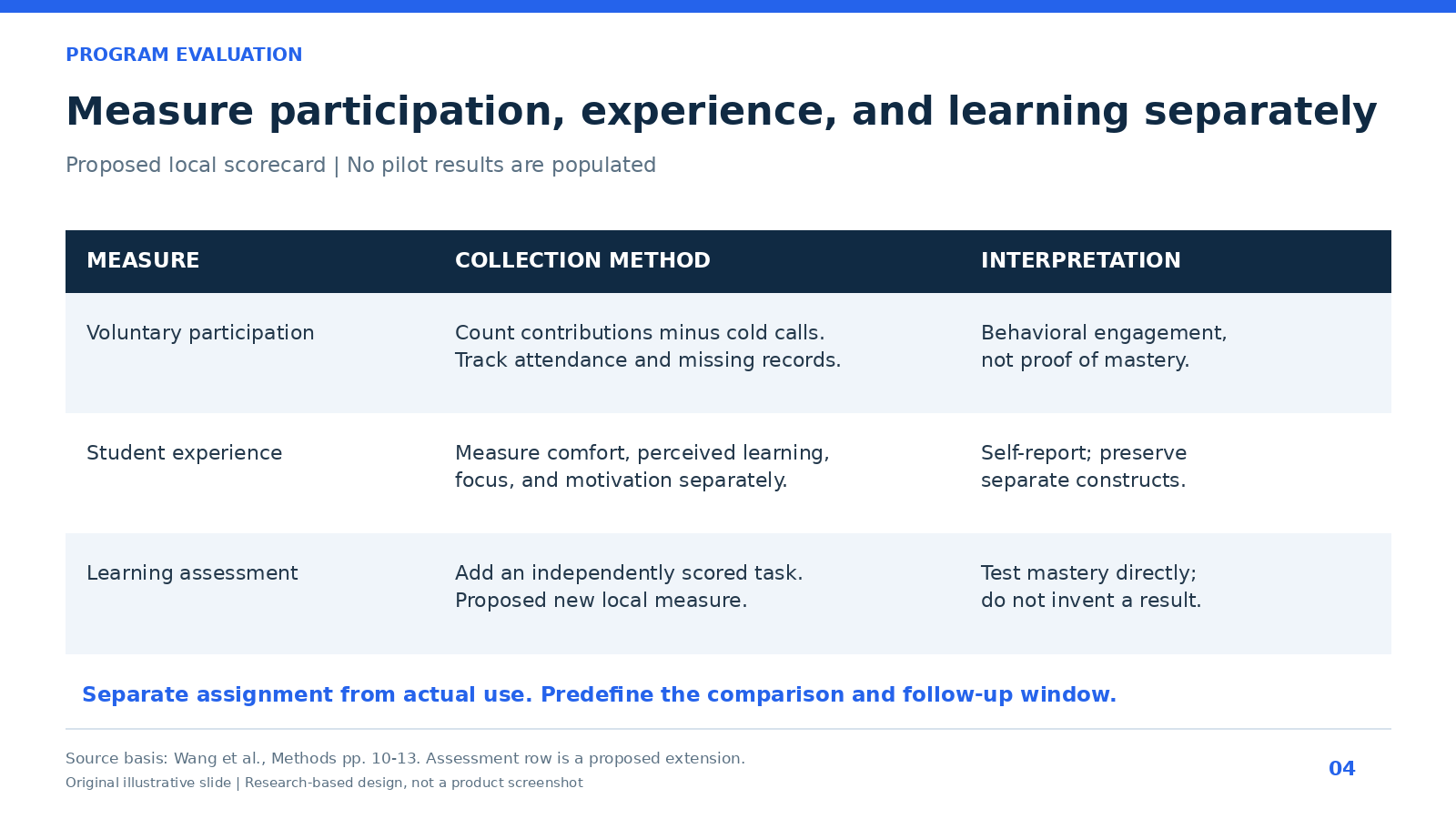
An academic director needs a scorecard that separates participation, experience, and learning assessment. Pair each proposed measure with its collection method and interpretation. This prevents a positive satisfaction survey from being mistaken for evidence of increased mastery.
Reusable AI prompt
Build a 16:9 evaluation scorecard for a proposed voice-AI preparation pilot. Use three rows: voluntary participation, student experience, and learning assessment. For participation, count contributions separately from cold calls. For experience, collect comfort, perceived learning, focus, and motivation separately. For learning assessment, propose an independently scored task and clearly label it as a new local measure. Add columns for collection method and interpretation. Distinguish randomized assignment from actual use, show attendance and missing-data checks, and do not fill the scorecard with invented results.
Tailor the same evidence to each audience
The four slides above draw on one paper, but each audience needs a different lead number and a different caveat. Deciding this before generating slides keeps a deck from becoming a generic research summary.
| Audience | Decision they face | Lead evidence | Caveat to keep visible |
|---|---|---|---|
| Faculty | Whether to assign spoken rehearsal | +0.227 contributions per later session, about 31% of the 0.73 mean | No same-session benefit; MBA case-method setting |
| Course designers | How to structure preparation | Two assigned opportunities; ten-minute qualifying-use definition | The threshold is a definition, not an optimal dose |
| Students | How to prepare for discussion | Comfort speaking up rose from 5.56 to 5.67 | Self-reported; no exam-score evidence |
| Program directors | Whether to pilot or scale | 759 randomized students; 604 in the participation panel | Assignment versus use; missing participation records |
For a broader method of turning papers into talks, see our research paper to slides workflow and the 15-minute academic conference talk guide.
Build the presentation with Tosea AI
Upload the research PDF to Tosea AI, choose a suitable academic or business template, and specify the audience and decision. Ask for an evidence-led outline covering the research question, design, findings, limitations, and implementation proposal. Keep empirical results separate from your own recommendations.
Tosea AI supports one-click layout changes as part of this workflow. At the outline stage, select the layout or diagram appropriate to each page: an evidence summary, a process, or a scorecard. After the slides render, you can continue changing the layout or diagram to improve hierarchy and readability. Use Layout Only when approved wording should remain intact, then compare the edited slide against the source.
Give the tool the exact figures and references from the prompts above. After export, check numbers, table references, labels, and whether speaker notes preserve the distinction between assignment and qualifying use. A cleaner slide is useful only if its interpretation remains accurate.
Q&A: research and presentation workflow
Does the study prove that AI improves grades?
No. Its central behavioral outcome is voluntary classroom participation. Perceived learning is a survey measure, and the findings do not establish higher exam scores. Use the study to discuss participation and preparation design within its stated setting.
Can Tosea AI redesign my existing PowerPoint without changing the content?
Yes. Export the PowerPoint as a PDF, upload it to Tosea AI, and request a redesign that keeps the original wording. Use Layout Only to refresh visual structure. Review every label, footnote, citation, and slide element afterward.
How do I upload a PowerPoint and ask Tosea AI to redesign each slide?
First export the presentation as a PDF. Upload that PDF, request preservation of slide content and sequence, and choose a template or describe the visual direction. Generate the presentation and inspect each slide before exporting it.
Can I upload my own PowerPoint template to Tosea AI?
Custom templates are supported on eligible paid plans. Follow the product workflow to upload or configure the template. Check that its layouts, fonts, colors, logo placement, and required master-slide rules are represented correctly before sharing the generated deck.
Can Tosea AI use custom brand colors, fonts, and a logo?
Yes. Specify the required colors and fonts and upload the logo or use a supported custom template. Custom logo and template features depend on plan eligibility. Verify font availability, color values, logo clear space, and contrast after export.
Can Tosea AI match the style of my old company presentations?
Use a representative deck as design guidance and an approved custom template for stronger consistency. This does not imply permanent model training. Compare generated slides with the company brand guidelines before distribution.
Does Tosea AI preserve PowerPoint formatting after export?
Editable PPTX export is intended to stay close to the generated preview while allowing further editing. Fonts, complex graphics, and presentation applications can affect rendering. Test the file in the exact PowerPoint environment used for delivery.
Can I tell AI to edit the layout only and keep the exact wording?
Yes. Use Layout Only for visual changes without intentional rewriting. Compare the result with the approved source, including citations, footnotes, labels, and line breaks. Retain the original file for review.
Continue from evidence to a clear presentation
For the next step, explore Tosea AI guides on building a BCG-style storyline and converting slide images and PDFs to editable PowerPoint. The first helps organize a decision-led narrative; the second explains reconstruction when a slide design already exists. For another example of presenting a single research paper to several audiences, see how to present the BIS findings on AI and population ageing.
Use Tosea AI to bring the research PDF, a reusable prompt, and your preferred layout into one presentation workflow. Start with a defensible claim, select the diagram during outlining, and refine the layout after rendering. That combination makes AI classroom engagement research easier to discuss without stripping away the qualifications that make the evidence useful.
Sources
- How assigned AI use before class shapes active student engagement in class — Wang, Jain, Burbano, Guzman, Keum, Kim, Kogut, and Wright, arXiv preprint, October 7, 2026
- Full paper PDF with Supplementary Tables S1–S15 — arXiv
- Preregistration: CAiSEY field experiment protocol — Open Science Framework