How to Build a Consulting and Finance Internship Conversion Presentation
A practical nine-slide structure for a consulting or finance internship conversion presentation, with case-study logic, reflection slides, design guidance, and an editable Tosea AI workflow.
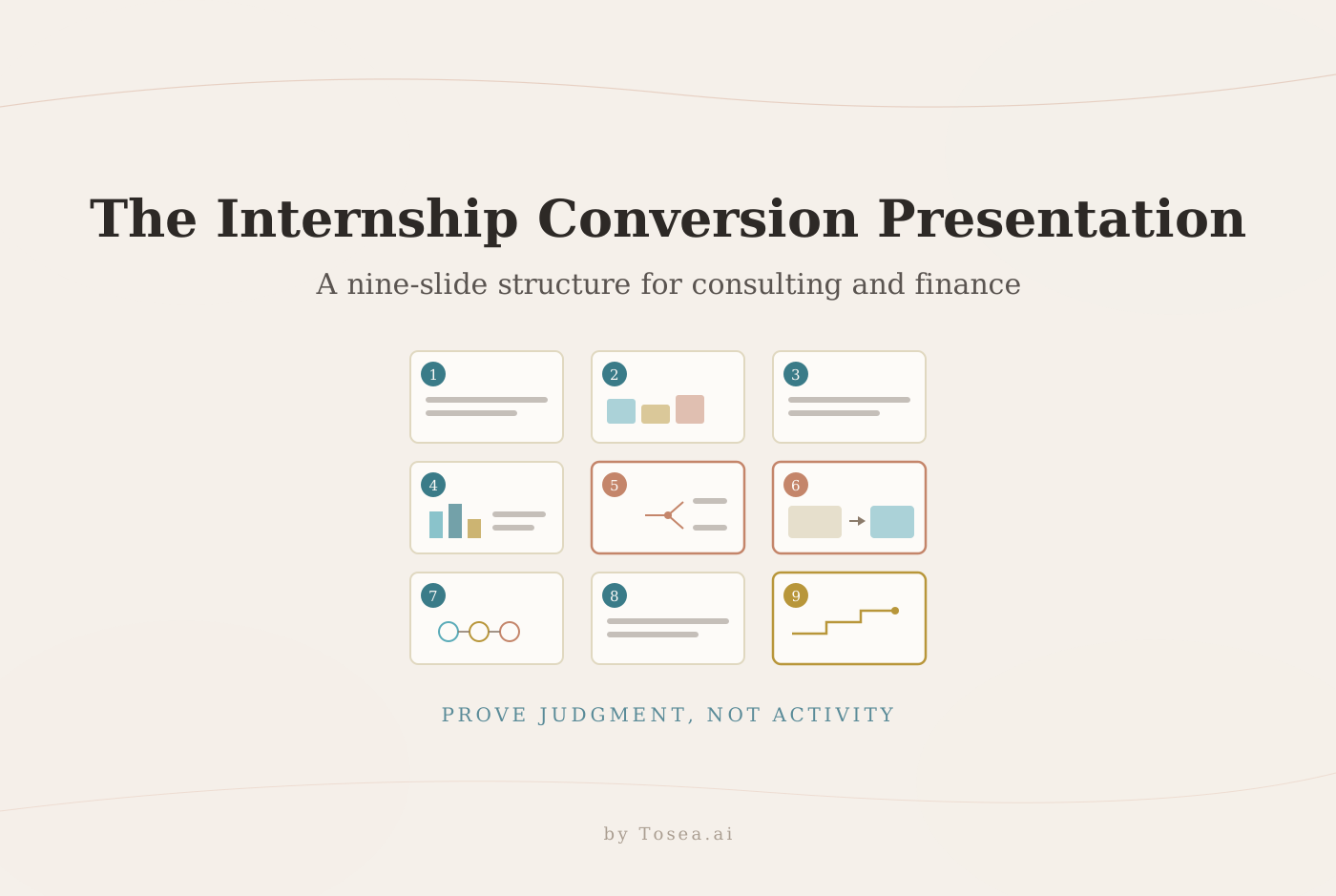
A strong consulting and finance internship conversion presentation should prove more than how busy you were. Reviewers need to see whether you can frame an ambiguous problem, produce defensible analysis, communicate with senior stakeholders, learn from mistakes, and grow into the role. This guide gives you a practical nine-slide structure for a return-offer or probation conversion defense, plus a simple workflow for building and refining the deck with Tosea AI.

Quick Answer
The best consulting and finance internship conversion presentation follows an answer-first story: who you are, what you owned, one detailed project, the judgment behind your work, what changed after a mistake, and why you are ready for greater responsibility. Use evidence, quantify impact where defensible, and close with a role-specific development plan. Tosea AI can turn source files and an approved outline into editable PowerPoint slides while letting you review the structure before rendering.
What reviewers are really evaluating
Many interns treat the conversion presentation as a chronological activity log. That is rarely the strongest approach. A manager can already read your task tracker. The presentation should help the panel answer a harder question: would we trust this person with more important work and less supervision?
For consulting candidates, that means showing structured problem solving, ownership, personal impact, and the ability to work through change. These themes are close to the qualities McKinsey describes for client-facing roles, including personal impact, entrepreneurial drive, leadership, and problem solving. Its interview guidance also asks candidates to explain their specific role and the actions that produced change. See McKinsey interviewing guidance for the underlying evaluation logic.
For finance candidates, analytical accuracy is only half the job. CFA Institute lists persuasive communication among the skills used by financial analysts and notes that analysts translate financial data into presentations and reports. Its performance presentation standard also requires investment performance information to be fair, accurate, and complete. Review the CFA Institute financial analyst overview and Standard III(D) on performance presentation before showing portfolio, revenue, valuation, or return figures.
Your deck therefore has four jobs:
- Establish a memorable professional identity
- Prove that you produced useful work, not just outputs
- Reveal how you think when the answer is uncertain
- Make a credible case for the next level of responsibility
A nine-slide structure that works
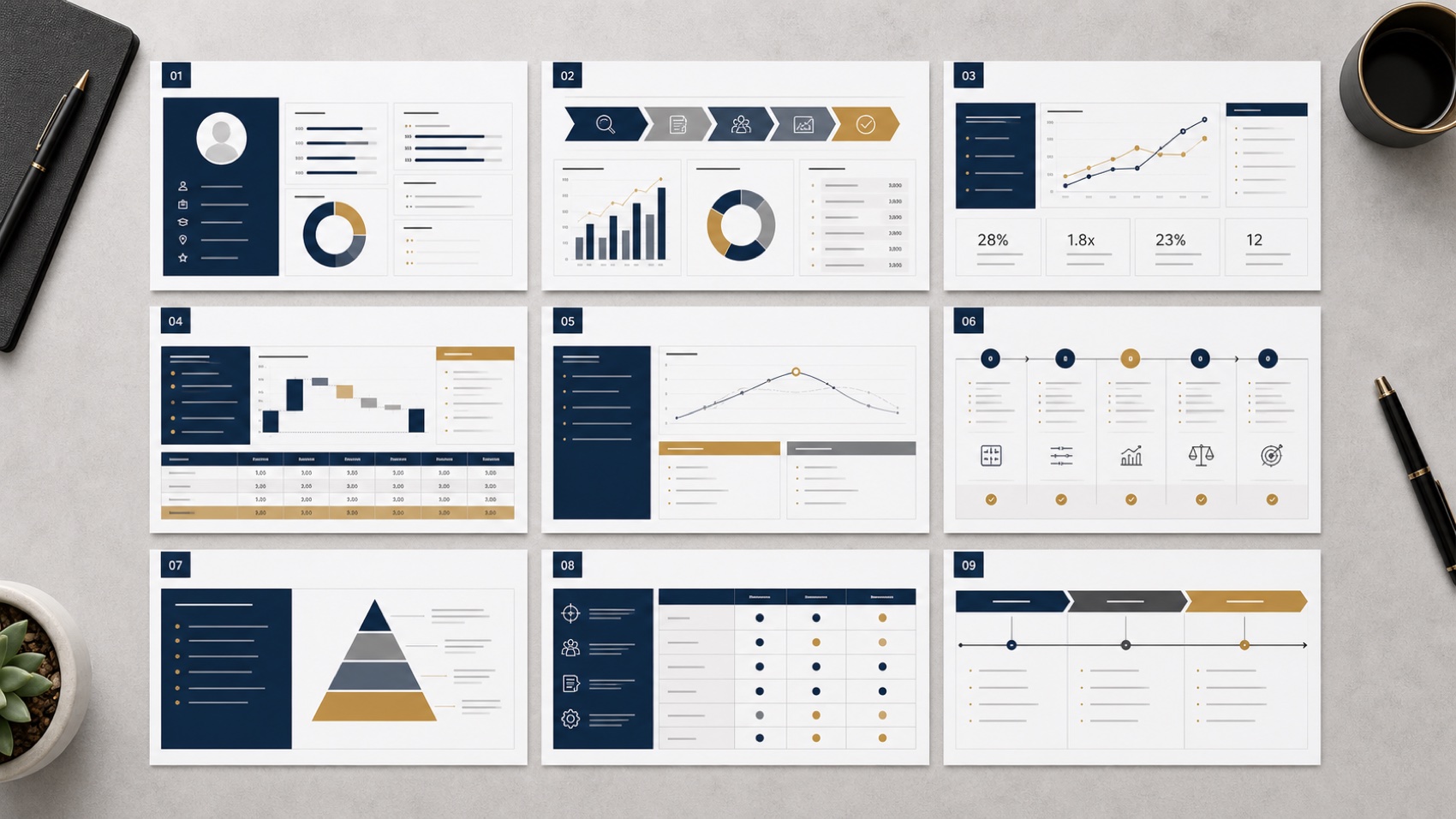
Slide 1: professional profile
Keep this page brief. Include your education, relevant experience, current team, internship period, and two professional traits that the rest of the deck will prove. Better traits are specific and testable, such as hypothesis-driven analyst or reliable client operator. Avoid generic labels such as hardworking.
Add one sentence that defines your contribution. A consulting example might be: I turn fragmented client data into decision-ready recommendations. A finance example might be: I connect company fundamentals, valuation evidence, and portfolio implications.
Slide 2: internship work overview
Group your work into three or four workstreams rather than listing every assignment. Useful consulting workstreams include research, analysis, client materials, and project coordination. Finance workstreams might include company analysis, model maintenance, investment memos, and reporting.
Show how you allocated time or responsibility, then identify the workstream you will explore in depth. This page is an orientation map, so detail belongs later.
Slides 3 and 4: one important project
Choose the project that best demonstrates your judgment, not necessarily the project with the largest file count. Use the STAR structure of situation, task, action, and result. The University of Reading STAR guide explains the same framework for presenting evidence from experience.
Slide 3 should define the decision, constraints, stakeholders, and your responsibility. Slide 4 should show the analysis and outcome. Separate team results from your personal contribution. If the result is confidential, use approved ranges, indexed values, or process metrics instead of inventing precision.
For consulting, a useful result might be that your segmentation changed which customer group the team prioritized. For finance, it might be that your sensitivity analysis exposed the assumption driving most of the valuation range. The point is the decision enabled by the work.
Slides 5 and 6: reflection and method upgrade
These are often the most persuasive pages because they reveal coachability. Pick one real mistake, weak assumption, communication miss, or inefficient process. Explain what happened without blaming the team. Then show the diagnosis and the operating change you made.
A good slide pair might move from a dense analysis that failed to answer the client question to a revised issue tree and decision-oriented summary. Another might show how a model error led you to introduce source checks, sensitivity controls, and reviewer sign-off.
Do not frame the lesson as being more careful. Name the new method. Reviewers need to see a repeatable behavior change.
Slides 7 and 8: broader professional insight
Move from a single project to your understanding of the job. Use a process map, strategy map, value chain, or stakeholder diagram to explain how the work creates value.
A consulting slide might connect problem framing, evidence, recommendation, alignment, and implementation. A finance slide might connect data quality, thesis formation, valuation, risk assessment, portfolio decision, and monitoring. CFA Institute describes insight plus communication as the route by which analytical work changes understanding and action. Its article on communication and data in finance is useful context.
The second insight should look beyond tasks you already owned. Identify one observed opportunity, explain why it matters, and propose a small experiment. This shows initiative without pretending you already have authority you have not earned.
Slide 9: role understanding and development plan
Close by defining the role in your own words. Explain which capabilities you have demonstrated, where you still need support, and what you will deliver in the next 90 days.
Use three horizons:
- First 30 days: close a specific skill or knowledge gap
- Days 31 to 60: own a defined analytical or client-facing module
- Days 61 to 90: improve a reusable team process or knowledge asset
The final line should answer why retaining you benefits the team. Keep it concrete and connected to the evidence already shown.
Which layouts to use
Match the visual form to the relationship in the content.
| Communication job | Recommended layout |
|---|---|
| Summarize workstreams | Three-column overview or proportional allocation |
| Explain project progression | Timeline or phased process |
| Present a case | STAR sequence with evidence panel |
| Diagnose a failure | Fishbone diagram or issue tree |
| Compare old and new thinking | Before-and-after comparison |
| Explain the role | Value chain or stakeholder map |
| Show capability gaps | Skills matrix or target diagram |
| Present the 90-day plan | Three-horizon roadmap |
Use charts only when the numbers support a claim. For finance decks, label periods, units, sources, and calculation scope. For consulting decks, write action titles that state the conclusion instead of naming the topic — the same discipline we describe in The McKinsey Way to Present Research Findings. Microsoft also recommends readable fonts, sufficient contrast, meaningful link text, and accessibility checks for PowerPoint. See the official PowerPoint accessibility guidance.
Common failure modes and how to avoid them
The same weaknesses appear in conversion presentations every review cycle. Check your draft against these five before you rehearse.
The activity log. Fifteen bullet points of tasks with no hierarchy tells the panel you cannot prioritize. If every assignment appears, none of them matters. Cut to three or four workstreams and spend the saved slides on depth.
Borrowed impact. Claiming the project outcome as personal impact is the fastest way to lose a skeptical reviewer, because someone on the panel usually knows exactly what you did. State the team result once, then isolate your contribution with a verb you can defend: built, reconciled, drafted, tested, flagged.
False precision. Quoting a client's revenue uplift to one decimal place when you saw only a partial dataset invites one fatal question. Use approved figures, ranges, or indexed values, and label the calculation scope.
The fake weakness. "I work too hard" or "I am a perfectionist" signals that you have never examined your own performance. A real mistake with a named method change is more impressive than a flawless record.
Design over argument. A beautiful deck with topic titles — Project Overview, My Learnings — forces reviewers to assemble your case themselves. Action titles that state conclusions carry more weight than any visual polish, and they survive being read in isolation when the deck is forwarded.
Handling the Q&A after your last slide
Most conversion decisions are not made during the presentation. They are made in the ten minutes of questioning that follows, so plan that segment with the same care.
Anticipate the three questions your deck invites. A detailed case study invites a challenge to its weakest assumption. A quantified impact claim invites a question about how the number was calculated. A 90-day plan invites a question about what happens when priorities change. Prepare one backup slide for each, and keep them after a divider page so they exist only if needed.
Answer in the same answer-first style as the deck: conclusion, then reasoning, then evidence. If a partner asks something you do not know, say what you would check and how, rather than improvising an estimate — in both consulting and finance, a fabricated number in Q&A undoes everything the deck established about your judgment.
Finally, rehearse the transition from the last slide into questions. Ending with "that is why I believe I am ready for the analyst role, and I am happy to go deeper on any part of the case" hands the panel a confident opening rather than trailing off.
Adapting the structure to your track
The nine-slide skeleton holds across firms, but the emphasis shifts by track. In strategy consulting, weight slides 3 to 6 toward problem structuring: show the issue tree, the hypothesis you discarded, and how your evidence changed the recommendation. In investment banking, reviewers care about reliability under pressure, so the reflection pair lands best when it shows an error-checking process you built into your own workflow. In equity research or asset management, slide 7's value chain should become your investment process — data, thesis, valuation, risk, monitoring — and every number must satisfy the fair-and-accurate standard cited above. In audit and advisory roles at the Big Four, emphasize documentation discipline and the moment you escalated an anomaly instead of smoothing it over. The panel's shared question never changes: can this person be trusted with more responsibility and less supervision?
A practical Tosea AI workflow
Tosea AI is a source-grounded AI presentation tool for turning PDFs, reports, research, financial documents, and working materials into editable PowerPoint slides. For a consulting or finance conversion presentation, the main advantage is that you can review the storyline before spending time on slide rendering.
- Upload your approved project summaries, sanitized analyses, performance notes, and role expectations.
- Ask Tosea AI to create a nine-slide conversion presentation for consulting or finance reviewers.
- Review the outline. Rewrite claims, remove confidential information, and check every number before rendering.
- Select a built-in design or an eligible custom company template from the Tosea AI template library.
- At the outline stage, choose layouts or diagrams that match each slide relationship.
- Render the slides, then use Layout or Diagram again to revise individual pages without rebuilding the full deck.
- Export an editable PPTX and test it in the exact PowerPoint environment used for the meeting.
Use this prompt as a starting point:
Create a nine-slide consulting and finance internship conversion presentation for a manager and partner review panel. Use an answer-first storyline. Show my professional profile, work overview, one detailed STAR case, measurable contribution, one mistake and method upgrade, broader role insight, and a 90-day development plan. Use restrained consulting-style design, action titles, editable text, evidence-first charts, and clear source labels. Do not invent results. Flag missing evidence for my review before rendering.
Tosea AI can reduce formatting work, but it cannot decide whether a confidential result is safe to disclose or whether your interpretation is politically appropriate. Your manager should review the final claims.
Final review checklist
- Can a reviewer explain your role after slide 2?
- Does the case study separate your action from the team outcome?
- Are financial claims sourced, scoped, and reproducible?
- Does each slide have one conclusion?
- Is the mistake specific, and did it produce a new method?
- Does the role model show how the team creates client or investment value?
- Is the 90-day plan realistic for the target position?
- Can you present the core story in ten minutes and leave time for questions?
- Have you removed confidential client, portfolio, and employee data?
Frequently asked questions
Can Tosea AI redesign my existing PowerPoint without changing the content?
Yes. Export the PowerPoint as a PDF, upload it to Tosea AI, and request a redesign that preserves the wording. Use Layout Only when you want to change visual structure without intentionally rewriting content. Compare every label, footnote, and slide element with the source before presenting.
How do I upload a PowerPoint and ask Tosea AI to redesign each slide?
Export the PowerPoint as a PDF first. Upload the PDF, explain that the content and sequence must remain intact, then choose a template or describe the visual direction. Generate the deck and inspect every slide before exporting the revised presentation.
Can I upload my own PowerPoint template to Tosea AI?
Tosea AI supports custom templates on eligible paid plans. Configure the template within the available workflow and confirm that required layouts, fonts, colors, logos, and master-slide rules are represented correctly.
Can Tosea AI use custom brand colors, fonts, and a logo?
Yes. Provide the required colors and fonts in your instructions and upload the logo or use a supported custom template. After export, verify font availability, color values, logo spacing, and contrast in PowerPoint.
Can Tosea AI match the style of old company presentations?
Tosea AI can use a representative deck as design guidance, but this should not be described as permanent model training. For stronger consistency, use an approved custom template and compare the result with company brand guidelines.
Does Tosea AI preserve PowerPoint formatting after export?
The editable PPTX export is designed to remain close to the generated preview while leaving elements available for further editing. Fonts, complex graphics, and the application used to open the file can affect results. Test the deck on the device used for delivery.
Can I edit the layout while keeping the exact wording?
Yes. Layout Only changes the visual arrangement without intentionally rewriting slide content. Compare the edited page with the approved source, especially citations, footnotes, labels, and line breaks.
Build the argument before polishing the slides
A conversion presentation is a professional judgment sample. The panel is looking for evidence that you can deliver, learn, communicate, and take on broader responsibility. Start with the argument, test every claim, and rehearse with people who understand the role.
When your source material is spread across project notes, reports, models, and previous decks, Tosea AI can help organize that evidence into a reviewable outline, apply an appropriate layout or diagram at both the outline and rendered-slide stages, and export an editable PPTX. It is best suited to candidates who already own the substance and want a simpler path from evidence to a professional consulting or finance internship conversion presentation.
For related guidance, read How to present sales data to executives, The McKinsey way to present research findings, and 10 tips for executive-grade AI presentations.