How to Use DeepSeek-TUI for Terminal Coding: Complete Guide (2026)
Complete guide to DeepSeek-TUI: an open-source Rust terminal agent that puts DeepSeek V4's 1M-token context inside your workspace, with parallel reasoning and skills.
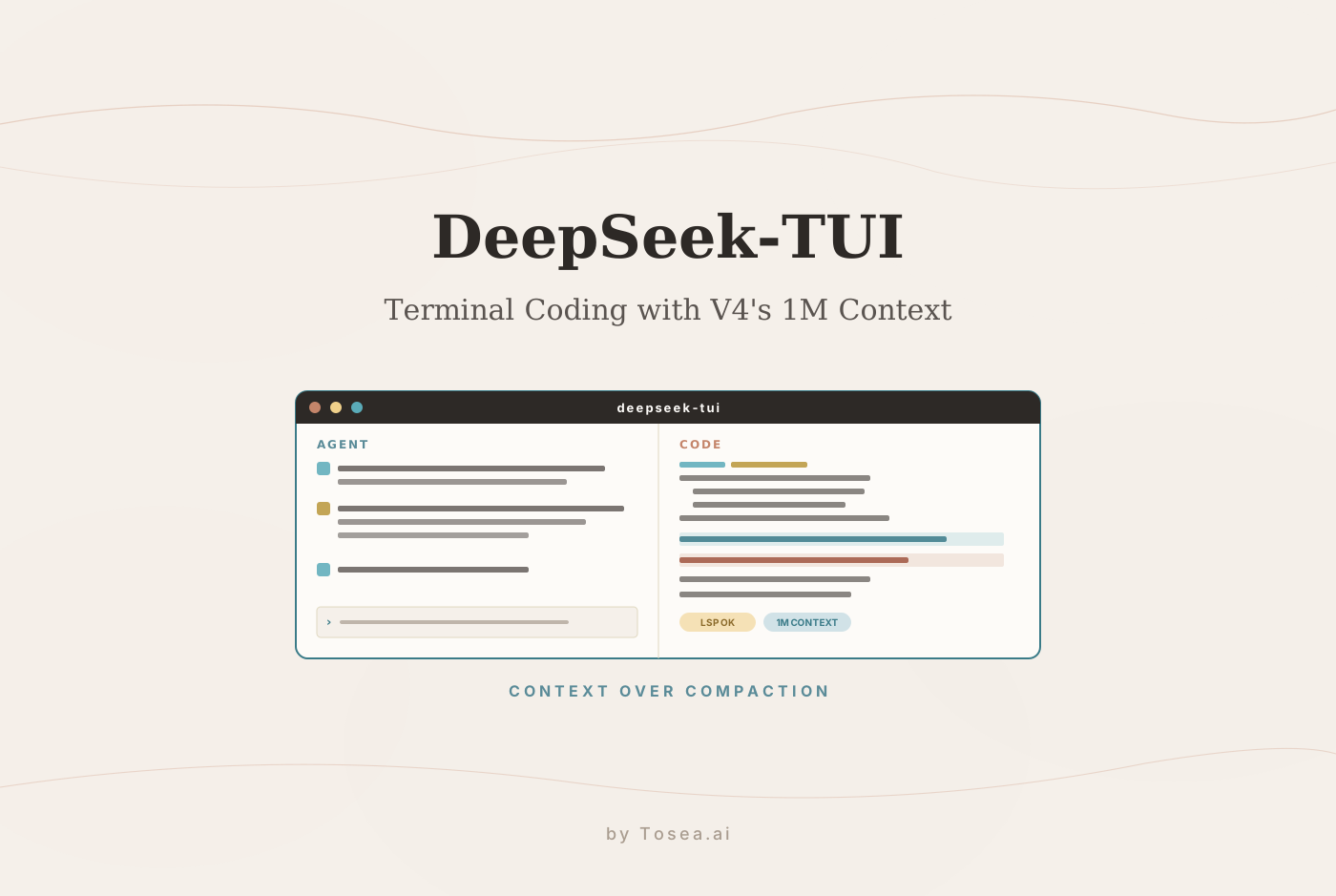
DeepSeek V4's reasoning capability is genuinely impressive. But using it through a web chat interface forces you to be the intermediary between the model and your actual files — copying code in, reading responses out, manually applying changes, and running commands separately. The model can reason through your entire codebase in a single context window; the interface just won't let it.
DeepSeek-TUI closes that gap. This guide walks through what it is, why the Rust/TUI architecture matters in practice, how the three operating modes change the cost-versus-control tradeoff, and how the parallel reasoning system (rlm_query) works. We finish with where DeepSeek-TUI's outputs fit in a presentation workflow if your work needs to reach a non-engineering audience.
What Is DeepSeek-TUI?
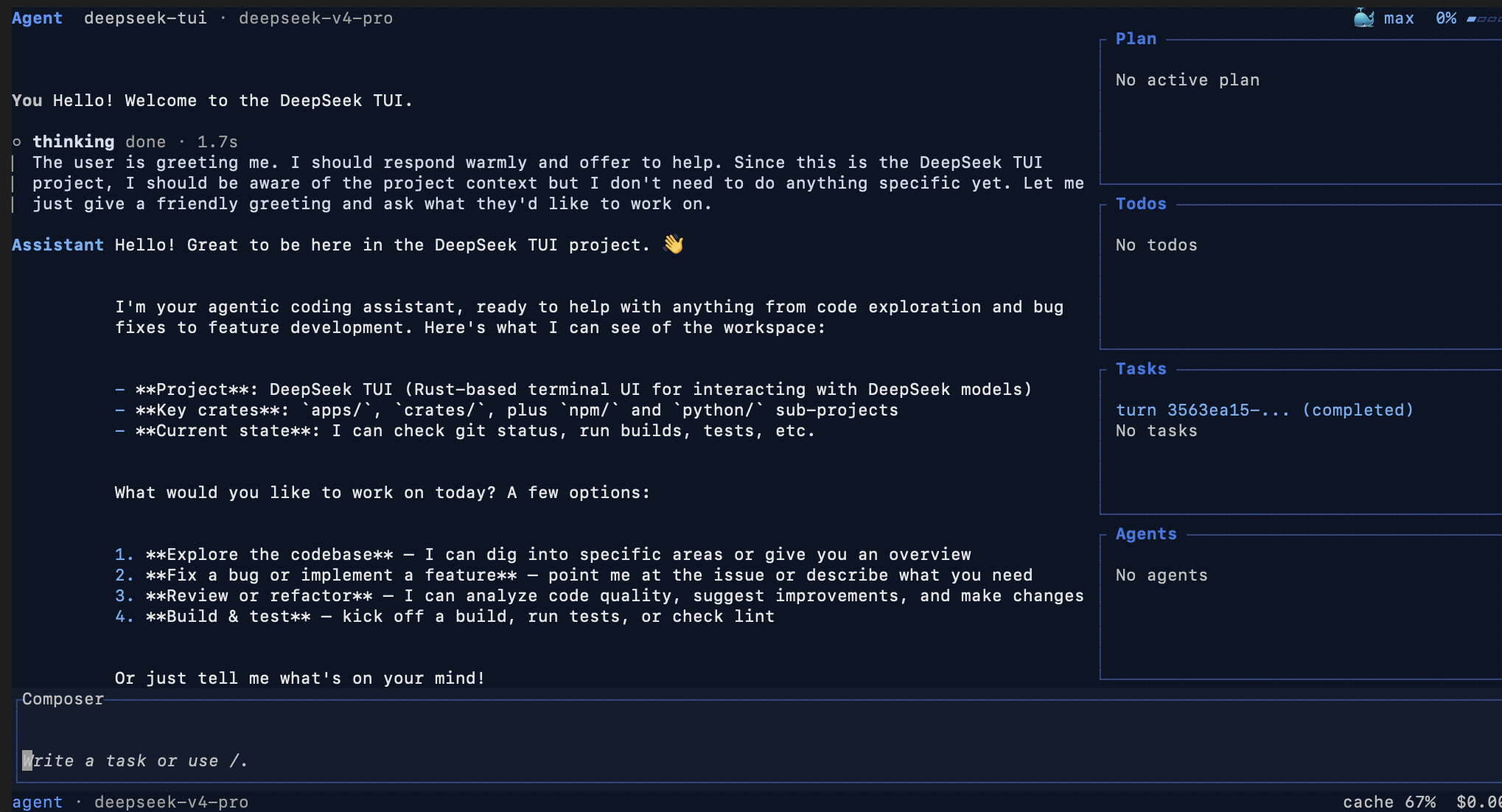
DeepSeek-TUI is an open-source terminal coding agent built around DeepSeek V4, created by independent US developer Hunter Bown under the GitHub handle Hmbown. It is not an official DeepSeek product — it is a community project that reached approximately 2,300 GitHub stars in early May 2026 after appearing on GitHub Trending, and has shipped 37+ releases since its January 19, 2026 launch.
As Verdent AI's technical guide to the project describes it: DeepSeek-TUI runs as a keyboard-driven TUI in your terminal, gives DeepSeek's frontier models direct access to your workspace — reading and writing files, running shell commands, searching the web, managing git, orchestrating sub-agents — and is licensed MIT.
The project is built around a specific design philosophy: treat DeepSeek V4's 1M-token context window as a design primitive rather than a resource to manage around. Generic OpenAI-compatible wrappers treat context as something to manage around the model's limits. DeepSeek-TUI treats V4's 1M context window as a core assumption that shapes every implementation decision, from the auto-compact behavior to the cost tracking that separates cache hits from cache misses.
This places DeepSeek-TUI in a category we have written about before — terminal-native agents like Claude Code and OpenAI Codex that prefer the workspace as their interaction surface rather than a browser tab.
The Technical Foundation: Why Rust, Why a TUI
DeepSeek-TUI ships as two required Rust binaries. The deepseek binary is the dispatcher CLI — it handles authentication, configuration, model selection, and session management, then delegates actual agent execution to deepseek-tui.
There is no Electron, no Python runtime, no Node daemon running in the background. The npm install path is a convenience downloader only; the actual binaries are precompiled Rust. Runtime footprint is minimal — the tool reports roughly 12MB RAM at idle.
The ratatui library provides the terminal UI layer: split panes for chat, code previews, and command history, keyboard-driven navigation throughout. This architecture means DeepSeek-TUI runs on any Tier-1 Rust target — including musl, riscv64, FreeBSD, and older ARM64 distributions — without any runtime dependencies.
The practical consequence is significant: DeepSeek-TUI is fast, portable, and ssh-friendly. You can run it on a remote development server over an SSH connection with the same experience as local use, which is not possible with Electron-based AI coding tools.
Three Operating Modes
DeepSeek-TUI provides three distinct operating modes that determine how much autonomy the agent has over your workspace:
Plan mode is read-only exploration. The agent analyzes your codebase, reads files, and proposes approaches without making any changes. This is the appropriate starting point for understanding what the agent intends to do before granting it write access.
Agent mode is interactive operation with approval gates. The agent proposes each action — file edit, shell command, git operation — and waits for your explicit approval before executing. This is the recommended mode for most development work, giving you visibility into every change while removing the cognitive overhead of executing the changes yourself.
YOLO mode is fully autonomous operation with auto-approval. All actions execute without confirmation prompts. This mode is appropriate for well-understood, lower-risk tasks where you have confidence in both the agent's judgment and your ability to review and revert the results.
The reasoning effort level is independently configurable: cycle through off, high, and max with Shift + Tab. For straightforward tasks, lower reasoning effort reduces cost. For complex architectural analysis or multi-step debugging, maximum reasoning effort produces meaningfully better results.
The Full Tool Suite
DeepSeek-TUI gives the agent access to a comprehensive set of tools that cover the full development workflow:
- File operations — reading, writing, and editing files across the workspace, with diff-aware patching that minimizes unnecessary rewrites.
- Shell execution — running arbitrary shell commands with output captured in the conversation context. The agent can run your test suite, build pipeline, or any other workspace command and incorporate the results into its reasoning.
- Git management — staging, committing, branching, and reviewing history. The auto-approve guardrail for
git -Coperations was tightened in v0.8.8 to prevent the agent from executing git commands in unexpected directories. - Web search and browsing — DuckDuckGo search with automatic fallback to Bing HTML results when DuckDuckGo returns a bot challenge or yields no parseable results. The agent can look up documentation, check package versions, and incorporate current information without leaving the terminal.
- Sub-agent orchestration — spawning child agent processes for parallel workstreams, coordinating their results, and synthesizing a unified output.
- LSP diagnostics — inline error and warning surfacing after every file edit through Language Server Protocol integration. Supported language servers include rust-analyzer for Rust, pyright for Python, typescript-language-server for TypeScript and JavaScript, gopls for Go, and clangd for C and C++. The agent sees the same type errors and linting warnings your editor would show, before it finishes the edit session.
RLM: Parallel Reasoning With DeepSeek Flash
One of the most technically interesting features in recent releases is the rlm_query tool — recursive language models as a first-class structured tool. Inspired by Alex Zhang's RLM work and Sakana AI's published novelty-search research, but trimmed to what an agent loop actually needs.
The model calls rlm_query with one prompt or up to 16 concurrent prompts; children run on deepseek-v4-flash by default and can be promoted to Pro per-call. This means computationally expensive analysis tasks — reviewing multiple files in parallel, generating multiple candidate approaches simultaneously, running comparative analyses across different dimensions — can be fanned out to cheap flash model instances while the main conversation continues on Pro.
The cost implication is significant. DeepSeek V4 Flash runs at a fraction of the cost of Pro, and with cache-hit input tokens priced at 1/10th of uncached tokens, complex parallel analysis tasks are substantially cheaper than their sequential equivalents would be with other tools.
The Skills System
DeepSeek-TUI discovers skills from workspace directories in this priority order: .agents/skills, skills, .opencode/skills, .claude/skills, and the global ~/.deepseek/skills. Each skill is a directory containing a SKILL.md file with a name, description, and instructions for the agent.
---
name: my-skill
description: Use this when DeepSeek should follow my custom workflow.
---
# My Skill
Instructions for the agent go here.
Skills are installed and managed through slash commands within the TUI:
/skills              # list all available skills
/skill <name>        # activate a specific skill
/skill new           # scaffold a new skill
/skill install github:<owner>/<repo>  # install a community skill
/skill update        # update installed skills
/skill uninstall     # remove a skill
/skill trust         # mark a skill as trusted
Community skills install directly from GitHub without requiring a backend service. The skills directory structure is compatible with .claude/skills, which means skills written for Claude Code work in DeepSeek-TUI without modification — a practical benefit for teams that already maintain a Matt Pocock-style skills library for Claude Code.
Installation: Four Paths
npm (easiest for Node users):
npm install -g deepseek-tui
The npm package is a downloader only — it fetches the prebuilt Rust binaries for your platform from GitHub Releases. No Node runtime is required at runtime.
Cargo (no Node required):
cargo install deepseek-tui-cli --locked    # provides deepseek
cargo install deepseek-tui --locked        # provides deepseek-tui
Both binaries are required. Installing only one will fail at runtime with a MISSING_COMPANION_BINARY error.
Homebrew (macOS):
brew tap Hmbown/deepseek-tui
brew install deepseek-tui
Direct binary download:
Prebuilt binaries for Linux x64/ARM64, macOS x64/ARM64 (Apple Silicon), and Windows x64 are available on the GitHub Releases page. Download both binaries, place them in the same directory (for example ~/.local/bin/), and run chmod +x on Unix systems.
First Run: Authentication and Configuration
After installation, authenticate with your DeepSeek API key:
deepseek auth set --provider deepseek
For alternative providers:
# NVIDIA NIM
deepseek auth set --provider nvidia-nim --api-key "YOUR_NVIDIA_API_KEY"

# Fireworks AI
deepseek auth set --provider fireworks --api-key "YOUR_FIREWORKS_API_KEY"

# Self-hosted SGLang (no API key required by default)
SGLANG_BASE_URL="http://localhost:30000" deepseek --provider sglang
Then run the setup wizard to initialize your MCP and skills directories:
deepseek-tui setup
Finally, start the TUI from your project directory:
cd your-project
deepseek
Session Management and Cost Control
DeepSeek-TUI provides session save and resume functionality for long-running tasks. If a complex refactoring session needs to be interrupted, checkpoint the current state and resume it later with full context intact — the agent picks up exactly where it left off.
The live cost tracker shows per-turn and session-level token usage with cache hit/miss breakdown. Given that cached input tokens cost 1/10th of uncached tokens under DeepSeek's pricing model, understanding your cache utilization directly affects the economics of using the tool at scale.
The auto-compact feature handles context growth automatically when the conversation approaches the model's context limit, using replacement-style summarization to preserve the essential context while freeing space for continued operation. This is opt-in (auto_compact = false by default); manual /compact gives you explicit control over when summarization occurs.
From DeepSeek-TUI to Investor-Ready Slides
DeepSeek-TUI excels at the intelligence layer of software engineering — understanding codebases, proposing and implementing changes, generating documentation, running analyses across large repositories. The natural outputs of that work are markdown technical reports, architecture decision records, code-review summaries, and project status assessments. These artifacts are valuable, but they almost always need to reach an audience beyond the engineering team: a product manager who needs the architecture story without the file paths, an executive sponsor who needs the risks without the diff, an investor who needs the milestone without the stack trace.
That second leg of the journey — from technical document to AI presentation tool output — is where the workflow usually stalls. Engineers paste prose into PowerPoint, fight with templates, and end up with a deck that loses the precision of the source. This is the document-to-PPT problem we have written about throughout the Tosea.ai blog: the analysis layer is finished, but the deliverable is a slide deck, and most AI slide generators try to re-write the analysis instead of re-presenting it.
Tosea.ai is the document-to-deck orchestration layer for exactly this case. Drop in the markdown report or PDF that DeepSeek-TUI produced and Tosea reads its logical structure — sections, claims, data tables, citations — then renders a consulting-grade slide deck whose every element traces back to the source. There is no synthesis-from-memory step where the model invents a statistic. We unpack the structural reasoning behind this in our piece on hallucination-free document-to-PPT conversion, and the zero-hallucination AI slides guide covers the full source-first architecture.
For engineers who routinely turn architecture analyses into stakeholder briefings, the practical pattern looks like this: DeepSeek-TUI generates the technical document; Tosea.ai handles the AI slide generation step into a native .pptx editable in PowerPoint or Google Slides. Two tools, one slide-deck-shaped output, no manual re-typing in between.
Get Started With DeepSeek-TUI
The full repository is available at github.com/Hmbown/DeepSeek-TUI under the MIT license. The installation guide, configuration reference, and MCP documentation are available in the repository's docs directory. Prebuilt binaries for all supported platforms are on the releases page.
If you also want context on the underlying model, our DeepSeek V4 complete guide covers the reasoning architecture and benchmarks that DeepSeek-TUI relies on.
Sources
- DeepSeek-TUI on GitHub — Hunter Bown (Hmbown), MIT-licensed repository
- What is DeepSeek-TUI — Verdent AI technical guide
- Sakana AI research — referenced for novelty-search inspiration behind the rlm_query tool
- ratatui — Rust terminal UI library — the TUI framework used by the project