How to Use GPT Image 2: Complete Guide to OpenAI's New Image Generation Model
A practical guide to GPT Image 2, OpenAI's April 2026 model with 99%+ text rendering, Thinking Mode, 2K resolution, and the gpt-image-2 API. Features, pricing, use cases, Nano Banana 2 comparison.
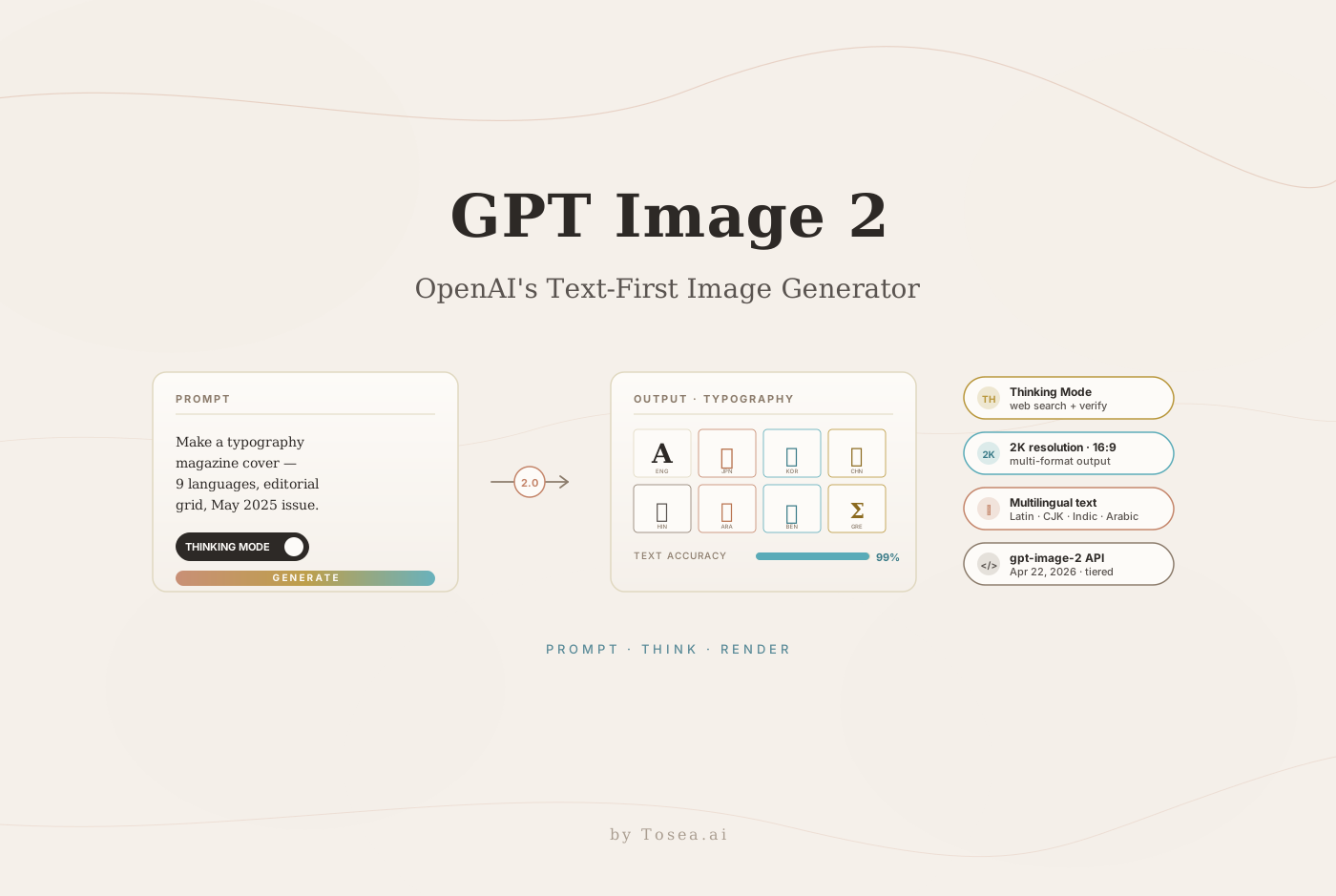
On April 21, 2026, OpenAI announced ChatGPT Images 2.0, powered by the new gpt-image-2 model, and began rolling it out to all ChatGPT and Codex users starting April 22. The headline change is not just resolution — it's that generated text in images now works. Not "mostly works, with a handful of charming typos." Actually works, at roughly 99% accuracy, across Latin, Japanese, Korean, Hindi, Bengali, Arabic, and a dozen other scripts. Combined with a new Thinking Mode that lets the model search the web and verify its own outputs, this release resets expectations for what a single-prompt-to-image workflow can deliver.
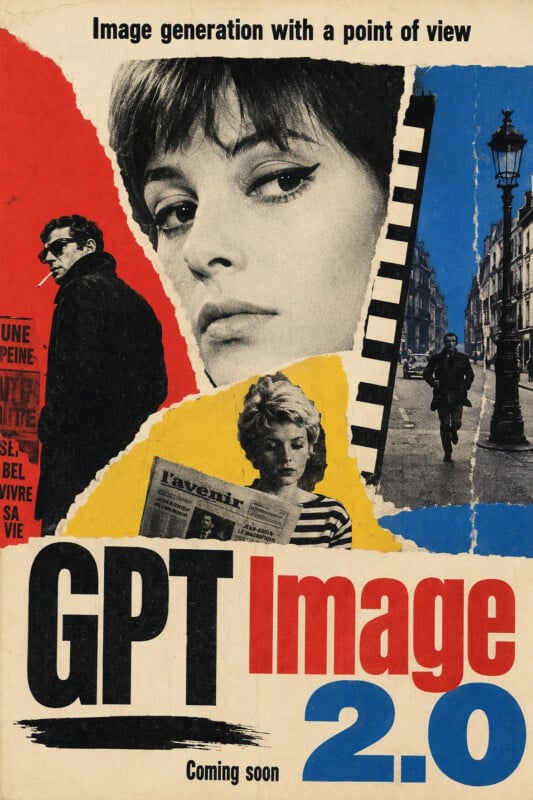
This guide walks through what actually ships in gpt-image-2, where the 99% text rendering claim holds up and where it doesn't, how Thinking Mode differs from a standard image prompt, what it costs, and how it fits alongside Nano Banana 2 and the rest of the generative-image stack. If your work involves turning briefs into posters, menus, ads, comic panels, product mockups, or presentation visuals, the last two sections matter most.
What Is GPT Image 2?
GPT Image 2 is OpenAI's new flagship image generation model, replacing both DALL-E 3 (which shuts down May 12, 2026) and the interim GPT Image 1.5. It ships simultaneously on three surfaces:
- ChatGPT Images 2.0 — the consumer-facing product inside ChatGPT, available to Free, Plus, Pro, Team, Enterprise, and Go subscribers.
- Codex — accessible from the Codex coding agent for inline asset generation.
- The
gpt-image-2API — priced per-image by quality tier and resolution, available to developers through the standard OpenAI API.
The underlying architecture represents a clean break from the DALL-E line. OpenAI has declined to confirm whether gpt-image-2 is diffusion-based, autoregressive, or a hybrid — only that it is a "completely new architecture" that shifts from the prior two-stage inference pipeline to a single-pass generator. The practical consequence is faster generation (sub-3-second typical) and far stronger coupling between prompt semantics and rendered output.
Four things distinguish gpt-image-2 from its predecessors:
- Text rendering at ~99% accuracy. The single largest improvement, and the one that changes which production workflows become viable.
- Thinking Mode. The model can browse the web, pull down real references, generate multiple variants from one prompt, and self-verify before returning final output.
- 2K native resolution with 16:9 support added alongside existing aspect ratios.
- December 2025 knowledge cutoff — fresh enough for current products, brands, and typographic styles.
Create Everything at Once: What the Model Actually Outputs
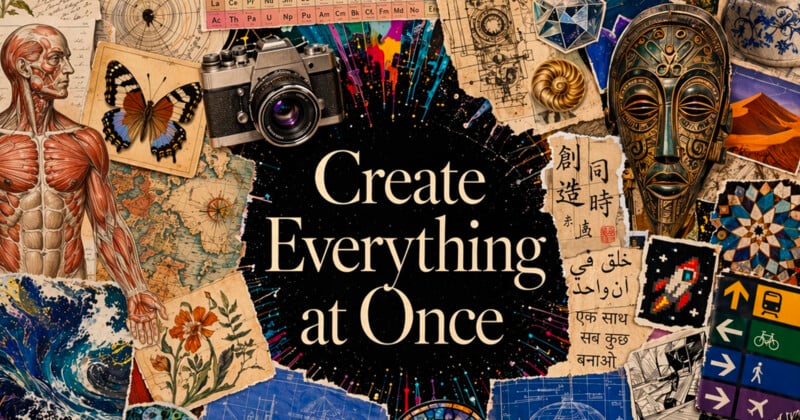
The "Create Everything at Once" framing is OpenAI's shorthand for a specific product decision: one prompt, multiple coherent assets. Where DALL-E 3 returned a single image, gpt-image-2 can return a full set — a hero banner plus three social variants plus a print-ready version plus an animated frame sequence — from one Thinking Mode prompt. For marketing teams and agencies, this collapses what was previously a 4-to-10-step workflow into a single turn.
The range visible in OpenAI's launch demos covers:
- Editorial posters and magazine covers with dense typographic hierarchy
- Product advertising including commercial-grade photo compositing, props, and environmental lighting
- Multi-panel comic strips with consistent character identity across frames
- UI mockups and app interfaces with real-looking text in menus, buttons, and form fields
- Scientific and technical illustrations with labeled diagrams
- Packaging mockups with logos, nutrition panels, and regulatory text rendered correctly
- Multilingual assets covering most world scripts at professional quality
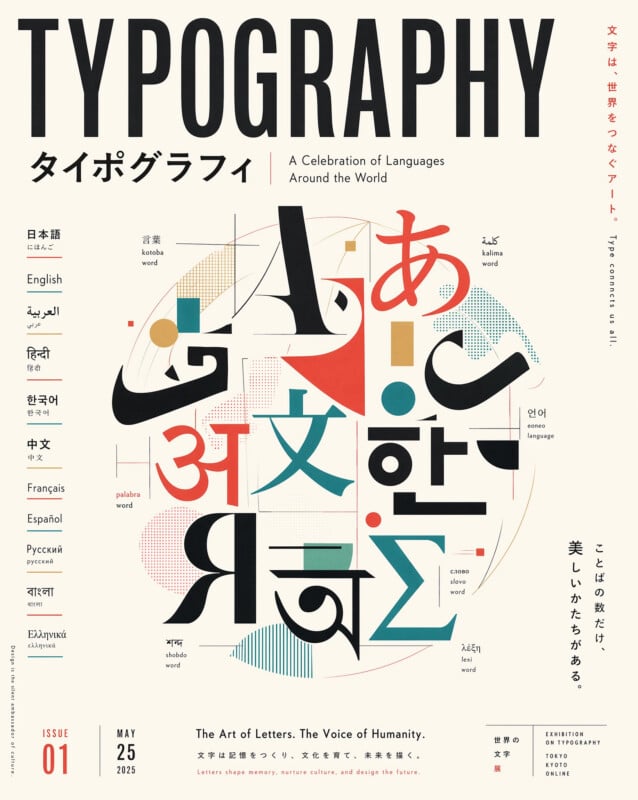
The last point is structurally important. Previous image models treated non-Latin scripts as decoration — visually plausible but semantically meaningless. gpt-image-2 renders actual Bengali, Hindi, Arabic, Korean, and Japanese characters that a native speaker can read without obvious errors.
The Text Rendering Breakthrough
For two years, the single biggest friction point in using generative image models for production work has been text. Every designer learned the workaround: generate the image, then drop it into Figma or Photoshop and composite real text on top. gpt-image-2 substantially removes that step.
The specific improvements:
- Latin-script spelling at ~99% accuracy, including dense menu text, packaging labels, nutrition facts, long-form editorial headlines, and UI copy.
- Non-Latin scripts at near-native accuracy for major world languages. The typography magazine cover above is a synthetic single-prompt generation showing coordinated glyphs across nine scripts.
- Small text and iconography in dense compositions — form fields, badge labels, legal fine print — rendered readably.
- Stylistic consistency between text and the surrounding design language. The typeface of a Brooklyn café sign and a Tokyo subway poster look like they came from different designers, not the same generic AI.
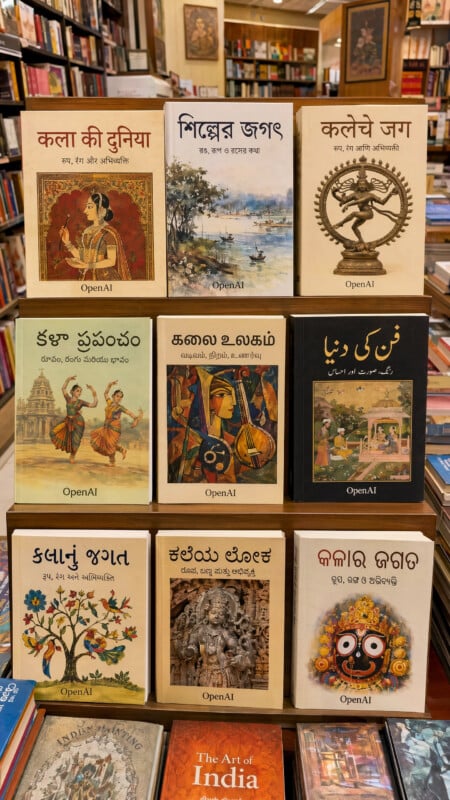
The bookstore example above is worth studying closely. Each book title is rendered in a distinct Indic script; each is coherent text that a reader of that language can identify. This is the capability that opens localized content pipelines — regional ad creative, multilingual packaging, Indic-language e-commerce thumbnails — at a cost and speed that was previously impossible.
For a head-to-head with the competing Google Nano Banana 2 release, our Nano Banana 2 vs Pro comparison covers where each model leads. The short version: Nano Banana 2 is currently the leader on pure photographic realism and 4K output; gpt-image-2 leads on text fidelity, prompt adherence, and integrated Thinking Mode.
Thinking Mode: Web Search Meets Image Generation
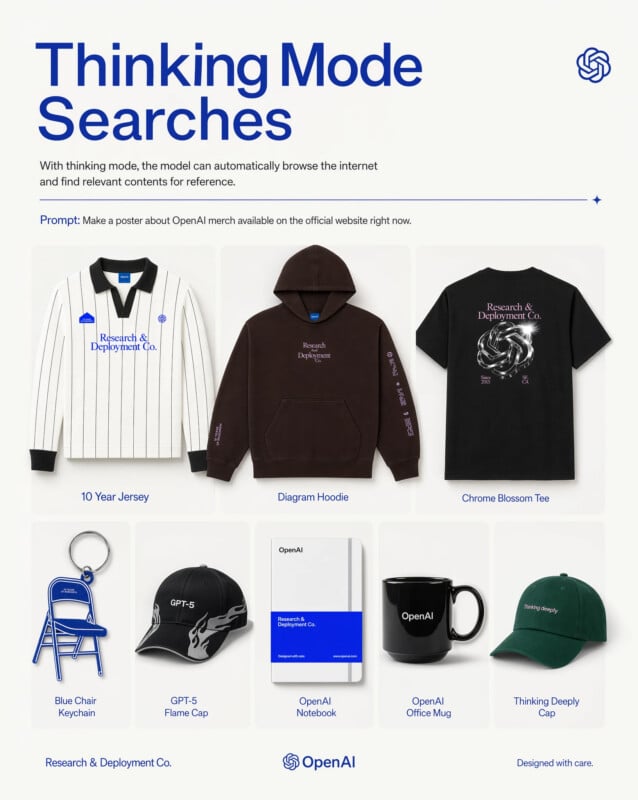
Thinking Mode is the feature that most changes how you interact with the model. With standard prompting, gpt-image-2 does what any image model does: reads the prompt, generates pixels. With Thinking Mode enabled, it:
- Browses the web for reference material when the prompt references real brands, products, current events, or time-sensitive content.
- Plans multiple output variants before committing to pixel generation — useful when one prompt should produce an ad campaign in three sizes, a comic across five panels, or a brand refresh across both print and digital formats.
- Self-verifies before returning — checking that rendered text is spelled correctly, that brand colors match reference, that layout hierarchy is preserved.
The OpenAI merch poster above is a concrete demonstration. The single prompt — "Make a poster about OpenAI merch available on the official website right now" — produced a composition that accurately captures the actual lineup on openai.com/merch, because the model went and looked. No reference image upload, no manual product list, no post-processing.
For teams that produce briefs with phrases like "in the style of their current hero page" or "matching the summer collection on the website," Thinking Mode is the capability that removes the manual reference-gathering step.
Commercial-Grade Output: The Kizuna Example
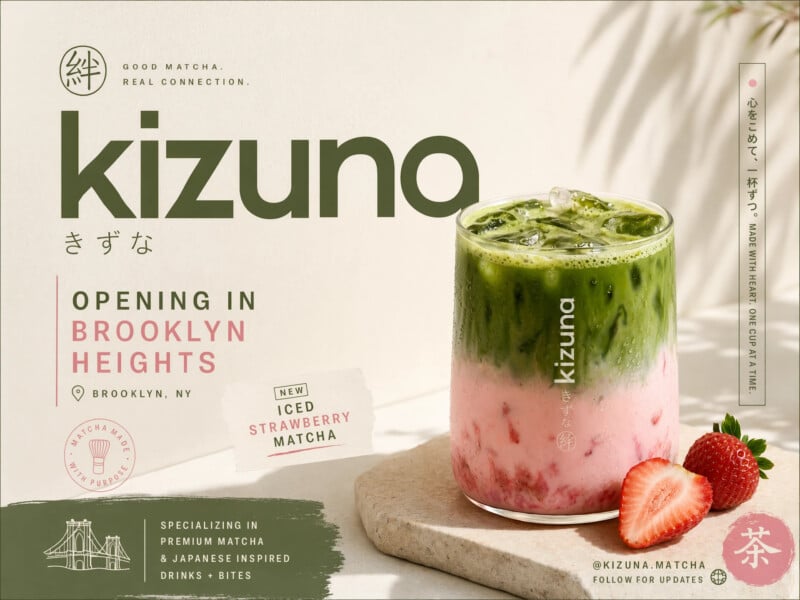
The image above is a fully synthetic advertisement generated from a single prompt. It includes:
- A plausible product photograph with accurate matcha layering and realistic strawberry detail
- A coherent brand wordmark ("kizuna" / きずな)
- Secondary typographic detail in Japanese
- A legible opening announcement with location, product name, and social handle
- Stylistic consistency between photograph, type, background texture, and color palette
Five years ago, this was a week of work for a junior designer plus a photographer plus a food stylist. Two years ago, it was the classic generative-image failure case — AI could produce the photograph, but any real text in the composition would devolve into garbled glyphs. With gpt-image-2, it's a single prompt.
The implication for commercial workflows is worth naming directly: the bottleneck for most small-business marketing is no longer visual production. It's the brief itself. Teams that can write a precise, specific prompt now have access to output that would previously have required a small agency engagement. The same pattern is showing up in the presentation-design category, which we covered in our Claude Design complete guide.
How GPT Image 2 Understands Images Differently
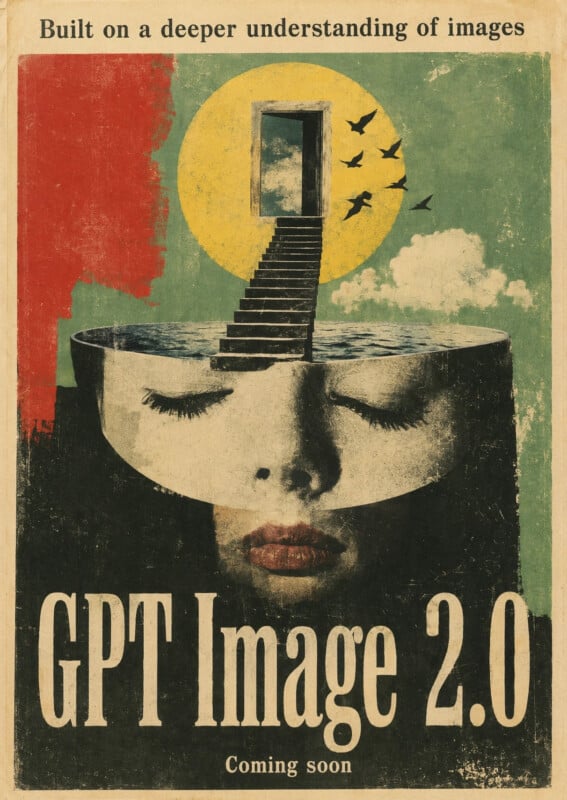
OpenAI's positioning line for gpt-image-2 is "image generation with a point of view" — specifically that the model now has deeper structural understanding of what it's rendering, not just statistical coverage of a vast training corpus. In practical terms:
- Instruction following improves on specific compositional requests ("left-aligned headline, product at right, brand mark in bottom-right corner")
- World knowledge is stronger — the model knows which camera a product photograph should look like it was shot on, which paper stock a vintage book cover should emulate, which grain pattern a 1970s film still should carry
- Character consistency across frames holds up through multi-panel comic strips and longer narrative sequences
- Iconographic literacy is improved — the model correctly renders periodic tables, anatomical diagrams, architectural plans, and technical schematics rather than producing plausible-looking nonsense
This is the axis where gpt-image-2 most clearly differentiates from purely photographic models like Nano Banana 2. On a photorealistic still life, Nano Banana 2 is competitive or ahead. On a composition that requires the model to know something about the world and render it correctly — a real periodic table, a real biology textbook page, a real brand hierarchy — gpt-image-2 is ahead.
Pricing and Availability
Three things to know about how gpt-image-2 is packaged:
- ChatGPT consumer access. Free, Plus, Pro, Team, Enterprise, and Go subscribers all get access starting April 22, 2026. Paid tiers get higher-quality outputs and more generations per day. DALL-E 3 stays available until the May 12, 2026 retirement date.
- API access at
platform.openai.com/docs/models/gpt-image-2. Pricing is tiered by quality and resolution. Industry estimates put standard-quality pricing in the $0.15–0.20 per image range — a modest premium over GPT Image 1.5, reflecting the new architecture's higher compute cost. Confirm the exact per-token / per-image pricing in the API docs before committing production volume. - Codex integration. Developers building in OpenAI's Codex agent environment can call
gpt-image-2as a first-class tool, which is useful for generating inline documentation diagrams, README heroes, and UI mockups during a coding session.
For cost-sensitive use cases at scale, the math is worth running carefully. Per-image pricing close to $0.20 means generating a set of 1,000 hero images costs around $200 — a material number for content-heavy publishers, but trivial compared to the equivalent cost of licensed stock photography or designer hours.
Who Should Care About GPT Image 2 Today
Four audiences have immediate reason to try the new model:
Marketing teams producing localized content. The multilingual text-rendering capability unlocks workflows that were previously infeasible — regional ad variants, Indic-language packaging, Japanese/Korean/Chinese creative for Asia markets — at a cost and speed a small team can sustain.
Small-business operators without a design team. The Kizuna example is the archetype. A café, boutique, or service business can now produce ad-grade creative from a written brief, with readable menu text, professional composition, and stylistic consistency.
Comic creators, editorial illustrators, and publishers. Multi-panel consistency is the missing piece that previously forced illustrators to use AI as a first-draft tool rather than a production tool. Character identity now holds across frames.
Teams building content automation pipelines. With Thinking Mode's web search and self-verification, gpt-image-2 becomes a credible component in automated content workflows — product catalogs, news-adjacent social graphics, real-time branded creative — that would have required a human in the loop with prior models. Our piece on Sora's shutdown and OpenAI's pivot to practical AI covers the broader pattern of OpenAI converging on production-grade tools.
Where GPT Image 2 Does Not Fit
The honest limitations:
- Not a replacement for professional designers on high-stakes brand work. The model produces excellent first-draft quality; a creative director should still review and direct for identity-critical deliverables.
- Not strongest on pure photorealism for product shots. Nano Banana 2 and specialist photo-realistic models (Flux 2 Dev, Imagen 4) retain edges on specific hyper-realistic still-life or portrait work.
- Thinking Mode is slower and pricier. For bulk generation of simple visuals, disable Thinking Mode to keep costs and latency down.
- Brand rights and commercial use policies apply. OpenAI's content policy restricts generation of real public figures, copyrighted characters, and certain categories of commercial reference.
- Rollout is staged. Enterprise admins may need to enable access explicitly, and API rate limits will be tight in the first days.
How GPT Image 2 Fits in a Modern Content Stack
The release pattern continues the template we've seen from every major lab this month: ship a stronger underlying model, wrap it in a vertical product, then open API access. Anthropic did this with Claude Opus 4.7 and Claude Design. Moonshot did it with Kimi K2.6. OpenAI is now doing it with gpt-image-2 and ChatGPT Images 2.0.
The workflow that's becoming standard for content teams:
- Source material lives in documents. Briefs, research reports, product specs, long-form content.
- Extract structure and narrative. Tools like Tosea.ai handle the document-to-outline step, turning long reports into presentation structure.
- Generate visual components.
gpt-image-2handles hero imagery, section dividers, product mockups, localized creative. - Assemble in a presentation tool. Drop generated assets into a PowerPoint or Keynote deck, or export directly from a tool that understands narrative structure.
The bottleneck is shifting from production to coordination. The model that generates a poster is now good enough; the question is how that poster fits into the broader deliverable — the pitch deck, the campaign assets, the localized variants. Document-first tools like Tosea.ai sit at that coordination layer, turning the briefing document into a structured deck where generated images can drop in as supporting visuals rather than standalone artifacts.
What's Next
Three trajectories are worth watching:
- API rollout will tighten and expand. Expect batch-generation endpoints, tighter Codex integration, and fine-tuning capabilities within one or two release cycles. Developers building on
gpt-image-2today should assume the surface will deepen, not narrow. - Thinking Mode will generalize. The pattern of "browse the web, verify your output, plan before generating" is the same agentic loop we've seen in Anthropic and Google products. Expect OpenAI to extend it to audio, video, and combined multimodal outputs.
- The gap between generative image models and production design tools will keep closing. A year ago, a poster generated by an AI was a demo. Today, the Kizuna ad above is production-grade. A year from now, the bottleneck will have moved entirely from visual quality to creative direction and brief-writing.
For teams using GPT Image 2 day to day, the practical advice is to update your brief templates. Prompts that worked with DALL-E 3 — vague, visually focused, short on structural specificity — underperform relative to what gpt-image-2 can now do when given detailed layout, typographic, and reference instructions. The ceiling is higher; the floor for getting there requires more precise input.
If your workflow produces presentations, reports, or decks from long-form input documents, pair GPT Image 2 with a document-first tool like Tosea.ai. The model handles the visual; the document-to-deck layer handles the narrative and structure. The combination turns a research PDF and a written brief into a finished, on-brand deliverable in a single session — a workflow that would have required a designer, a copywriter, and a slide builder working together six months ago.
GPT Image 2 in AI Presentation Workflows
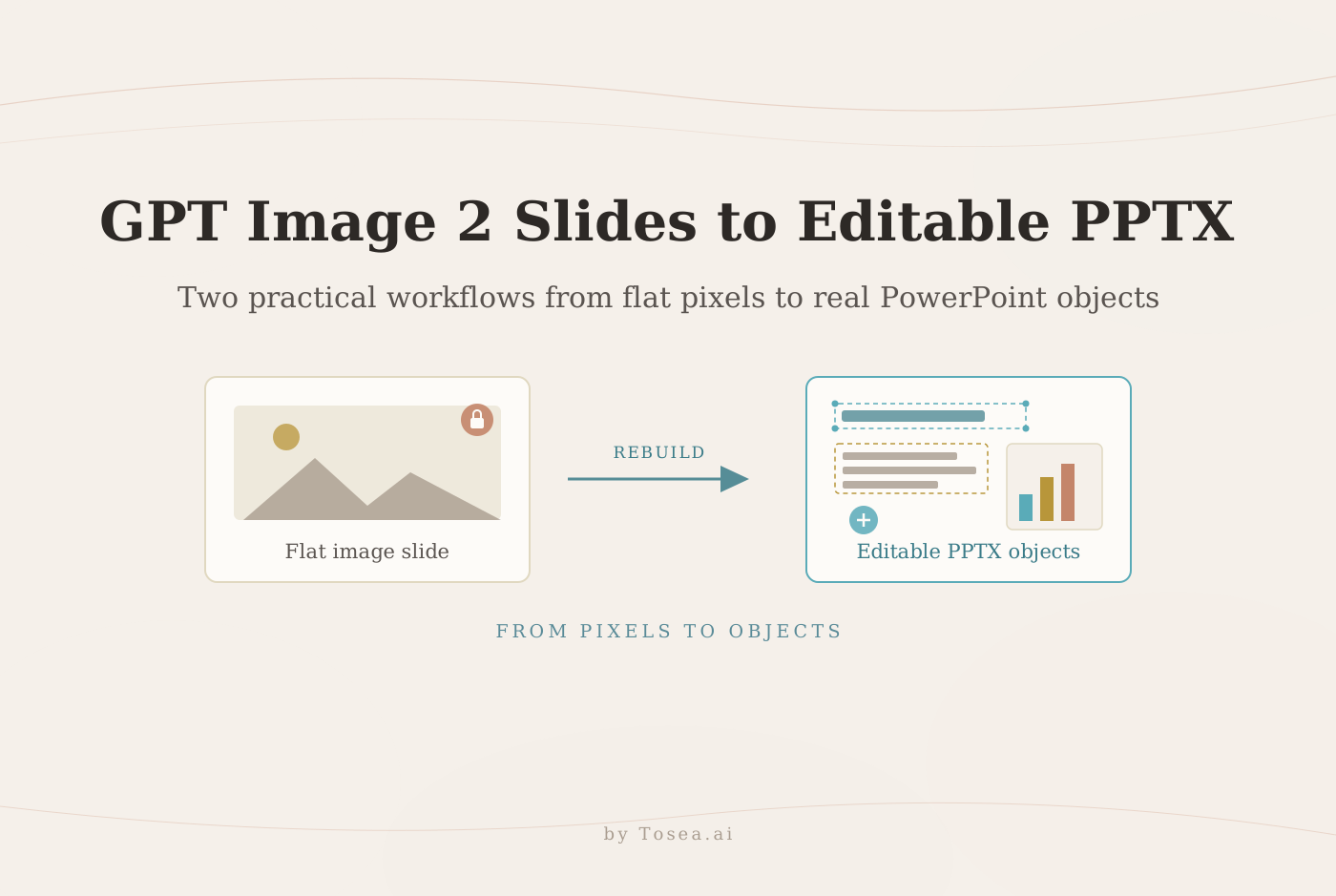
The 99% in-image text rendering result is the line item that matters most for anyone using AI to produce slides. Until this generation, generated images were mostly unusable inside an actual presentation — chart labels rendered as gibberish, slide titles came out misspelled, infographics were "looks right at thumbnail size, useless when projected." GPT Image 2 changes that math: a generated cover slide, a labeled diagram, or a typographically loaded section divider can now drop into a deck without manual cleanup.
The catch is that an image, however good, is not a slide. A slide has structure: a title, a body, a citation, a relationship to the previous and next slide. Generative image models solve the per-asset problem; document-to-presentation tools solve the structural problem. Our Nano Banana 2 vs Pro analysis and best free AI PowerPoint generators in 2026 cover how the visual-AI layer fits into the broader stack — and our piece on AI agents redefining professional slides explains why the orchestration layer above the model is doing most of the actual work.
For teams running document-to-slide pipelines — converting research papers, consulting reports, or product specs into presentation decks — pair GPT Image 2 with a document-first AI presentation tool. Tosea.ai generates the slide structure and narrative from source documents; GPT Image 2 produces the cover art, dividers, and infographic elements that fill individual slides. The combination is what turns a 30-page PDF into a polished, on-brand deck without manual asset hunting.
Sources
- Introducing ChatGPT Images 2.0 — OpenAI, April 21, 2026
- ChatGPT's new Images 2.0 model is surprisingly good at generating text — TechCrunch
- GPT Image 2 Model — OpenAI API Docs
- OpenAI Launches ChatGPT Images 2.0 with gpt-image-2: Availability, Tiers, and Business Impact — AI News
- GPT-Image-2 Intelligence Summary: 5 Major Capability Upgrades — Apiyi Blog
- AI Image Generation API Pricing (April 2026) — BuildMVPFast
- GPT Image 2 Prompt Guide: How to Write Prompts That Actually Work — iMini AI