How to Use Claude Design: Complete Guide to Anthropic's New Prompt-to-Prototype Tool
A practical walkthrough of Claude Design — Anthropic's April 2026 research preview that turns prompts into prototypes, slides, and brand-consistent mockups powered by Opus 4.7.
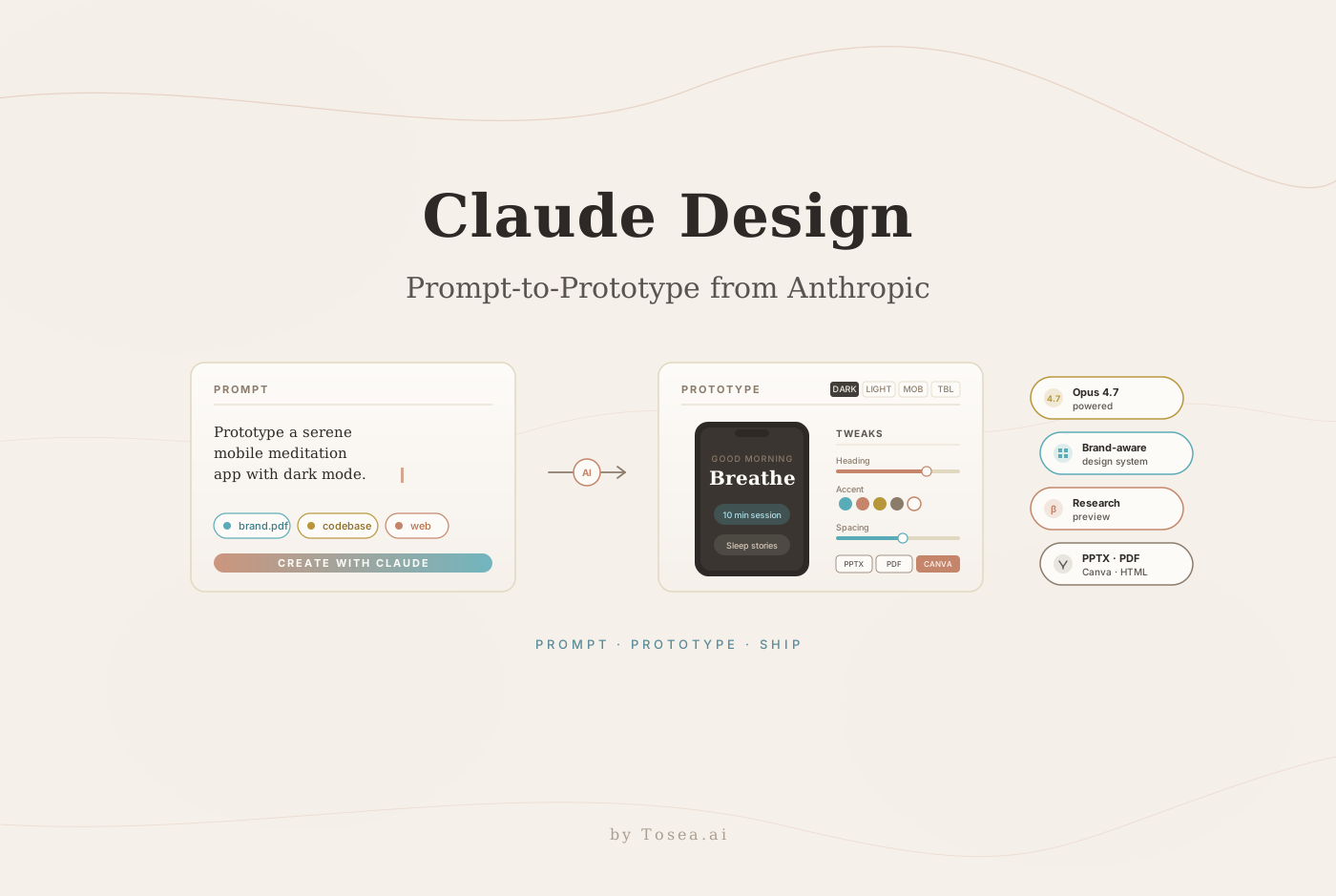
On April 17, 2026, one day after shipping Opus 4.7, Anthropic launched Claude Design — a research-preview product that turns natural-language prompts into polished prototypes, slide decks, one-pagers, and marketing collateral. Figma's stock fell roughly 7% the same day, and Anthropic's chief product officer Mike Krieger had resigned from Figma's board three days earlier, on April 14. The market read the launch as a direct challenge to the design-tool incumbents; Anthropic positioned it more carefully, describing Claude Design as a tool for "people who aren't starting from a design tool" — founders, PMs, marketers — rather than a replacement for professional designers.
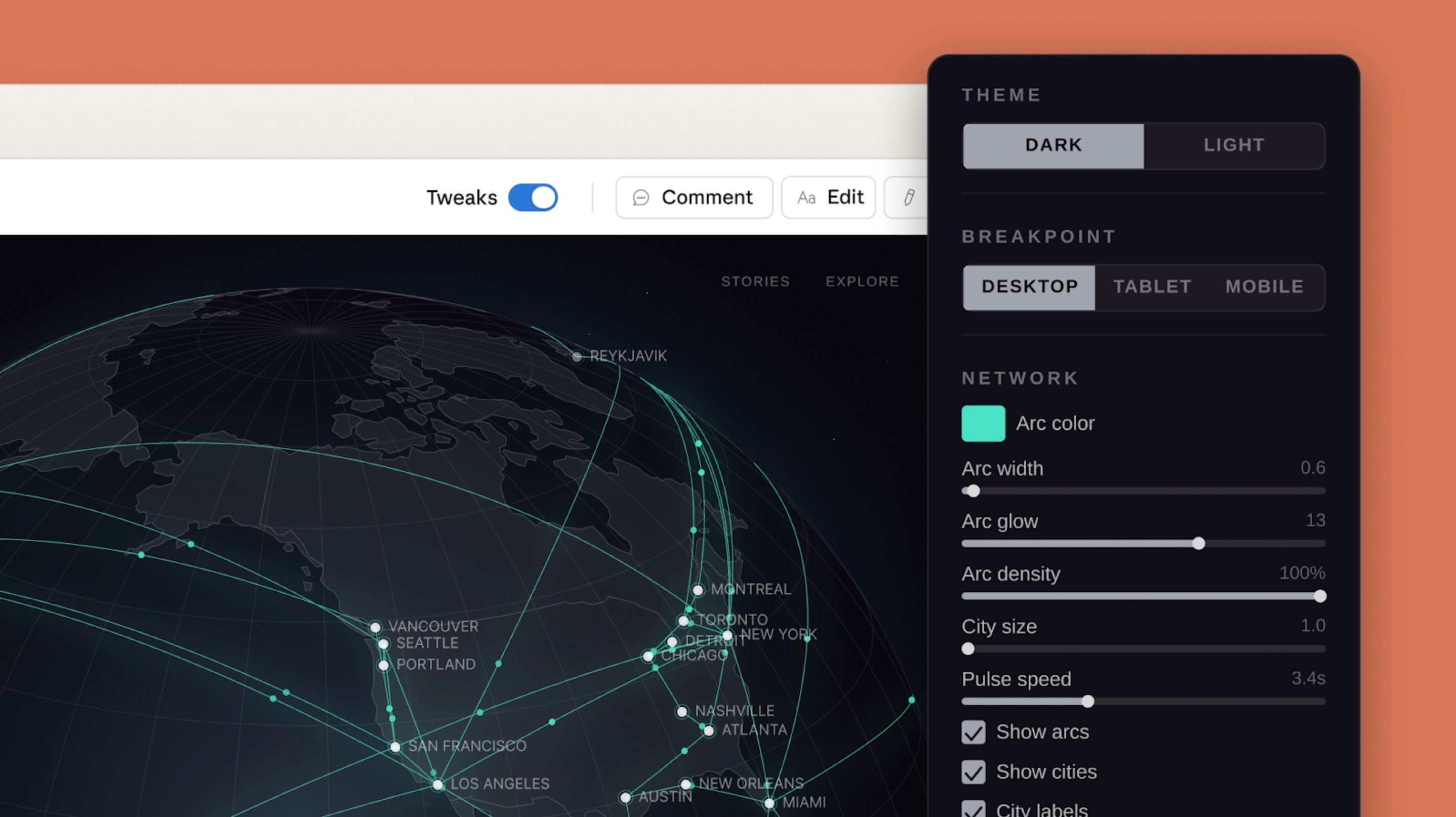
This guide walks through what Claude Design actually does, who should use it today, how the design-system feature works in practice, and where it fits alongside Canva, Figma, and presentation-native tools like Tosea.ai. If your team produces visuals that start from existing documents — research reports, quarterly decks, PDF-heavy workflows — the two tools solve adjacent problems rather than overlapping ones, and the distinction matters.
What Is Claude Design?
Claude Design is Anthropic Labs' new research-preview product, available at claude.ai/design for Claude Pro, Max, Team, and Enterprise subscribers. It is powered by Claude Opus 4.7 — the same model released the previous day, whose higher-resolution vision (2,576 pixels on the long edge) and "more tasteful and creative" outputs were specifically highlighted in the Opus 4.7 release notes. In retrospect, the two launches were sequenced: Opus 4.7 was the model upgrade that made Claude Design viable.
The product's central loop is simple:
- Describe what you want — text prompts, document uploads (DOCX, PPTX, XLSX), a codebase link, a reference screenshot, or a URL from a web-capture tool.
- Claude generates an initial version — a working prototype, slide, mockup, or one-pager.
- Refine through tweaks — inline comments, direct text editing, custom adjustment sliders, or another turn of conversation.
- Export — PDF, PPTX, standalone HTML, an internal URL scoped to your organization, a folder, or a direct hand-off to Canva (fully editable) or Claude Code.
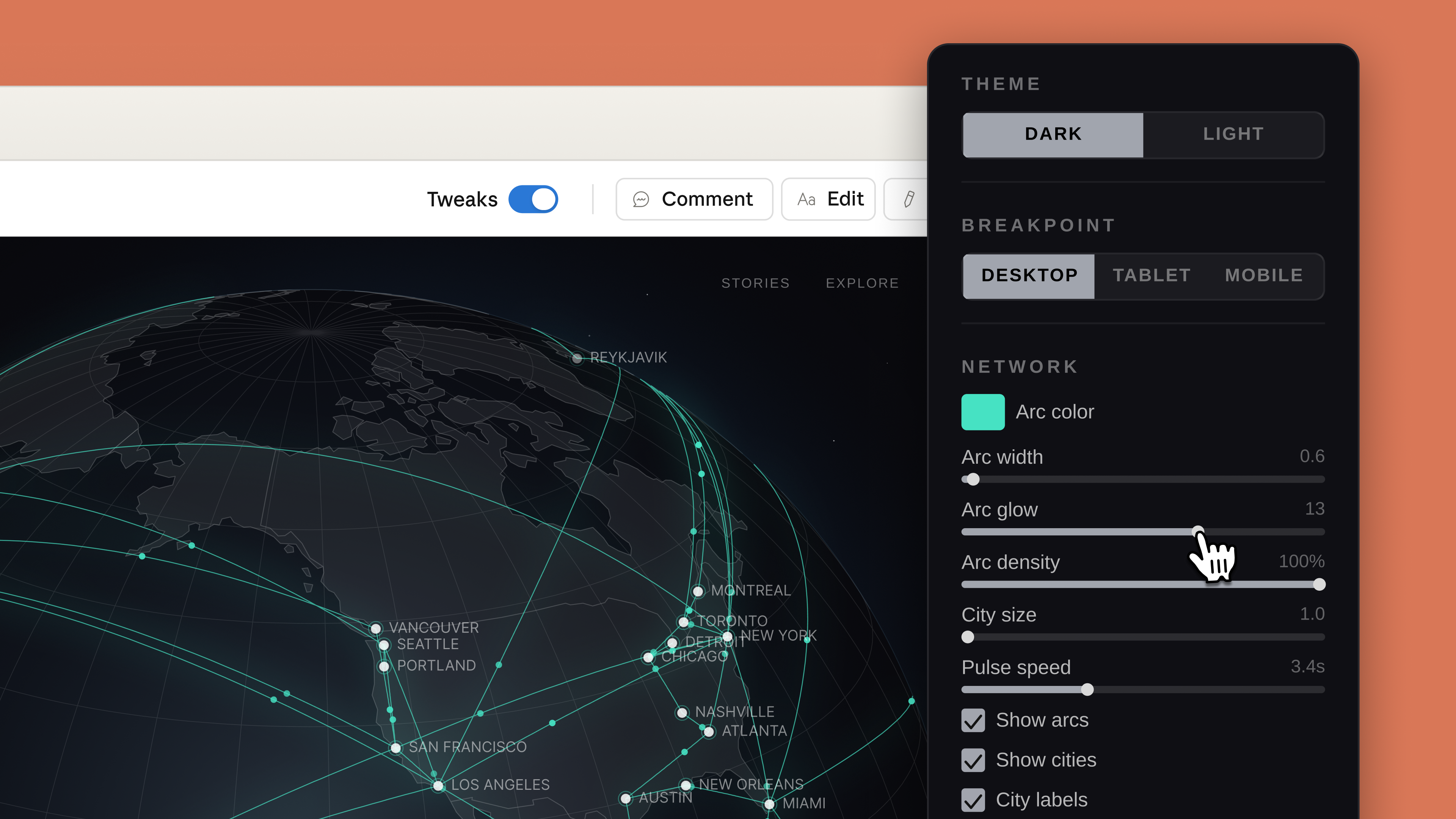
Unlike text-to-image tools that produce static assets, Claude Design outputs working artifacts. Prototypes can include voice interaction, video, WebGL shaders, and 3D elements — Claude writes the underlying code and renders it live, giving you a real thing to click through rather than a flat image.
How the Design System Feature Works
The feature most likely to matter for teams — and the one that distinguishes Claude Design from generic generative-design products — is automatic design-system extraction.
During onboarding, Claude reads any combination of:
- Your team's codebase (for existing components, tokens, utility classes)
- Design files you upload
- Your brand's website via a web-capture tool
From those inputs, it builds a persistent design system: colors, typography, component patterns, and spacing conventions. Every subsequent project the team creates in Claude Design inherits that system automatically, so a one-pager, a pitch deck, and a product mockup all feel like they came from the same brand.
This is the piece that matters most for in-house teams. Generic AI design tools produce output that looks like a generic AI design tool. Claude Design produces output that looks like your product — because it has read your product. If you are a growth team at a Series B company with a codebase and a few brand guidelines PDFs, you get brand consistency across marketing work for free, without having to funnel every asset through a designer for polish.
What You Can Build: Five Concrete Use Cases
The VentureBeat coverage and Anthropic's own launch blog converge on a similar list of primary use cases. Each one corresponds to a pain point that currently costs teams real time.
1. Interactive Prototypes Before the Design Handoff
Product managers routinely need to show an idea to stakeholders before committing designer time. Claude Design produces clickable prototypes — including dark-mode toggles, responsive breakpoints, and live data — from a one-sentence prompt. The screenshot below shows the breakpoint and theme controls in the Tweaks panel, letting a PM swap desktop/tablet/mobile views inline.
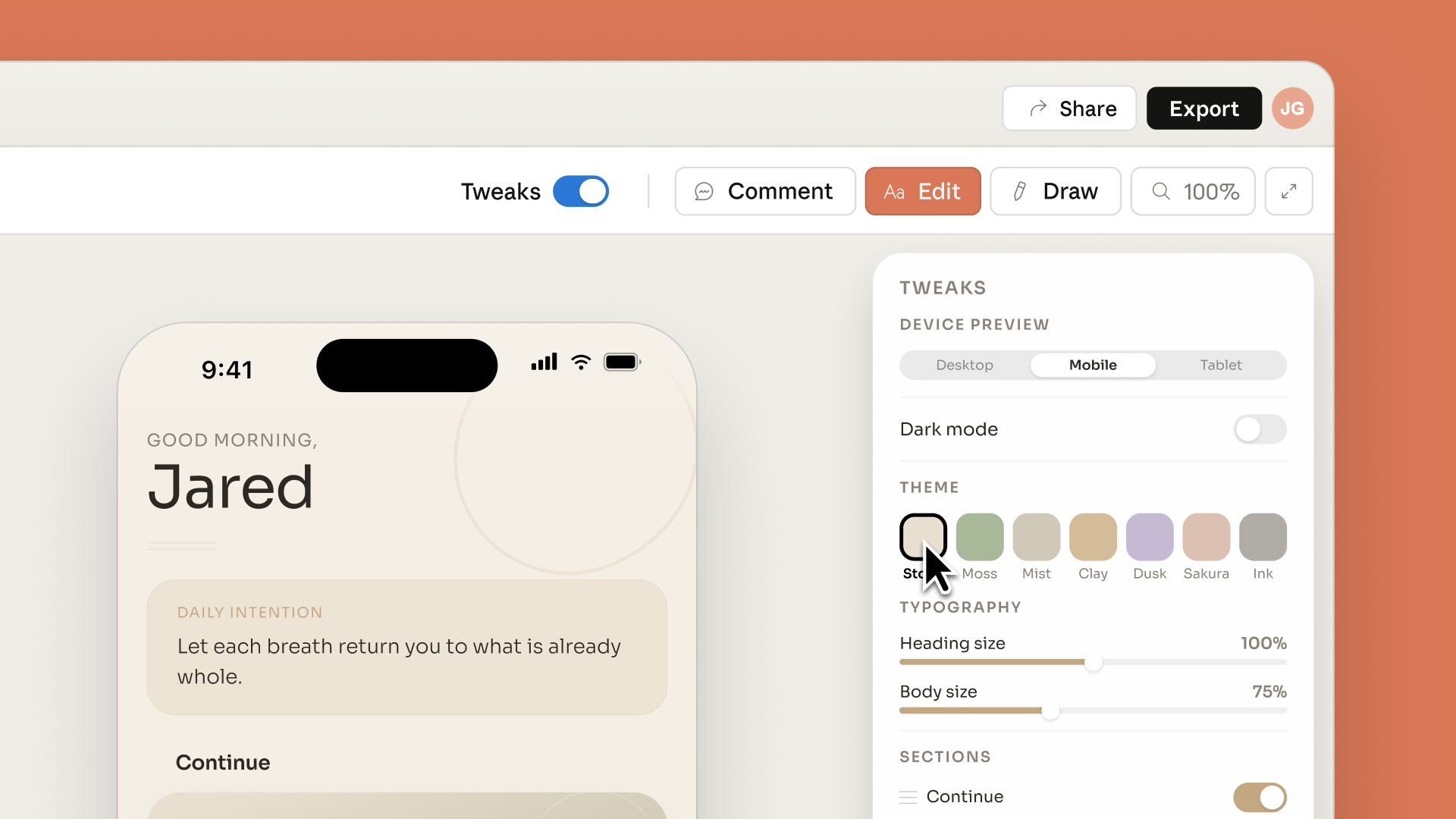
For engineering-heavy teams, the downstream hand-off is cleaner: the prototype is already code, which ships directly to Claude Code for turning into production components.
2. Pitch Decks for Founders Without a Design Background
Early-stage founders often build the first pitch deck in Google Slides and then hire a designer after the seed round. Claude Design targets that window — produce a decent-looking deck, export as PPTX, refine later. Export to PPTX is first-class, not an afterthought. For founders specifically, we covered the structural principles of an effective deck in our startup pitch deck guide.
3. One-Pagers and Marketing Collateral
Growth teams at small companies generate a steady stream of landing-page variants, social graphics, and internal one-pagers. Claude Design applies your design system to each, which is the bottleneck that tools like Canva and Beautiful.ai don't solve cleanly — both require you to manually maintain brand templates.
4. Product Wireframes and Mockups
UX teams can use Claude Design for rapid exploration phases, where the goal is to see five variants quickly rather than one polished artifact. The output is explicitly framed as a starting point to bring into Figma or Canva for refinement, not as a final deliverable.
5. Design Explorations Across a Theme
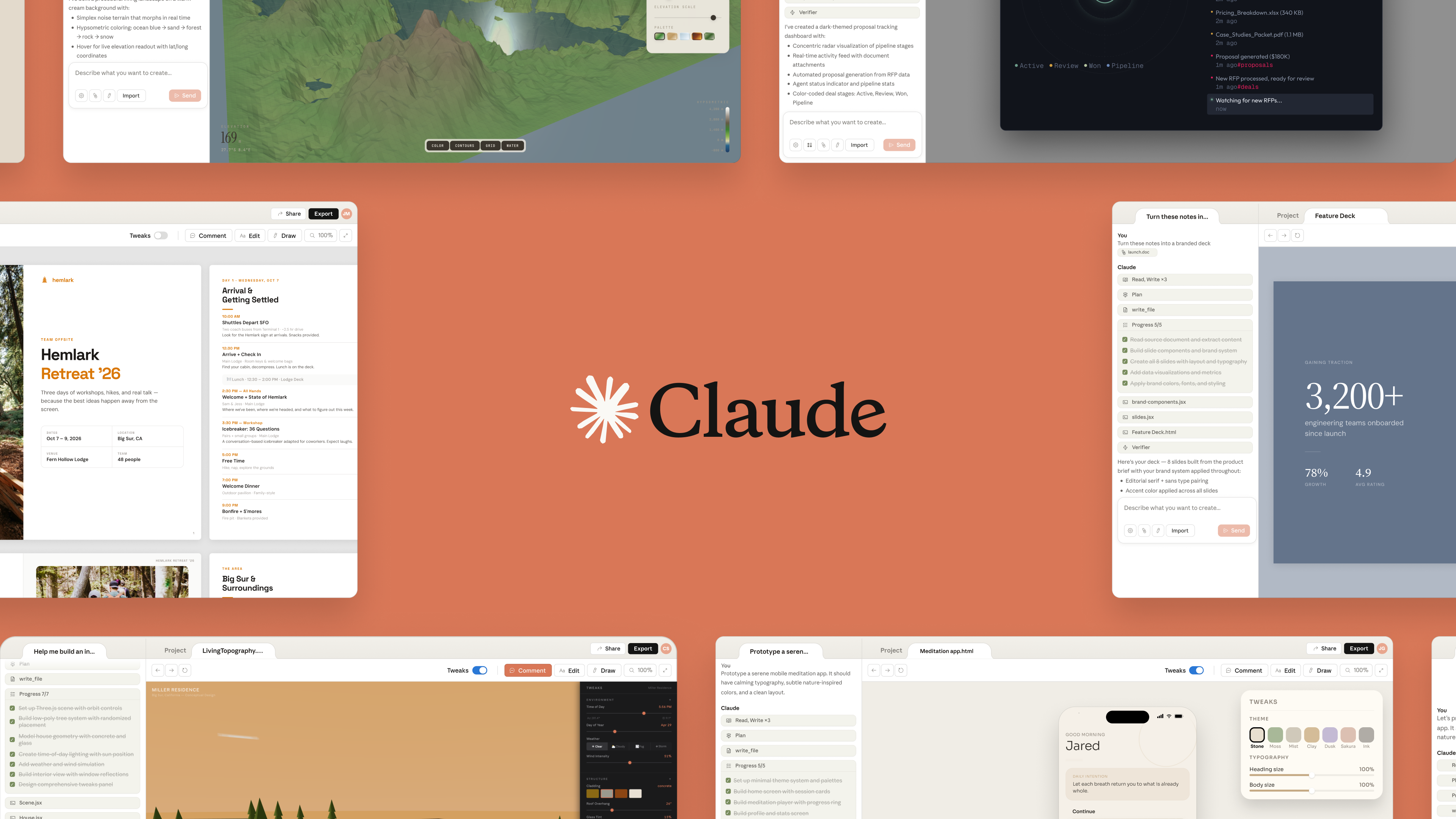
The screenshot above shows the range of outputs the same Claude Design session can produce — editorial spreads, dashboards, landing pages, mobile screens — all sharing a consistent visual vocabulary. For agencies or in-house teams doing visual identity work, this compresses the initial divergence phase from days to an afternoon.
How Claude Design Compares to Existing Tools
The headlines framed Claude Design as a "Figma killer" after the stock drop, which is not how Anthropic describes it. A more useful comparison looks at which problem each tool actually solves.
| Tool | Best at | Weakness vs Claude Design |
|---|---|---|
| Figma | Professional product design, collaborative vector work | Steep learning curve, requires design skill |
| Canva | Template-driven marketing assets for non-designers | Limited design-system integration, template look |
| Claude Design | Prompt-to-prototype for non-designers with brand consistency | Research preview, no fine-grained vector editing |
| Gamma | AI-native slide generation | Decks only; no prototypes or mockups |
| Tosea.ai | Long-document to presentation conversion | Presentations only; starts from your PDFs, not prompts |
Anthropic positioned Claude Design as a complement to Canva, not a replacement — and the Canva integration (export-to-Canva with full editability) backs that up. The more interesting comparison is with Figma, where the overlap is narrower than the stock market reaction suggested: Figma dominates collaborative vector-editing workflows for professional design teams, while Claude Design is for the pre-design prompt-to-prototype layer. They coexist for teams that have designers; Claude Design may substitute for teams that don't.
For teams specifically evaluating presentation tools, our comparisons of Canva vs Gamma and Tosea.ai vs Gamma cover that narrower segment in more depth. And for a broader landscape view, the 2026 best AI presentation makers guide puts Claude Design in context with the rest of the category.
What Claude Design Does Not Do Well Yet
The honest read on a research preview is that capabilities are uneven. Based on the launch coverage and what's been shared so far, three limitations matter:
1. Fine-grained vector editing is not the workflow. If you need to nudge a bezier curve by 2 pixels or manage 200-layer Figma files, Claude Design is the wrong tool. Its output is either code-backed (HTML/CSS) or exported to another tool for final editing.
2. Design systems from minimal inputs are hit-or-miss. The feature works best when you can feed Claude a real codebase or a detailed brand style guide. If you give it just a logo and a color hex, the "system" it builds is closer to a reasonable guess than a faithful extraction.
3. Research preview means usage caps and gradual rollout. Subscribers reported rolling availability through April 17, and Anthropic flagged that access is governed by standard subscription limits with optional extra-usage top-ups. Enterprise admins need to enable it explicitly.
4. It's Opus 4.7-bound. Because Claude Design runs on Opus 4.7, latency and cost inherit that model's profile. The 1.0–1.35× tokenizer change we covered in the Opus 4.7 guide applies here too — expect more tokens per interaction than similar work on 4.6-era tools.
Where Claude Design Fits in a Modern Document-to-Visual Workflow
The most interesting thing about Claude Design is not the product itself — it's what it signals about how Anthropic sees the generative-design category. The pattern follows the one we saw in agentic coding: build the model first (Opus 4.7), then ship a vertical product (Claude Design) that showcases what only that model can do, then open up integrations that let the product fit into existing workflows (Canva export, Claude Code hand-off).
For teams, the practical question is where Claude Design fits alongside existing tooling. Here is a workflow pattern that is starting to make sense for content-heavy teams:
- Source material lives in documents. Research reports, quarterly filings, academic PDFs, product specs. These are not "prompts" — they're long-form artifacts.
- Extract and structure the content. Tools like Tosea.ai handle the document-to-outline step, turning a 40-page report into a narrative structure.
- Prompt-to-prototype for net-new work. Claude Design handles the cases where you're starting from an idea, not a document — a new landing page, a prototype to show a stakeholder, a one-pager for an internal launch.
- Polish in a traditional tool. Export to Canva or Figma when the artifact needs to ship externally and brand precision matters.
The overlap between Claude Design and Tosea is smaller than it first appears. Claude Design starts from prompts; Tosea starts from your PDFs. For an academic researcher with a 30-page preprint, a product team with a 50-page spec, or a consultant with a 200-slide client deliverable, the work begins with an existing document — and prompt-to-prototype is the wrong abstraction. Our piece on academic researchers cutting presentation time with AI walks through what that document-first flow looks like in practice.
Getting Started with Claude Design
If you have a Claude Pro, Max, Team, or Enterprise subscription, access is straightforward:
- Visit
claude.ai/design. Enterprise users may need an admin to enable access first. - Onboard your brand. Upload a style guide PDF, paste your product URL for web capture, or link a codebase. Skip this if you just want to try it — you can add a design system later.
- Start with a specific prompt. "Prototype a serene mobile meditation app" works better than "design an app." Include at least one constraint: target audience, platform, mood, or a reference you're replying to.
- Use Tweaks for refinement. The Tweaks panel (device preview, theme, typography, custom sliders) handles small adjustments faster than re-prompting.
- Export deliberately. Pick the export format based on the downstream step: PPTX for slides that go into PowerPoint-native workflows, Canva for external collaboration, HTML for hand-off to Claude Code, PDF for read-only stakeholder review.
Who Should Care About Claude Design Today
Four audiences have immediate reason to try the research preview:
Pre-seed and seed-stage founders. You need a pitch deck, a landing page, and a prototype-quality product demo, and you're not hiring a designer for another two quarters. Claude Design collapses the first version of each.
Product managers at companies without dedicated PM-design pairing. You need to show an idea to leadership before engineering spends a sprint on it. The prompt-to-prototype loop is faster than wireframing tools and produces a more credible artifact.
Marketing teams at companies with real codebases. The design-system extraction pays off most when there's substantial signal to extract. Growth teams at Series B and later companies get brand consistency across ad assets and landing pages without constant designer involvement.
Agency teams doing rapid divergence phases. Creative directors can produce 10 directional mockups in an afternoon, then bring the chosen direction into a conventional tool for refinement.
Teams whose work flows from long-form documents — researchers, consultants, analysts, policy writers — may find Claude Design less relevant for their core workflow, though it's still useful for the occasional net-new asset. For that audience, document-first tools like Tosea.ai and our coverage of AI agents redefining slides are a better starting point.
What's Next for the Category
Claude Design is explicitly a research preview. Anthropic's pattern with previews — seen with Artifacts, Computer Use, and Projects — is to iterate on capability and polish for several months before shipping broader updates. Three things to watch:
- Figma's response. Figma's AI features (FigJam AI, Figma Slides) were already in market. Expect a significant push to close the prompt-to-prototype gap, and likely deeper Anthropic API integration on Figma's side.
- Canva's deepening integration. The Canva export is already bidirectional; Canva has every incentive to make Claude Design feel like a native extension rather than an upstream competitor.
- The design-system feature getting smarter. Anthropic will almost certainly open this up — today's onboarding flow is the first version. Expect programmatic design-system APIs and tighter Claude Code integration within a release cycle or two.
For now, Claude Design is worth trying if you fit the non-designer-with-a-brand profile. If your work starts from documents rather than prompts, pair it with a document-first tool — Tosea.ai converts long PDFs, reports, and research into presentations in minutes, and the two products fit together without overlapping. Modern content teams increasingly run both: prompt-to-prototype for net-new visuals, document-to-presentation for the long-form work that already exists.
Where Claude Design Stops and AI Slide Generation Begins
Claude Design is excellent at the thing it was built for: turning a single prompt into a single visual artifact. A landing-page mockup, a logo, a poster, a one-off illustration — all of these now feel within reach of a team that has no in-house designer. But there is a category distinction worth being explicit about: a presentation is not a single visual artifact. A presentation is a narrative expressed across 15-50 slides, with consistent visual style, traceable data citations, and structural logic that supports an argument. That is a different problem.
Prompt-to-prototype tools — Claude Design, Gamma, and the visual-AI category broadly — solve the per-slide rendering problem. Document-to-presentation tools solve the narrative-from-source problem: given a 30-page research paper or a 60-slide consulting brief, produce a coherent deck whose structure preserves the source's reasoning. The two are complementary, not competitive. Our analysis of AI agents redefining professional slides and the best free AI PowerPoint generators in 2026 maps the broader landscape.
For teams whose work starts with documents — researchers turning literature reviews into conference posters, consultants converting client interviews into board decks, marketing teams building monthly performance reports from mixed PDF and Excel inputs — pair Claude Design with a document-first AI presentation tool. Tosea.ai handles the structural extraction (outline, narrative arc, slide-by-slide content) while Claude Design or a similar tool produces the net-new visual assets that drop into individual slides. The combination is what most modern document-driven slide workflows actually look like, and it is faster end-to-end than running either tool alone. For the document-first side specifically, our guide to mastering high-quality presentations with AI walks through the full workflow.
Sources
- Introducing Claude Design by Anthropic Labs — Anthropic, April 17, 2026
- Anthropic launches Claude Design, a new product for creating quick visuals — TechCrunch
- Anthropic just launched Claude Design, an AI tool that turns prompts into prototypes — VentureBeat
- Anthropic Debuts Claude Design for Creating Prototypes, Pitch Decks, and Mockups — MacRumors
- Anthropic launches Claude Design to speed up graphic design projects — SiliconANGLE
- Anthropic Launches Claude Design, Figma Stock Immediately Nosedives — Gizmodo