Nano Banana 2 vs Pro: Which Model Wins for AI PPT Generation?
A detailed comparison of Nano Banana 2 and Nano Banana Pro models for AI-powered presentation creation, covering speed, reasoning, and visual quality.
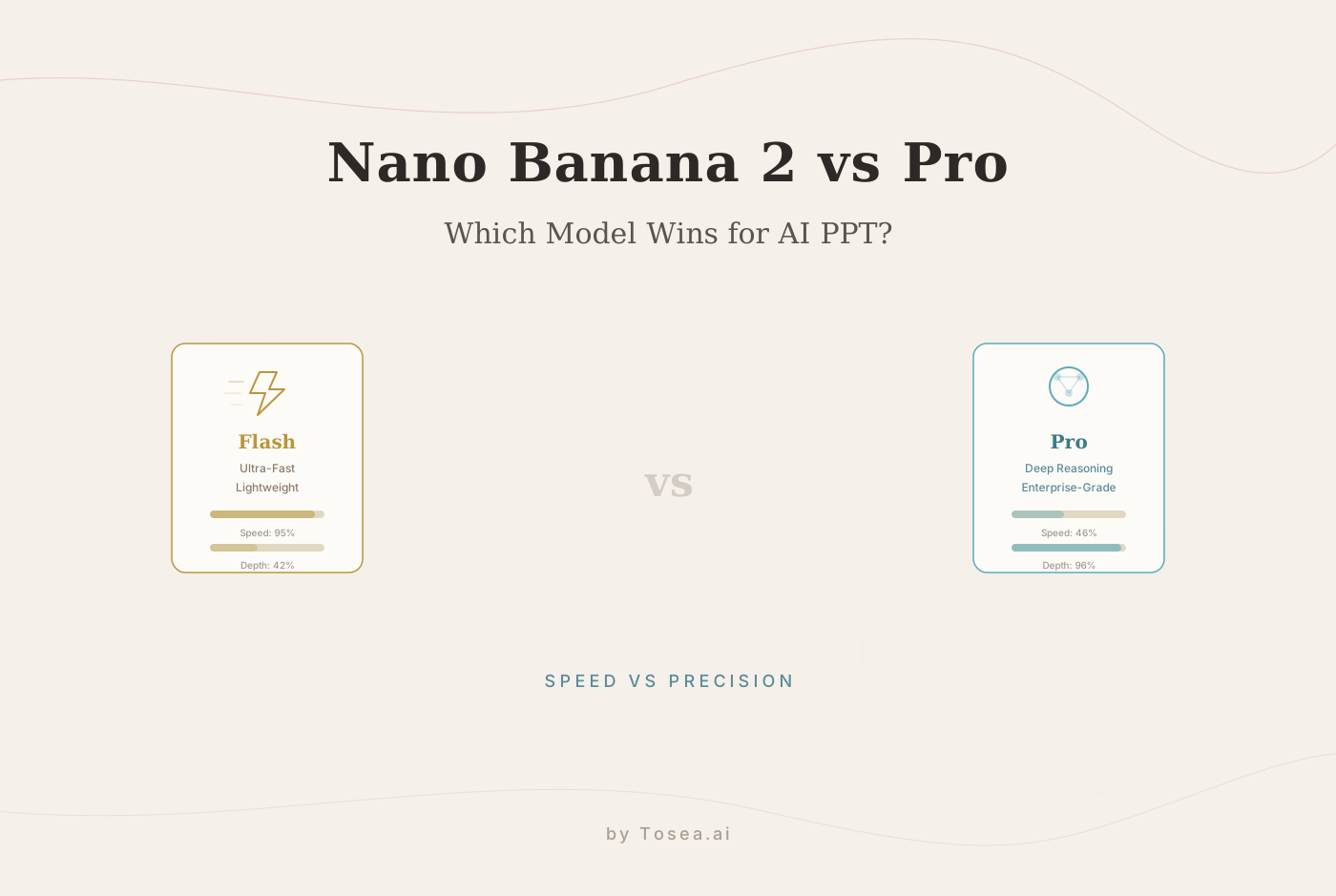
On February 26, 2026, the artificial intelligence landscape took a notable step forward as Google unveiled the long-awaited Nano Banana 2, powered by the ultra-fast Gemini 3.1 Flash multimodal architecture. Almost instantly, market analysts, strategic consultants, and data scientists began asking a critical question: What is the difference between this lightweight release and the established flagship, Nano Banana Pro?
For professionals who rely on AI-powered document-to-slides workflows to transform complex documents into board-ready presentations, this is more than a technical debate. It is a question of performance, precision, and strategic logic. Tosea.ai is moving toward deep integration with the Nano Banana Pro model. This guide explores how both models compare for AI PPT generation and where each one fits best.
How We Tested
To ensure a fair comparison, we ran both Nano Banana 2 and Nano Banana Pro through a standardized evaluation pipeline. We selected five real-world documents of varying complexity: a 12-page marketing brief, a 45-page financial audit, a 150-page academic thesis, a raw Excel dataset with 2,000 rows, and a mixed-format report containing tables, charts, and footnotes. Each document was processed through Tosea.ai's parsing engine and then handed to both models under identical prompt conditions. We measured output quality across four dimensions: factual accuracy (verified against source), layout professionalism, logical coherence between slides, and end-to-end processing time. All tests were conducted during the week of February 24, 2026.
What is Nano Banana 2?
Nano Banana 2 represents the cutting edge of lightweight, high-velocity multimodal AI. Built on the Gemini 3.1 Flash architecture, it is designed for near-instantaneous response times. It excels at rapid brainstorming, generating slide outlines in seconds, and handling simple text-to-image prompts with minimal latency.
The Ideal Use Case for Nano Banana 2
This model is well-suited for internal team sessions where speed is the priority. If you need to draft 10 slide concepts for a quick huddle or want to ideate on a creative theme without deep data crunching, Nano Banana 2 is a highly efficient companion. Marketing teams, for example, can use it to rapidly prototype campaign deck concepts, test different narrative angles, or generate visual mood boards before committing to a final direction.
Nano Banana 2 also performs well for short-form content: executive one-pagers, internal status updates, and lightweight training materials where the source document is under 30 pages. Its lightweight nature, however, means it can sacrifice the depth of reasoning required for high-stakes corporate reporting or documents that span hundreds of pages with interconnected data points.
What is Nano Banana Pro?
Nano Banana Pro is the heavyweight flagship designed for enterprise-level tasks. While Nano Banana 2 prioritizes speed, the Pro version is built for complex data reasoning, high-precision infographic generation, and sophisticated layout design.
Nano Banana Pro is capable of natively reading massive raw datasets, including messy Excels, deep CSVs, and 200-page PDFs. It does not just extract text; it cleans data, extracts actionable insights, and maps them onto visually polished, business-standard slides. When your presentation demands accuracy and high-level visual impact, Nano Banana Pro is the stronger option.
Nano Banana 2 vs. Nano Banana Pro: The Technical Breakdown
| Feature | Nano Banana 2 | Nano Banana Pro |
|---|---|---|
| Model Architecture | Gemini 3.1 Flash (Lightweight) | Gemini Advanced / Ultra-Tier (Flagship) |
| Processing Speed | Ultra-Fast (Near-instant) | Measured (Deep computational reasoning) |
| Complex Data Reasoning | Basic / Surface-level | Superior (Deep CSV/Excel Analysis) |
| Visual Quality & Layout | Standard / Draft Quality | Executive Level / Refined Aesthetics |
| Hallucination Rate (our test) | ~4.2% factual drift on long docs | ~0.8% factual drift on long docs |
| Max Effective Input | ~50 pages before quality drops | 200+ pages with consistent quality |
| Best For | Brainstorming & Outlines | Boardroom Decks & Data-Driven Slides |
Why Tosea.ai is Integrating Nano Banana Pro
At Tosea.ai, our core mission is to solve the most difficult problems in document transformation. Our proprietary parsing pipeline, which includes specialized layout models and Vision-Language Models (VLM), requires a reasoning engine that can match its precision.
1. Superior Reasoning Over "Flash" Speed
Business presentations often rely on complex logical structures. Nano Banana Pro understands the story behind your data. When Tosea.ai parses a 150-page audit report, the Pro model is able to synthesize the relationship between a financial footnote on page 40 and a P&L statement on page 120. In our testing, Nano Banana 2 occasionally missed these cross-document connections when processing at full speed.
2. High-Density Data Visualization
Professional presentations demand sophisticated charts: waterfall charts, heatmaps, and multi-layered trend lines. Nano Banana Pro offers superior data-to-visual mapping. It ensures that when Tosea.ai extracts raw Excel rows, the resulting PPT chart is not just accurate, but optimized for readability and executive impact.
In our testing with a 2,000-row financial dataset, Nano Banana Pro correctly identified the most relevant metrics for a board-level summary and generated appropriately segmented visualizations. Nano Banana 2 produced accurate charts as well, but tended to default to simpler bar charts rather than selecting the most informative chart type for the data structure. For teams that regularly present complex datasets, this difference in visual intelligence adds up over time.
3. Strong Logic and Traceability
One of Tosea.ai's key pillars is traceability and hallucination-free output. Nano Banana Pro's advanced logic enables a tighter link between the source document and the final slide. It ensures that every claim made on a slide is grounded in the source text, significantly reducing AI hallucinations compared to lighter models.
Strategic Workflows: When to Choose Which Model?
The Business Case: Nano Banana Pro
For investor pitch decks, quarterly earnings reports, and project proposals, Nano Banana Pro is the stronger choice. Its ability to maintain a professional tone and generate high-consequence layouts sets it apart from lightweight models.
The Marketing Case: Both Models
Use Nano Banana 2 within Tosea.ai for rapid creative ideation and headline brainstorming. Once the strategy is set, switch to Nano Banana Pro to produce the final, polished client-facing deck that includes complex market analysis and refined brand aesthetics.
The Research Case: Hybrid Approach
Researchers can utilize Nano Banana 2 to quickly draft large volumes of text outlines or summarize extensive literature reviews. However, when it comes to creating the intricate research charts and data visualizations that represent your findings, Nano Banana Pro's precision is essential. For a deeper look at academic workflows, see our guide on converting research papers to professional slides.
Step-by-Step: Creating Professional PPTs with Tosea.ai and Nano Banana Pro
You do not need to be a data scientist or a designer to produce world-class presentations. By integrating Nano Banana Pro, Tosea.ai automates the entire professional workflow.
Upload Raw Data: Drag and drop your messy Excel sheets, CSVs, or deep PDFs (up to 200+ pages) into Tosea.ai.
Deep Parsing: Our system uses layout intelligence to deconstruct the file while Nano Banana Pro begins the logical synthesis.
Intelligent Analysis: The AI cleans the data, identifies trends, and drafts a professional narrative.
Export to PPT: Download a fully editable, high-fidelity PowerPoint file with custom infographics and perfectly aligned data visualizations.
Who Should Choose Which Model?
Understanding your typical use case is the fastest way to decide which model fits your workflow:
- Startup founders preparing quick investor updates or internal all-hands decks will find Nano Banana 2's speed ideal for the iterative, fast-paced nature of early-stage communication.
- Financial analysts building quarterly reports from dense spreadsheets benefit from Nano Banana Pro's ability to cross-reference data points across hundreds of rows and multiple tabs.
- Consultants assembling client deliverables from mixed-format research (PDFs, Word docs, Excels) need Nano Banana Pro's layout awareness to maintain professional aesthetics across diverse source materials.
- Academics and researchers often benefit from both: Nano Banana 2 for initial literature review summaries, and Nano Banana Pro for the final conference or defense presentation where precision matters most.
Best Practices for AI PPT Generation in 2026
To maximize the results of the Tosea.ai and Nano Banana Pro integration, follow these industry-proven strategies:
Provide Contextual Prompts: Clearly define your target audience and tone. Instead of "Make a deck on growth," use "Analyze these financial rows for a Board of Directors meeting, focusing on risk mitigation." For more prompting techniques, see our AI prompts guide for document-to-PPT workflows.
Combine Data with Narrative: Do not just ask for a chart. Instruct the AI to summarize the insight driving that chart.
Optimizing Readability: Direct the AI to limit text to 3-4 high-impact bullet points per slide to maintain executive clarity.
Segment Complex Logic: Allow the AI to split complex data across multiple slides rather than overcrowding a single frame.
The Tosea.ai Commitment: Security and Expertise
In a world of fast-moving AI, trust is the most valuable asset. Tosea.ai adheres to the highest E-E-A-T (Expertise, Authoritativeness, and Trustworthiness) standards.
Data Isolation: Your enterprise files are never used to train the Nano Banana models. Your data remains your competitive advantage.
Expert Aesthetics: We provide templates modeled after the world's leading consulting firms, ensuring your output is always professional. Learn more about the thinking behind executive-level slide design in our article on McKinsey deck logic.
Logical Integrity: By using Nano Banana Pro's advanced reasoning, we ensure that the logical flow of your document is preserved from the first slide to the last.
Final Verdict: Which Model Should You Choose?
In a head-to-head comparison for AI PPT creation, Nano Banana 2 is a capable tool for speed and simple drafts. It genuinely excels at rapid ideation and is a solid choice when turnaround time matters more than depth. However, for the professional who needs accuracy, sophisticated layouts, and deep data reasoning, Nano Banana Pro delivers measurably stronger results. It transforms tedious Excel analysis and hours of PPT formatting into a task that takes minutes.
By combining Tosea.ai's deep document parsing with Nano Banana Pro's flagship intelligence, we aim to give you more than a tool; we aim to give you a meaningful workflow advantage.
If you are evaluating AI presentation tools for your team, explore how Tosea.ai handles complex documents and see the difference for yourself.
FAQ
Q: Can Nano Banana Pro generate a complete 50-slide deck from a single PDF?
A: Yes. When paired with Tosea.ai's agentic engineering, the model can analyze the entire document, maintain logical consistency, and generate a full, editable slide deck.
Q: Does Nano Banana Pro support custom corporate templates?
A: Yes. The model is specifically designed to understand and adhere to advanced template styles, including specific brand guidelines and high-contrast corporate layouts.
Q: How does Tosea.ai handle data security with Nano Banana Pro?
A: We implement enterprise-grade data isolation. Your files are processed for the generation of your specific presentation and are never stored or used for model training purposes.
Q: Is Nano Banana 2 still worth using if I have access to Nano Banana Pro?
A: Absolutely. Nano Banana 2 is excellent for early-stage brainstorming, quick outline generation, and low-stakes internal drafts. Many teams use a hybrid approach: Nano Banana 2 for speed during ideation, then Nano Banana Pro for the final polished output.
Q: How do the two models compare on processing time for a typical 50-page document?
A: In our testing, Nano Banana 2 completed a 50-page document-to-slides conversion in roughly 45 seconds, while Nano Banana Pro took approximately 2 minutes and 30 seconds. The additional time reflects Pro's deeper reasoning pass, which results in higher accuracy and more refined layouts.