How to Use Palmier Pro: Complete Guide to the AI-Native Mac Video Editor
Palmier Pro is an open-source, AI-native video editor for macOS that lets Claude, Cursor, and Codex edit your timeline over MCP. Here's how to install, generate, and automate with it.
Most AI video workflows are stitched together from disconnected parts. You generate a clip on a web platform, wait in a render queue, download a large MP4, and drag it into a separate editing suite — then repeat the loop every time a shot needs a small change. The web tab that made the clip has no idea what your timeline looks like, and your editor has no idea how the clip was made.
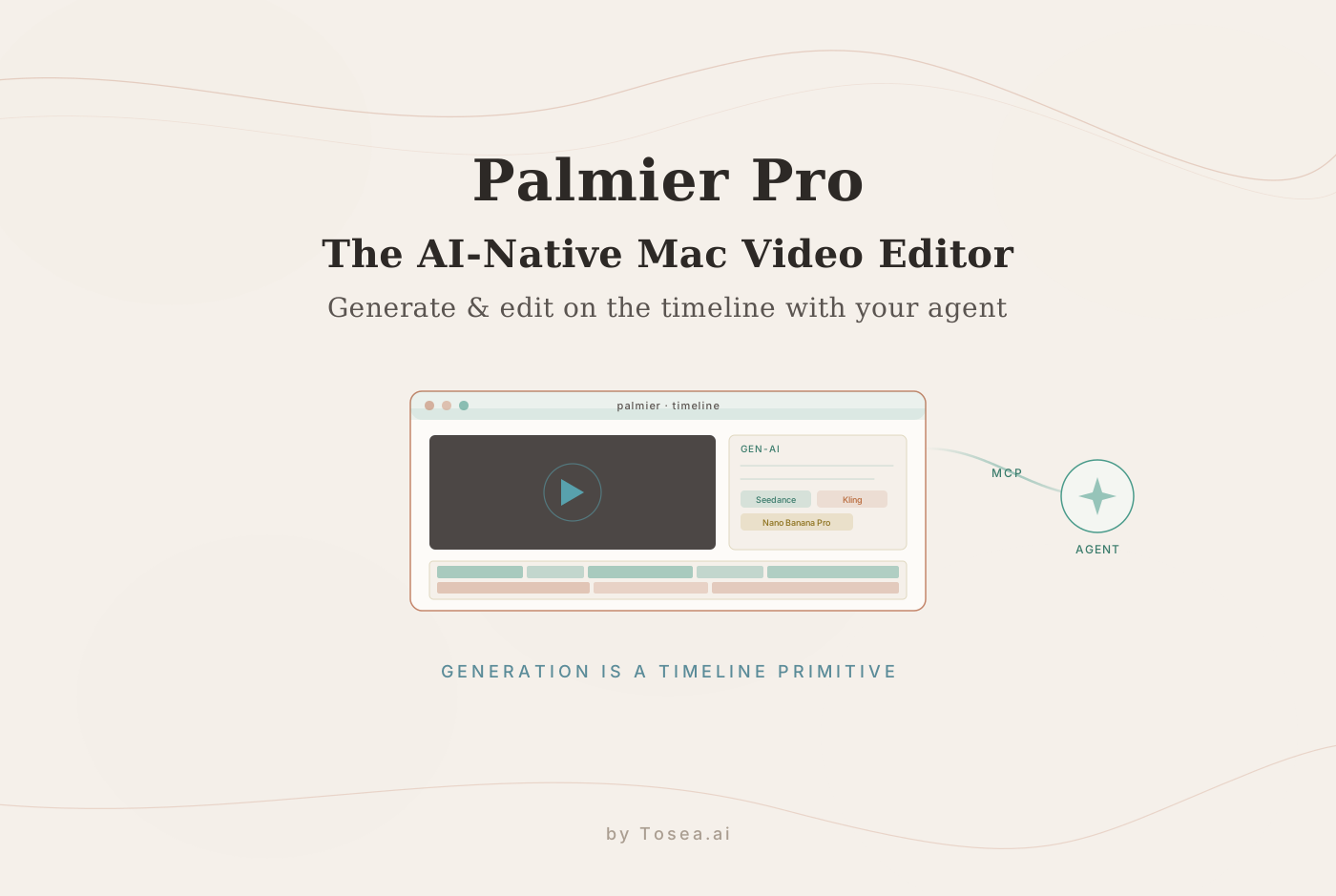
Palmier Pro takes a different position: it is a Swift-native macOS video editor where generative models live directly on the timeline, and where an AI agent can read and edit your project the same way you can. Built by a Y Combinator (S24) team and released as an open-source application, it treats AI generation as a native timeline primitive rather than an external asset source. This guide covers what the tool actually is, how to install and configure it, how the Model Context Protocol (MCP) integration works, and three copy-and-paste agent prompts to automate real editing tasks.
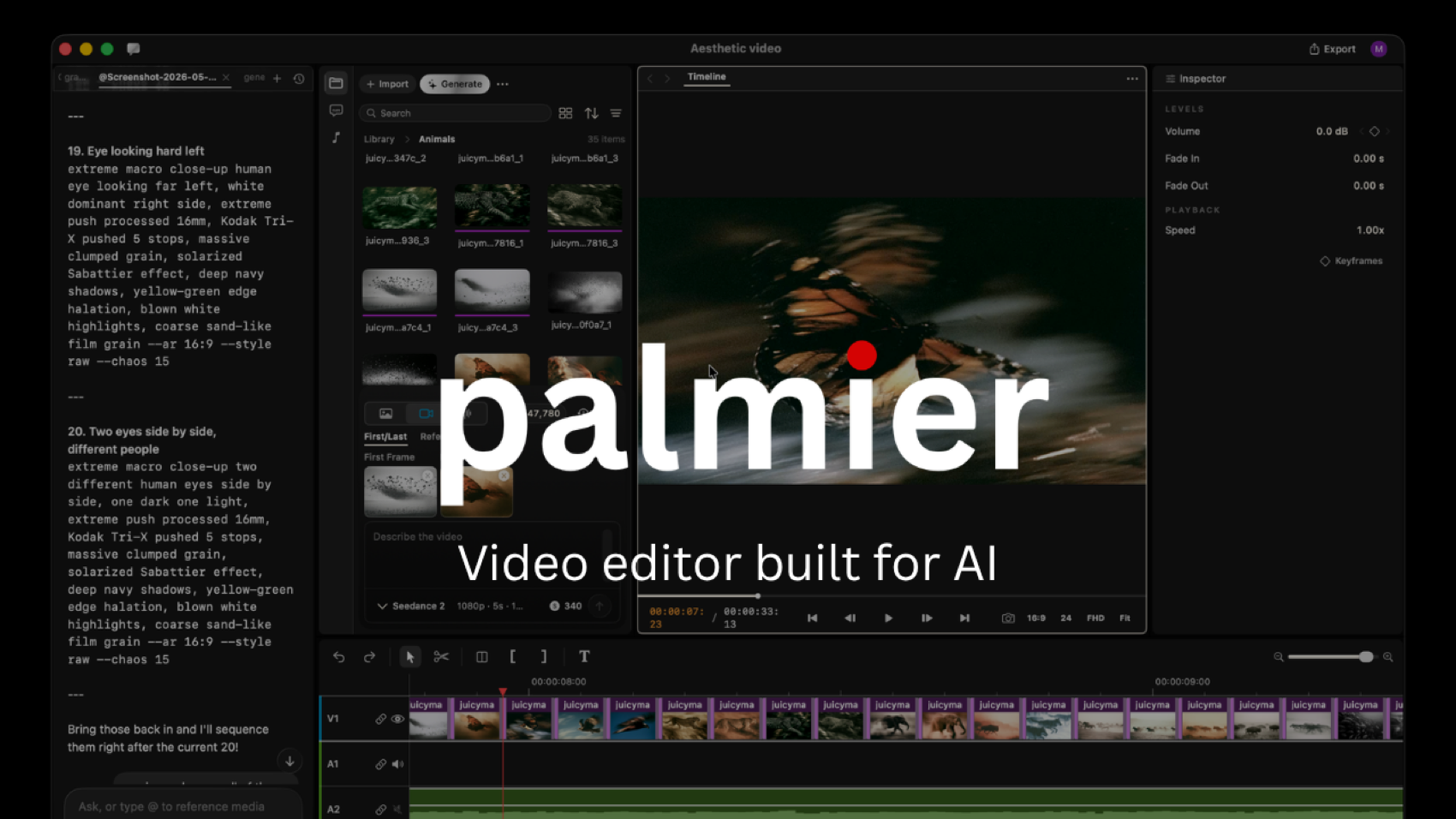
What Is Palmier Pro?
Palmier Pro is a native macOS video editor written from scratch in Swift, with Adobe Premiere Pro as its design reference point. The difference is the starting assumption. Traditional non-linear editors (NLEs) like Premiere or DaVinci Resolve were built for a world of physical camera footage, and AI features arrive later as plugins. Web tools like Runway focus on producing isolated generations with no editing context. Palmier builds generation into the timeline itself.
In practice, that means every clip, image, and audio block on the timeline keeps its metadata. The text prompt, reference images, aspect ratio, and model configuration stay attached to the track block. When a shot is not quite right, you do not reopen a browser tab — you adjust the parameters on the block and regenerate in place. The editor is usable as a conventional editor too: you can import your own MP4 and MOV footage and cut it like you would in CapCut or Premiere, then drop AI-generated shots onto the same multi-track timeline.
Built-in generative models
Palmier ships with timeline-native access to current text-to-video and image models, so you can pick a model per shot rather than committing to one engine:
- Seedance — ByteDance's video model, strong on dynamic motion and physical plausibility.
- Kling — known for cinematic, fluid, photorealistic rendering.
- Nano Banana Pro — Google's image model, useful for stills, first/last-frame anchors, and in-image text.
Because the model choice is per-block, you can use Seedance for a fast action shot, Kling for a hero cinematic, and Nano Banana Pro for a clean title still — all inside the same sequence, without exporting and re-importing anything.
The agent-operated paradigm via MCP
The most distinctive part of Palmier is its open MCP architecture. MCP, developed by Anthropic, lets a local application securely expose structured data and actions to LLM agents. When Palmier is open, it runs a local MCP server at http://127.0.0.1:19789/mcp over HTTP. Connect an agent — Claude Code, Cursor, or Codex — and it can read your timeline state, cut and rearrange tracks, insert assets, and script a full sequence from a natural-language instruction. Palmier also includes an in-app agent chat for working on the same project without an external client.
Step-by-Step: How to Set Up and Use Palmier Pro
Step 1: Download and install
Palmier Pro is free to download and requires no account to start editing. Note the system requirements before you install: Palmier currently targets macOS 26 (Tahoe) on Apple Silicon only — there is no Intel or cross-platform build yet.
- Visit the official site or the GitHub repository to download the latest release.
- Drag the application into your Applications folder and launch it.
- The core multi-track editor opens with no login. You only need an account — and paid credits — when you call cloud-hosted generative models, since that processing happens server-side.
Step 2: Learn the AI-native layout
The interface is deliberately familiar:
- The left panel holds your project library, media assets, and a dedicated generation panel.
- The center panel is the preview monitor with scaling and transform controls.
- The bottom panel is a true multi-track timeline with independent video, audio, image, and text tracks.
Step 3: Generate a clip on the timeline
To create an AI shot without leaving the editor:
- Right-click a video track and choose to insert a generative clip, or use the generation panel on the left.
- Pick a model — Seedance, Kling, or Nano Banana Pro.
- Enter your descriptive prompt.
- Set the parameters: duration, aspect ratio, and resolution.
- Optionally upload a first-frame or last-frame image to anchor continuity — this keeps a sequence visually stable across shots.
- Generate. The placeholder block updates with the rendered clip when processing completes, with the prompt and settings still attached for later edits.
Step 4: Connect an external AI agent via MCP
With Palmier open (so the MCP server is live), connect your assistant of choice. The setup is a single command for most clients:
Claude Code:
claude mcp add --transport http palmier-pro http://127.0.0.1:19789/mcp
Codex:
codex mcp add palmier-pro --url http://127.0.0.1:19789/mcp
Cursor: add a palmier-pro entry pointing at http://127.0.0.1:19789/mcp in ~/.cursor/mcp.json.
Claude Desktop: use the one-click installer in Palmier's in-app Help menu, which bundles an mcpb package so you do not edit a config file by hand.
Once connected, your assistant can issue editing instructions directly across your active timeline.
Copy-and-Paste Agent Prompts for Automated Editing
After the MCP bridge is live, you can hand tedious work to the agent. Drop these into Claude Code or Cursor.
Prompt 1: First-cut script sequence
Review my current project library assets in Palmier Pro. I have a voiceover
audio file on Audio Track 1. Analyze the timing of the vocal pauses and create
a rough-cut sequence. Place relevant image and video assets from the media
library onto Video Track 1 so they align with the spoken topic changes. Leave
no empty gaps between video clips.
Prompt 2: Contextual B-roll generation
Read the text-layer markers on my timeline between the 00:30 and 01:15
timestamps. Based on the keywords in those markers, write four distinct
text-to-video prompts for the Kling model. Generate them at a 16:9 aspect ratio
and insert the resulting clips onto Video Track 2 as overlay B-roll.
Prompt 3: Timeline clean-up and audio leveling
Inspect the active timeline. Identify any overlapping video elements that cause
visual clipping and trim the trailing ends to create clean cuts. Then find the
sound effects on Audio Track 3 and shift their placement so each one triggers
0.5 seconds before the next video transition on Video Track 1.
These work because the agent can see the real project state through MCP — it is editing your actual tracks, not guessing from a description.
Palmier Pro vs Traditional NLEs and Web Generators
| Capability | Palmier Pro | Legacy NLEs (Premiere) | Web AI generators (Runway) |
|---|---|---|---|
| Architecture | Native macOS app, built in Swift | Large legacy desktop app | Browser dashboard |
| Generation workflow | In-line on the timeline | Import after downloading | Isolated, disconnected clips |
| Agent control | Native via local MCP | Limited macro scripting | None |
| Multi-model access | Seedance, Kling, Nano Banana Pro | Third-party plugins | Single proprietary engine |
| Mixing real footage | Full editor (MP4/MOV import) | Full broadcast support | Limited |
| Cost structure | Free GPLv3 editor; pay for AI credits | Monthly subscription | Tiered subscription |
| Platform | macOS 26 (Tahoe), Apple Silicon | Cross-platform | Any browser |
Pricing and Licensing
Palmier's model is worth understanding clearly, because "open source" applies to specific parts. The video editor itself (without generative features), the MCP server, and the agent chat are fully open source under GPLv3 — you can inspect, modify, and self-host them. The only closed-source component is the generative AI processing, which runs on Palmier's servers and requires a login plus a paid subscription. So the editing application is free and account-free; you pay only when you generate new assets with the hosted models. That separation is what lets the timeline-native generation work without you wiring up your own model API keys.
Who Is Palmier Pro For — and Its Current Limits
Palmier fits a specific kind of creator best. Solo creators and small content teams get the clearest benefit: the timeline-native generation collapses the generate-download-import loop, and the agent can assemble a first cut while you focus on the shots that carry the message. Marketing teams producing a steady stream of short social videos can lean on the per-shot model picker — a fast Seedance action shot here, a Kling hero there — without leaving the editor. Developers and technical creators already living in Claude Code or Cursor will appreciate that the editor is just another MCP surface their agent can drive.
Consider a concrete scenario. A two-person studio needs a 45-second product teaser by end of day. One person writes a voiceover and drops it on Audio Track 1; the agent reads the vocal pauses, blocks out a rough cut, and generates B-roll shots that match each spoken beat. The human reviews the cut, regenerates the two shots that feel off by editing the prompt on the block, color-matches the sequence, and exports. The work that used to span three apps and a dozen browser tabs happens in one window.
It is also worth being honest about the constraints, because this is an early release. Palmier runs on macOS 26 (Tahoe) on Apple Silicon only — if you are on an Intel Mac, Windows, or Linux, it is not an option today. The generative processing is the one closed-source, paid part of the stack, so the "open source" label applies to the editor and MCP layer, not the model calls. The built-in model lineup (Seedance, Kling, Nano Banana Pro) is strong but fixed for now, so you cannot drop in an arbitrary third-party model the way you might wire up your own API key elsewhere. And like any agent-driven workflow, the MCP automation is only as reliable as the agent — complex multi-track instructions still benefit from a human reviewing the result before export. None of these are dealbreakers for the target user, but they are the trade-offs of adopting a tool this new.
What Palmier Pro Means for AI Slide Generation
Palmier's core idea — make generation a native primitive of the editing surface, then let an MCP agent operate that surface — is the same pattern reshaping AI presentation tools. A slide deck and a video timeline are both structured media built from a brief, and both have historically suffered from the same fragmentation: generate an asset in one tool, paste it into another, lose all the context in between.
In AI slide generation, the equivalent of Palmier's timeline-native model picker is a deck where each slide carries its own prompt, source reference, and layout intent — and where a multi-agent system can read the full deck state and revise it coherently rather than regenerating one orphan slide at a time. The image models Palmier exposes are directly relevant here too: the same Nano Banana-class models that render a clean first-frame still are what produce slide-ready cover art and infographic labels with legible in-image text, and Seedance-style motion is finding its way into animated slide backgrounds.
This is where document-to-deck workflows differ from video. A presentation is usually anchored to a source document — a paper, a report, a dataset — not an open-ended creative brief. Tosea.ai sits at that layer as a document-to-PPT orchestration system: it parses the source, builds a structured slide outline, and renders the deck while keeping every claim tied back to the original. If you want to see the parsing-to-slides path end to end, our PDF-to-PowerPoint guide walks through it. The lesson Palmier makes concrete is that the winning interface is not a chat box bolted onto an old tool — it is generation living inside the editing surface, driven by an agent that can see the whole project.
Frequently Asked Questions
Is the core editor really free?
Yes. The multi-track editor, the MCP server, and the agent chat are open source under GPLv3 and free to download — no account required to edit your own footage. Costs apply only when you generate new assets with the hosted models (Seedance, Kling, Nano Banana Pro), which requires a login and a paid subscription.
Can I mix my own camera footage with AI-generated clips?
Yes. Palmier functions as a full video editor. Import MP4 and MOV files shot on your camera or phone, organize them in the media library, and place them on the same multi-track timeline as your generations. That makes it well suited to hybrid edits — patching a production gap with a quick AI B-roll shot, for example.
What hardware do I need?
Palmier currently runs on macOS 26 (Tahoe) on Apple Silicon only. There is no Intel Mac, Windows, or Linux build at this time, and the macOS-only focus lets it lean on Apple's Neural Engine for on-device performance.
What if my agent cannot see the timeline?
This is almost always an MCP connection issue. Confirm Palmier is actually open (the server only runs while the app is running), that you pointed your client at http://127.0.0.1:19789/mcp, and that you used the HTTP transport flag shown above. Restarting both the app and the AI client clears most connection problems.
How is this different from CapCut's or Premiere's AI features?
In CapCut and Premiere, AI is a feature inside a tool built for manual editing — you invoke it, it returns an asset, and you keep editing by hand. Palmier inverts that: the generation lives on the timeline as a first-class object, and an external agent can operate the entire project over MCP. The practical difference is that you can hand off a multi-step editing task in natural language and the agent works on your real tracks, rather than you clicking through each step.
Do I need to bring my own model API keys?
No. The generative models (Seedance, Kling, Nano Banana Pro) run through Palmier's hosted, closed-source processing layer, so you pay Palmier for credits rather than wiring up each provider yourself. That is the trade-off for the timeline-native experience: less control over the exact model endpoints, but no key management and a consistent in-editor workflow.
The Bigger Picture
Palmier Pro is an early, concrete answer to a question the whole creative-tools space is now asking: what does software look like when an AI agent is a first-class operator rather than a feature in a sidebar? By putting generation on the timeline and exposing the whole project over MCP, it lets a single creator direct a sequence the way a small team would — describe the intent, let the agent assemble the cut, then refine the shots that matter.
For teams scaling structured media generation — whether that is video on a timeline or slides built from source documents — the architecture lesson carries over: keep generation inside the editing surface, keep the project state legible to the agent, and keep humans in the loop on the shots that matter. You can explore how that plays out for presentations at Tosea.ai.
Sources
- Palmier Pro — official site — Palmier, June 2026
- palmier-io/palmier-pro on GitHub — official README, MCP setup, and licensing
- Palmier Pro: AI-Native Video Editor for macOS Launched — AIToolly, June 21, 2026
- Palmier Pro: AI Video Editor with Claude MCP — Setup Guide — explainX
- Model Context Protocol — documentation — Anthropic