How to Make a McKinsey-Style PowerPoint with AI: The 3C Strategy Deck Guide
Use 3C analysis (Customer, Competitor, Company) to build a McKinsey-style PowerPoint with AI: evidence buckets, action titles, a nine-slide storyline, a copyable prompt, and editable PPTX export.
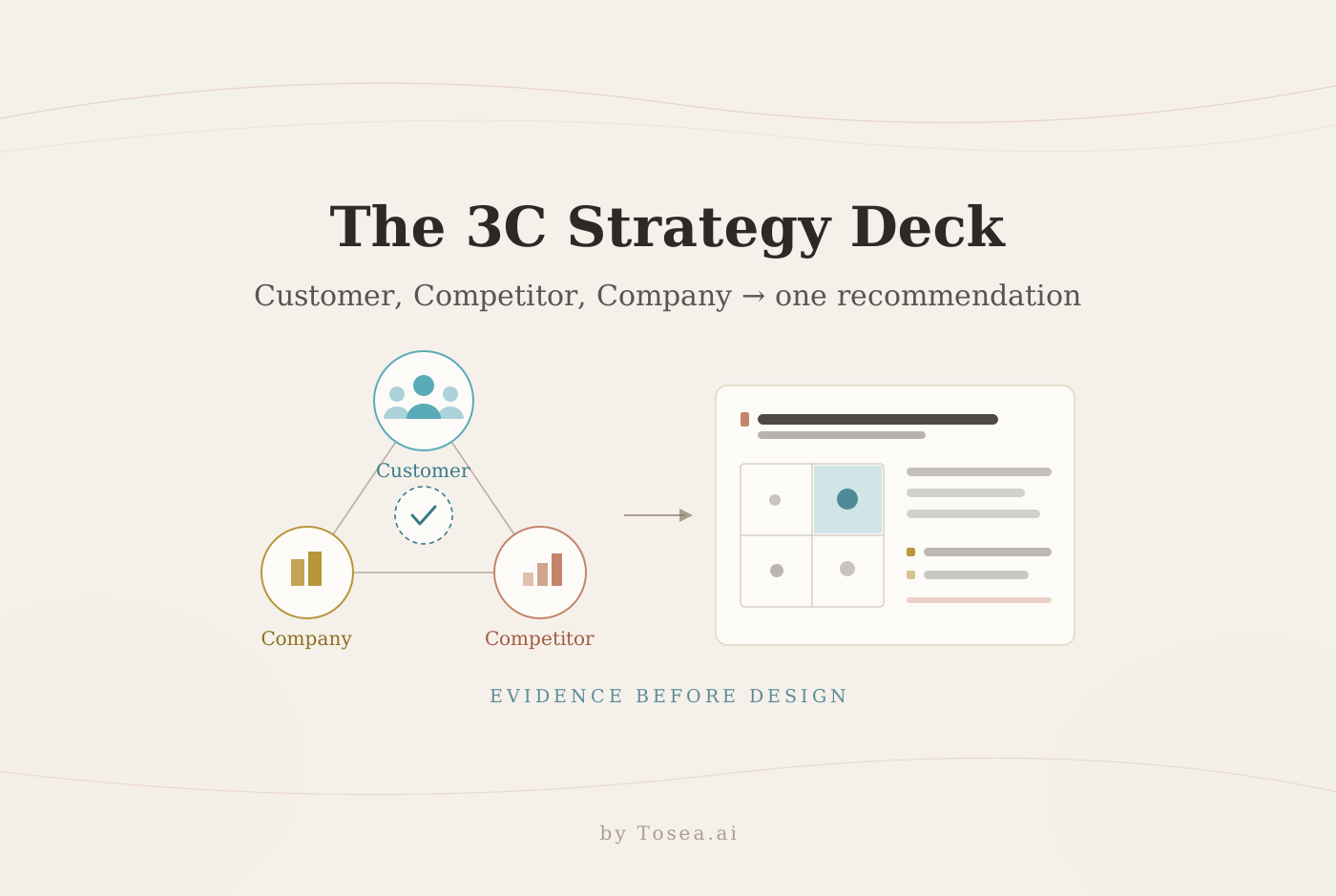
Learning how to make a McKinsey-style PowerPoint with AI is less about copying a famous consulting template and more about building a deck that helps an executive reach a decision. The professional look comes from disciplined logic: start with the answer, organize evidence into a clean structure, give every slide one message, and make charts prove that message. This guide applies those principles to a practical 3C analysis and turns the result into an editable strategy presentation with Tosea AI.
Quick Answer
To make a McKinsey-style PowerPoint with AI, define the decision first, organize research around Customer, Competitor, and Company, write a conclusion-led storyline, and use action titles that state each slide insight. Tosea AI can turn source documents into a reviewable outline, let you select layouts and diagrams before rendering, and export an editable PPTX for final verification.
What Actually Makes a Consulting Deck Look Professional
Minimal colors and tidy grids help, but logic creates credibility. A strategy presentation puts the answer early, organizes the storyline around a decision, gives each page one claim, and keeps evidence traceable. This follows the Minto Pyramid Principle, which places supporting ideas beneath one central point.
The visual system supports this logic. Use consistent margins, a limited type hierarchy, restrained color, aligned objects, and repeatable chart conventions. Microsoft also recommends familiar fonts, sufficient contrast, meaningful visual alternatives, and an accessibility check before distribution in its PowerPoint accessibility guidance.
The mechanics of an action title
Most decks fail at the headline, not the chart. A topic title names a subject; an action title states the finding and forces the rest of the page to defend it.
| Topic title (weak) | Action title (usable) |
|---|---|
| Customer segmentation | Mid-market operations teams show the highest urgency and lowest switching cost |
| Competitive landscape | No competitor pairs audit-ready reporting with a regulated-cloud deployment model |
| Company capabilities | Our compliance tooling is the only capability rivals cannot copy within a year |
| Financial summary | Contribution margin covers the build within seven quarters at base-case adoption |
A workable test: cover the body of the slide and read the headline alone. If a reader cannot tell what you concluded, the headline is still a label. We break down the full rule set in our guide to building a McKinsey-style PowerPoint with AI, and the reasoning behind it in why McKinsey decks feel so logical.
Use 3C Analysis to Structure the Strategy
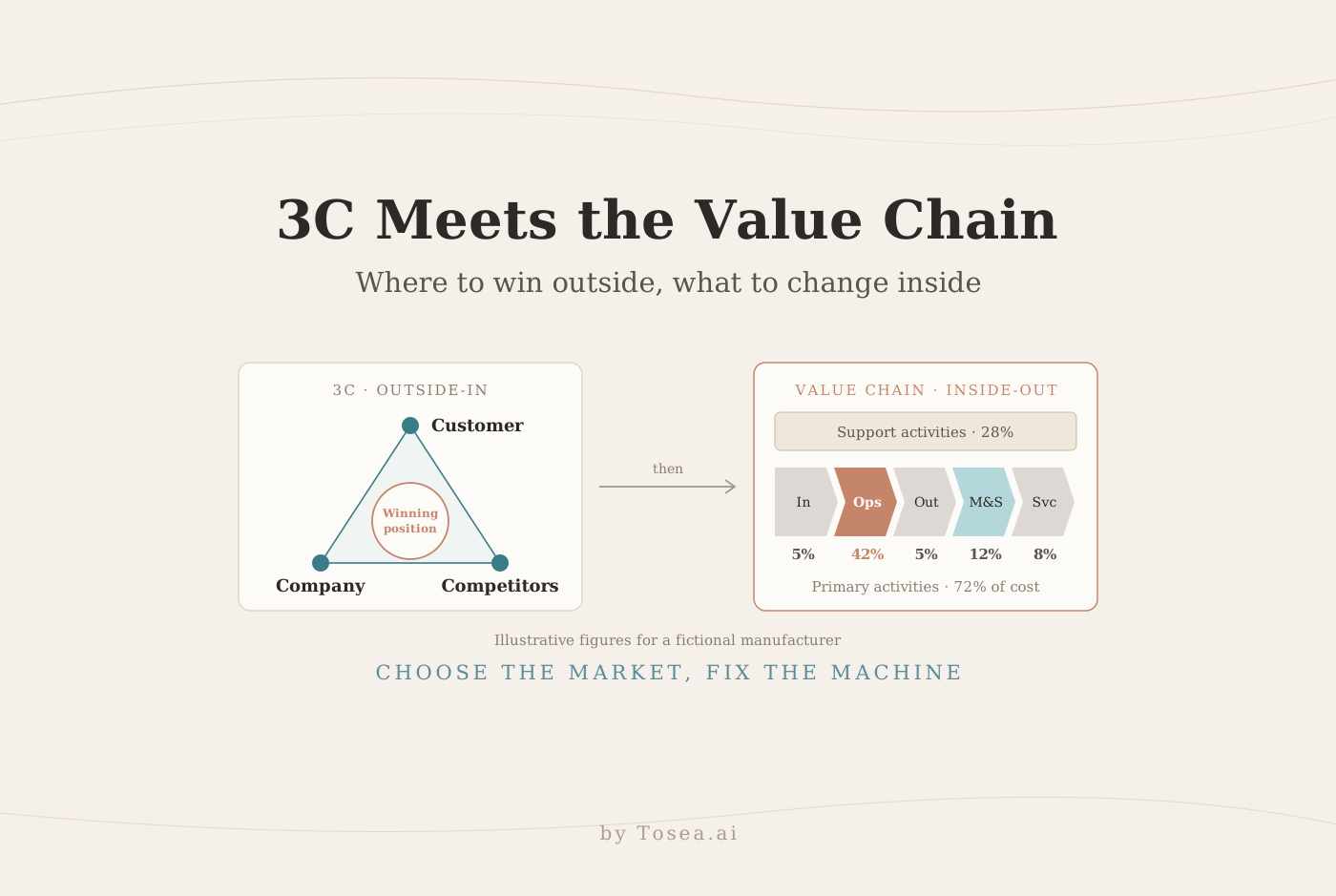
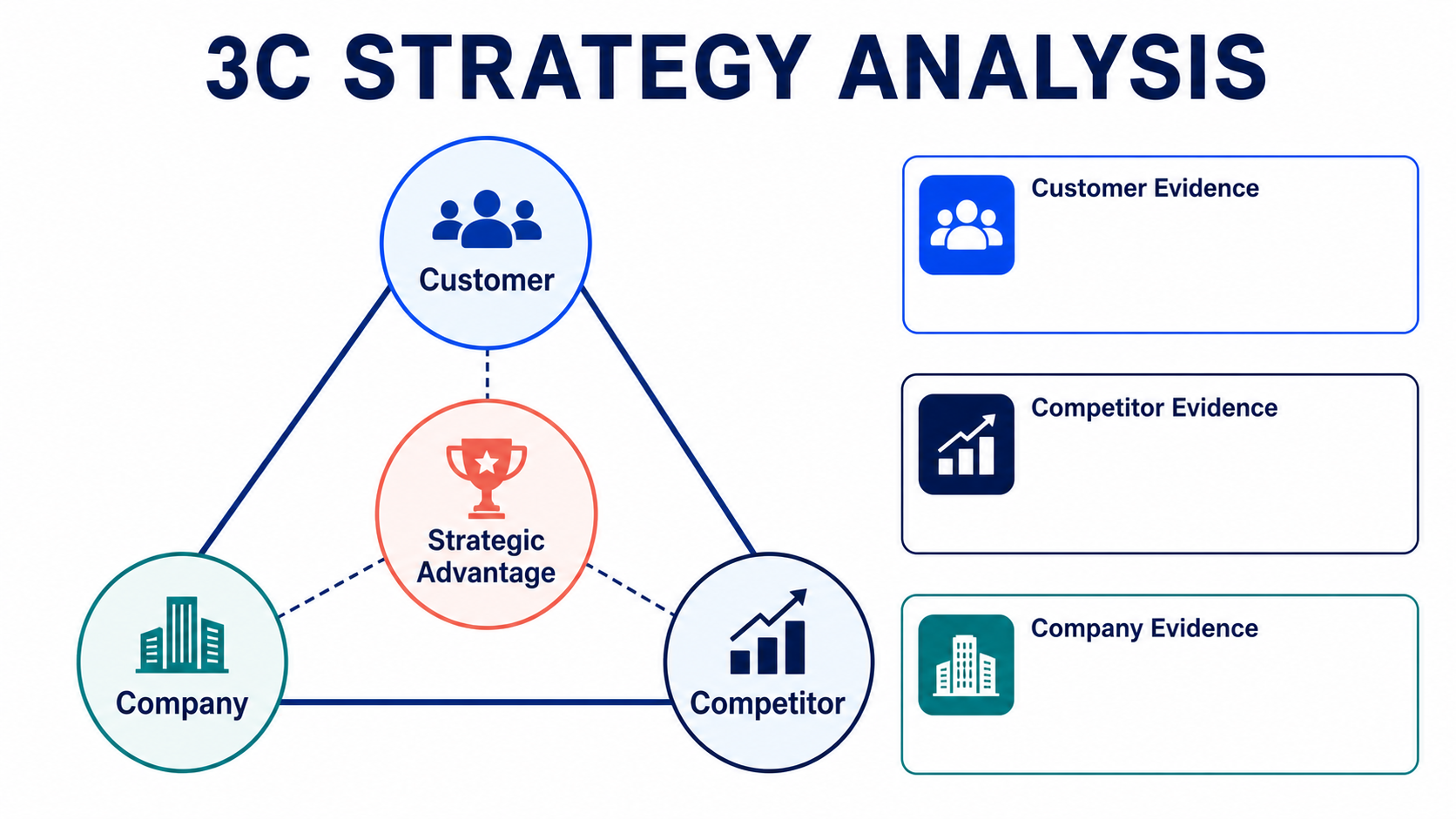
The 3C framework was developed by strategist Kenichi Ohmae. His strategic triangle connects the corporation, its customers, and its competitors rather than treating any one of them in isolation. The original concept is summarized in The Strategic Triangle.
For presentation work, the framework is useful because it creates three evidence buckets that are broad enough to cover the market but distinct enough to prevent random slide accumulation.
1. Customer analysis
Customer analysis should explain where demand comes from and what changes a buying decision. Examine:
- Segments and needs: Group customers by economics, buying process, adoption readiness, pain points, and desired outcomes.
- Behavior: Review purchasing triggers, usage, switching costs, and channel preferences.
- Value: Estimate lifetime value, acquisition cost, retention, and expansion potential.
- Satisfaction: Use interviews, support data, win-loss reviews, renewals, and surveys.
Convert the findings into a conclusion, such as Mid-market operations teams are the priority segment because urgency is high, implementation barriers are low, and retention potential is strong.
2. Competitor analysis
Competitor analysis should show the alternatives and the whitespace your strategy can occupy. Examine:
- Competitor set: Cover direct rivals, indirect alternatives, substitutes, and credible entrants.
- Positioning: Compare scope, price, channels, proof, segments, and messaging.
- Movement: Track share, growth, partnerships, product releases, and expansion where evidence permits.
- Response: Consider reactions to pricing, a new segment, a partnership, or a launch.
A useful slide does not say Competitor overview. It says No competitor combines audit-ready reporting with a deployment model suitable for regulated mid-market teams.
3. Company analysis
Company analysis tests whether the opportunity is realistic. Examine:
- Resources and capabilities: People, capital, technology, data, distribution, partnerships, and hard-to-copy strengths.
- Performance: Revenue quality, unit economics, retention, pipeline, and delivery capacity.
- Constraints: Capability gaps, technical debt, regulatory exposure, and channel limitations.
- Objectives: Growth, profitability, market position, and capability goals.
The final answer sits at the intersection of all three Cs: a valuable customer problem, defensible whitespace, and a company capability that can win.
Where the Evidence for Each C Actually Comes From
A 3C deck collapses when the Customer section rests on interviews, the Competitor section rests on marketing pages, and the Company section rests on opinion. Decide the evidence standard for each bucket before you start collecting.
| Bucket | Strongest evidence | Acceptable with caveats | Treat as assumption |
|---|---|---|---|
| Customer | Win-loss records, renewal and churn data, priced quotes, usage telemetry | Structured interviews (n stated), industry surveys | Sales anecdotes, single-account stories |
| Competitor | Published pricing, filings, product documentation, tender results | Analyst notes, review-site comparisons, job postings | Roadmap rumors, positioning inferred from a homepage |
| Company | Financial actuals, delivery throughput, engineering estimates | Capacity plans, partner commitments | "We could probably build that in a quarter" |
Two habits keep the deck defensible. First, label every figure with its date and unit, because a competitor price from eighteen months ago is a different claim from today's. Second, keep an explicit assumption register — a short appendix table listing each assumption, its owner, and what would falsify it. Reviewers accept assumptions; they reject assumptions disguised as facts.
When the source material is a stack of PDFs, filings, and research reports, the extraction step matters as much as the analysis. Our workflow for turning complex files into executive presentations covers how to keep numbers, units, and table labels intact through that stage.
Turn the 3C Analysis into a Slide Storyline
A professional deck should not simply contain one Customer slide, one Competitor slide, and one Company slide. Build a narrative that leads to a recommendation.
Use this practical nine-slide sequence:
- Executive recommendation: What to do, for whom, and why now.
- Decision context: Business question, scope, and success criteria.
- Customer priority: Most attractive segment and supporting evidence.
- Customer economics: Market potential, willingness to pay, retention, or lifetime value.
- Competitive landscape: Relevant alternatives against decision criteria.
- Strategic whitespace: The important customer need left underserved.
- Company right to win: Capabilities that support the opportunity.
- Recommendation and economics: Strategic move, expected value, and assumptions.
- Implementation and risks: Workstreams, owners, milestones, and mitigations.
Read only the slide titles in sequence. If they do not form a coherent argument, fix the storyline before designing the slides.
A worked example: three findings become three slides
Assume a compliance-software vendor is deciding whether to move upmarket into regulated mid-market operations teams. The raw research produces three findings. Here is what changes when each becomes a slide.
Finding 1 (Customer). Interviews with 24 buyers show that regulated mid-market teams run quarterly audits with spreadsheets, and that a failed audit costs roughly six weeks of remediation. Enterprise buyers already have tooling; small teams do not run audits at all.
- Weak page: a persona card grid titled "Customer segments."
- Strong page: headline "Regulated mid-market teams carry audit risk without tooling — enterprise and SMB do not," a two-axis segment map with audit frequency against existing tool coverage, and a footnote reading
n = 24 buyer interviews, Q2 2026.
Finding 2 (Competitor). Six vendors were scored against four buyer-stated criteria. Four cover reporting but require self-hosting; two offer managed deployment but no audit trail export.
- Weak page: a logo wall.
- Strong page: headline "No vendor pairs audit-trail export with managed deployment," a need-versus-coverage matrix with those two axes, and one empty quadrant highlighted.
Finding 3 (Company). The existing evidence-collection engine already produces immutable logs; the gap is a managed hosting tier, estimated at two engineering quarters.
- Weak page: a bulleted inventory of internal capabilities.
- Strong page: headline "We hold the hard half of the capability; the gap is two quarters of hosting work," a capability chain showing owned versus missing links, with the estimate labeled as an assumption.
Three findings, three action titles, one argument: an underserved segment, an empty quadrant, and a capability that fills it. The recommendation slide then writes itself, and the appendix carries the interview protocol, the scoring rubric, and the engineering estimate.
Five Failure Modes That Sink 3C Decks
The framework is easy to draw and hard to use well. These are the patterns that reviewers flag most often.
1. Three parallel essays instead of one argument. Each C gets four slides, none of them connect, and the recommendation appears at slide 13 with no support. Fix it by writing the recommendation first and keeping only the evidence that defends it.
2. Competitor analysis assembled from marketing sites. Public positioning tells you what a rival claims, not what it delivers or charges. Anchor comparisons to buyer-stated criteria and to evidence a customer could verify.
3. Company analysis that reads as a strengths inventory. Listing resources is not analysis. The question is which capability is hard to copy, on what timescale, and whether it maps to the customer need you just prioritized.
4. A matrix with no defined axes or scoring. A two-by-two carries authority it has not earned unless the axes are measurable and the scoring method is visible. Put the weights and data dates in the footnote.
5. Numbers that drift between slides. Market size on slide 4 disagrees with the model on slide 8 because they came from different sources. Fix the base figures once, in one place, and derive everything else from them. This is the failure mode most likely to end a meeting early — we cover the underlying discipline in our guide to hallucination-free document-to-PPT conversion.
A Reusable AI Prompt for a McKinsey-Style 3C Presentation
Paste the following prompt into an AI presentation workflow and attach the relevant market research, customer interviews, competitor materials, and internal documents.
Create a professional 16:9 strategy presentation based only on the attached source materials.

Audience: senior executives deciding where to compete and how to win
Objective: recommend a growth strategy using Customer, Competitor, and Company analysis
Length: 9 content slides plus an appendix

Storyline requirements:
- Lead with the recommendation and the decision it enables
- Use the 3C framework to organize evidence
- Make the storyline mutually exclusive and collectively exhaustive where practical
- Give every slide an action title that states the conclusion
- Use one primary message per slide
- Separate source facts, analysis, assumptions, and recommendations
- Preserve material numbers, units, dates, table labels, and source context
- Do not invent market data, customer evidence, or competitor claims

Visual requirements:
- Use a restrained consulting-style page system with consistent margins and typography
- Prefer charts, comparison tables, matrices, and simple process diagrams over decorative icons
- Highlight only the data needed to prove each action title
- Add a source line to every evidence-based slide
- Use accessible contrast and keep body text readable

Required slides:
1. Executive recommendation
2. Decision context and scope
3. Customer segmentation and priority segment
4. Customer needs and economics
5. Competitor landscape
6. Strategic whitespace
7. Company capabilities and constraints
8. Recommendation, value, and assumptions
9. Implementation roadmap and risks

Before rendering, produce a reviewable outline containing slide titles, key claims,
supporting evidence, selected visuals, source references, and speaker notes.
Flag every unsupported claim for human review.
Two adjustments make this prompt noticeably better in practice. Add a line naming the decision-maker by role rather than "executives," because a CFO audience and a CPO audience reward different evidence. And state the evidence standard explicitly — "cite the source document and page for every figure" produces a far more checkable outline than a generic instruction to stay accurate. For more prompt patterns, see our library of AI prompts for document-to-PPT work.
Where Tosea AI Fits
Tosea AI is a source-grounded AI presentation tool for turning PDFs, research reports, financial documents, market studies, and other complex files into editable PowerPoint decks. It is designed for analysts, consultants, researchers, and business teams that need to review the argument and source material before presenting the result.
The important difference for a 3C strategy deck is that layout is not a one-time decision made after all content has been generated.
Choose layouts and diagrams at the outline stage
After Tosea parses the uploaded material, review the outline before slide rendering. At this stage, you can:
- Rewrite topic titles as action titles
- Remove duplicate evidence across the three Cs
- Check whether recommendations have enough support
- Match each slide with an appropriate layout or diagram
- Add, remove, or reorder slides before rendering
This is the best point to catch a weak storyline. Design cannot rescue a recommendation that is unsupported or buried.
Change layouts and diagrams after rendering
Once slides are rendered, Tosea AI still allows users to modify the layout or diagram instead of rebuilding the deck from scratch. A crowded comparison can become a matrix, an abstract recommendation can become a strategy map, and a text-heavy implementation page can become a roadmap. Our PowerPoint layout patterns guide catalogs which pattern suits which information relationship.
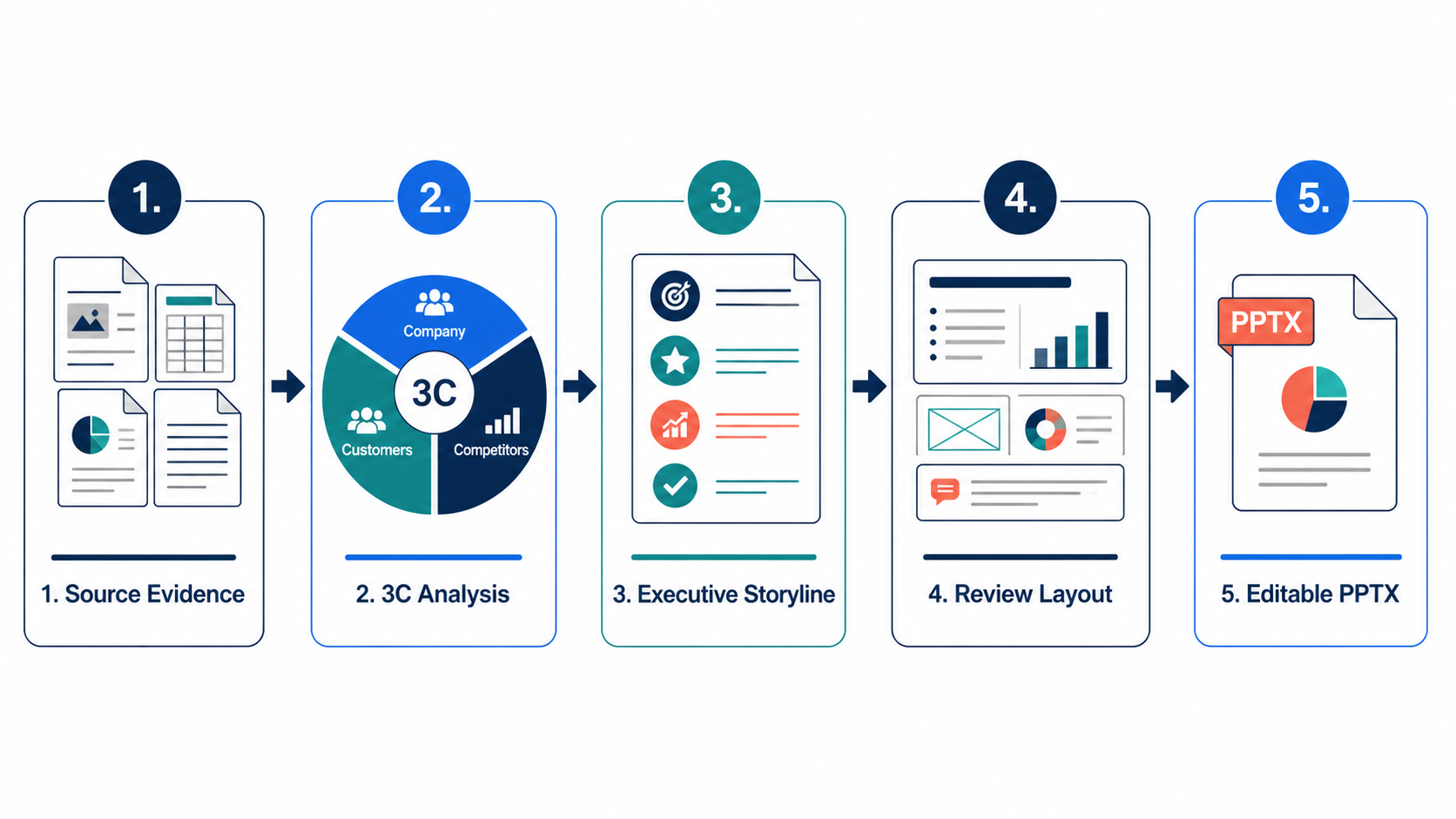
The final deck can be exported as an editable PPTX for review in PowerPoint. Before presenting, verify fonts, source lines, footnotes, page numbers, chart scales, and any complex elements in the exact application and device used for delivery.
How to Choose the Right Visual for Each 3C Question
| Business question | Recommended visual | Avoid |
|---|---|---|
| Which customer segment should we prioritize? | Segment attractiveness matrix or bubble chart | Equal-size cards with no prioritization |
| What drives the buying decision? | Ranked decision criteria or customer journey | Decorative personas without evidence |
| Where do competitors cluster? | Competitive positioning map | Logo wall with no analytical axes |
| Where is the whitespace? | Need-versus-coverage matrix | Generic SWOT copied from public websites |
| Why can the company win? | Capability chain or right-to-win table | Long inventory of internal resources |
| What should happen next? | Roadmap with owners, milestones, and risks | Timeline that lists activity but no outcome |
Harvard Business Review emphasizes that effective data visualization starts by identifying the important evidence and building a persuasive storyline rather than adding charts for decoration. Its webinar on storytelling with data visualization is a useful companion reference.
Adapting the 3C Deck to Four Common Situations
The nine-slide sequence is a default, not a rule. The weighting shifts with the decision on the table.
Market entry. Customer and Competitor carry the argument; Company becomes a feasibility check near the end. Add a market-selection slide with explicit scoring criteria, and state the entry mode — build, partner, or acquire — as a decision, not a footnote.
Pricing or packaging change. Customer economics dominate. Willingness to pay, switching cost, and retention sensitivity deserve their own pages, and the competitor section narrows to price-relevant alternatives only. Include a downside case; pricing decks without one rarely survive a finance review.
Board or investor update. Compress to five or six slides and lead with what changed since the last update. The board has seen the market context; it has not seen this quarter's evidence. Our notes on presenting to executives with a clear framework apply directly here.
Internal capability or build-versus-buy decision. Company analysis leads, and the Customer section exists only to establish that the capability is worth having. Make the cost, the timeline, and the opportunity cost of engineering time explicit on the recommendation slide.
Quality-Control Checklist Before You Present
- Can an executive understand the recommendation from the first slide?
- Do the action titles tell a complete story when read alone?
- Is every Customer, Competitor, and Company claim supported by a source or labeled assumption?
- Are market size, growth, share, and financial figures consistent across every slide?
- Does each chart prove the title above it?
- Are competitor comparisons based on customer-relevant criteria?
- Does the recommendation connect to a real company capability?
- Are implementation risks, owners, and dependencies explicit?
- Are source lines, footnotes, units, and dates readable at presentation size?
- Does the exported PPTX remain editable in the delivery environment?
- Has a human reviewer checked strategic logic and factual accuracy?
Frequently Asked Questions
How many slides should a 3C strategy deck have?
Nine content slides plus an appendix is a reliable default for a decision meeting. Board updates compress to five or six. The constraint that matters is not slide count but whether the action titles, read alone, form a complete argument. If they do at six slides, do not pad to nine.
Is 3C better than SWOT for a strategy presentation?
For presentation work, usually yes. SWOT produces four unranked lists and no decision, which is why generic SWOT slides read as filler. 3C forces you to connect customer demand, competitive whitespace, and company capability, and the recommendation falls out of the intersection. Use SWOT as a private brainstorming step if it helps, but do not put it on a slide.
Can Tosea AI redesign my existing PowerPoint without changing the content?
Yes. Export the PowerPoint as a PDF, upload it, and request a redesign that preserves the wording. Use Layout Only for visual changes, then compare the result with the source to confirm that labels, citations, and footnotes remain complete.
Can I upload my own PowerPoint template to Tosea AI?
Eligible paid plans support custom templates. Confirm that required layouts, fonts, colors, logos, and master-slide rules are represented correctly before distributing the deck.
Can Tosea AI use custom brand colors, fonts, and a logo?
Yes. Specify brand colors and fonts, upload the logo, or use a supported custom template. After export, verify fonts, color values, logo spacing, and contrast.
Can Tosea AI match the style of old company presentations?
It can use a representative deck as design guidance, but this is not permanent model training. For stronger consistency, use an approved custom template and compare the output with formal brand guidelines.
Does Tosea AI preserve PowerPoint formatting after export?
The editable PPTX is designed to stay close to the preview while leaving elements available for editing. Fonts, complex graphics, and viewing applications can affect results, so test the delivery environment before you present.
Final Takeaway
The best answer to how to make a McKinsey-style PowerPoint with AI is not to imitate a color palette. Start with the decision, use 3C analysis to organize verifiable evidence, lead with the recommendation, and make every slide title carry part of the argument. AI should accelerate structure and production, while a human remains accountable for the analysis.
Use Tosea AI when the source material is long or complex, the outline needs review before rendering, the 3C evidence must remain traceable, or the final deliverable must be an editable PowerPoint. For an adjacent visual system built around evidence and risk rather than strategy frameworks, see our companion guide to making a PwC-style PowerPoint with AI.
Sources
- The Strategic Triangle: A New Perspective on Business Unit Strategy — Kenichi Ohmae, European Management Journal
- The Minto Pyramid Principle — Barbara Minto, official site
- Make your PowerPoint presentations accessible to people with disabilities — Microsoft Support
- Present to Persuade: Storytelling with Data Visualization — Harvard Business Review