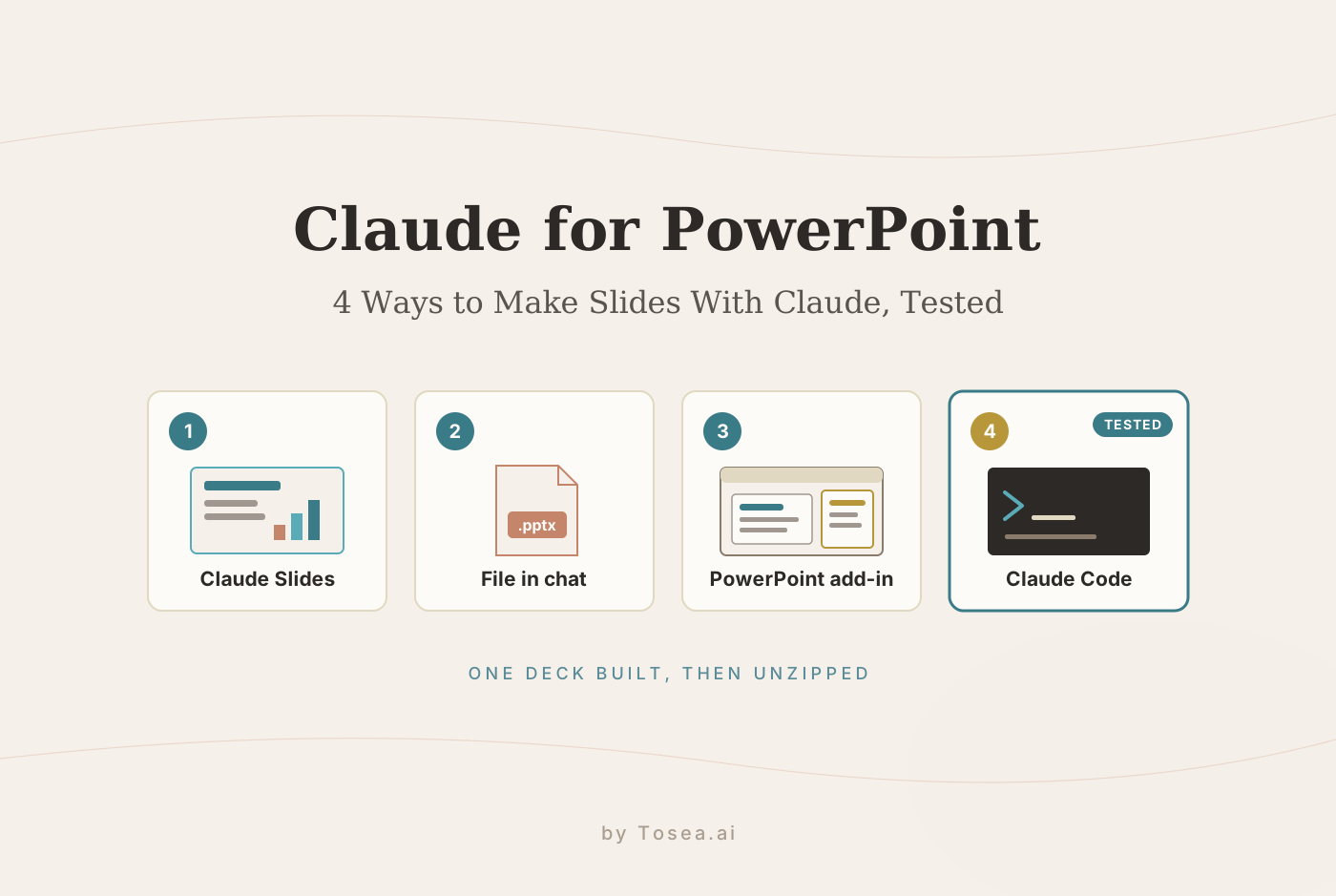
Can ChatGPT Make a PowerPoint? 3 Ways That Work in 2026, Tested
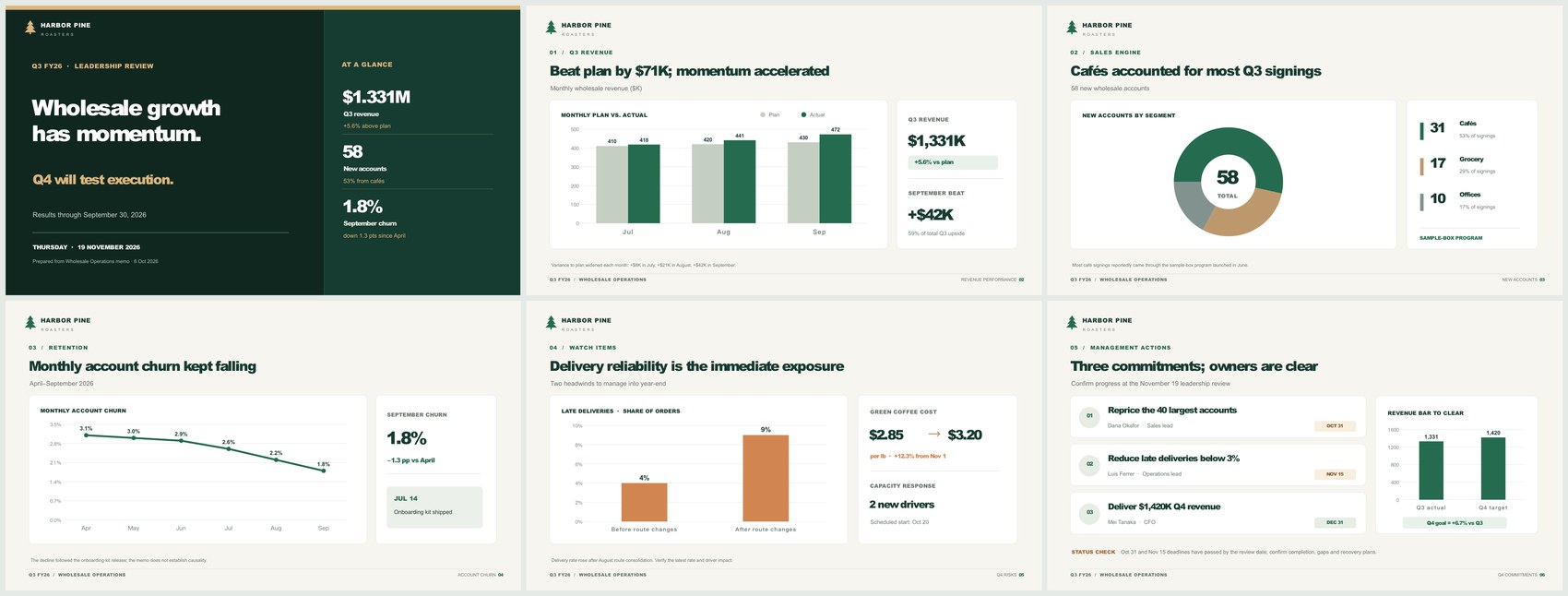
Yes. ChatGPT can build a .pptx in chat, work inside PowerPoint as an add-in, or create ChatGPT Slides. We ran one memo through it and unzipped the file: 5 native charts, notes, small text.
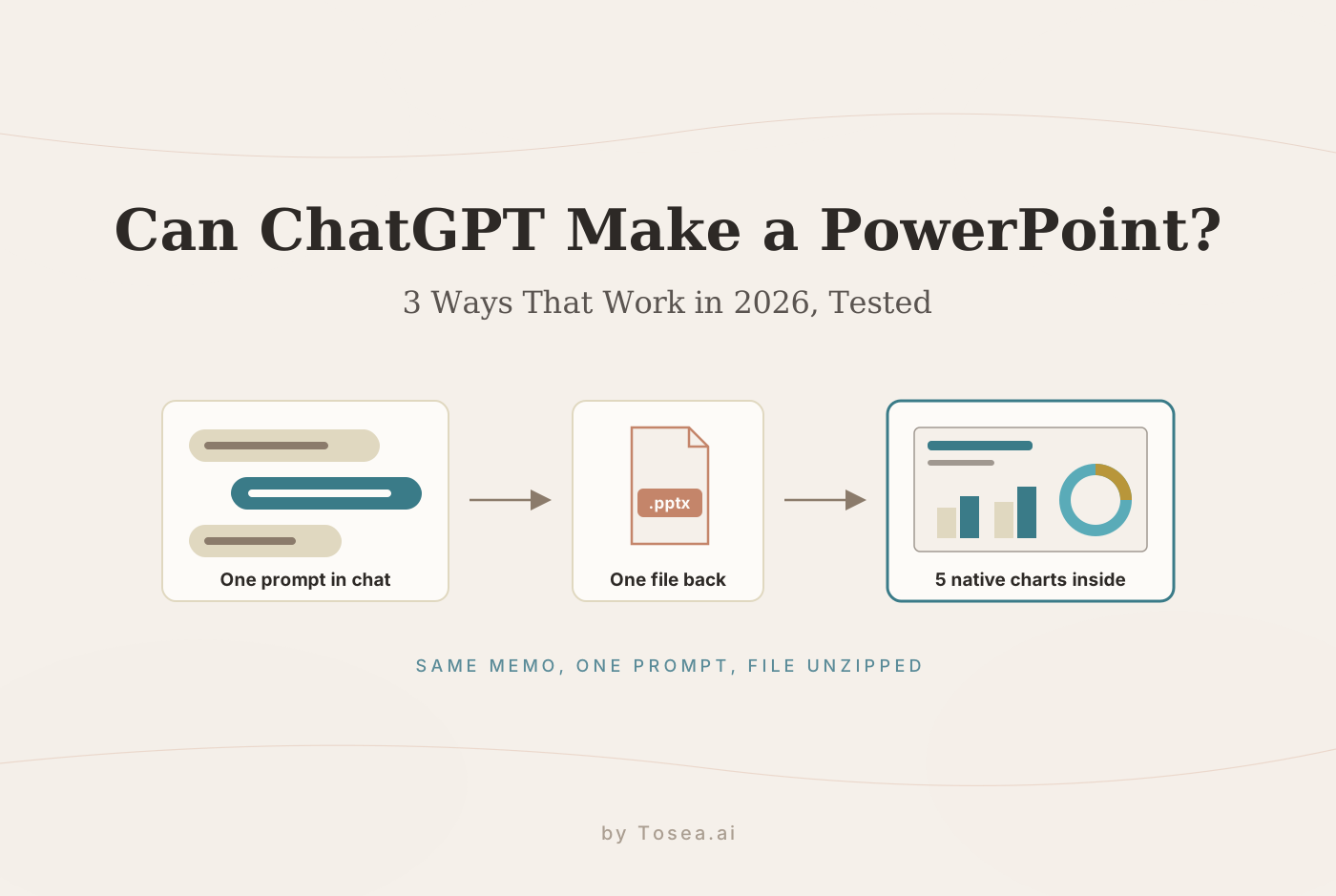
Quick answer: Yes. ChatGPT can make a PowerPoint three ways: ask for a .pptx file in chat, use the ChatGPT for PowerPoint add-in inside PowerPoint, or create ChatGPT Slides on Pro, Business and Enterprise plans. In our test on a Plus plan, one prompt returned a six-slide .pptx with five native charts and speaker notes after 6 minutes 52 seconds.
The file was better than the reputation suggests. Every number matched the source, the charts were real PowerPoint charts, and the design looked finished. It also had three things you would want to fix before presenting: commentary set at 8.5 pt, a font most computers do not have, and a meeting date that ChatGPT picked for itself.
Can ChatGPT make a PowerPoint?
Yes. As of November 2026, ChatGPT has three routes to a presentation.
| Route | Where it runs | Plans, per OpenAI | What you get | Tested here? |
|---|---|---|---|---|
| A .pptx file in chat | Any ChatGPT conversation | We used a Plus plan | A PowerPoint file to download, with a preview and a Present button in the chat | Yes |
| ChatGPT for PowerPoint add-in | A sidebar inside Microsoft PowerPoint | Free, Go, Plus, Pro, Business, Enterprise, Edu and K-12, with limited usage on Free and Go | ChatGPT creating and editing slides in the deck you have open | No, described from OpenAI's Help Center |
| ChatGPT Slides | Work and Space in ChatGPT | Pro, Business and Enterprise with Space access, still rolling out | A collaborative deck you edit in ChatGPT and export to PowerPoint, PDF or Google Slides | No, our account is on Plus |
ChatGPT's pricing page lists Go at $8 a month, Plus at $20 a month and Pro from $100 a month. We checked it on November 13, 2026.
How we tested
We used a source where every number could be checked: a one-page Q3 wholesale review memo that we wrote for a fictional coffee roaster. It has a three-month table of planned and actual revenue, new accounts by segment, six months of churn, two risks, and three commitments with owners and dates.
The prompt was one sentence, followed by the memo pasted as text:
Turn the memo below into a 6-slide PowerPoint deck (.pptx) for Thursday's leadership review. Use one chart per data slide, keep the text short, and add speaker notes to every slide.
- Where it ran: the ChatGPT web app in Chat mode, on a Plus plan, with the account's thinking effort set to High, on November 13, 2026. The composer did not show a model name, so we report the plan and setting instead.
- What we checked: A .pptx is a ZIP archive of XML files, as we explain in What Is a PPTX File. We unzipped the download and counted what was inside, validated it against the Office Open XML schema, rendered every slide, and compared each figure on the slides and in the notes with the memo.
- What we did not test: the PowerPoint add-in and ChatGPT Slides. Those sections are based on OpenAI's Help Center. We also did not open the file in desktop PowerPoint. The slide images here were rendered with LibreOffice.
- Scope: One run, one prompt, one short source.
Tosea makes an AI presentation tool, and we have no affiliation with OpenAI.
Test result: accurate numbers, native charts, small text
ChatGPT thought for 6 minutes 52 seconds, then replied with a download link and opened a preview of the deck beside the conversation.
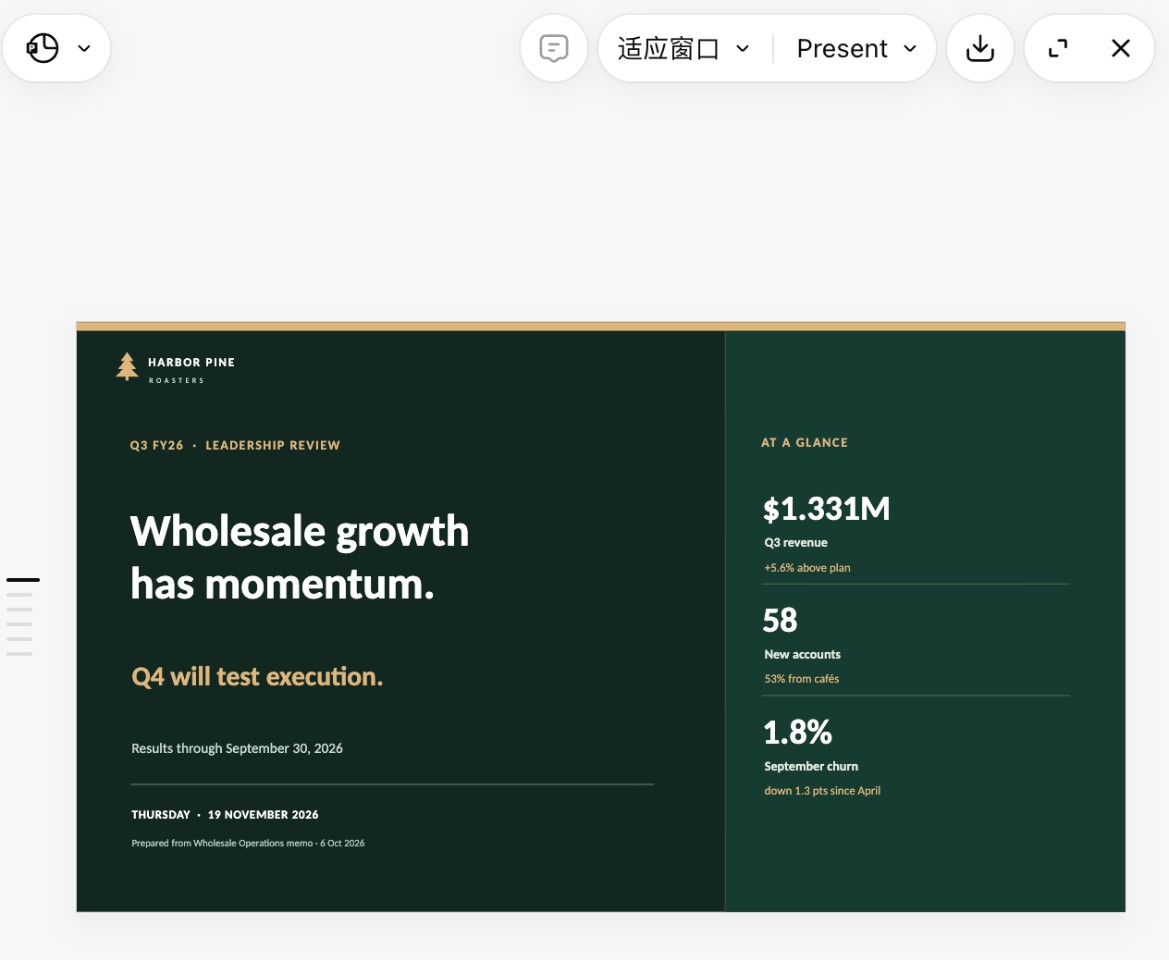
Here is what the unzipped file contains.
| What we looked for | What was in the file |
|---|---|
| Slides | 6, as requested, at 13.33 by 7.5 inches (16:9) |
| Charts | 5 native PowerPoint charts (column, doughnut, line and two bar charts), each with an embedded workbook |
| Text | 432 words in 115 text boxes, all live text |
| Pictures | None. The pine tree logo is drawn with shapes |
| Speaker notes | On 6 of 6 slides, 82 to 113 words each |
| Structure | 1 default layout, no placeholders, no sections |
| Font | Inter throughout |
| File size | 316 KB |
The numbers were right, including the ones it worked out. The memo gives raw figures. ChatGPT added shares and changes, and we recalculated each one:
- Cafes at 53% of new accounts, grocery at 29% and offices at 17% (31, 17 and 10 of 58)
- September's $42K beat as 59% of the quarter's $71K upside
- Churn down 1.3 points from April, a 42% relative decline
- Green coffee up 12.3%, where the memo says "about 12%"
- The Q4 target as 6.7% above Q3 actuals
All of them are correct.
The charts are editable. Each chart has an embedded workbook, which is what makes Edit Data work in PowerPoint. The request was one chart per data slide, and ChatGPT delivered that, adding a late-deliveries chart to the risks slide and a Q3-versus-target chart to the commitments slide.
The notes are careful. They run to about 580 words in total and flag what the memo does not prove. The churn notes say the decline followed the onboarding kit but that the memo does not establish causality. Several end with a question for management.
Three things to fix before presenting
- The text is small. The prompt asked for short text. The deck has 432 words on six slides, and 74% of them are set smaller than 12 pt. The one sentence of commentary on each data slide is 8.5 pt, labels are 10 pt, and slide titles are 25.5 pt. That works as a document someone reads at a desk. On a projector, the commentary will be hard to read from the back of a room.
- The font may not travel. Every text run uses Inter. Inter does not ship with Windows or macOS, so a computer without it substitutes another font, and tight layouts can shift. Ask for Arial or Calibri if the file will be opened on other machines.
- It chose the meeting date. The prompt said "Thursday's leadership review" and the memo is dated October 6, 2026. ChatGPT put Thursday, November 19, 2026 on the cover, the Thursday after our test date, and said so in its reply. It then noted that two of the three deadlines had passed by that date and added a status check to the last slide. That is sensible reasoning from its assumption, but if your review is on a different day, the cover and the last slide are wrong. Give the date in the prompt.
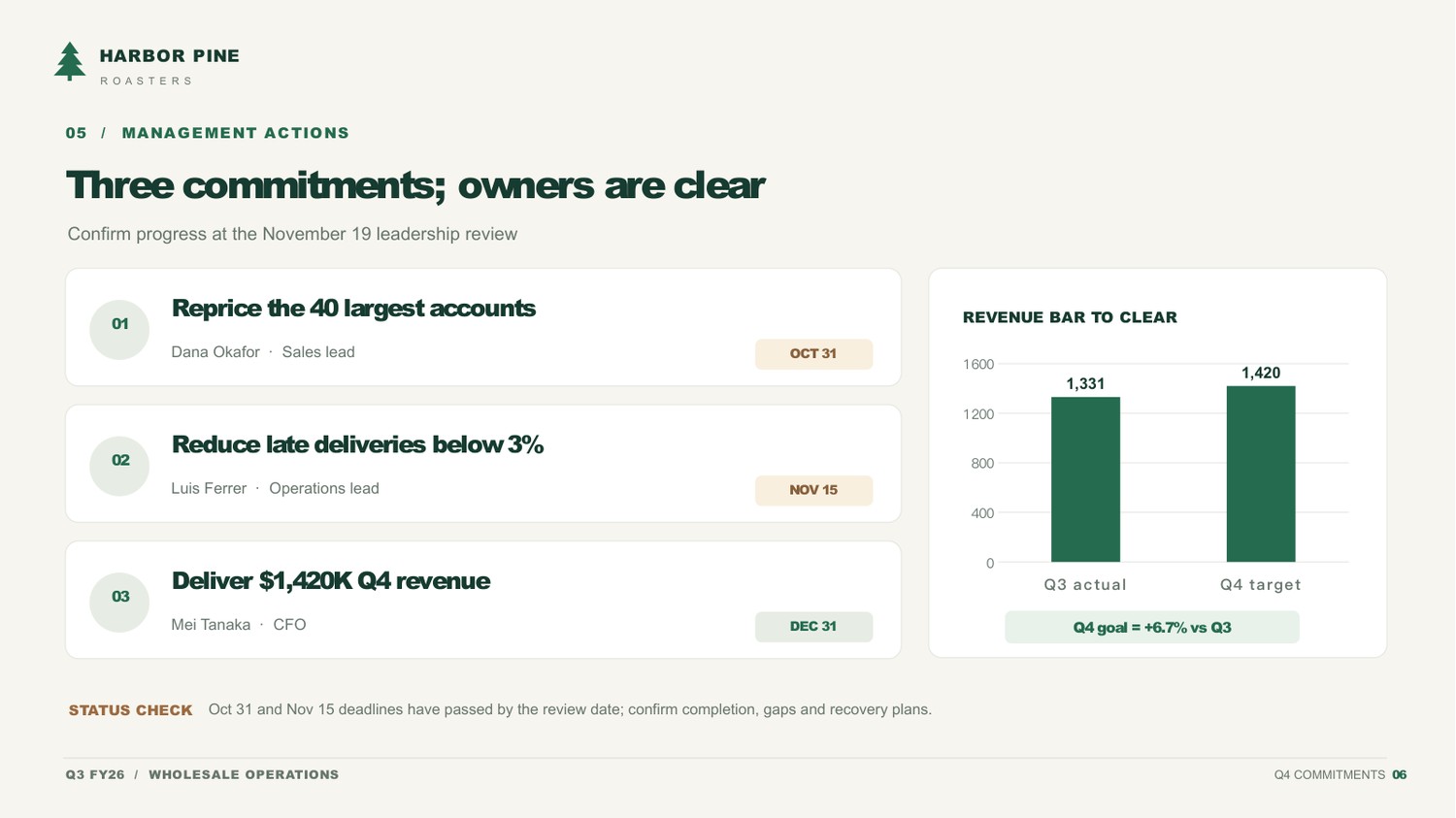
One structural point matters if you plan to restyle the deck. All six slides sit on a single default layout, and every title is an ordinary text box. PowerPoint's outline view has nothing to show, and changing the look means editing slide by slide.
Way 1: Ask ChatGPT for a .pptx in chat
This is the route we tested, and the one most people mean when they ask whether ChatGPT can make a PowerPoint.
- Start a new chat and paste or attach your source material.
- Ask for a PowerPoint deck and say ".pptx" by name. Give the slide count, the audience and the date.
- Wait. Ours took just under seven minutes.
- Use the preview to page through the slides, then download the file.
- Open it in PowerPoint and check the numbers, the fonts and the text size.
Prompt additions that address what we saw:
- "The review is on [date]." This avoids a guessed date.
- "No text smaller than 14 pt." We did not test whether ChatGPT holds to this, so check the result.
- "Use Arial." This avoids font substitution on other computers.
- "Use at most 40 words per slide, and put the detail in the speaker notes."
For more wording, see our business presentation prompts for ChatGPT and Claude.
Way 2: The ChatGPT for PowerPoint add-in
OpenAI describes ChatGPT for PowerPoint as a sidebar inside Microsoft PowerPoint that can create, edit, explain and polish presentations while keeping slides editable.
Install, per the Help Center: open PowerPoint, go to Home, then Add-ins, search for ChatGPT, add it, open it from the ribbon and sign in with your ChatGPT account. Organizations that block the store can deploy it from a manifest file in the Microsoft 365 admin center.
Plans: OpenAI says it is available globally to Free, Go, Plus, Pro, Business, Enterprise, Edu and K-12 users. Free and Go get limited usage. On Plus, Pro and Business it counts against the plan's agentic usage limit, and larger decks use more of it.
Limits OpenAI lists:
- Generated or edited slides may not always match your template's style.
- Some advanced editing of charts, shapes, formatting and slide management is limited or still in development.
- Outputs can be incomplete or incorrect, so review claims and numbers. For important work, OpenAI suggests duplicating the file first so you can go back.
We did not test the add-in. If your deck already exists and lives in a company template, it is the route built for that job.
Way 3: ChatGPT Slides
ChatGPT Slides is a collaborative deck inside ChatGPT. According to the Help Center, it is rolling out to Pro, Business and Enterprise plans with Space access. You ask for slides in Work or start one in Space, edit text, images, shapes, tables and charts directly, and work on the same deck with teammates in real time.
From the web you can export to PowerPoint to keep editing a .pptx, to PDF, or to Google Slides. OpenAI's page tells you to open the exported file and check its content and formatting before using it.
Our account is on Plus, so we could not test Slides or its PowerPoint export.
ChatGPT vs Claude on the same memo
We ran the same memo and prompt through Claude on the same day. The full write-up is in Claude for PowerPoint.
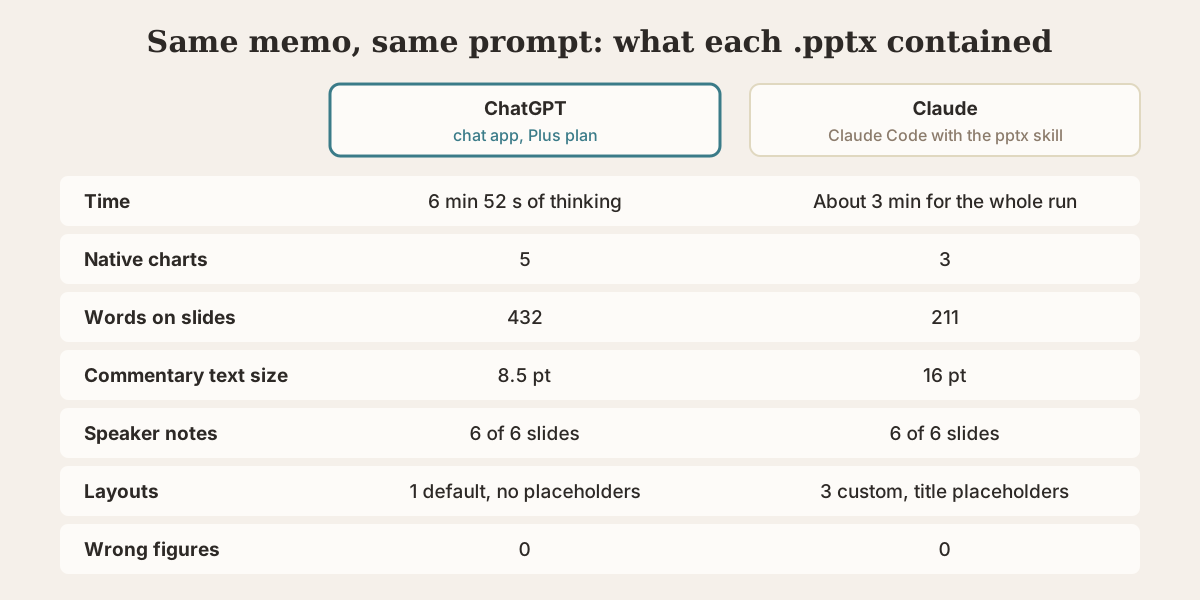
| ChatGPT, chat app on Plus | Claude, Claude Code with the pptx skill | |
|---|---|---|
| Time | 6 min 52 s of thinking | About 3 min for the whole run |
| Native charts | 5 | 3 |
| Words on slides | 432 | 211 |
| Commentary text size | 8.5 pt | 16 pt |
| Speaker notes | 6 of 6 slides, 82 to 113 words | 6 of 6 slides, 36 to 60 words |
| Layouts | 1 default, no placeholders | 3 custom, with title placeholders |
| Font | Inter | Cambria and Calibri |
| Wrong figures in the final file | 0 | 0 |
ChatGPT's deck is denser and more analytical. It works out percentages, hedges causal claims and asks questions in the notes. Claude's deck is sparser and built to be projected, with larger text and a theme you can change in one place. Claude's first draft included one phrase the memo did not support, which its own check removed before the final file.
The two ran on different surfaces, a chat app and a coding agent, so read this as two data points, not a ranking.
Is ChatGPT good at making PowerPoints?
On this test, yes for content and charts, and partly for slide design. Google autocomplete offers "why is chatgpt so bad at powerpoints", and we can see where the complaint comes from even in a good run.
- It writes a document in slide form. Small text and many words per slide are fine for a pre-read and poor for a talk.
- It fills gaps with assumptions. The date is the example here. It told us, which helps, but you have to read the reply.
- It does not use your template in chat. A deck built from scratch has its own colors and fonts. The add-in is the route for template work, and OpenAI says style matching there is not always exact.
- It is slow. Nearly seven minutes for six slides is long if you are iterating.
A quick way to catch the first problem is our free AI PowerPoint readability checker, which flags overcrowded slides and missing speaker notes.
When a dedicated AI presentation tool makes more sense
ChatGPT is a general assistant that can also build decks. A presentation generator starts from the deck, and the difference shows up with long source documents and with visual design.
Tosea.ai is the tool we make, so weigh this section with that in mind. You upload a PDF or describe a topic, and it composes a full deck, placing the source's own figures, tables and formulas on the slides and drawing on a gallery of presentation templates. If your starting point is a research paper or a long report, try the AI PDF to PPT workflow. If a generated .pptx comes out too heavy to email, the free PowerPoint compressor shrinks it in the browser.
Related reading: our AI presentation makers comparison scores six tools on design, and HTML slides versus image slides explains the two ways AI tools draw a slide.
FAQ
Can ChatGPT make a PowerPoint for free?
OpenAI lists the PowerPoint add-in for Free users with limited usage. We tested file creation in chat on a Plus plan, which is $20 a month as of November 13, 2026, and did not test it on a free account.
How long does ChatGPT take to make a PowerPoint?
In our test, 6 minutes 52 seconds of thinking for a six-slide deck with five charts, at the High thinking setting. A lower setting or a simpler request should be quicker.
Can ChatGPT edit an existing PowerPoint?
The add-in is designed for that. OpenAI describes adding or revising slides in an existing presentation from the sidebar, and recommends duplicating the file first for important work.
Can ChatGPT make Google Slides?
OpenAI says ChatGPT Slides can export to Google Slides on the web, and that ChatGPT can provide a PowerPoint or Google Slides presentation when asked directly in Work. If you already have a PDF, our PDF to Google Slides guide covers that path.
Are the charts ChatGPT makes editable?
In our file, yes. All five were native PowerPoint charts with embedded workbooks, and their values matched the memo.
Sources
- ChatGPT for PowerPoint — OpenAI Help Center
- Creating and collaborating on slides in ChatGPT — OpenAI Help Center
- ChatGPT plans and pricing — OpenAI, checked November 13, 2026