AI Slides Generation: HTML vs Image Approach — Complete Guide (2026)
How AI slides actually get generated in 2026: the HTML approach vs the image-model approach, what each is good at, and how to pick the right one in Tosea.ai.
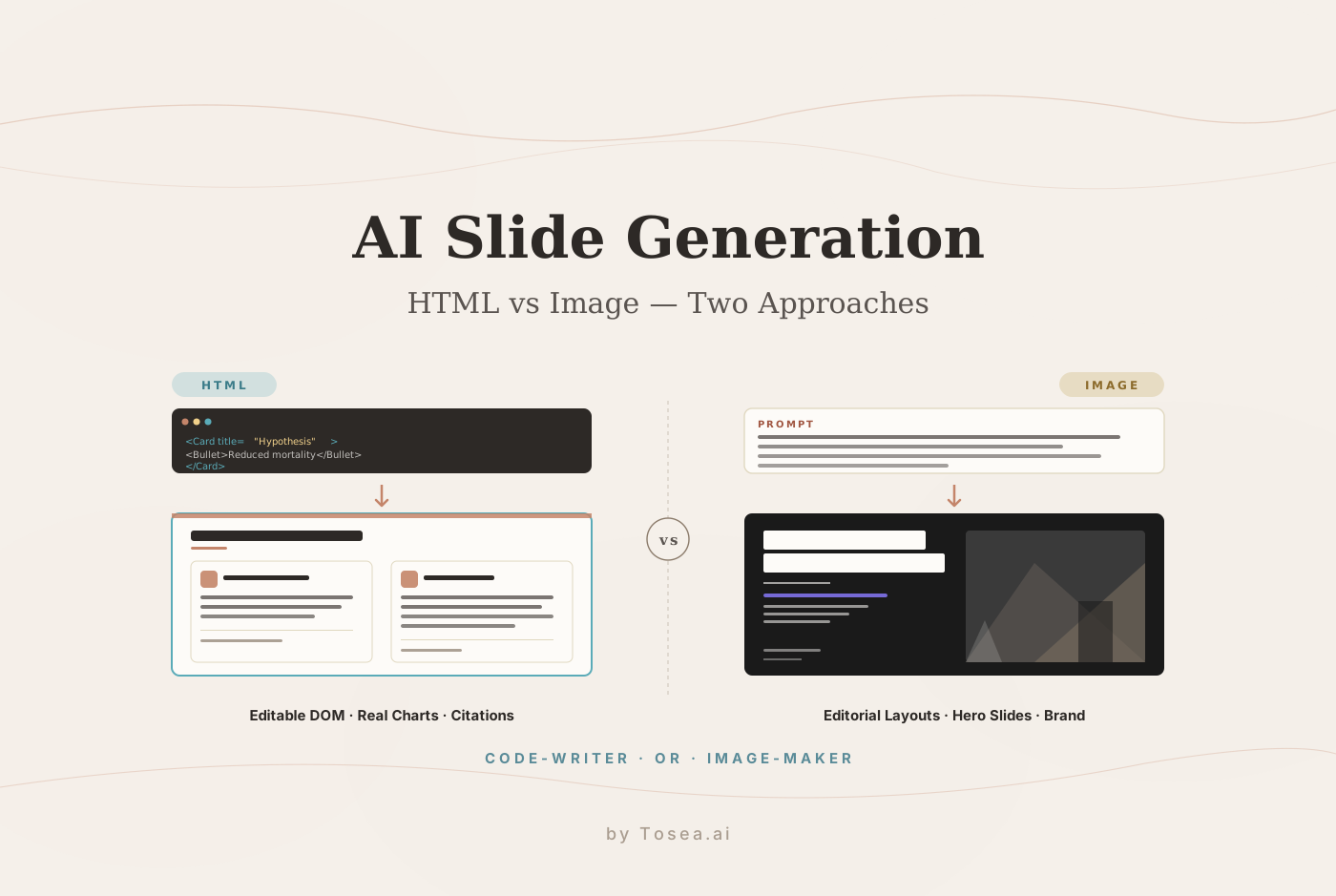
When you ask an AI to generate a slide today, two very different things can happen under the hood. Either the model writes a slide as code — HTML, CSS, JSX, Tailwind — and your browser renders it pixel by pixel. Or the model generates the slide as a picture, the same way an image model generates a poster or a magazine cover. Both methods are now in production at most serious AI presentation tools, and both have completely different strengths, failure modes, and editing stories.
This guide explains how each approach actually works, where each one shines, and how Tosea.ai lets you switch between them on a per-deck basis. The samples in this article are real templates currently live in the Tosea template gallery — not stock illustrations.
The Two Approaches in One Sentence Each
- HTML generation. A reasoning LLM (e.g. Claude Opus 4.7, GPT-5.5, DeepSeek V4) writes structured code for each slide, the browser renders the layout, and every text block, chart, and bullet is editable later as DOM.
- Image generation. A multimodal image model (e.g. GPT Image 2, Nano Banana Pro, Nano Banana 2) takes the slide brief plus a reference style and produces a finished picture — typography, photography, and layout baked into the same raster output.
The difference is not cosmetic. It dictates how much you can edit afterwards, how much "design freedom" the AI has, how the deck handles long text, and how much each slide costs to generate.
How HTML Slide Generation Works
In an HTML pipeline, the LLM receives:
- A slide outline (one slide per node — title, key claims, bullet points, chart spec).
- A theme spec — fonts, color palette, accent rules, spacing.
- A component kit — pre-defined React/HTML primitives the model is allowed to use (cards, callouts, tables, two-column splits, KPI tiles, citation badges).
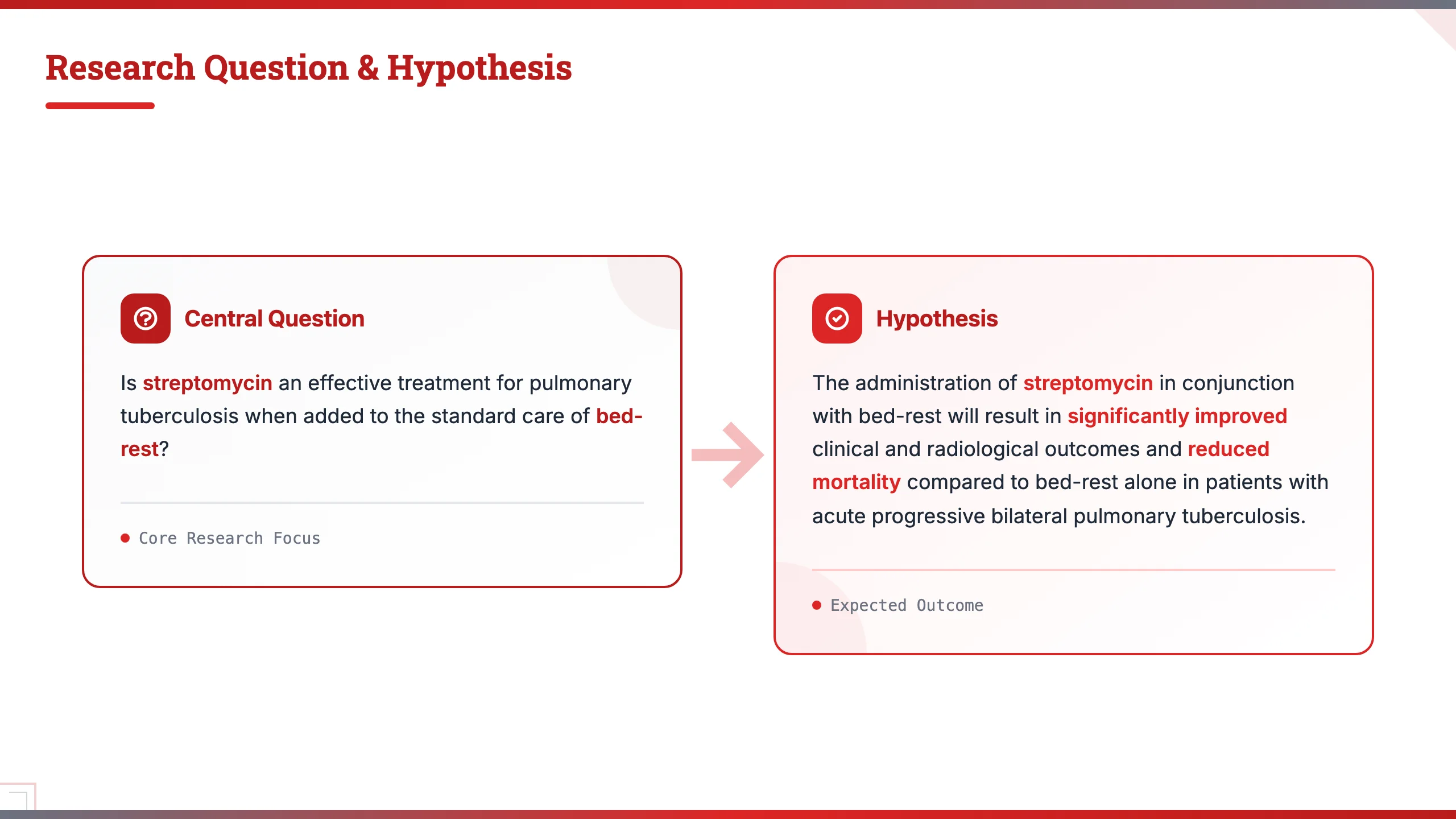
The model emits structured code per slide. The frontend renders it inside a fixed 16:9 viewport, and the result is a real DOM tree. Tosea's HTML mode currently composes slides on top of a Tailwind + React layer, with theme JSON files driving the typography and color tokens. Each of our HTML templates — from mit_tech and oxford_classic to boardroom_amber and nature_science — is essentially a designed system the LLM follows, not a free-form canvas.
Below are two real Tosea HTML templates so you can see what the model is actually constrained to.

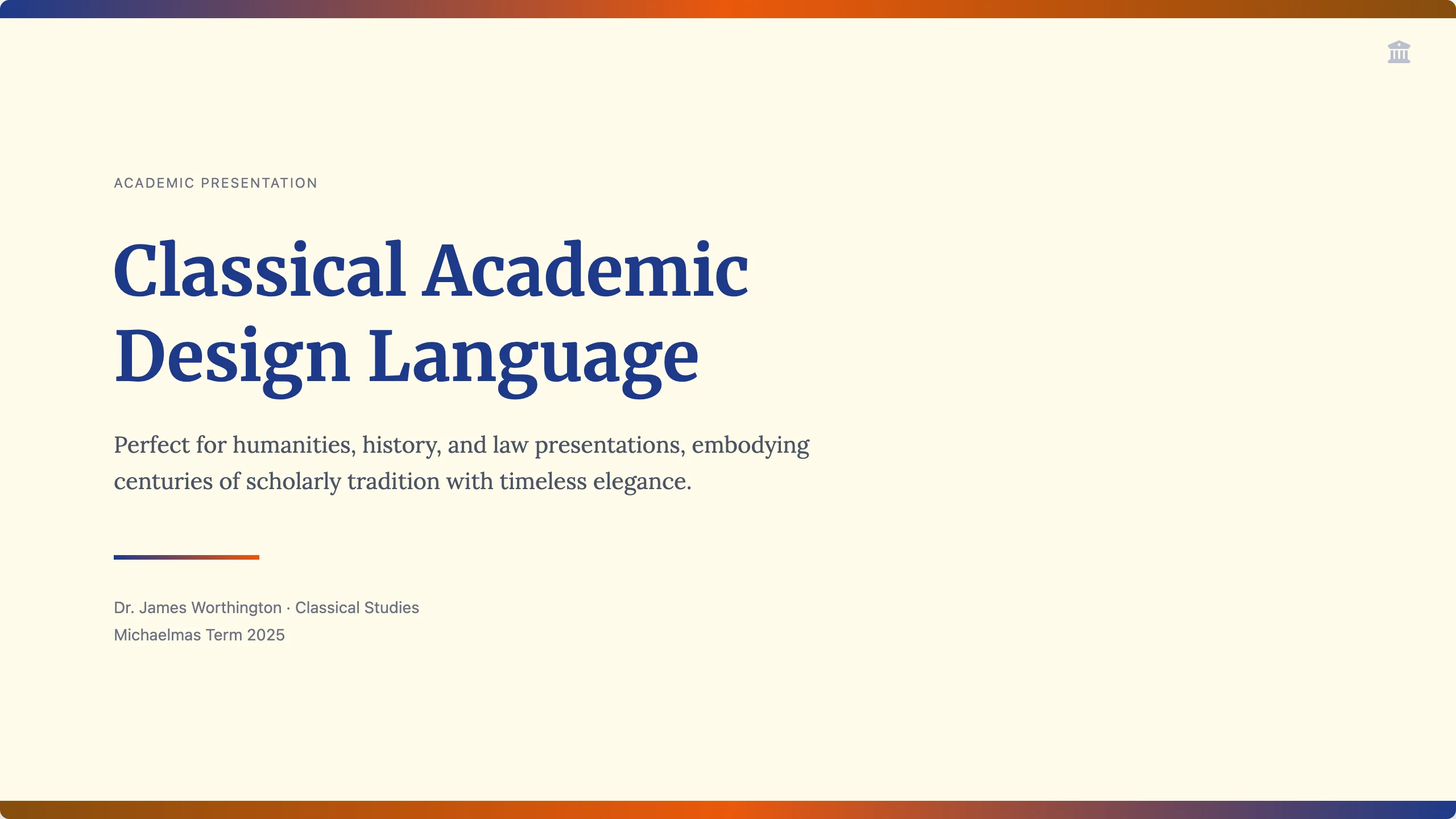
The interior slides follow the same component grammar — research questions, hypothesis cards, two-column comparisons, citation footers — and every line of text on them is selectable, copyable, and re-editable.
What HTML Slides Are Good At
- Fully editable output. Every word can be changed, every bullet can be reordered, every color is a token. There is no "redo the whole image."
- Long, structured content. A 30-page research paper compresses cleanly into HTML cards and tables. Image models start failing once a slide carries more than ~80 words.
- Charts and tables that hold up. Real
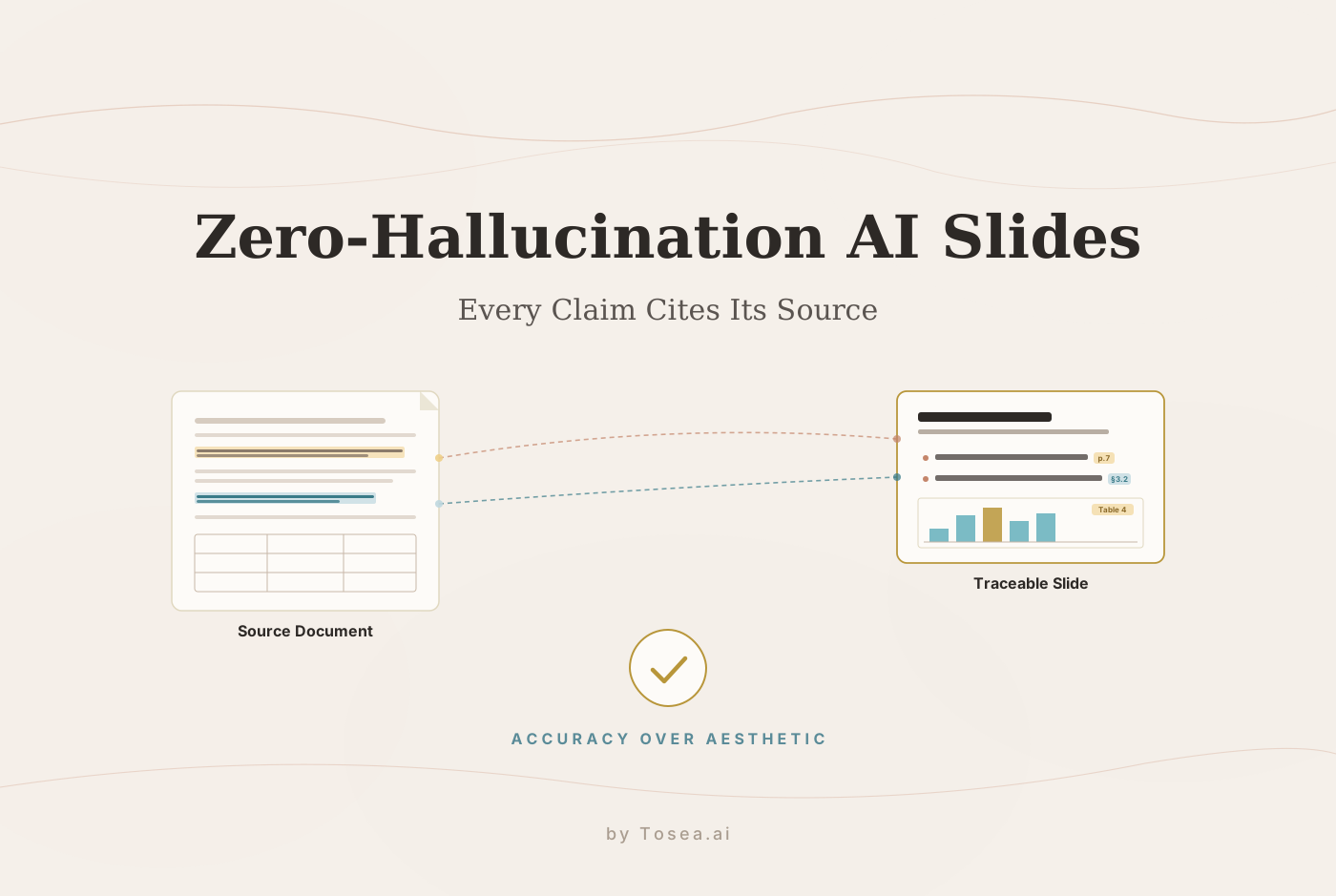
<table>elements and chart components mean the data is queryable and reflows on smaller screens. - Citation rigor. Per-claim footnote badges, hyperlinks back to the source, and tooltip references — all standard DOM, all reliable. This is the architecture behind our zero-hallucination AI slides workflow.
- Predictable cost. A 20-slide HTML deck typically runs at fixed input/output token counts; you pay for one reasoning model run, not 20 image generations.
- Native
.pptxexport with clean layers. Because every element has a structural identity, the export to PowerPoint or Google Slides keeps text as text and shapes as shapes — no flattened images.
Where HTML Slides Hit a Ceiling
- Editorial polish has limits. The model can only assemble what the component kit allows. Magazine-grade typography, layered photography, and asymmetric editorial layouts are hard to express in code.
- Hero visuals look programmatic. A title slide with a full-bleed photo and bespoke kerning is genuinely difficult to produce as HTML — it tends to look like a website, not a deck.
- Brand-specific layouts need custom templates. If your deck demands a one-off layout (e.g. a fashion lookbook, a venture-fund cover, a museum-exhibition poster), an HTML template author has to build it first.
How Image Slide Generation Works
In an image pipeline, the model receives:
- A slide brief — title, supporting copy, the type of visual the slide needs.
- A reference style — usually one or more reference layouts that define the aesthetic.
- Constraints — aspect ratio (typically 16:9), text fidelity rules, brand color cues.
The model returns a single rendered image — a 1920×1080 (or higher) raster — with the typography, photography, layout, and accent shapes already composed. The slide is the picture. The text is part of the pixels.
The current generation of image models — GPT Image 2, Nano Banana Pro / Nano Banana 2, and a handful of others — has crossed an important threshold: in-image text rendering is now reliable enough that you can put real copy on a slide and trust the model to spell it correctly, hold the kerning, and respect the type hierarchy. That was not true 12 months ago.
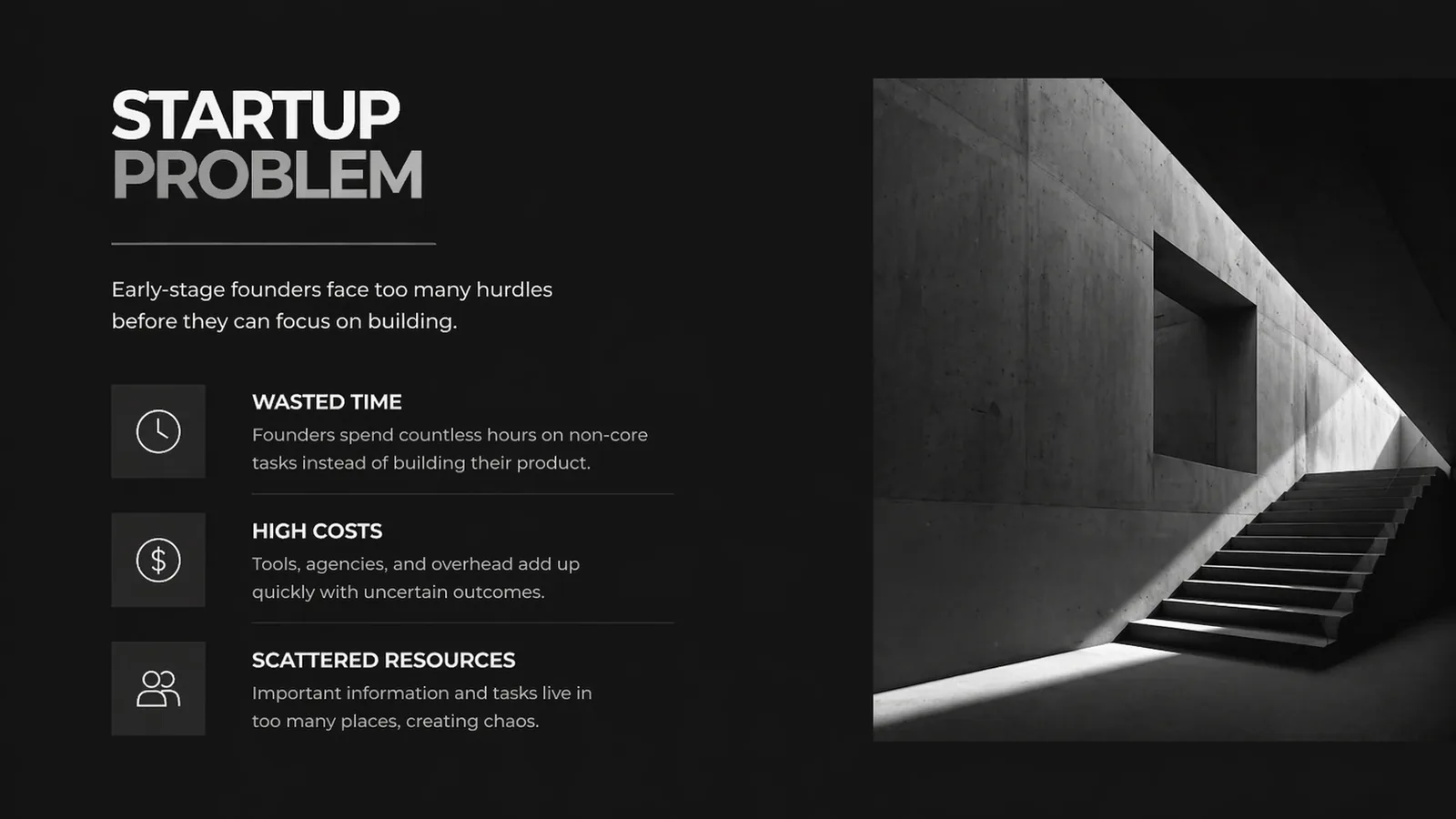
Tosea's image-mode templates are designed around this capability. Below are two of them, both currently live in the gallery.
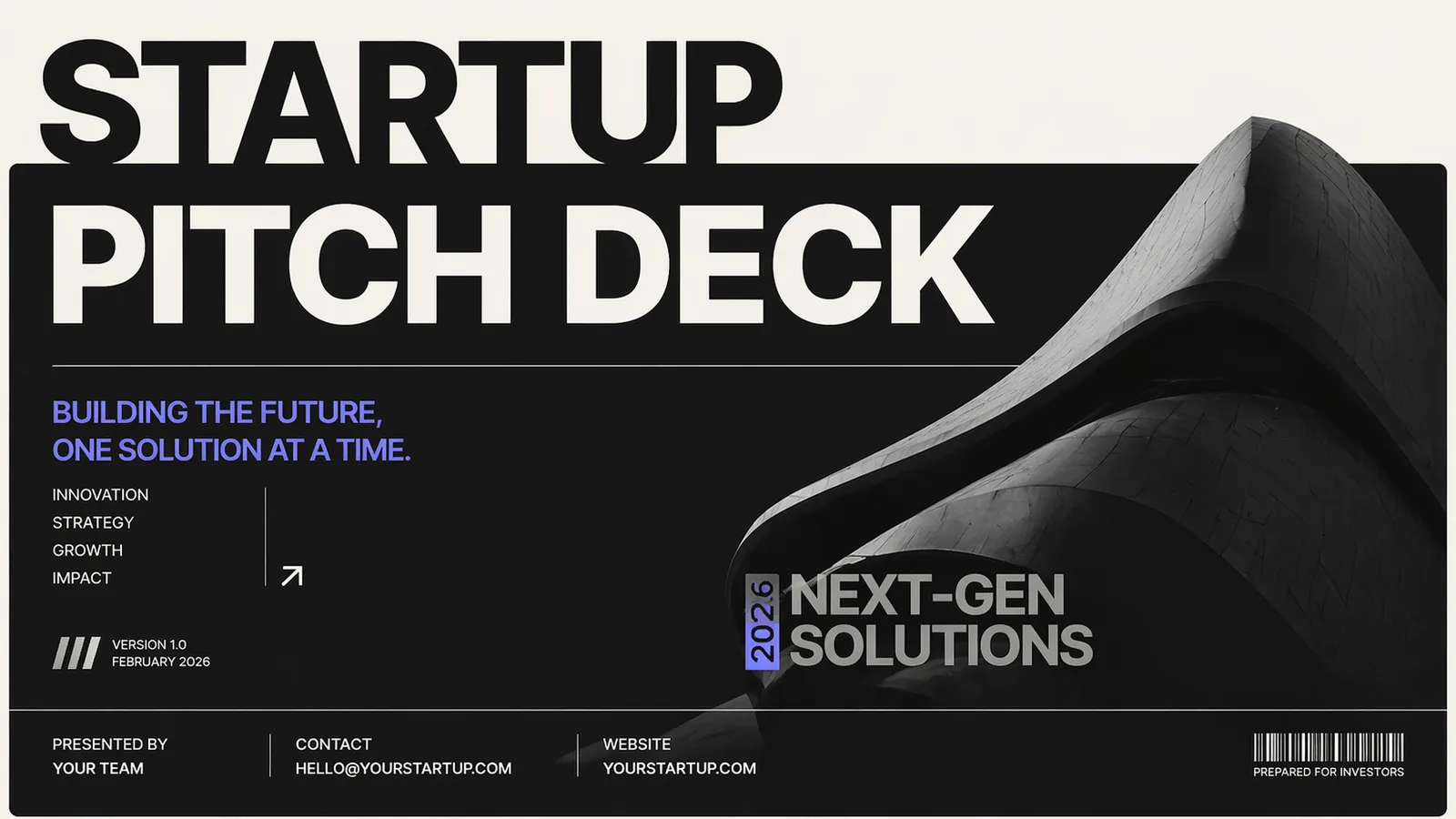

Interior slides hold the same level of polish — copy, photography, and accent geometry composed together as one image.
What Image Slides Are Good At
- Editorial and brand-grade aesthetics. Asymmetric layouts, full-bleed photography, mixed-weight typography, magazine-style covers — all easy.
- Hero slides that wow. Title pages, section dividers, and product-launch covers benefit the most. This is where image generation pulls clearly ahead.
- Coverage of niche verticals. A fashion lookbook, a museum-exhibition poster, a coffee-brand pitch — any deck whose look is part of the message.
- No HTML template author needed. A new visual style can be added to the system as a reference rather than a coded template, which is why image-mode galleries grow much faster than HTML ones.
Where Image Slides Hit a Ceiling
- Editing is harder. You cannot grab a word and retype it; you re-prompt and regenerate. Most edits become "regenerate slide N with copy X."
- Long structured content suffers. Dense bullet lists, multi-row tables, and detailed citations strain the model's text-fidelity ceiling.
- Per-slide cost is higher. A 16:9 image at production quality is 1–4 seconds and a real number of GPU-tokens. A 40-slide deck multiplies fast.
- Charts and data are fragile. Image models can render something that looks like a chart, but the numbers are not connected to anything. For real data, you go HTML or you embed a chart library afterwards.
- Accessibility regression. Pixels are not screen-reader friendly. Text-as-image fails most a11y checks unless paired with structured alt or transcript metadata.
HTML vs Image at a Glance
| Dimension | HTML mode | Image mode |
|---|---|---|
| Underlying model | Reasoning LLM (Opus 4.7, GPT-5.5, DeepSeek V4) | Image model (GPT Image 2, Nano Banana Pro / 2) |
| Each slide is | A DOM tree | A raster picture |
| Best at | Long text, structured data, charts, citations | Editorial covers, hero slides, brand aesthetics |
| Editability | Per-element, post-generation, infinite | Re-prompt and regenerate |
| Cost per slide | Low and predictable | Higher and variable |
Native .pptx quality | Text stays as text | Each slide is one image inside the slide |
| Strongest use case | Research papers, board reviews, technical reports | Pitch decks, lookbooks, brand keynotes |
| Risk | Looks programmatic if pushed past the component kit | Hard to edit, weaker on data fidelity |
Edge Cases, Real Costs, and Export Pitfalls
A few practical realities that the comparison table glosses over and that catch most teams off guard the first time they ship a deck.
Cost, in concrete numbers. A 20-slide HTML deck typically lands around 50–120K input tokens and 8–20K output tokens against the reasoning model — call it 30–80 cents at current public pricing for Opus 4.7 / GPT-5.5 / DeepSeek V4 tiers, and substantially less if cached input dominates. A 20-slide image deck is 20 separate image generations: 1–4 seconds each, and at production quality on GPT Image 2 or Nano Banana Pro you are looking at roughly 4–10 cents per slide, so 80 cents to USD 2 for the whole deck — and that scales linearly with slide count, while HTML cost barely moves. At 40+ slides image mode starts to be noticeably more expensive per deck. At 4 slides the gap disappears.
Mixed-text-density failure mode. Image mode handles 5–15 words of slide copy beautifully and falls apart at 80+. HTML mode handles 0–500 words gracefully but starts looking like a website past 200. The boundary case — a slide with 40–80 words of structured copy plus a hero image — is where teams most often get burned by picking the wrong mode upfront.
.pptx export pitfalls. HTML decks export with text-as-text and shapes-as-shapes, but charts that depend on a JS chart library re-render as static SVG inside the .pptx — they are no longer interactive. Image decks export as one full-bleed picture per slide, which means the speaker-notes pane, alt text, and any accessibility metadata have to be added manually after export. Both modes lose hyperlinks if you re-save the file in older PowerPoint versions; check your export on the version your audience uses, not the version you author in.
Regeneration drift. Image mode is non-deterministic: regenerating slide 7 to fix one typo will subtly shift the photography, accent shapes, and sometimes the layout. If brand consistency across the deck matters, batch your regenerations and lock the seed where the model exposes it.
How Tosea.ai Lets You Choose Between Them
Tosea.ai treats HTML and image as two first-class generation modes inside the same product, not as competing tools. Both run from the same source ingest, the same outline, and the same theme system — only the rendering layer differs.
Step 1: Bring Your Source Material
Drop a PDF, Word doc, markdown file, plain text, or even a long brief into the chat. Tosea's Spatial Semantic Perception engine reads the logical hierarchy of your document — sections, claims, data tables, citations — and turns it into a structured outline. This is the foundation for both modes; the same content can be re-rendered as HTML or as images without re-uploading.
If your input is a PDF specifically, see our PDF-to-PowerPoint quick guide. If you are starting from a research paper, our research-paper-to-slides workflow walks through the full path.
Step 2: Pick a Template (= Pick a Mode)
Inside the template selector, every template is tagged either HTML or Image (image-mode templates carry a small "Image" badge). Picking an HTML template (e.g. tender, mit_tech, oxford_classic, boardroom_amber, executive_platinum) routes the deck through the reasoning model. Picking an image template (e.g. Startup Pitch, Fashion Editorial, Apple Mono, Mint Noir, or any of the ref_d… reference designs) automatically switches the render model to the image generation model that template was built for — Tosea handles the model switch for you.
You can preview every template before you commit. The previews you see in the selector are real renders of that template, not mockups. The samples in this article are taken straight from that gallery.
Step 3: Refine and Iterate
Once the deck is generated, both modes support targeted refinement:
- HTML mode: edit any element directly, swap a chart, change a color token, re-flow bullets, drop in a new citation. The reasoning model can also re-run a single slide if you want it restructured.
- Image mode: re-prompt a single slide to change copy or composition, swap the reference image, or regenerate with a different image model. The Tosea UI keeps the rest of the deck untouched.
Cross-mode is also possible: keep your title and section dividers as image-mode hero slides, and let HTML handle the content-dense interior slides. The deck stays in a single document.
Step 4: Export
Export to native .pptx, PDF, or share a hosted /s/{token} link directly. HTML decks export as fully editable PowerPoint files (text remains text, shapes remain shapes); image decks export with each slide as a high-resolution image inside the slide. Both render correctly in PowerPoint and Google Slides.
When to Use HTML, When to Use Image — A Decision Guide
Use HTML mode when:
- The deck is content-dense — long research, technical analysis, financial reports, project status reviews.
- Every claim needs a citation and you care about traceability. See our hallucination-free document-to-PPT framework.
- You will edit heavily after generation — names, numbers, dates, bullets.
- You need real charts and tables wired to real data.
- The deck has to look professional but not editorial — board reviews, executive summaries, sales reports to executives, academic posters.
- You are converting a massive document into a large slide deck.
Use Image mode when:
- The deck is brand-led or pitch-led — startup pitch decks, lookbooks, product launches, keynote covers.
- A handful of slides need to wow — hero, section dividers, the closing slide.
- The aesthetic is part of the message — fashion, hospitality, museums, premium consumer brands.
- You are not planning to edit text post-generation — you ship the version you generate.
- You want a layout the HTML library does not yet cover, and you want it now without writing a new template. Our Nano Banana 2 vs Pro for AI PPT generation breakdown covers the model side of this decision.
The most common professional pattern in 2026 is hybrid: image-mode hero and divider slides for visual gravity, HTML-mode interior slides for argument and data. Tosea supports this in a single deck — you don't have to pick one universe.
A Quick Reality Check
Image-mode results have improved fast in the last year, but they have not made HTML mode obsolete. Long-form, citation-heavy, edit-heavy decks still belong in HTML — the zero-hallucination architecture we wrote about earlier this year is HTML-native and would be very hard to recreate purely as images.
Equally, an HTML-only product cannot match what a good image model now does on a brand keynote or pitch cover. The two are converging on different ends of the same problem space, and the right answer for any specific deck depends on what the deck is for.
The decision is not "which AI presentation tool wins." It is: for this slide, in this deck, who is the right renderer — the code-writer, or the image-maker? Tosea is built so that question can be answered slide by slide.
Try Both Modes
If you want to feel the difference yourself, the fastest way is to drop the same PDF into Tosea.ai, generate it once with an HTML template (start with tender or mit_tech) and once with an image template (start with Startup Pitch or Apple Mono). Five minutes, two decks, one source — and you'll know exactly which mode each kind of work belongs in.
For a wider tour of what is possible across the AI presentation space, see our best AI presentation makers 2026 roundup, the Tosea.ai vs Beautiful.ai comparison, and our free AI PPT generators 2026 shortlist.