Marketing presentation prompts, with the decks they make
15 copy-ready prompts for launch decks, monthly marketing reports, competitive analysis and sales enablement. Run one in Tosea and get slides you can edit, not just an outline.
Prompt
Create a 10-slide product launch deck for a new AI productivity feature. Use the attached product brief, customer pain-point notes, and screenshots. Follow the existing brand template. Include a launch narrative, positioning, key benefits, competitive differentiation, go-to-market timeline, and a final call-to-action slide.
Opens a new chat with the prompt filled in
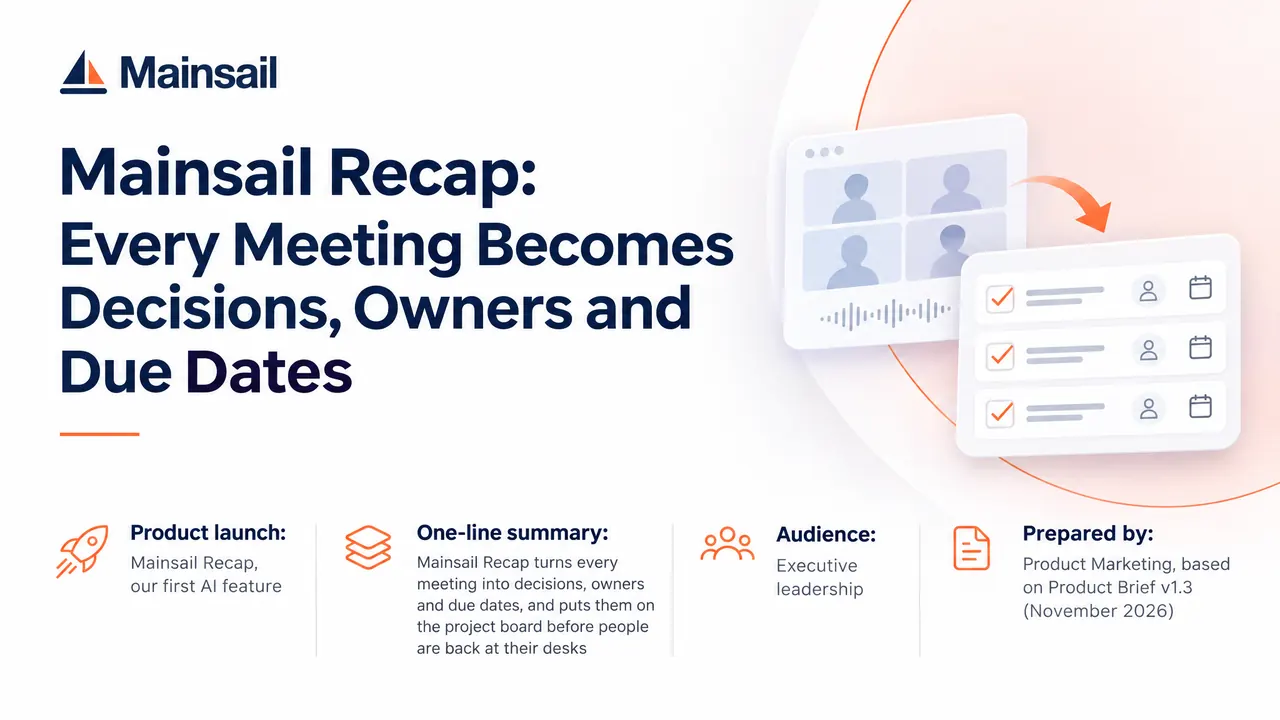
Generated in Tosea · slide 1 of 10
Marketing deck prompts
9 prompts that return a full deck or a finished slide. Replace anything in [brackets], attach your brief or report, and run.
Product launch deck from a product brief
Create a 10-slide product launch deck for a new AI productivity feature. Use the attached product brief, customer pain-point notes, and screenshots. Follow the existing brand template. Include a launch narrative, positioning, key benefits, competitive differentiation, go-to-market timeline, and a final call-to-action slide.
10 slides
Product demo deck from screenshots
Build an 8-slide product demo deck using the screenshots in this folder. Each slide should show one product moment, explain the user value, and include a concise presenter note. Keep screenshots large and readable. Use the existing brand deck as the visual reference.
8 slides
Competitive analysis deck with positioning map
Create a competitive analysis deck comparing our product with Competitor A, Competitor B, and Competitor C. Use the attached research notes. Include a comparison table, positioning map, strengths and weaknesses, and recommended sales messaging. Keep the tone objective and evidence-based.
8 slides
Sales enablement deck for account executives
Generate a sales-enablement deck for account executives selling our new enterprise plan. Use the attached product messaging, customer objections, and sales notes. Include buyer personas, discovery questions, objection handling, competitor talk tracks, and demo guidance. Add speaker notes for each slide.
11 slides
Customer feedback pain points deck
Read the customer feedback transcripts in this document. Create a presentation for the product development team that categorizes the top 3 pain points with supporting quotes. Use a professional but empathetic tone. Include a slide mapping each pain point to a potential product improvement.
7 slides
Monthly marketing report template
Create a monthly marketing report template with the following sections: Executive Summary (1 slide), Campaign Performance Overview (2 slides showing spend and results by channel), Conversion Funnel Analysis (1 slide), Content Marketing Performance (2 slides on blog traffic and engagement), SEO Progress (1 slide on rankings and organic traffic), Paid Advertising Deep Dive (3 slides on ad performance and optimization opportunities), and Strategic Recommendations (1 slide). Use our corporate color scheme: navy blue (#1B365D) and orange accent (#FF6B35).
12 slides
Creative marketing pitch deck
Build a 12-slide marketing pitch deck for [product/brand] targeting [audience]. Use bold typography, high-contrast colors, and full-bleed imagery placeholders. Each slide should lead with an emotional hook before presenting supporting data. Tone should be energetic and aspirational.
12 slides
Competitor comparison bar chart slide
Generate a comparison slide showing our product against three competitors across five dimensions: price, features, support, integration, and ease of use. Use a horizontal bar chart with color-coded bars by competitor. Highlight our product's bar in the brand primary color and show competitor bars in muted gray.
Single slide
Client update deck from a monthly marketing report
Convert this monthly marketing report into an eight-slide client update. Slide 1: executive summary with three key metrics vs targets. Slides 2-4: one slide per channel (paid, organic, email) showing performance, insights, and next month's plan. Slide 5: competitive intelligence summary. Slide 6: budget reconciliation. Slide 7: month ahead priorities. Slide 8: questions and discussion.
8 slides
The example decks use a made-up company, Mainsail, and made-up numbers.
Rules to add to any marketing presentation prompt
6 short instructions to paste after any prompt above.
Brand template rules summary before new slides
First inspect the existing brand deck. Identify the slide size, title style, body-text style, color palette, logo placement, image treatment, chart style, and spacing rules. Summarize these rules before generating new slides.
Slide-by-slide outline for approval before the deck
Before creating the deck, propose a slide-by-slide outline. For each slide, include the title, core message, source evidence, recommended visual, and presenter note. Do not generate the PPTX until I approve the outline.
Exact product claims rule for marketing slides
Preserve all approved product claims exactly as written. Do not invent customer quotes, pricing, performance numbers, or competitor claims. If evidence is missing, mark it as needs verification instead of filling it in.
Editable text and native charts instruction
Create the deck as an editable PPTX. Keep text as editable PowerPoint text. Use native charts for simple bar, line, pie, and histogram visuals when practical. Do not rasterize full slides. Use image assets only for screenshots, illustrations, and complex visuals.
Consistent visual direction for a marketing deck
Define a consistent visual direction for this marketing deck. Use clean SaaS-style illustrations, realistic product context, and a polished B2B visual tone. Save the image prompts or visual notes so future slides can match the same direction.
Final visual QA pass on a rendered deck
Render the deck to slide images. Review every slide for clipped text, overlap, inconsistent spacing, unreadable screenshots, font substitution, layout drift, and visual-style mismatch. Fix all issues before saving the final PPTX.
Results against goals, what drove them, what you will change, and the budget or decisions you need. Lead each slide with the takeaway, not the metric name.
Can I use these prompts for a product launch?
Yes. Use a launch deck prompt with your positioning document or brief attached, and add your launch date, audience and channels to the prompt.
Paste a marketing prompt, get the deck
Or skip the prompt and upload your brief. Tosea drafts the slides, you edit and export.
Attach a PDF, Word file, slides or notes in the next stepGenerate deck