AI Slides Tool Free Trial Guide for Academics in 2026
How to evaluate AI slide generators during a free trial. Focused tests for data tables, citations, and academic workflows.
We have all been there: staring at a dense, 50-page research paper and dreading the task of turning it into a compelling presentation. The process is a time sink — copying, pasting, summarizing, formatting — that can consume an entire evening. An AI slides tool free trial offers a no-risk way to test whether automation can close that gap.
Why AI Slide Tools Matter for Researchers
For any academic, the pressure to publish is rivaled only by the pressure to present. Conference talks, thesis defenses, and weekly lab meetings all demand translating complex, text-heavy work into clear visual narratives. AI-powered slide generation tools have moved from novelty to core toolkit, automating the repetitive work so you can focus on the story behind your data.
A specialized academic AI tool does not just pull random sentences. It acts more like a research assistant trained on scientific paper structures. Tosea.ai, for example, recognizes IMRaD sections (Introduction, Methods, Results, Discussion), handles complex tables and equations, and preserves citation integrity — details that general-purpose tools regularly mishandle.
The global AI presentation software market is expected to grow from 1.68 billion in 2026 — a 34% annual increase — confirming that AI slide generation is now a standard professional tool. For more on how researchers are adopting these tools, see our article on how academics are cutting presentation time with AI.
Choosing the Right Tool: What to Test
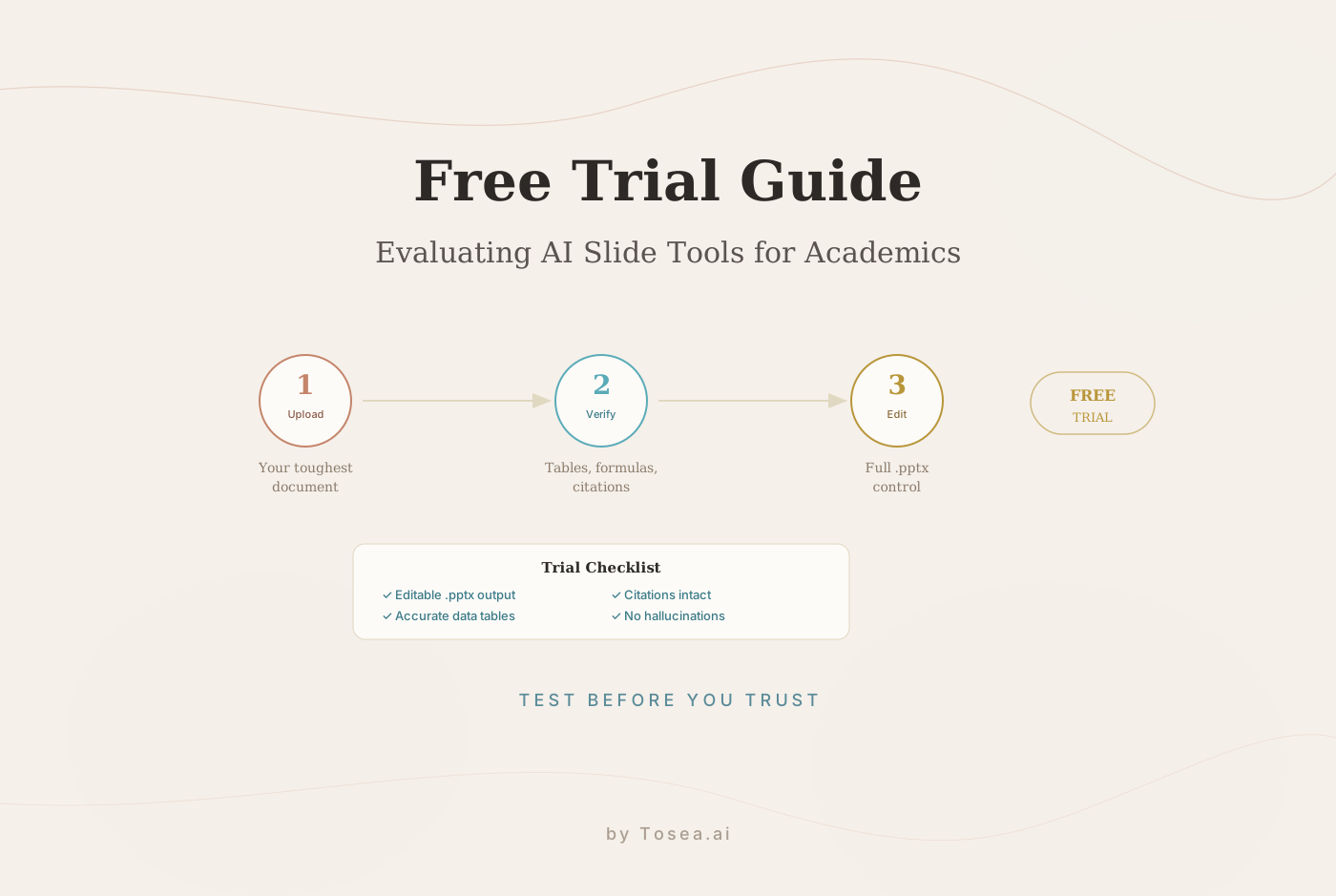
When evaluating an AI slides tool free trial, your first move should be uploading your most challenging document — one with dense tables, LaTeX formulas, or a multi-page bibliography. This stress test reveals where the tool's priorities actually lie.
Academic vs Generic Tools
| Feature | Specialized Academic Tool | Generic AI Presentation Tool |
|---|---|---|
| Data table conversion | Preserves structure; editable tables | Flattens to images or loses formatting |
| Citation handling | Maintains APA, MLA, Chicago styles | Misinterprets or omits citations |
| Formula accuracy | Renders LaTeX/MathML correctly | Displays garbled text or broken images |
| Content prioritization | Focuses on key findings and methods | Pulls random sentences lacking context |
The biggest red flag during a free trial: when the AI "hallucinates" — inventing data points or creating citations that look plausible but do not exist in your original paper. This is an instant disqualifier for serious researchers. We explored the technical solutions to this problem in our analysis of hallucination-free document conversion.
Your Free Trial Checklist
- Editable output: Does it export a standard .pptx file? If the deck contains flat images you cannot modify, walk away.
- Accurate summarization: Does the AI grasp your core argument, or does it just grab topic sentences at random?
- Formatting integrity: How does it handle footnotes, endnotes, and appendices?
For a wider comparison of available tools, our best free AI PPT generators guide covers the full landscape.
From Research Paper to Presentation
The whole process starts with a document upload. A high-quality tool does not just give you a "go" button — it asks for instructions, letting you direct the AI for your specific audience.
Directing the AI
You will want to specify the presentation type:
- Conference talk: Focus on core findings, methodology, and strong intro/conclusion. Keep it concise.
- Thesis defense: Request a comprehensive deck covering methodology in detail, data exploration, and limitations.
- Lab meeting: Emphasize raw data, charts, and open questions to spark discussion.
The Draft in Minutes
After instructions, the AI processes your document. A dedicated tool like Tosea.ai can process a 50-page paper and generate a 20-slide draft in under five minutes.
The draft is not meant to be final — think of it as an intelligent first pass that handles roughly 80% of the structural work. Your introduction is laid out, methodology is broken into logical steps, results are visualized, and conclusions are summarized. For a detailed walkthrough, see our research paper to slides workflow.
Refining Your AI-Generated Slides
The AI has handed you a structured first draft. Now the human touch transforms a functional deck into a persuasive one.
Adjusting Text
While the AI pulls facts accurately, it cannot capture your speaking rhythm or institutional knowledge. Your first job is to make it sound like you:
- Simplify academic language. Break complex sentences into clear, deliverable points.
- Add your insights. Where can you inject context that is not in the source document?
- Match the tone. Casual lab meeting language differs entirely from a formal defense.
Customizing Visuals
The AI follows templates, but it does not know which data point is your key finding. Take control of the design:
- Color and branding: Swap defaults for your university's or conference's palette.
- Data visualization: The AI might default to bar charts — would a scatter plot tell a stronger story?
- Accessibility: Check contrast, font size, and add alt text to images.
For better results from the start, precise prompting matters. Our guide on best AI prompts for document-to-PPT covers effective techniques.
Stress-Testing Advanced Features
Your free trial is a capability assessment, not a feature tour. Push the tool beyond basic scenarios:
- Multi-source merge: Combine your main manuscript with a supplementary data file and a methods paper. Can the AI weave a single, coherent narrative?
- Collaboration: Invite a lab mate to co-edit. Is tracking comments and versions smooth or clunky?
- Multi-language: Upload an English paper and generate slides in another language. Check technical term accuracy.
The generative AI market is projected to grow from 1.21 trillion by 2035, as noted by Precedence Research. Universities and research institutions will integrate AI more deeply, making your tool choice a long-term investment.
What a Good Free Trial Should Include
Not all free trials are created equal. When evaluating an AI slides tool, pay attention to the terms:
Document upload limits. A useful trial lets you upload at least 3-5 documents. A single-document trial does not give you enough data points to evaluate consistency.
Full feature access. Some trials restrict key features — like formula preservation or citation handling — behind a paywall. If you cannot test the features that matter most for academic work, the trial is not serving its purpose.
Export in standard formats. The trial must let you download a real .pptx file. If it only allows you to view slides in-browser or exports watermarked PDFs, you cannot properly evaluate editability.
No credit card required. The best trials let you test without commitment. If a tool requires payment information upfront, be cautious — it suggests the product relies on inertia rather than quality to retain users.
Processing time transparency. A quality tool should process a 50-page document in under 5 minutes. If the trial queue is slow or unpredictable, that often reflects the production experience as well.
Tosea.ai offers a free tier that includes full access to document upload, AI processing, and .pptx export — meeting all of these criteria. This lets you evaluate the tool against your actual academic documents before making any commitment.
Answering Common Concerns
Will AI mangle my data tables and formulas?
Generic tools often do. Specialized academic AI generators, trained on scientific papers, recognize table structures and mathematical notation. During your trial, upload a paper with your most complex tables and equations. A good tool reconstructs tables as fully editable objects, not flat images.
Can I edit the slides afterward?
This is non-negotiable. The output should be a standard .pptx file where you can change every word, move any image, and tweak every chart. If the tool produces locked or proprietary output, it is not built for professional workflows.
Is using AI for presentations academic misconduct?
Think of an AI slide generator as a productivity tool, in the same category as reference managers like EndNote or advanced grammar checkers. The AI is not generating new research — it is reformulating your completed work into a different format. You remain the author; the intellectual property is yours. The tool automates layout and design, not scholarship.
What happens to my research after upload?
Data security is paramount. Before starting any trial, check for two commitments: (1) the service does not claim ownership of your uploaded data, and (2) your documents are not used to train public models without consent. Tosea.ai is built on user confidentiality — files are processed for presentation generation only.
How does this compare to Gamma or Canva?
Both Gamma and Canva are strong general-purpose tools for business and creative presentations. For academic work with complex data tables, formulas, and citations, a specialized tool produces more reliable output. For detailed comparisons, see our analyses of Canva vs Gamma and Tosea.ai vs Beautiful.ai.
Building a Long-Term Academic Presentation Workflow
A free trial is not just about evaluating a single tool — it is about designing a workflow that scales with your career. Here is a framework that works across career stages:
Graduate students: Start with the free tier of a specialized tool like Tosea.ai. Your primary need is converting thesis chapters and paper drafts into defense and conference presentations. Focus on citation accuracy and data table preservation. Build a template library that matches your institution's visual standards.
Postdocs and early-career researchers: At this stage, you are presenting more frequently — lab meetings, conference talks, grant proposal presentations. The time savings compound: if an AI tool saves you 3 hours per presentation and you create 2 presentations per month, that is 72 hours per year redirected to research.
Senior researchers and PIs: Your presentations carry institutional weight. Investor presentations, keynote talks, and grant review panels demand consulting-grade output. The tool must produce slides that meet the visual standards your audience expects. At this level, the combination of AI speed and professional design is not a convenience — it is a competitive advantage.
Research teams: When multiple team members need to create presentations from shared research, consistency matters. A centralized tool with shared templates ensures that every team member's output meets the same quality standard, regardless of their individual design skills.
The tools that earn the trust of serious researchers are those that treat precision as a feature, not an afterthought. An AI slides tool free trial is your opportunity to verify — with your own documents — whether that trust is warranted. For a broader look at the field, our guide on mastering high-quality presentations with AI covers additional strategies and tools.