10 Best Claude Code Skills for PowerPoint and Slide Creation in 2026
10 Claude Code skills for PowerPoint and slides in 2026, from Anthropic's PPTX skill to JSON, template, HTML and Reveal.js pipelines, with stars, licenses, trade-offs and a test prompt.
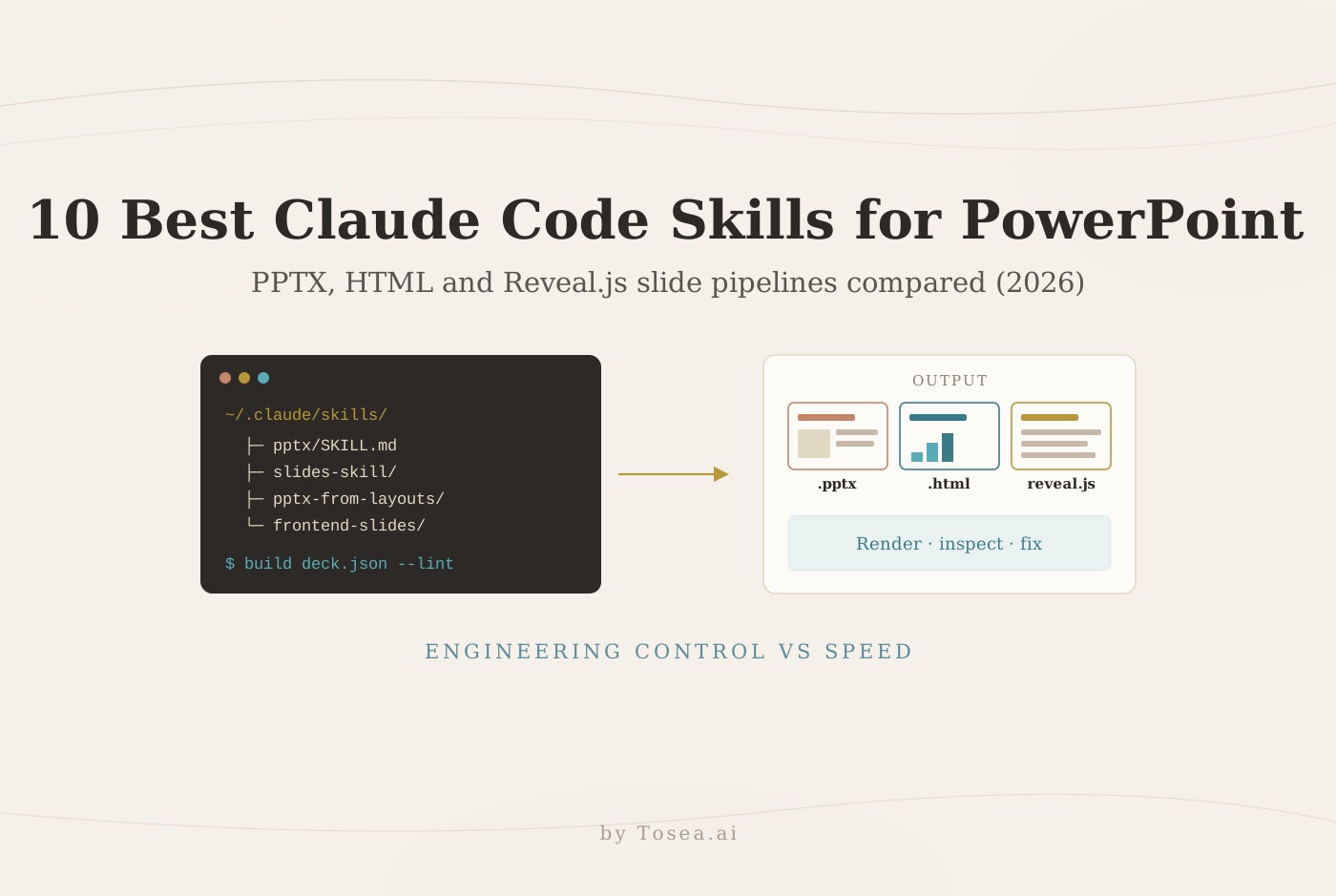
The 10 best Claude Code skills for PowerPoint and slide creation in 2026 can automate deck planning, PPTX generation, template reuse, and visual review. They give developers and technical teams programmable control over every object on a slide. They also ask for setup: installing the skill, managing dependencies, and checking rendered output yourself.
This list compares the ten options we found most useful, explains what each one is good at, and is honest about maturity. Several are early projects with a handful of GitHub stars. We also cover when a browser-based AI presentation tool such as Tosea AI is the shorter path: upload a PDF, report, spreadsheet, or existing deck, edit the outline, choose a template, refine charts, and export an editable PowerPoint without maintaining code.
Quick answer: a Claude Code skill or a presentation tool?
Choose a Claude Code skill when you need a repeatable local pipeline, custom scripts, repository-based review, or strict control over how every object is generated. Choose Tosea AI when the job is to make, redesign, or export a professional presentation without maintaining code.
| Need | Better starting point |
|---|---|
| Build a custom slide production pipeline | Claude Code skill |
| Generate decks from a version-controlled specification | Claude Code skill |
| Batch-update dozens of recurring reports overnight | Claude Code skill |
| Create a deck from a PDF or report quickly | Tosea AI |
| Redesign an existing presentation without rewriting it | Tosea AI Beautify |
| Turn Excel or CSV data into editable charts | Tosea AI Data Studio |
| Use a company template with minimal setup | Tosea AI custom templates |
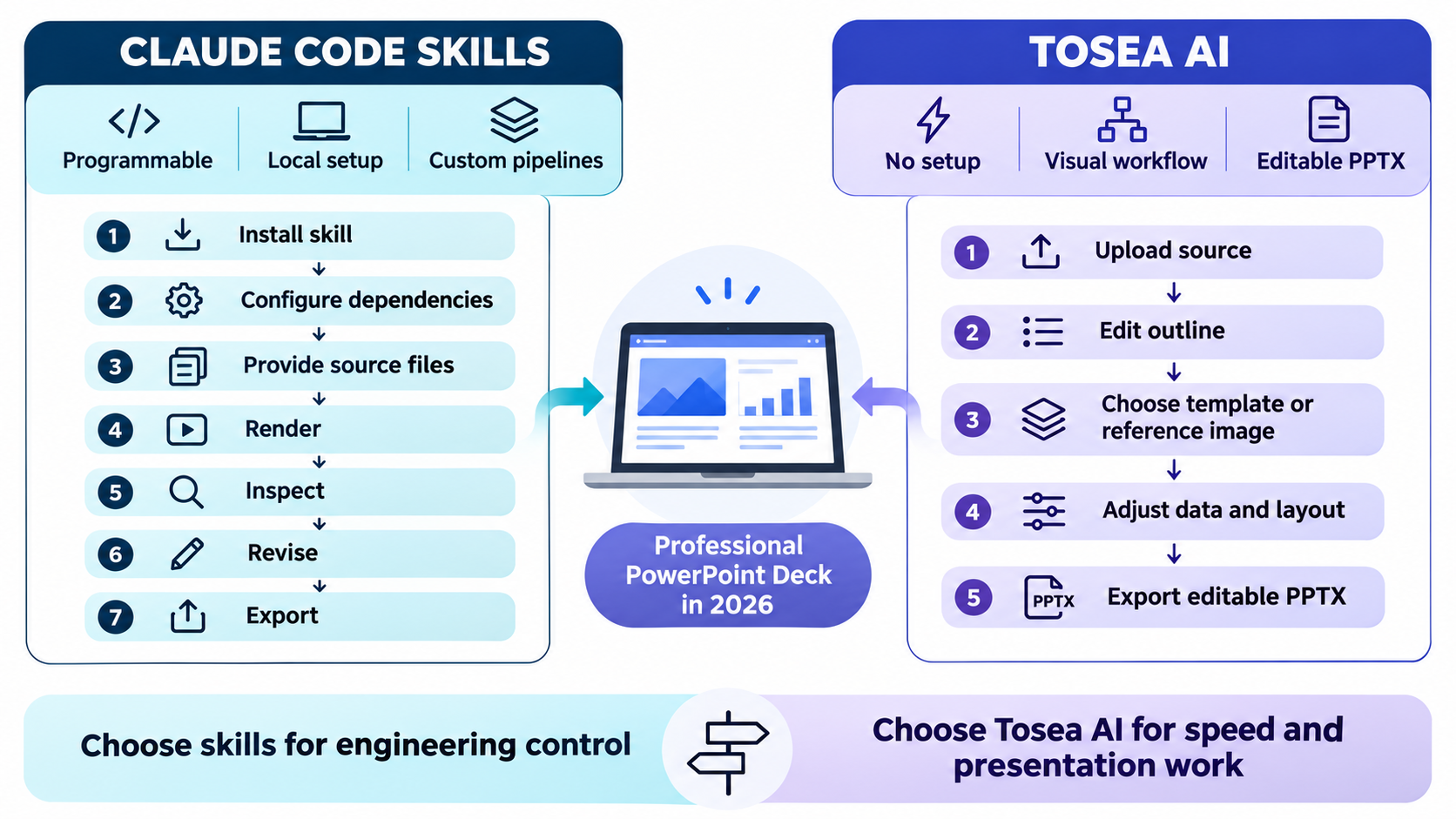
The important difference is operational. A skill is an instruction and automation package that Claude Code loads when a task matches its description. It may also run scripts and install dependencies. A presentation product puts the outline editor, templates, slide editing, layout controls, chart editing, and export in one interface. If you are new to the agent itself, start with our complete guide to Claude Code.
How we selected these Claude Code PowerPoint skills
This list is an editorial review, not a laboratory benchmark. We favored public projects that were accessible in November 2026 and addressed at least one real presentation task: native PPTX creation, editing, template reuse, HTML slide production, source-to-deck conversion, or visual QA. We read each project's README or SKILL.md and checked its repository metadata through the GitHub API on November 5, 2026.
We deliberately included small projects when they take a distinctive approach, such as a deterministic JSON renderer or a render-and-lint loop. Popularity is not quality, but it does signal how many people have tested a project. Treat low-star entries as patterns to learn from, and test them before relying on them.
Before installing any third-party skill, read its SKILL.md, inspect scripts, check the license, and review dependencies. GitHub recommends understanding and updating dependencies as part of software supply chain security. Test unfamiliar skills in a non-sensitive folder before giving them access to client files.
The 10 skills at a glance
| # | Skill | Output | Stack | GitHub stars | License |
|---|---|---|---|---|---|
| 1 | Anthropic PPTX skill | Native PPTX | PptxGenJS, Python scripts | 187k (whole skills repo) | Source-available (Anthropic terms) |
| 2 | Frontend Slides | Single-file HTML | HTML, CSS, JS | 31.9k | MIT |
| 3 | Office Kit PPTX | Native PPTX | TypeScript / TSX | 33 | MIT |
| 4 | Slides Skill (Rich627) | Native PPTX | JSON spec + PptxGenJS | 3 | MIT |
| 5 | Building PowerPoint Decks | Native PPTX | python-pptx, optional PowerPoint on Windows | 5 | MIT |
| 6 | PPTX from Layouts | Native PPTX from your template | Python | 4 | MIT |
| 7 | PPTX Builder Skill | Native PPTX from HTML design | HTML + python-pptx | 2 | MIT |
| 8 | Power PPTX | Native PPTX | Python library (python-pptx fork) | 16 | MIT |
| 9 | Slides from Content | Beamer PDF, then PPTX | LaTeX Beamer | 7 (whole repo) | MIT |
| 10 | Create Slides Skill | Reveal.js web slides | Markdown + GitHub Pages | 0 | None listed |
Star counts and licenses as of November 5, 2026.
The 10 best Claude Code skills for PowerPoint and slide creation
1. Anthropic PPTX skill
Best for: broad PowerPoint creation, editing, extraction, and template work.
The Anthropic PPTX skill is the reference starting point for Claude-based PPTX work. Its SKILL.md covers reading slide content with markitdown, creating a deck with a PptxGenJS script, editing existing presentations through unpacked Office XML, and rendering thumbnails for visual checks. It also documents practical gotchas, such as keeping charts native rather than pasting images. It is the most general option in this list, which makes it useful when one project may involve analysis, updates, and final delivery.
Note the license: many skills in the repository are Apache 2.0, but the document skills (docx, pdf, pptx, xlsx) are source-available rather than open source, and their use is governed by Anthropic's terms of service. Use it when you already work in Claude Code and need a flexible base, and expect to inspect rendered slides yourself.
2. Frontend Slides
Best for: visually ambitious HTML presentations and web delivery.
Frontend Slides by Zara Zhang creates single-file HTML decks with inline CSS and JavaScript, with no build tools. It can also convert an existing PPTX to a web slideshow through a bundled extraction script, and export PDF. The project is a strong fit for demos, conference talks, and interactive storytelling where browser-native effects matter more than native PowerPoint objects.
HTML slides are easy to publish and animate, but editable PowerPoint requires a separate conversion and validation step. If HTML is your target format, our library of 30+ HTML slide skills covers that category in more depth.
3. Office Kit PPTX
Best for: TypeScript authors who want live preview and editable PPTX export.
Office Kit PPTX is a JavaScript library for PowerPoint files with a component-based authoring workflow. Slides are written in TSX, a live browser preview updates as you save, and Claude Code or Codex can edit the source directly before npm run build exports an editable .pptx. It suits teams that want presentation source files to behave like a software project.
This approach is powerful for repeatable deck systems, but it assumes Node.js 22.18 or later and comfort with code.
4. Slides Skill by Rich627
Best for: consistent editable decks generated from a compact JSON specification.
Slides Skill separates content from layout. The agent writes the content of a deck into a small JSON spec, while a deterministic PptxGenJS renderer controls typography, margins, colors, and slide patterns. The model never places a text box. The repository includes multiple slide types, themes, and a visual QA loop that renders the deck to PNGs and a contact sheet for inspection.
This works when consistency matters more than freeform composition. Unusual layouts may need renderer changes, and the visual QA step needs LibreOffice and pdftoppm installed.
5. Building PowerPoint Decks
Best for: teams that want a disciplined render, inspect, revise workflow.
Building PowerPoint Decks by Peter Kalmstrom focuses on the part agents often skip: looking at the rendered slide. Its workflow uses idempotent build scripts with named shapes, a deck linter that flags text overflow, overlaps, stretched pictures, small text, missing alt text, and unsourced figures, and a defect catalog to critique against. It works on any OS with python-pptx; on Windows it can also drive live PowerPoint for pixel-exact renders.
Choose this skill when reliability matters more than one-prompt speed.
6. PPTX from Layouts
Best for: consultant-style decks built from approved templates.
PPTX from Layouts generates presentations from Markdown outlines using your template's actual slide master layouts rather than overlaying text on a background. It profiles new templates, includes an edit mode for surgical changes such as fixing a value or reordering slides, and runs built-in validation. It is useful when a team already has a slide library and wants Claude Code to fill known layouts rather than invent a new visual system for every project.
The setup pays off for recurring board packs and proposals. For a one-off deck, a tool with custom template upload may be faster.
7. PPTX Builder Skill
Best for: converting HTML-designed slides into native PowerPoint objects.
PPTX Builder Skill by Julien339 starts with HTML slide design and compiles the result into editable PowerPoint elements such as autoshapes, text boxes, tables, pictures, and connector lines, using python-pptx. It ships a style gallery of named palette and shape presets as a starting point. It targets designers who like browser layout tools but still need a real PPTX handoff instead of screenshots inside slides.
This route supports precise layouts. Verify line breaks, fonts, grouping, and object order in the delivery environment.
8. Power PPTX
Best for: Python teams that need programmatic PowerPoint creation and updates.
Power PPTX is an actively maintained fork of python-pptx with a bundled Claude Code skill and slide-design guides. It can create, read, and update Open XML PowerPoint files without Microsoft PowerPoint installed, and it adds "space-aware" authoring APIs aimed at layouts that look right without manual cleanup. It installs side by side with upstream python-pptx, which makes it relevant for server-side jobs, batch reporting, and existing Python pipelines.
It is an engineering toolkit, so teams still need design rules, sample decks, and render-based review.
9. Slides from Content
Best for: turning papers, reports, articles, and notes into structured presentations.
Slides from Content reads a source (PDF, Word, Markdown, LaTeX, or a URL), writes a structured summary, generates LaTeX Beamer slides with figures and tables, and then converts them to PPTX. A structure= parameter selects the deck skeleton (MBA, teaching, faculty, professional, consulting, or working-paper), and it reuses existing extracts to save tokens on reruns.
This suits long sources where the hard part is deciding what belongs in the talk. The Beamer-first route produces clean academic layouts; expect to restyle the PPTX if you need a corporate look.

10. Create Slides Skill
Best for: Markdown-based Reveal.js presentations published through GitHub Pages.
Create Slides Skill guides Claude Code through aligning on an outline, scaffolding a GitHub repository, writing Markdown slides chapter by chapter, reviewing them, and deploying the deck with GitHub Pages. It builds on slides.johnsonlee.io, a lightweight Reveal.js wrapper, and requires the GitHub CLI. It is a good fit for technical talks, training material, and open presentations that benefit from simple version control.
It is not a native PowerPoint production system, and the repository had no stars and no license file when we checked. Use it as a pattern for web publishing, not an editable PPTX handoff.
Which skill fits your situation?
| If you are… | Start with | Why |
|---|---|---|
| Already working in Claude Code and need one general tool | Anthropic PPTX skill | Covers create, read, and edit with documented gotchas |
| Presenting on the web or at a conference with live effects | Frontend Slides | Single HTML file, no build step |
| A TypeScript team building a deck system | Office Kit PPTX | TSX source, live preview, editable export |
| Producing many decks that must look identical | Slides Skill (Rich627) | Deterministic renderer owns layout |
| Delivering client-facing decks where defects are costly | Building PowerPoint Decks | Render-lint-fix loop |
| Bound to a corporate template | PPTX from Layouts | Uses real slide master layouts |
| A designer who thinks in HTML | PPTX Builder Skill | HTML design compiled to native shapes |
| Running Python batch reporting | Power PPTX | Library plus skill, no PowerPoint needed |
| Summarizing papers into talks | Slides from Content | Source-first, academic structures |
| Publishing open slides from Markdown | Create Slides Skill | Git-based, GitHub Pages |
A reusable prompt for testing any presentation skill
Use the same brief when comparing tools. This exposes differences in structure, editability, and visual quality.
Create a 10-slide executive presentation from the attached report.
Audience: business unit leaders with five minutes to review before a meeting.
Goal: explain the decision, the evidence, the financial effect, and the next action.
Use takeaway titles, one main message per slide, and a restrained consulting style.
Reuse source charts where accurate. Rebuild simple charts as editable objects.
Add source notes for every material number.
Export an editable PPTX.
Render every slide and check overflow, alignment, contrast, and font substitution before delivery.
Score the result on narrative logic, factual fidelity, editability, template consistency, and time spent correcting the output. Also run the PowerPoint Accessibility Checker. Microsoft recommends checking alt text, reading order, contrast, unique slide titles, and table structure in its PowerPoint accessibility guidance. For a broader set of starting prompts, see our 60+ AI prompts for PowerPoint presentations.
Where Claude Code skills stop and a presentation tool begins
Claude Code skills make sense when slide generation is part of a larger engineering system: a nightly report job, a template-bound proposal factory, or a repository where decks are reviewed like code. The skill handles the PPTX mechanics; you own the narrative, the data checks, and the rendering environment.
Most people making a weekly report, research presentation, client proposal, thesis defense, or investor deck need a shorter path from source to slides. That is the gap a document-to-deck tool fills. Tosea AI combines that path in one workspace:
- Upload PDFs, PowerPoint files, Word documents, spreadsheets, CSV files, or images.
- Review and edit the outline before rendering slides.
- Choose a built-in template, upload a custom template, or guide a page with reference images.
- Select layouts and diagrams during the outline stage, then change them again after rendering.
- Use Data Studio to recognize chart values or import Excel and CSV data into editable charts.
- Use Beautify (Pro and above) to redesign an existing PDF or PPTX while keeping page order and source content.
- Export selected pages as PDF, image PPTX, or editable PPTX.
The getting started guide documents the source-to-outline-to-slide workflow, and the Data Studio guide explains chart recognition, Excel and CSV import, and editable chart creation. The two approaches also combine well: a skill can assemble the source report, and a PDF-to-PowerPoint tool can turn it into the deck. Our document-to-PPT prompt guide shows how to brief that step.
Frequently asked questions
Are Claude Code skills safe to install?
Treat every third-party skill as code. Read its SKILL.md and scripts, check the license and dependencies, and test it outside sensitive client folders. Enterprise teams should apply normal source review policies.
Do these skills work with Codex or Cursor?
Several do. Rich627's Slides Skill names Claude Code, Codex, and Cursor; Frontend Slides notes that its SKILL.md can be read by other coding agents with filesystem and shell access; Office Kit supports Claude Code or Codex. Check each README before assuming compatibility.
Can Tosea AI redesign my existing PowerPoint without changing the content?
Yes. Upload the PPTX or a PDF with Beautify PPT/PDF (available on Pro and above) and keep the default "Keep source pages" option. Use Layout Only when wording is approved. Compare labels, footnotes, numbers, and images with the original.
How do I upload a PowerPoint and ask Tosea AI to redesign each slide?
Choose Beautify PPT/PDF, upload the PPTX or PDF, keep the source pages, and select a system or eligible custom template. State the audience and visual direction, generate the deck, inspect every page, and export it.
Can I upload my own PowerPoint template to Tosea AI?
Tosea AI supports custom templates on eligible paid plans. Upload the template, then check layouts, fonts, colors, logo positions, and master-slide rules. Test the export on the final presentation device.
Can Tosea AI use custom brand colors, fonts, and a logo?
Yes. Provide brand colors and fonts, upload a logo, or use a supported custom template. After export, verify fonts, color values, contrast, logo clear space, and font substitution.
Does Tosea AI preserve PowerPoint formatting after export?
Editable PPTX export stays close to the preview while keeping supported elements editable. Results vary with fonts, dense tables, unusual graphics, and the opening app. Test the deck in the delivery environment.
Can I tell AI to edit the layout only and keep the exact wording?
Yes. Layout Only changes visual arrangement without intentionally rewriting content. After approval, compare the result with the source to confirm labels, citations, footnotes, line breaks, and hidden details remain complete.
Final recommendation
The best Claude Code skill depends on the output you need. Use the Anthropic PPTX skill for broad file work, Frontend Slides for web presentations, Office Kit for TypeScript pipelines, a deterministic renderer for repeatable decks, or a template-based skill for corporate production. Check the license and maturity of smaller projects before building on them.
If your goal is a strong presentation rather than a slide-generation codebase, start with Tosea AI. Upload the source, shape the argument in the outline, choose the visual system, edit data and layouts, and export an editable PowerPoint. For more on recovering editable files from slide images, see the Reslide image-to-editable PowerPoint guide.
Sources
- anthropics/skills — PPTX skill — Anthropic, GitHub
- frontend-slides — Zara Zhang, GitHub
- office-kit/pptx — Office Kit, GitHub
- slides-skill — Rich627, GitHub
- claude-powerpoint-skill — Peter Kalmstrom, GitHub
- pptx-from-layouts-skill — johnnyknocke, GitHub
- pptx-builder-skill — Julien339, GitHub
- power-pptx — CodeHalwell, GitHub
- slides-content SKILL.md — AI Business Tools, GitHub
- skill-create-slides — ai-awesome, GitHub
- Supply chain security — GitHub Docs