6 Best Canva Alternatives in 2026 for Business Presentations
Compare six Canva alternatives for business presentations in 2026 - Tosea AI, PowerPoint, Pitch, Gamma, Adobe Express, and Visme - on document handling, layout control, and PPTX export.
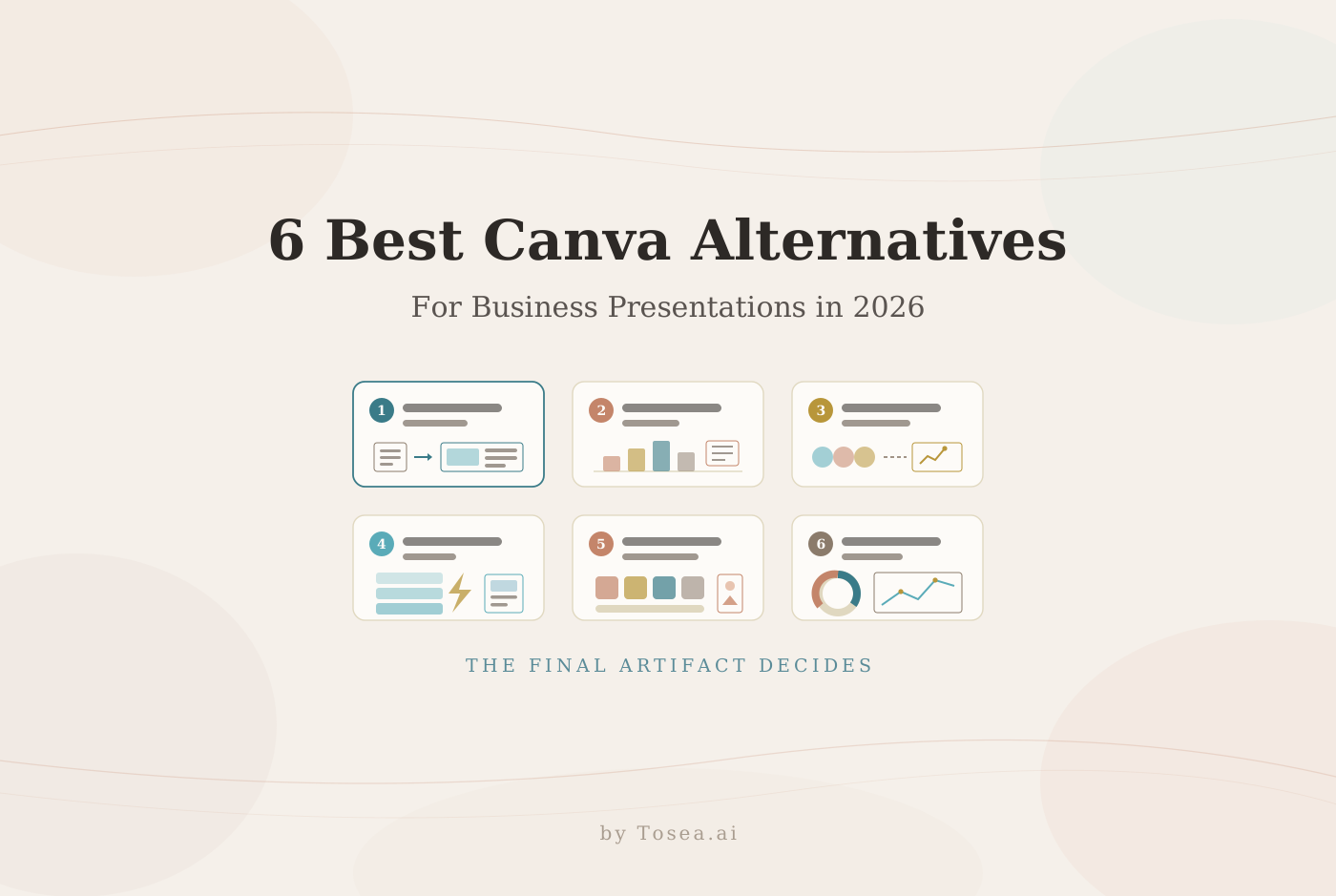
The best Canva alternatives for business depend on what your team produces after the design is approved. Canva remains a convenient option for social graphics, one-pagers, and quick branded content. Business presentation work becomes harder when teams need source-grounded slides, linked data, reusable masters, reliable PowerPoint delivery, or detailed control over the final file. This guide compares six alternatives around those practical requirements.
Quick answer
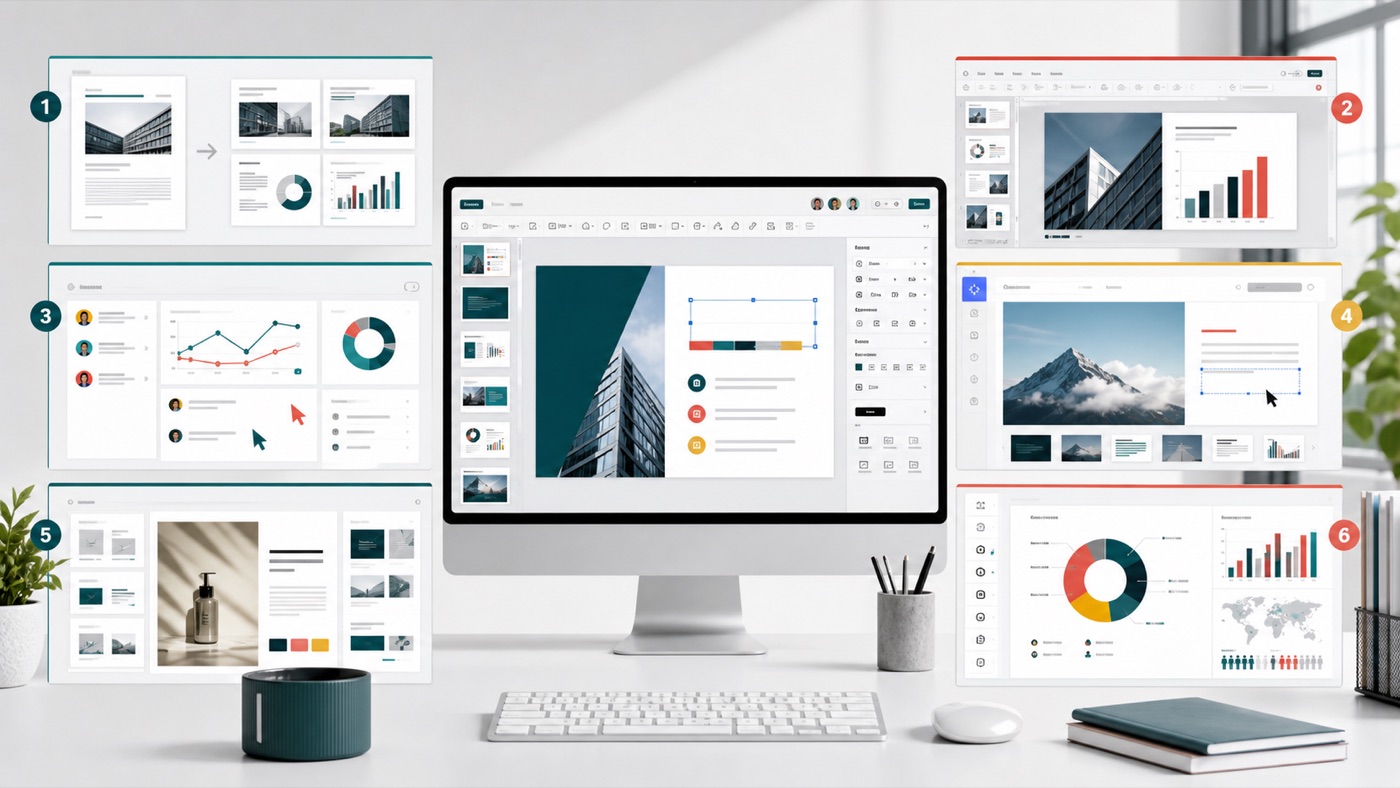
Tosea AI is the best Canva alternative here for turning reports and other complex source files into editable business presentations. PowerPoint is strongest for native Office workflows and linked Excel data. Pitch suits collaborative sales decks, Gamma is fast for web-first drafts, Adobe Express works well for branded marketing content, and Visme is useful for charts and interactive infographics.
Why businesses look for Canva alternatives
Canva helps non-designers produce visual work quickly, and its Brand Kit can reduce improvised colors, fonts, and logos. Presentation production exposes different needs. Finance teams may require charts linked to Excel, consultants need editable PPTX deliverables, and presenters need speaker notes and dependable offline delivery.
The friction usually shows up in a handful of recurring moments. A quarterly review deck has to be rebuilt from scratch each cycle because the numbers were pasted as static images. A 60-page industry report has to be read, summarized, and re-typed by an analyst before any slide exists. A finished deck is handed to a client who opens it in desktop PowerPoint and finds substituted fonts, missing notes, or shapes that can no longer be edited. None of these are design problems, which is why a better template gallery does not solve them.
The useful question is not which platform has the most templates. It is which one creates the right final artifact. We covered the same distinction from a different angle in our Canva vs Gamma comparison and in our Canva vs Beautiful.ai analysis.
How we evaluated these Canva alternatives
This editorial comparison was updated in August 2026 using official product documentation, published help-center articles, and hands-on use of each tool's export path. It is not a controlled benchmark, and we have not attempted to score the tools on a single numeric scale.
We assessed six dimensions that matter for business work specifically: document handling (what happens when you feed the tool a long source file), layout control (how much say you have over structure before and after generation), collaboration, data content, PowerPoint export fidelity, and the business deliverable each tool handles best. Export behavior varies with fonts, embedded media, and subscription level, so treat every claim below as a starting hypothesis and test one representative company deck in the software actually used for delivery.
Best Canva alternatives at a glance
| Tool | Best for | Main advantage | Main trade-off |
|---|---|---|---|
| Tosea AI | Reports, research, consulting, and business presentations | Source-to-outline workflow with controllable layouts and editable PPTX export | Focused on presentations rather than general graphic design |
| Microsoft PowerPoint | Corporate decks, finance reviews, and offline delivery | Native Office editing, masters, presenter tools, and linked Excel data | More manual design work than dedicated AI-first tools |
| Pitch | Sales teams and collaborative pitch decks | Team workflows, shared links, and engagement analytics | Some animations and uploaded media do not survive PPTX export |
| Gamma | Fast AI drafts and web-first presentations | Quickly turns prompts, text, and imported files into structured cards | Imported styling is not preserved, and PPTX may need cleanup |
| Adobe Express | Branded marketing presentations and campaign assets | Brand assets and a broad visual-content workflow | PPTX export omits notes, audio, video, and animations |
| Visme | Data visualization, reports, and interactive content | Flexible charts, infographics, and online presentation formats | Interactive effects do not fully transfer to PPTX |
1. Tosea AI: best for document-to-presentation workflows
Tosea AI is a source-grounded AI presentation tool for turning PDFs, research papers, financial reports, annual reports, 10-K filings, industry reports, and complex documents into editable PowerPoint slides. It is built for analysts, consultants, researchers, and business teams that need to preserve tables, charts, figures, layout structure, and source context.
What sets it apart
Tosea separates presentation creation into reviewable stages: source parsing, image selection, outline editing, slide rendering, revision, and export. The Tosea getting-started guide documents this workflow. Because each stage is inspectable, a mistake in slide 14 can be traced back to the outline entry that produced it rather than being regenerated blindly.
Layout control is available before and after rendering. During the outline stage, users can choose from a library of more than 100 layouts and diagram types and assign one to each slide according to the job that slide has to do. A sequence may need a timeline, a causal analysis may need a fishbone diagram, a prioritization may work better as a bullseye or a four-quadrant matrix, and a financial summary may need a valuation table rather than bullets. After the slide has rendered, that choice can still be changed. Layout Only mode refreshes the visual structure without intentionally rewriting approved wording.
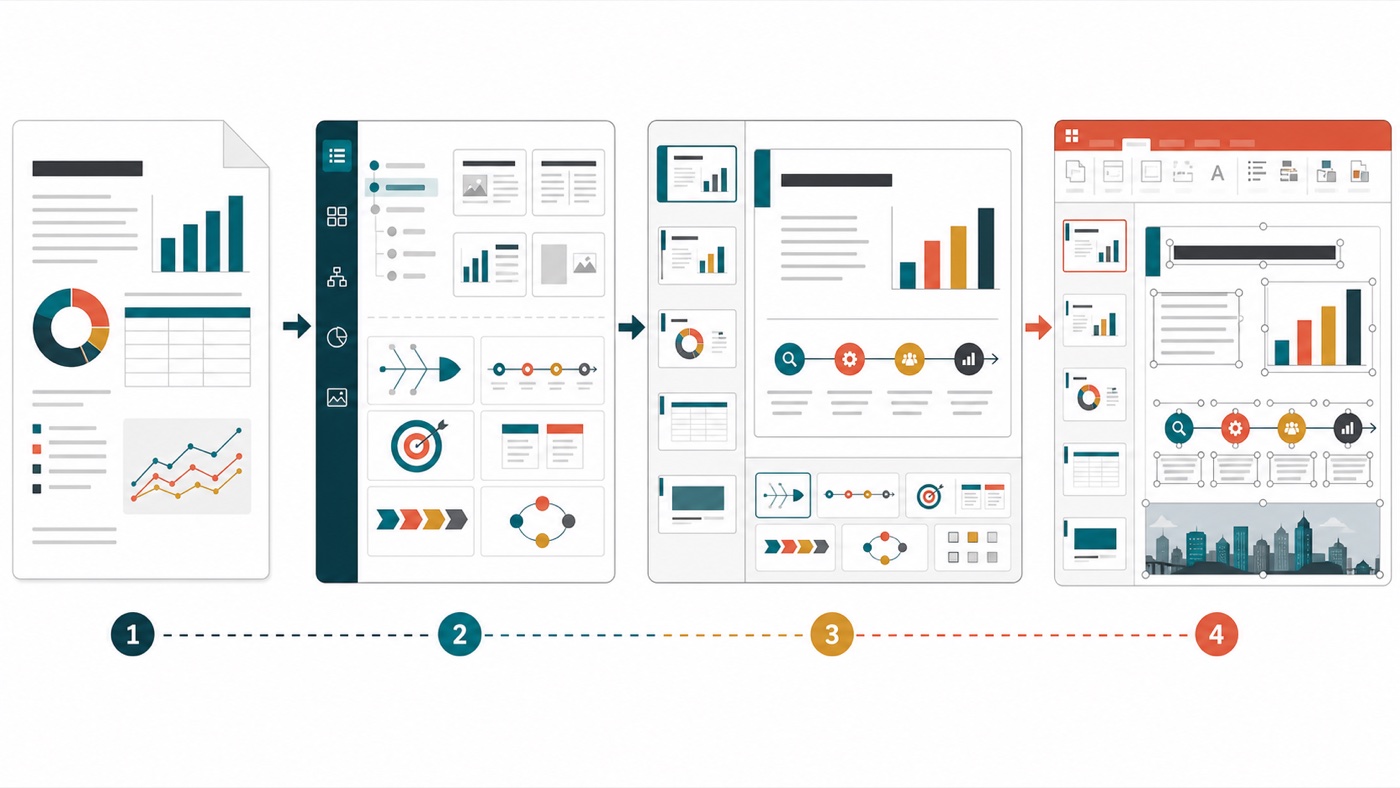
This lets teams decide the information architecture early, then correct visual choices after seeing the deck. It is the same separation of structure from styling we described in our PPT designer workflow guide. The Tosea template library covers business, consulting, academic, creative, and personal-report styles, and the document-to-PowerPoint conversion guide walks through a complete source-to-deck pass.
Limitations
Tosea is not a replacement for Canva when the main job is producing social posts, posters, or a large campaign asset set. Editable PPTX export is available on eligible plans, and every exported deck should still be checked for font availability, source accuracy, chart labels, and layout behavior in the delivery environment.
2. Microsoft PowerPoint: best for native corporate workflows
Microsoft PowerPoint remains the practical default inside Microsoft 365. It supports slide masters, speaker notes, Presenter View, detailed animation control, and offline desktop editing.
For recurring finance and operations reviews, its strongest advantage is the connection to Excel. Microsoft documents how teams can insert and update linked Excel data in PowerPoint. That makes PowerPoint the safer choice when a chart must be refreshed from a changing workbook instead of rebuilt as a static design element. For a recurring reporting cycle such as an earnings call deck, that single capability often outweighs everything else on this list.
Copilot can draft content from supported files, but users still make many narrative and layout decisions. Choose PowerPoint when compatibility, data links, masters, and conference-room delivery matter most.
3. Pitch: best for sales collaboration and analytics
Pitch suits teams that create, review, distribute, and measure presentations together. It fits sales proposals, fundraising decks, and account-specific pitches shared as links.
Pitch offers presentation analytics that can report visits, viewing time, and slides viewed, subject to plan and consent settings. Its official analytics documentation explains the available link and engagement data. For an outbound sales motion, knowing that a prospect stopped on the pricing slide is operationally useful in a way that a static PDF attachment never is.
PowerPoint export supports text, images, shapes, tables, notes, and charts. Uploaded videos, recordings, and animations may be absent or changed, and unavailable fonts can fall back. Review the Pitch PowerPoint export guide before promising an exact round trip.
4. Gamma: best for fast web-first AI drafts
Gamma works well when speed matters and the first deliverable can live on the web. Users can generate from a prompt, paste content, or import a file for AI restyling.
Its import documentation makes an important distinction: plain import brings in text, while styling and layouts must be rebuilt in Gamma or generated with AI. Teams that expect an existing corporate deck to arrive intact are usually surprised by this.
Gamma can export to PowerPoint, but teams should test the result. It fits rapid structure and web sharing better than preservation of an existing corporate master. If Gamma is already on your shortlist, our Gamma alternatives roundup covers the adjacent options in more detail.
5. Adobe Express: best for branded marketing content
Adobe Express is the closest option here for teams that like Canva because it handles more than presentations. Marketing users can manage brand assets and campaign content in one visual environment.
It can export presentations as PPTX, making it useful for branded sales collateral and campaign decks that later move into PowerPoint. Adobe also states that exported PowerPoint files do not include video, animation, audio, or presenter notes, and fonts may appear differently when they are not installed on the receiving device. Those limits are detailed in the Adobe Express PowerPoint export guide.
Choose Adobe Express when the presentation belongs to a broader marketing campaign. Choose another tool when the core challenge is synthesizing a long technical or financial source.
6. Visme: best for data visuals and interactive reports
Visme works well for infographic-led communication. Its chart tools support imported data and interactive behavior, making it useful for dashboards, training material, annual-report graphics, and online presentations.
Visme can export an editable PPTX, but its help center notes that transitions, animated graphics, custom fonts, and platform-specific effects may not transfer perfectly. The editable PPTX guide recommends web, HTML5, or other formats when interactive behavior must be preserved.
Visme is a good alternative when visualizing data is the primary design task. For recurring Excel-linked management reporting, PowerPoint remains more direct. For source-grounded report conversion, Tosea AI is more specialized.
Who should switch from Canva, and who should not
Not every team gains from leaving Canva, and switching for the wrong reason adds tool sprawl without solving anything.
Switch if your presentations start life as a document rather than a blank canvas: research papers, market studies, due-diligence packs, board materials, or investment committee memos. Switch if the deck must leave your organization as an editable PPTX that a client or partner will modify. Switch if the same deck is rebuilt on a fixed cadence and the underlying numbers change each time. Switch if compliance or citation accuracy means a slide has to be traceable back to a specific page of a source file.
Stay if your dominant output is social content, event collateral, or single-page marketing assets, and presentations are an occasional side task. Canva's breadth is a genuine advantage there, and a specialized presentation tool would be a downgrade. Also stay if your team is non-technical, ships mostly internal-facing material, and nobody downstream ever needs to edit the source file.
Many organizations end up running both: Canva for the marketing asset library, and a document-to-deck tool for the analytical work. That is a reasonable outcome rather than an indecisive one.
Which Canva alternative should your business choose?
Start with the final handoff, not the template gallery.
- Use Tosea AI when the work begins with a report, research paper, PDF, or complex document and must end as an editable presentation.
- Use PowerPoint when the deck relies on Excel, masters, complex animations, offline presenting, or strict corporate compatibility.
- Use Pitch when sales collaboration, shared links, and engagement analytics are central to the workflow.
- Use Gamma when the team needs a presentable web-first draft quickly.
- Use Adobe Express when presentations are one part of a broader branded-content system.
- Use Visme when charts, infographics, and interactive visual reporting lead the story.
Run a real pilot before committing
A polished vendor demo uses content chosen to flatter the product. Instead, take one genuine deck from your own archive and check five things after export:
- A dense chart with more than six series or a secondary axis. Does it survive as a chart, or become a flat image?
- Footnotes and source citations. Are they still attached to the correct slide, at a readable size?
- A custom brand font. Open the file on a machine that does not have the font installed and see what substitutes.
- Speaker notes. Confirm they exist in the exported file, not only in the web editor.
- An editable page a colleague must change. Ask someone else to move a text box and retype a number without design help.
This reveals more in twenty minutes than a week of feature-list comparison. Our roundup of AI presentation makers applies the same test across a wider field of tools.
Frequently asked questions
Can Tosea AI redesign my existing PowerPoint without changing the content?
Yes. Export the PowerPoint as a PDF, upload the PDF to Tosea AI, and request a redesign that keeps the original wording. Use Layout Only when the goal is to refresh visual structure without rewriting the content. Review the result to confirm that every label, footnote, and slide element remains complete.
How do I upload a PowerPoint and ask Tosea AI to redesign each slide?
First export the PowerPoint file as a PDF. Upload that PDF to Tosea AI and explain that you want each slide redesigned while preserving its content and sequence. Choose a template or describe the visual direction, generate the deck, and inspect each slide before exporting the revised presentation.
Can I upload my own PowerPoint template to Tosea AI?
Tosea AI supports custom templates on eligible paid plans. Upload or configure the template according to the product workflow, then use it when generating the presentation. Check that required layouts, fonts, colors, logo placement, and master-slide rules appear correctly before sharing the final deck.
Can Tosea AI use custom brand colors, fonts, and a logo?
Yes. Specify the required brand colors and fonts in the presentation instructions and upload the logo or use a custom template where supported. Custom logo and template features are available on eligible plans. After export, verify font availability, color values, logo clear space, and contrast in PowerPoint.
Can Tosea AI match the style of my old company presentations?
Tosea AI can use a representative company deck as design guidance, but learning a style should not imply permanent model training. For stronger consistency, use an approved custom template containing the company layouts, colors, fonts, and logo. Compare the generated deck with the original brand guidelines before distribution.
Does Tosea AI preserve PowerPoint formatting after export?
Tosea AI editable PPTX export is designed to remain close to the generated preview while keeping elements available for further editing. Results can vary with fonts, complex graphics, and the application used to open the file. Test the exported deck in the exact PowerPoint environment used for delivery before presenting. Our guide on converting slide images to editable PowerPoint explains why some pipelines produce flattened images instead of real shapes.
Can I tell AI to edit the layout only and keep the exact wording?
Yes. Tosea AI provides a Layout Only editing mode for changing visual layout without intentionally rewriting slide content. This is useful when wording has already been approved. After the edit, compare the new slide with the source to confirm that labels, citations, footnotes, and line breaks remain correct.
Final recommendation
Canva is still useful for fast, accessible visual design, and a business should switch only when its main work no longer fits that strength. Data-linked corporate decks belong in PowerPoint. Sales teams may prefer Pitch. Web-first AI drafts suit Gamma. Marketing systems fit Adobe Express, while infographic-heavy work fits Visme.
When the real task is turning a long, evidence-heavy source into a structured, editable deck, Tosea AI is the more focused Canva alternative. Teams can control layouts and diagrams while reviewing the outline, revise those choices after slides are rendered, use Layout Only to protect approved wording, and export the finished work for continued editing in PowerPoint. If you want to push the visual quality further once the structure is settled, our high-aesthetic presentation prompts guide is a practical next step.
Sources
- Getting started with Tosea AI — Tosea AI documentation
- Insert and update Excel data in PowerPoint — Microsoft Support
- View presentation analytics — Pitch Help Center
- Export a presentation to PowerPoint — Pitch Help Center
- How can I import slides or documents into Gamma? — Gamma Help Center
- Export your project as a PowerPoint presentation — Adobe Express Help
- How to export your project in editable PPTX format — Visme Help Center