

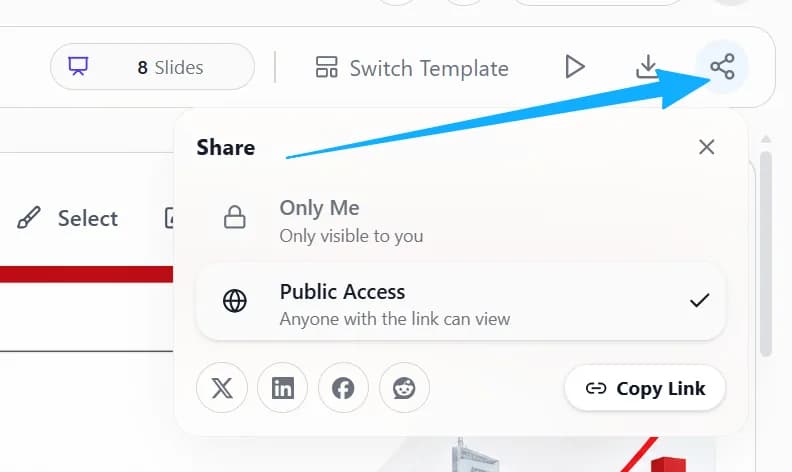
Click the share button at the top right to create a public share link. Copy the link and send it to anyone who needs to view the deck; you can also share it to X, LinkedIn, Facebook or Reddit in one click.
1. Open the share panel
Click the share button at the top right of the page and choose Public Access in the panel to create a public link to your deck.
2. Copy it or post it directly
Click Copy Link and send the link to others, or use the buttons in the panel to share it to social media.