

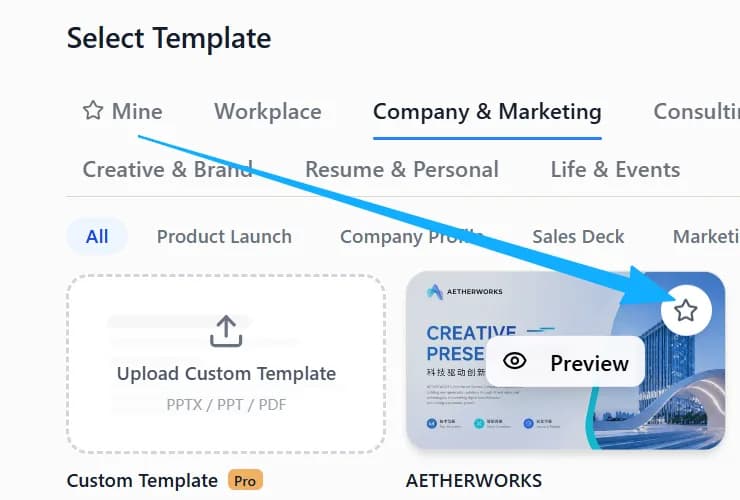
1. Click the star to save it
Click the star icon in the top-left corner of a template to add it to your favorites.
2. Find it under “My templates”
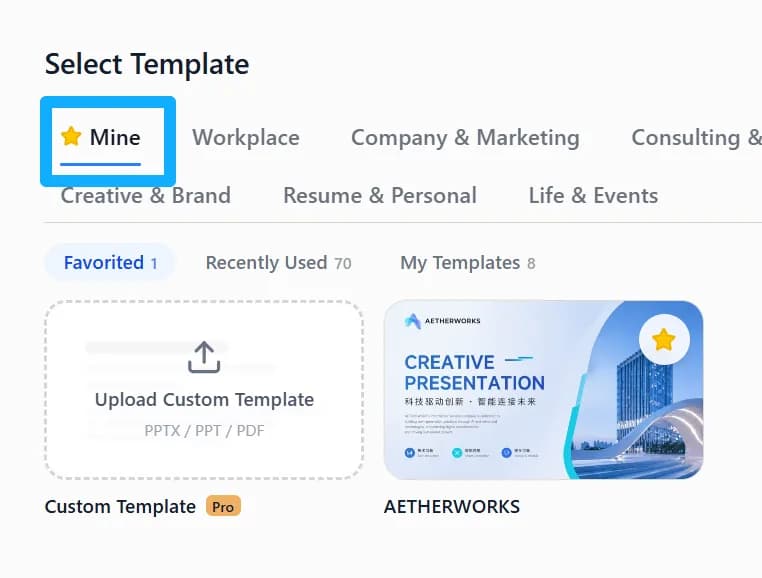
Open “My templates” and check Favorites to quickly find the templates you have saved.
Help Center › Getting started
Click the star icon in the top-left corner of a template, then find it under “My templates”.
Click the star icon in the top-left corner of a template to add it to your favorites.
Open “My templates” and check Favorites to quickly find the templates you have saved.