Add inserts a new page after the current one. Use it whenever you need a transition page, a case page, an explainer page or a conclusion page, or when you notice that an important point is missing from the outline.
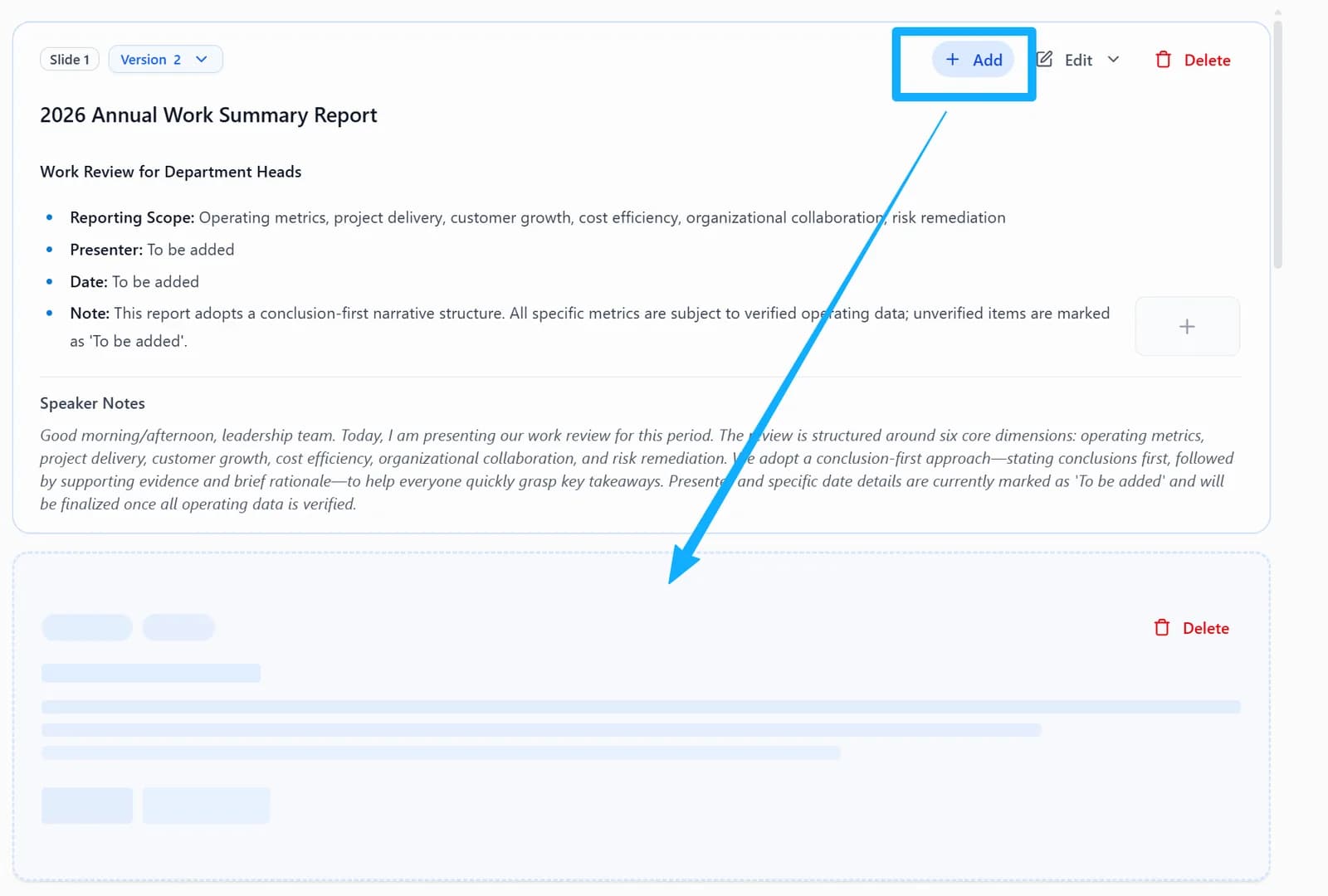
Click the + (Add page) at the top right of the page card, then describe the new page in the chat box.
Add a reference image
When you add a page, you can attach up to 3 images: use them as a style reference, so the new page borrows their colors, fonts and card styles, or place an image on the new slide as-is.
1. Upload an image
After clicking Add, click the image button at the bottom of the chat box, or paste or drag an image into it. Each image gets a tag such as @image1, which is also inserted into your description so you can refer to it.

2. Choose how the image is used
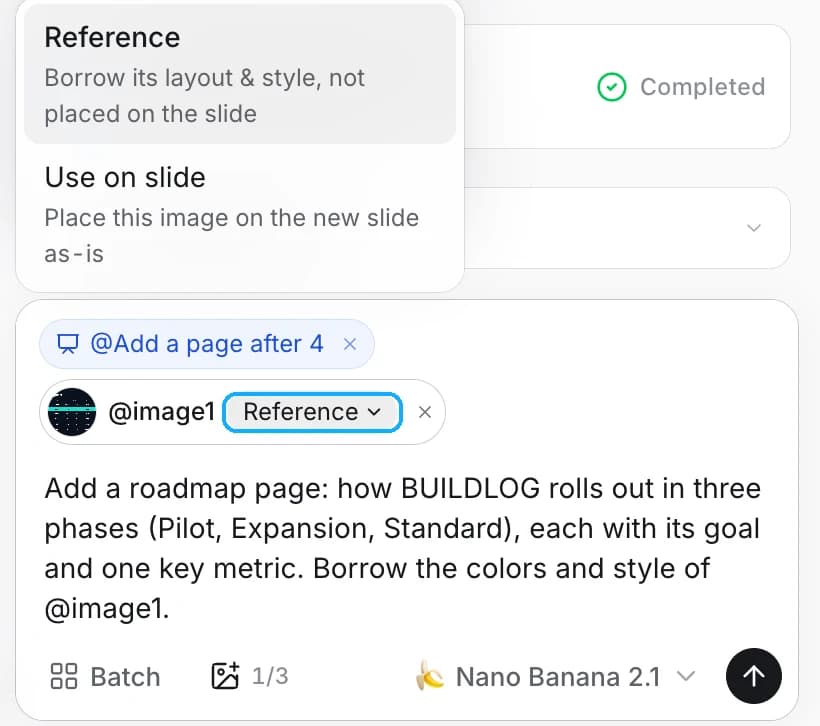
Click the menu next to the tag:
- Reference: the new page borrows the image's look. The image itself is not placed on the slide.
- Use on slide: the image is placed on the new slide as-is, for example a chart, photo or screenshot.
3. Describe the page and send
Describe the new page and mention the tag where it matters, for example "Borrow the colors and style of @image1". To copy the layout as well, write "follow the layout of @image1".